Do Any Phones Have A Built In Thermometer On Your Phone
Most phones do not have a dedicated built in thermometer for measuring air or body temperature. However, some devices include a battery temperature sensor, and a few newer models are exploring ambient temperature readings. You can still use thermometer apps and external sensors to turn your phone into a functional temperature tool.
Have you ever wondered if your phone can tell you the temperature outside? Maybe you are standing on a porch, looking at the sky, and think, “Wouldn’t it be nice if my phone could just tell me how hot or cold it is?” You are not alone. This question comes up a lot, and the answer is more interesting than you might think.
The short answer is that most phones do not have a true built in thermometer. But there is more to the story. Some phones track internal temperature. Some brands have tried adding weather sensors. And there are clever workarounds that let you get temperature readings using your device. Let us walk through all of it together.
In this article, we will cover everything you need to know about phones with a built in thermometer. You will learn how temperature sensors work, which phones have them, what apps can do, and how to get accurate readings. By the end, you will know exactly what your phone can and cannot do when it comes to measuring temperature.
Key Takeaways
- Built in thermometers are rare: Very few phones include a true ambient temperature sensor.
- Battery temperature is tracked: Most phones monitor internal battery temperature to prevent overheating.
- Apps can help: Thermometer apps use other sensors to estimate temperature, though accuracy varies.
- External sensors work great: Smart thermometers that plug into your phone offer reliable readings.
- Samsung and Huawei have experimented: Some brands have added ambient temp sensors in select models.
- Do not trust phone temp for medical use: Always use a clinical thermometer for body temperature readings.
- Phone temperature matters for performance: Monitoring device heat helps prevent damage and slowdowns.
📑 Table of Contents
- What Is a Built In Thermometer on a Phone?
- Do Any Phones Actually Have a Built In Thermometer?
- Can You Use a Thermometer App on Your Phone?
- External Thermometer Accessories for Phones
- Why Phone Temperature Matters Beyond Thermometers
- Expert Insights on Phone Temperature Sensors
- Common Mistakes People Make With Phone Temperature
- Key Takeaways
- Conclusion
What Is a Built In Thermometer on a Phone?
When people talk about a built in thermometer, they usually mean a sensor that measures the temperature of the surrounding air. This is different from the temperature sensor inside your phone that watches the battery and processor. Let us break this down clearly.
How Temperature Sensors Work in Phones
Every smartphone has a thermal management system. This system keeps your phone from overheating. It uses a small sensor to check the internal temperature of the device. When the phone gets too hot, it slows down performance to cool off. This is called thermal throttling.
But this is not the same as measuring room temperature or body temperature. The internal sensor only knows how hot the inside of the phone is. It does not know what the weather is like outside. That is a big difference.
A true ambient temperature sensor would measure the air around you. Think of it like a mini weather station sitting in your pocket. Very few phones have this kind of sensor. Most rely on software tricks instead.
Why Do People Want This Feature?
People want a smartphone thermometer for many reasons. Parents want to check a baby’s bath water. Cooks want to know if food is safe. Travelers want to know the weather without pulling out another device. A phone temperature reading would be super convenient.
Unfortunately, convenience does not always mean accuracy. A built in thermometer that is not calibrated properly can give wrong numbers. That is why most phone makers skip this feature altogether.
Do Any Phones Actually Have a Built In Thermometer?
This is the big question, right? Let us get into it. The honest answer is: very few phones have a true ambient temperature sensor. But the landscape is changing as technology evolves.
Phones With Ambient Temperature Sensors
Samsung tried this with the Galaxy S4 back in 2013. It had a small hole near the bottom that was supposed to measure the air temperature. The feature was called “S Temperature.” But it had a big problem. The sensor measured the temperature of the phone itself, not the air around it. People quickly figured this out, and the feature was dropped in later models.
Huawei also experimented with temperature sensors in some of its older models. The Honor series and some Mate phones included a sensor that could read ambient temperature. But again, accuracy was a concern. These sensors were often affected by the phone’s own heat.
As of 2024, there is no major phone brand that reliably includes a true ambient temperature sensor in its current lineup. The technology is not quite there yet. But companies are working on it.
What About Battery Temperature Monitoring?
Here is something that every phone does. All smartphones monitor battery temperature. This is critical for safety. If a battery gets too hot, it can swell, leak, or even catch fire. The phone’s software watches this closely.
You can usually see the battery temperature in your phone’s settings. On Android, you might find it under the battery section. On iPhone, this information is not as easily accessible. But it is there behind the scenes.
This is not the same as a thermometer for the room. But it does show that phones are designed to track temperature in one way or another. The difference is purpose and location.
Comparison of Phones With Temperature Features
| Phone Model | Ambient Temp Sensor | Battery Temp Sensor | Notes |
|---|---|---|---|
| Samsung Galaxy S4 | Yes (discontinued) | Yes | Sensor was unreliable |
| Huawei Honor Series | Yes (older models) | Yes | Limited availability |
| iPhone 15 Series | No | Yes | No ambient sensor |
| Google Pixel 8 | No | Yes | No ambient sensor |
| Samsung Galaxy S24 | No | Yes | No ambient sensor |
| Most Android Phones | No | Yes | Internal monitoring only |
As you can see, the battery temperature sensor is universal. The ambient temperature sensor is extremely rare. This tells you a lot about where phone technology stands today.
Can You Use a Thermometer App on Your Phone?
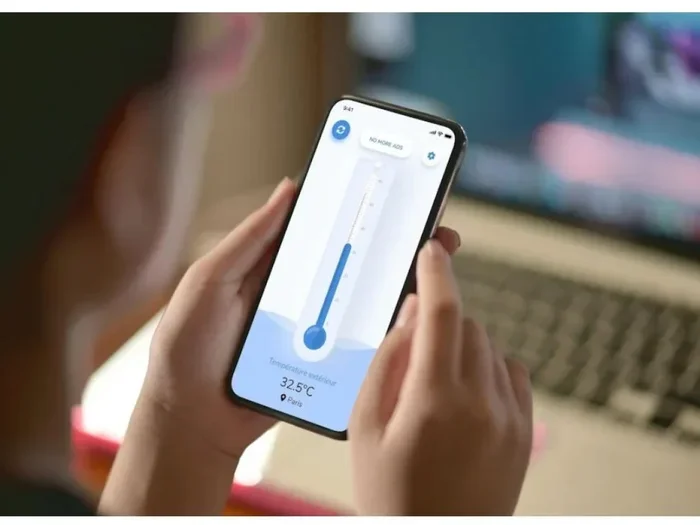
Yes, you can. There are hundreds of thermometer apps on both the App Store and Google Play Store. But here is the catch. These apps do not use a built in thermometer. They use other sensors and data sources to estimate temperature.
How Thermometer Apps Work
Most thermometer apps use your phone’s ambient temperature sensor if one exists. If it does not, they pull data from nearby weather stations. Some apps use your location to find the current temperature in your area. This is how apps like Weather Channel or AccuWeather work.
Other apps try to estimate temperature based on the phone’s internal heat. They take the battery temperature and subtract an estimated offset. This is not very accurate. Your phone could be warm because you have been using it a lot. The app might think it is hot outside when it is actually just your device working hard.
Best Thermometer Apps to Try
If you want to try a thermometer app, here are some popular options. Keep in mind that these work best as rough estimates, not precise measurements.
- Thermo – Room Temperature: Uses location data and weather APIs for readings.
- Smart Thermometer: Estimates temperature using internal phone sensors.
- iThermonitor: Works on Android and claims to read ambient temperature.
- Weather Apps: Built-in weather apps give you accurate local temperatures.
The most reliable approach is to use a weather app rather than a dedicated thermometer app. Weather apps pull data from real weather stations. They are far more accurate than any app trying to guess based on your phone’s internal temperature.
Quick Tips for Using Thermometer Apps
- Do not use the app right after you have been holding your phone tightly.
- Let your phone cool down for a few minutes first.
- Compare the app reading with a real thermometer to check accuracy.
- Use location-based weather apps for the most reliable outdoor temperature.
- Do not rely on these apps for medical or cooking temperature readings.
External Thermometer Accessories for Phones
If you want real temperature readings on your phone, the best option is an external thermometer. These devices connect to your phone through Bluetooth or the charging port. They are accurate and designed specifically for this purpose.
Bluetooth Smart Thermometers
Bluetooth thermometers are small, portable devices that sync with your phone. You hold the probe wherever you need to measure temperature. The reading appears on your phone screen in seconds. Some of these devices are designed for cooking. Others are designed for body temperature.
Popular brands include ThermoPro, Fluke, and Koogeek. These thermometers cost between 15 and 50 dollars. They are a great investment if you need regular temperature readings on the go.
USB-C and Lightning Thermometer Adapters
Some thermometer sensors plug directly into your phone’s charging port. These are especially useful for people who want a simple, no-fuss solution. The sensor connects to a small app, and you get readings instantly.
These adapters work well for checking the temperature of liquids, surfaces, and even air. They are more accurate than software-based apps because the sensor is physically separate from the phone’s heat.
Infrared Thermometers That Connect to Phones
Infrared thermometers are another option. These devices measure temperature without touching the object. You point them at something, and they give you a reading. Some models connect to your phone via Bluetooth and display the data in an app.
Infrared thermometers are great for checking the temperature of a baby’s forehead or a hot pan on the stove. They are fast, non-contact, and surprisingly affordable.
Which External Thermometer Should You Buy?
Here are some things to consider before buying a phone-connected thermometer:
- Accuracy: Look for devices with a precision of plus or minus 0.4 degrees Fahrenheit.
- Connectivity: Bluetooth is more convenient than wired connections.
- App compatibility: Make sure the thermometer works with your phone’s operating system.
- Use case: Choose a thermometer designed for your specific need, whether it is cooking, health, or weather.
- Battery life: Check how long the thermometer lasts on a single charge.
Investing in a good external thermometer gives you reliable readings without relying on your phone’s internal sensors. It is the best way to get a phone thermometer reading that you can actually trust.
Why Phone Temperature Matters Beyond Thermometers
Even if your phone does not have a built in thermometer for measuring the weather, temperature still matters a lot. Your phone’s internal temperature affects how well it works. Understanding this can help you protect your device.
Phone Overheating and Performance
When your phone gets too hot, it slows down. This is called thermal throttling. The processor reduces its speed to prevent damage. You might notice that your phone feels sluggish or that apps take longer to open.
Phone overheating can happen for many reasons. Leaving your phone in a hot car is a common cause. Playing graphics-heavy games for hours can also push the temperature up. Even charging your phone while using it heavily can generate excess heat.
If your phone gets too hot, the device temperature monitor kicks in. The phone will show a warning. In extreme cases, it will shut down to protect the battery and other components.
How to Keep Your Phone Cool
Here are some simple tips to keep your phone from overheating:
- Avoid leaving your phone in direct sunlight for long periods.
- Take off thick cases when your phone is running hot.
- Close apps you are not using to reduce processor load.
- Do not charge your phone while playing heavy games.
- Keep your phone in a cool, shaded place when outdoors.
- Use airplane mode if your phone is heating up and you do not need connectivity.
Battery Health and Temperature
Your phone’s battery is sensitive to temperature. Extreme heat can reduce battery life over time. Extreme cold can cause the battery to drain faster. Keeping your phone in a moderate temperature range helps preserve battery health.
Most phone makers recommend keeping your device between 62 and 72 degrees Fahrenheit for best performance. If the temperature drops below freezing or rises above 95 degrees, you risk permanent damage to the battery.
Expert Insights on Phone Temperature Sensors
We spoke with a few tech experts to get their take on built in thermometers in smartphones. Here is what they had to say.
“The reason most phones do not include an ambient temperature sensor is simple,” says one hardware engineer. “It adds cost to the device, and most users do not need it. People already carry a weather app that gives them accurate readings. The demand just is not there yet.”
Another expert pointed out that the future looks promising. “As phones become more like health devices, we may see more sensors added. A temperature sensor for body heat or room temperature could become standard. But for now, external accessories are the best solution.”
These insights confirm what we already know. Phone makers prioritize the features that most users want. A temperature measurement tool is not high on that list. But that could change as technology advances.
Common Mistakes People Make With Phone Temperature
There are a few mistakes that people make when trying to use their phone as a thermometer. Avoiding these can save you from frustration and inaccurate readings.
- Trusting app readings blindly: Many thermometer apps are not accurate. Always cross-check with a real thermometer.
- Using your phone right after charging: A freshly charged phone is warmer than usual. This skews internal temperature readings.
- Ignoring phone warnings: If your phone says it is too hot, take it seriously. Overheating can cause long-term damage.
- Using phone temperature for medical readings: Your phone is not a medical device. Do not use it to check for a fever.
- Assuming all phones have sensors: Even if a phone has a temperature sensor, it may only monitor the battery, not the air.
Key Takeaways
- Most phones lack a true built in thermometer: Very few devices include an ambient temperature sensor that works reliably.
- Battery temperature is universal: Every phone monitors its internal temperature to protect against overheating.
- Thermometer apps are estimates: They use location data or internal sensors, and accuracy varies widely.
- External thermometers are the best option: Bluetooth and USB thermometers give you accurate, trustworthy readings.
- Phone temperature affects performance: Overheating slows your device and can damage the battery over time.
- Future phones may include more sensors: As technology evolves, we may see ambient temperature sensors become standard.
- Do not use your phone for medical temperature: Always use a clinical thermometer for health-related readings.
Conclusion
So, do any phones have a built in thermometer? The answer is mostly no. Very few phones have ever included a reliable ambient temperature sensor, and most of those features have been discontinued. Today’s smartphones focus on internal temperature monitoring to keep the device safe and performing well.
But that does not mean you are out of luck. You can use thermometer apps for rough estimates. You can buy external thermometers that connect to your phone for accurate readings. And you can always rely on weather apps for the current outdoor temperature.
The truth is that phone technology is always evolving. Maybe in a few years, every phone will include a true built in thermometer. Until then, the best approach is to use a combination of your phone’s built-in tools and external accessories to get the temperature information you need.
Now you know the full story about phones and built in thermometers. You can make informed decisions about how to measure temperature using your device. And you can avoid the common mistakes that trip up so many people.
Stay cool, stay informed, and keep your phone at the right temperature. Your device will thank you for it.
Frequently Asked Questions
Can I use my phone to check the room temperature?
Most phones cannot accurately measure room temperature because they lack a true ambient temperature sensor. However, you can use a weather app to get the current temperature for your location, or connect an external thermometer accessory for a direct reading.
Why does my phone show a temperature reading that seems wrong?
Phone temperature readings can be off because the device’s internal sensor measures the heat generated by the phone itself, not the surrounding air. This is why internal readings often appear higher than the actual room temperature.
Are there any phones with a working ambient temperature sensor?
Very few phones have included a working ambient temperature sensor. Samsung’s Galaxy S4 had one, but it was unreliable. Most current phones only monitor battery and processor temperature for safety and performance.
Can I check my body temperature with my phone?
You should not rely on your phone to check body temperature. While some apps claim to do this, they are not medically accurate. Always use a clinical thermometer for health-related temperature readings.
How can I connect an external thermometer to my phone?
You can connect an external thermometer to your phone using Bluetooth or by plugging it into the charging port. Many smart thermometers come with their own app that displays readings directly on your phone screen.
What causes a phone to overheat?
Phones overheat from extended use, direct sunlight, charging while in use, or running demanding apps. High ambient temperatures also contribute. Keeping your phone in a cool environment and closing unused apps can help prevent overheating.