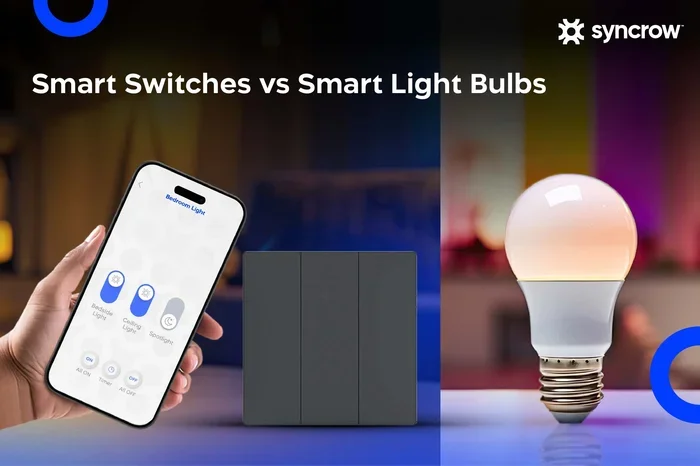
Do You Really Need a Smart Bulb With a Smart Switch
Do you need a smart bulb with a smart switch? The short answer is: it depends on your goals. Using a smart bulb with a smart switch gives you the best control, but it’s not always necessary. This guide breaks down the real benefits, drawbacks, and setup options so you can make the right choice for your smart home lighting needs.
You have probably stood in a lighting aisle or scrolled through an online store, staring at rows of smart bulbs and smart switches. The labels promise voice control, scheduling, and mood lighting. But then a question hits you: do you really need a smart bulb with a smart switch?
The truth is, most people overcomplicate this decision. The good news is that the answer is simpler than you think. Whether you want to automate your living room, save on electricity, or just impress your guests, the right lighting setup depends on a few key factors. Let us walk through everything you need to know.
Key Takeaways
- Smart bulbs work best with smart switches: They give you full control without worrying about someone turning off the physical switch.
- You don’t always need both: A smart bulb alone can work if you keep the wall switch always on.
- Smart switches offer more reliability: They don’t lose power like smart bulbs can, giving you consistent home automation.
- Cost matters: Smart bulbs cost more upfront, while smart switches control any bulb in the fixture.
- Voice control and scheduling work better when both devices are compatible with the same smart home ecosystem.
- Energy savings are possible either way, but combining both maximizes your efficiency.
📑 Table of Contents
- What Is a Smart Bulb and How Does It Work?
- What Is a Smart Switch and Why Does It Matter?
- Do You Really Need a Smart Bulb With a Smart Switch?
- Pros and Cons of Each Setup
- Compatibility Issues to Watch Out For
- Quick Tips for Setting Up Smart Lighting
- Common Mistakes People Make With Smart Lighting
- Energy Savings and Cost Analysis
- Frequently Asked Questions
- Final Thoughts
What Is a Smart Bulb and How Does It Work?
A smart bulb is an LED light bulb that connects to your home WiFi network or a smart home hub. You control it using a phone app, voice commands, or automated routines. Popular brands include Philips Hue, LIFX, Wyze Bulb, and Sengled.
These bulbs offer features like:
- Color changing — set any mood from warm white to vibrant colors
- Scheduling — turn lights on or off at specific times
- Dimming — adjust brightness without a physical dimmer
- Voice control — work with Alexa, Google Assistant, or Siri
- Scene setting — create preset lighting moods like “Movie Night” or “Morning Wake Up”
The bulb replaces your regular bulb in any standard light fixture. That means you can use it in a lamp, a ceiling light, or even a porch fixture. The smart home automation possibilities are vast once you start experimenting.
How Smart Bulbs Connect to Your Network
Most smart bulbs connect directly to your WiFi router. Others use a hub or bridge that plugs into your router. The hub approach works better for larger homes because it extends the range. For example, Philips Hue requires a Hue Bridge, while Wyze Bulbs connect directly to WiFi.
Some bulbs also use Bluetooth for close-range control. But for full home automation, WiFi or hub-based connections are far more reliable. You want your lights to respond the moment you say a command, even if you are across the house.
What Is a Smart Switch and Why Does It Matter?
A smart switch replaces your traditional wall light switch. It connects to your home network and lets you control the power to any light fixture from your phone or voice assistant. Think of it as the brain behind your lighting system.
Popular smart switch brands include Lutron Caseta, TP-Link Kasa, Leviton, and Wemo. These switches work with standard bulbs — including incandescent, LED, and halogen.
Here is why smart switches matter:
- They control any bulb: You are not locked into one brand or type of bulb
- They never lose power: The switch stays powered, so your smart home controls always work
- They work with existing fixtures: No need to replace every bulb in your house
- They support multiple bulbs: One switch can control a whole room of lights
Smart Switch vs. Traditional Switch
A traditional switch just opens and closes the circuit. A smart switch adds connectivity and intelligence. You can set schedules, adjust brightness remotely, and integrate with other smart home devices. The difference is night and day when it comes to convenience.
Do You Really Need a Smart Bulb With a Smart Switch?
This is the big question. The answer depends on what you want from your lighting setup. Let us break it down into three scenarios.
Scenario 1: Smart Bulb Only
You install a smart bulb in a lamp or fixture and leave the wall switch always on. You control the light through the app or voice commands. This works well for table lamps and fixtures that rarely get turned off at the switch.
The problem? If someone walks into the room and flips the wall switch off, the smart bulb loses power. It cannot receive commands until someone turns the switch back on. This is the biggest frustration with smart bulbs used alone.
Scenario 2: Smart Switch Only
You install a smart switch and use a regular bulb. You now have remote control, scheduling, and voice commands for any light in your home. The bulb does not need to be “smart” because the switch handles the intelligence.
This approach is budget-friendly and reliable. You get home automation without replacing every bulb. However, you lose features like color changing and advanced scene setting that come with smart bulbs.
Scenario 3: Smart Bulb With a Smart Switch
This is the full smart lighting setup. You get every benefit of both devices. The smart switch ensures the bulb never loses power accidentally. The smart bulb gives you color control, scheduling, and advanced features. Together, they create a seamless smart home experience.
But here is the catch: not every smart bulb works well with every smart switch. Some combinations cause flickering or compatibility issues. We will cover how to avoid that below.
Pros and Cons of Each Setup
Let us compare the options side by side so you can see the real trade-offs.
| Setup | Pros | Cons |
|---|---|---|
| Smart Bulb Only | Easy to install, color control, no wiring needed | Loses power if switch is off, higher cost per bulb |
| Smart Switch Only | Controls any bulb, reliable, cost-effective | No color changing, basic features only |
| Smart Bulb + Smart Switch | Full features, no power loss, best automation | Higher upfront cost, potential compatibility issues |
When to Choose Smart Bulb Only
Go with a smart bulb alone if you have a few lamps or fixtures where the wall switch stays on all the time. Bedrooms, living room lamps, and hallway nightlights are great candidates. This setup works well for renters who cannot modify wiring.
When to Choose Smart Switch Only
A smart switch is ideal when you want whole-room control without the premium price of smart bulbs. Kitchens, bathrooms, and garages benefit from this approach. You also get more consistent performance since the switch never loses power.
When to Choose Both
If you are building a full smart home ecosystem and want maximum control, combine both. This is the best choice for dedicated home theaters, bedroom suites, and living rooms where you want full smart lighting flexibility. It is also ideal for people who use voice control heavily throughout the day.
Compatibility Issues to Watch Out For
Not all smart bulbs and smart switches play nice together. This is the most important thing to understand before you buy. Some smart switches require a minimum load, which means they need a certain wattage to work properly. Smart bulbs use very little power, so they can cause flickering or buzzing in some setups.
Why Flickering Happens
Traditional switches are designed for incandescent bulbs that draw significant power. When you connect a low-wattage LED smart bulb to a smart switch designed for higher loads, the switch may not detect enough current. The result is flickering or the bulb turning on and off by itself.
Here is how to avoid this problem:
- Check the minimum load requirement on your smart switch packaging
- Add a smart bulb designed for low-wattage circuits
- Use a smart switch with no minimum load, like the Lutron Caseta
- Add a bypass module if your switch requires extra load
Best Compatible Pairings
Some brands test their products together to avoid headaches:
- Philips Hue Bulb + Lutron Caseta Switch: Works flawlessly through the Hue Bridge
- LIFX Bulb + Any Smart Switch: LIFX bulbs are self-powered and work with most switches
- Wyze Bulb + TP-Link Kasa Switch: Budget-friendly combo that works well together
- Sengled Bulb + Amazon Smart Switch: Great for Alexa-centric smart home setups
Expert Insight: Always check the manufacturer’s compatibility list before buying. A smart bulb and smart switch from the same ecosystem often work best, but cross-brand combinations can work too if you do your homework first.
Quick Tips for Setting Up Smart Lighting
Ready to set up your smart lighting system? Here are some practical tips that save time and frustration.
1. Start Small
Do not replace every bulb in your house at once. Start with one room or one fixture. Test the smart bulb with your smart switch and see how it fits your routine. Once you are comfortable, expand to other rooms.
2. Use a Smart Home Hub
A smart home hub like Samsung SmartThings, Amazon Echo, or Apple HomePod ties everything together. You can control lights, locks, cameras, and speakers from one app. This makes home automation much more powerful.
3. Set Up Routines
Create lighting routines that match your daily schedule. For example:
- Morning routine: Lights slowly brighten at 6:30 AM
- Leaving home: All lights turn off when you say “Goodbye”
- Movie night: Lights dim to 10% and turn warm white
- Bedtime: Lights fade off over 10 minutes
4. Label Your Fixtures
When you have multiple smart bulbs in different rooms, label them clearly in your app. Name them by room and function, like “Living Room Lamp” or “Kitchen Ceiling.” This makes voice commands much more accurate.
5. Keep Your Firmware Updated
Manufacturers regularly release updates that fix bugs and add features. Check your app monthly to make sure your smart bulbs and smart switches are running the latest firmware. This keeps everything running smoothly and securely.
Common Mistakes People Make With Smart Lighting
Even experienced smart home users make mistakes. Here are the most common ones and how to avoid them.
Mistake 1: Buying Incompatible Products
Not every smart bulb works with every smart switch. Always verify compatibility before purchasing. Check the product page, read reviews, and visit the manufacturer’s website for a supported devices list.
Mistake 2: Forgetting About the Neutral Wire
Many smart switches require a neutral wire in the wall box. Older homes often lack this wire. Before buying a switch, turn off the power and check your existing switch for a neutral wire. If you do not see one, look for switches labeled “no neutral wire required.”
Mistake 3: Ignoring Bulb Wattage Limits
Every fixture has a maximum wattage rating. Even though LED smart bulbs use very little power, exceeding the fixture limit with too many bulbs can cause overheating. Check the fixture rating and stay within it.
Mistake 4: Overcomplicating Your Setup
You do not need 30 smart devices on day one. Start with one or two rooms and build from there. A simple smart lighting setup that you actually use is far better than a complex one that frustrates you.
Energy Savings and Cost Analysis
One of the biggest reasons people invest in smart lighting is to save energy. Let us look at the numbers.
A standard LED bulb uses about 8-10 watts. A smart bulb uses roughly the same amount, plus a small amount for the WiFi or hub connection — typically 1-2 watts extra. Over a year, the difference is minimal.
Where you save real money is through automation:
- Scheduling ensures lights are only on when needed
- Motion sensors turn off lights in empty rooms
- Dimming reduces energy use by up to 40%
- Away modes simulate occupancy while you travel
Over time, these savings can offset the higher upfront cost of smart bulbs and switches. A typical household saves $50-$150 per year on electricity bills by switching to automated lighting.
Frequently Asked Questions
Can I Use a Smart Bulb With a Regular Switch?
Yes, you can. The trick is to leave the wall switch always on. If someone turns the switch off, the smart bulb loses power and becomes a regular bulb until the switch is flipped back on. This works fine for lamps and fixtures where the switch stays in the on position.
Will a Smart Switch Work With Any Smart Bulb?
Not always. Some smart switches require a minimum load that smart bulbs cannot provide. This can cause flickering or the bulb not turning on. Always check the switch specifications and look for switches designed to work with low-wattage LED bulbs.
Is It Better to Use Smart Bulbs or Smart Sitches for a Whole House?
For a whole-house setup, smart switches are usually better. They control any bulb you put in the fixture, they never lose power, and they cost less per fixture. You can always add a few smart bulbs in lamps for color control and accent lighting.
Do Smart Bulbs Work Without WiFi?
Most smart bulbs need WiFi or a hub to access their full features. However, many bulbs retain basic on/off functionality through Bluetooth or a physical switch. You lose scheduling, color control, and voice commands without a network connection.
Can I Mix Smart Bulbs and Regular Bulbs on the Same Smart Switch?
Yes, you can. A smart switch controls the power to the entire circuit. You can mix smart bulbs and regular bulbs on the same switch. However, the regular bulbs will not have any smart features, and the total wattage must stay within the fixture’s rating.
Are Smart Switches Safe to Install Yourself?
If you have basic electrical knowledge, installing a smart switch is straightforward. Always turn off the power at the breaker before starting. If you are uncomfortable working with wiring, hire a licensed electrician. Most smart switches come with detailed installation guides and color-coded wires.
Final Thoughts
So, do you really need a smart bulb with a smart switch? The answer comes down to your lifestyle and goals. If you want the full smart home experience with color control, scheduling, and seamless automation, the combination is unbeatable. If you are on a budget or just want basic remote control, a smart switch alone does the job well.
The beauty of smart lighting is that it is modular. You can start small and expand over time. Try a smart bulb in one room, add a smart switch to another, and see what works for your household. There is no wrong answer — only the setup that fits your life best.
Take your time, do your research on compatibility, and enjoy the process of building a smart home that feels truly yours. The right lighting setup can transform not just how your home looks, but how it feels every single day.