Can You Watch TV On A Mini Projector And How To Set It Up
Yes, you can absolutely watch TV on a mini projector and transform any room into your personal home theater. A mini projector lets you enjoy your favorite shows and movies on a big screen without the bulk of a traditional TV. In this guide, we walk you through every step of setting up a mini projector for TV, from choosing the right device to optimizing your picture quality. Whether you want a portable projector for movie nights or a home theater projector for everyday viewing, this article has you covered.
Have you ever wondered if you can watch TV on a mini projector? The answer is a resounding yes. A mini projector can turn any wall or screen into a big, vibrant display for your favorite shows, movies, and live sports. Whether you live in a small apartment, love camping trips, or just want a cinematic experience at home, a portable projector opens up a world of possibilities.
Setting up a mini projector for TV is easier than most people think. You do not need a degree in technology or a room full of expensive equipment. With the right mini projector, a few cables, and some basic know-how, you can be binge-watching your favorite series on a screen that measures 80 inches or more. This guide covers everything you need to know, from choosing the best device to troubleshooting common issues.
In this article, we will explore how mini projectors work for TV viewing, what features to look for, and exactly how to set one up in your home. We will also share expert tips, common mistakes to avoid, and answers to the most frequently asked questions. By the end, you will feel confident about buying and setting up your very own home theater projector.
Key Takeaways
- Mini projectors can deliver a big-screen TV experience with the right setup and device choices.
- HDMI, WiFi, and streaming sticks make connecting your projector to TV sources simple and flexible.
- Brightness, resolution, and contrast ratio are the key specs to focus on when buying a projector for TV watching.
- Proper placement and ambient light control dramatically improve your viewing experience.
- Common mistakes like ignoring keystoning can ruin your picture quality if not addressed.
- A mini projector is more versatile than a TV for travel, outdoor movie nights, and small spaces.
- Setting up a projector for TV is easy and takes less than 30 minutes once you know the steps.
📑 Table of Contents
- What Is a Mini Projector and How Does It Work for TV?
- Can You Watch Regular TV Channels on a Mini Projector?
- How to Set Up Your Mini Projector for TV Watching
- Mini Projector vs TV: Which Is Better for Watching Shows?
- Common Mistakes to Avoid When Setting Up a Mini Projector for TV
- Best Mini Projectors for Watching TV in 2024
- Final Thoughts on Watching TV with a Mini Projector
What Is a Mini Projector and How Does It Work for TV?
A mini projector is a compact, lightweight device that projects images and video onto a wall or screen. Unlike traditional projectors that are bulky and heavy, mini projectors are designed to be portable. They fit in your backpack, purse, or even your pocket in some cases.
These devices use LED or laser light sources to create images. Most modern mini projectors support HD or Full HD resolution, which means the picture is sharp and detailed. Some newer models even offer 4K resolution, though they tend to cost more.
When it comes to watching TV, a mini projector works just like a television screen. You connect it to a cable box, streaming device, or even your phone, and it displays the content on a much larger scale. The difference is that you get a big-screen experience without the large footprint of a traditional TV.
Types of Mini Projectors for TV Viewing
Not all mini projectors are created equal. Here are the main types you will encounter when shopping for a projector for TV:
- LED Mini Projectors: These use LED bulbs that last thousands of hours. They are energy-efficient and offer great color accuracy. Most budget-friendly options fall into this category.
- Laser Mini Projectors: Laser projectors deliver brighter images and better contrast. They are more expensive but offer superior picture quality and longer lifespan.
- WiFi Projectors: These connect to your home network wirelessly. You can stream content directly from apps like Netflix or YouTube without extra devices.
- Battery-Powered Projectors: Perfect for outdoor use or travel. These run on rechargeable batteries and do not need a wall outlet.
- Short Throw Projectors: These can project a large image from a short distance. Great for small rooms where you do not want the projector sitting far from the wall.
Can You Watch Regular TV Channels on a Mini Projector?
Many people assume that a mini projector only works with streaming services. That is not true. You can absolutely watch regular TV channels on a mini projector. Here is how it works.
You can connect a cable box or satellite receiver to your projector using an HDMI cable. The projector will display whatever channel you have selected, just like a TV screen. If you have a smart projector with built-in apps, you can also access live TV through apps like YouTube TV, Hulu + Live TV, or Sling TV.
Some mini projectors even come with built-in TV tuners. This means you can plug in an antenna and watch free over-the-air channels without any extra devices. This makes a mini projector a surprisingly capable replacement for a traditional television in many situations.
Streaming on a Mini Projector
Streaming is one of the most popular ways to watch TV on a mini projector. Here are the most common methods:
- Built-in Smart Features: Many modern mini projectors come with Android TV or similar operating systems. You can download apps directly on the projector and stream content without any extra hardware.
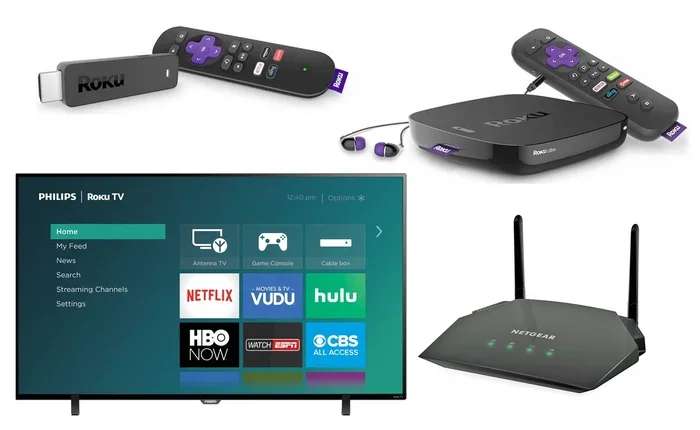
- Streaming Sticks: Devices like Amazon Fire TV Stick, Roku Streaming Stick, or Google Chromecast plug into the projector’s HDMI port. This turns any projector into a smart display.
- Screen Mirroring: Most mini projectors support wireless screen mirroring from phones and tablets. You can mirror your device screen and watch apps directly on the big projection.
- Laptop Connection: You can connect a laptop to the projector via HDMI or USB and watch TV through your browser or streaming apps on your computer.
How to Set Up Your Mini Projector for TV Watching
Setting up a mini projector for TV is a straightforward process. Follow these steps to get started quickly and easily.
Step 1: Choose the Right Location
First, decide where you want to place your mini projector. The ideal spot depends on the throw distance, which is how far the projector needs to be from the wall to create a clear image. Most mini projectors work best when placed 4 to 10 feet from the wall.
Make sure the surface you are projecting onto is flat and clean. A white wall works fine, but a dedicated projector screen will give you much better results. Avoid projecting onto textured or colored walls, as this can distort the image quality.
Step 2: Connect Your Source Device
Next, connect your TV source to the projector. Here are the most common connections:
- HDMI Cable: This is the best and most reliable connection. Plug one end into your cable box, streaming stick, or laptop and the other into the projector.
- USB Drive: Some mini projectors have USB ports that can play media files directly from a flash drive.
- WiFi or Bluetooth: Smart projectors can connect wirelessly to your home network or to speakers and other devices.
Step 3: Adjust the Focus and Keystone
Once the projector is on and connected, you need to adjust the image. Use the focus ring to sharpen the picture. Then adjust the keystone correction to make the image rectangular if the projector is angled.
Most mini projectors offer both manual and digital keystone correction. Manual keystone gives better image quality because it adjusts the lens physically. Digital keystone can reduce sharpness slightly because it crops the image digitally.
Step 4: Set Up Audio
Many mini projectors have small built-in speakers. While they work for casual viewing, they are not ideal for immersive TV watching. For better sound, connect external speakers via Bluetooth or a 3.5mm audio cable. A simple soundbar or portable Bluetooth speaker can make a huge difference in audio quality.
Step 5: Control the Ambient Light
Ambient light is the biggest enemy of projector image quality. To get the best picture, dim the lights in your room or close the curtains. Some people even invest in ambient light rejecting screens that improve contrast in bright rooms.
Quick Tips for Best Picture Quality
- Project onto a white or light gray surface for the most accurate colors.
- Place the projector at the recommended distance for your model.
- Turn off overhead lights or use bias lighting behind the screen.
- Clean the projector lens regularly with a soft microfiber cloth.
- Update your projector firmware to get the latest picture improvements.
Mini Projector vs TV: Which Is Better for Watching Shows?
This is one of the most common questions people ask. Both mini projectors and traditional TVs have their strengths. Here is a detailed comparison to help you decide.
| Feature | Mini Projector | Traditional TV |
|---|---|---|
| Screen Size | 60 to 120 inches | 32 to 85 inches |
| Portability | Highly portable | Bulky and heavy |
| Brightness | Moderate (200-1000 lumens) | High (300-500+ nits) |
| Price Range | $100 to $1500 | $200 to $3000+ |
| Setup Space | Needs distance from wall | Mounts on wall or stand |
| Eye Strain | Lower (reflected light) | Higher (direct light) |
| Outdoor Use | Excellent | Not suitable |
| Lifespan | 15,000-30,000 hours (LED) | 50,000-100,000 hours |
As you can see, a mini projector wins in terms of screen size, portability, and outdoor use. A traditional TV wins in brightness and convenience. For many people, the mini projector offers a unique viewing experience that a TV simply cannot match.
Expert Insight: When a Projector Beats a TV
According to home theater experts, a mini projector is the better choice when you want a cinematic experience at home. The large screen size creates an immersive feel that no 55-inch TV can replicate. Projectors also use reflected light, which is easier on your eyes during long viewing sessions. If you watch TV for several hours a day, this is a significant advantage.
Common Mistakes to Avoid When Setting Up a Mini Projector for TV
Even though setting up a mini projector is simple, there are some common mistakes that can ruin your experience. Here are the pitfalls to watch out for.
- Ignoring Room Lighting: Trying to watch TV on a projector in a bright room will give you a washed-out image. Always control ambient light for the best results.
- Choosing the Wrong Resolution: A 720p mini projector might look blurry on a large screen. Go for at least 1080p (Full HD) for crisp, clear images.
- Forgetting About Audio: Built-in projector speakers are often weak. Do not settle for poor sound. Invest in a decent speaker setup.
- Wrong Throw Distance: Placing the projector too close or too far will give you a distorted or too-small image. Check the throw ratio before buying.
- Not Using a Screen: Projecting onto a bare wall is okay, but a proper projector screen dramatically improves brightness and clarity.
- Skipping Keystone Correction: A skewed image is distracting. Always adjust keystone so the picture is perfectly rectangular.
How to Fix Blurry or Dim Images
If your mini projector image looks blurry or dim, try these quick fixes:
- Clean the lens with a soft cloth.
- Move the projector closer or farther from the wall.
- Increase the brightness setting in the projector menu.
- Check that the focus ring is fully adjusted.
- Make sure the room is dark enough for optimal contrast.
Best Mini Projectors for Watching TV in 2024
Choosing the right mini projector can make all the difference. Here are some top-rated options for TV watching.
Anker Nebula Capsule 3: This is one of the most popular portable projectors on the market. It has built-in Android TV, a battery for cordless use, and surprisingly good picture quality for its size. It is perfect for indoor TV watching and outdoor movie nights.
XGIMI MoGo 2 Pro: This mini projector offers Full HD resolution, built-in speakers, and smart features. It is a great all-rounder for everyday TV viewing and has excellent color accuracy.
Wanbo T6 Max: A budget-friendly option that still delivers solid HD resolution and good brightness. It is a great entry-level projector for people who want to try watching TV on a big screen without spending too much.
AAXA P300: This is a pocket-sized LED projector that supports HDMI input. It is ideal for travel and casual TV watching in small spaces.
What to Look for When Buying
When shopping for a mini projector for TV, focus on these key specs:
- Resolution: At least 1080p for a sharp picture.
- Brightness: Look for 500 lumens or more for indoor use.
- Contrast Ratio: Higher contrast means deeper blacks and more vibrant colors.
- Connectivity: Make sure it has HDMI, WiFi, and Bluetooth for maximum flexibility.
- Battery Life: If you want portability, look for at least 2-3 hours of battery life.
- Lamp Life: LED projectors last 20,000+ hours, so you will not need frequent replacements.
Final Thoughts on Watching TV with a Mini Projector
So, can you watch TV on a mini projector? Absolutely. A mini projector gives you a big-screen TV experience that is portable, versatile, and surprisingly affordable. Whether you want to watch the news in the morning, binge a new series at night, or set up an outdoor movie screening with friends, a mini projector delivers.
The setup process is simple and straightforward. You just need to choose the right location, connect your source device, adjust the focus and keystone, and control the ambient light. With these basic steps, you will be enjoying your favorite TV content on a screen that is 80 inches or larger in no time.
Remember to avoid common mistakes like ignoring room lighting, choosing low resolution, or skipping audio upgrades. A little effort in setup goes a long way toward a fantastic viewing experience. The mini projector is one of the most exciting and practical entertainment devices available today, and it is only getting better with each new generation.
If you have been on the fence about trying a mini projector for TV, now is the perfect time. The technology is mature, prices are competitive, and the experience is genuinely transformative. Give it a try, and you might never go back to a regular TV again.
Frequently Asked Questions
Can I watch live TV on a mini projector?
Yes, you can watch live TV on a mini projector by connecting a cable box, satellite receiver, or antenna directly through an HDMI port. You can also use streaming apps with live TV channels if your projector has smart features or you connect a streaming stick like Roku or Fire TV.
Do I need a special screen to watch TV on a mini projector?
No, you do not need a special screen. A clean white wall works perfectly fine for most situations. However, using a dedicated projector screen will significantly improve brightness, contrast, and overall image quality for a much better TV watching experience.
Is it bad for your eyes to watch TV on a projector?
No, watching TV on a mini projector is actually easier on your eyes than a traditional TV. Projectors use reflected light rather than direct light, which reduces eye strain during long viewing sessions. This makes projectors a great choice for people who watch TV for hours at a time.
How bright does a mini projector need to be for TV watching?
For indoor TV watching, look for a mini projector with at least 500 lumens. If your room has some ambient light, aim for 800 lumens or more. For a completely dark room, even 300 lumens can produce a great picture with good contrast.
Can I connect a gaming console to a mini projector for TV?
Yes, you can connect a gaming console like a Nintendo Switch, PlayStation, or Xbox to a mini projector using an HDMI cable. Just keep in mind that some projectors have input lag, which can affect gameplay. Look for projectors with low input lag if you plan to use yours for gaming as well as TV watching.
How long do mini projectors last for TV watching?
Most LED mini projectors last 20,000 to 30,000 hours, which means you can watch TV for several hours every day for many years before needing a replacement. This makes them a durable and cost-effective alternative to traditional TVs for long-term use.
=== CONCLUSION ===
Watching TV on a mini projector is not only possible, it is one of the best ways to enjoy your favorite content on a big, immersive screen. A mini projector offers flexibility, portability, and a cinematic experience that traditional TVs simply cannot match. Whether you are setting it up in your living room, bedroom, or backyard, the process is simple and the results are impressive.
By following the steps in this guide, you can set up your mini projector for TV in under 30 minutes and start enjoying a bigger, better picture right away. Remember to focus on brightness, resolution, and ambient light for the best results. Avoid common setup mistakes and invest in decent audio for a truly satisfying experience.
The world of portable projectors has evolved dramatically, and there has never been a better time to explore this technology. From budget-friendly options to premium smart projectors, there is a mini projector for every need and every price range. So go ahead, set up your projector, grab some popcorn, and enjoy TV the way it was meant to be seen.