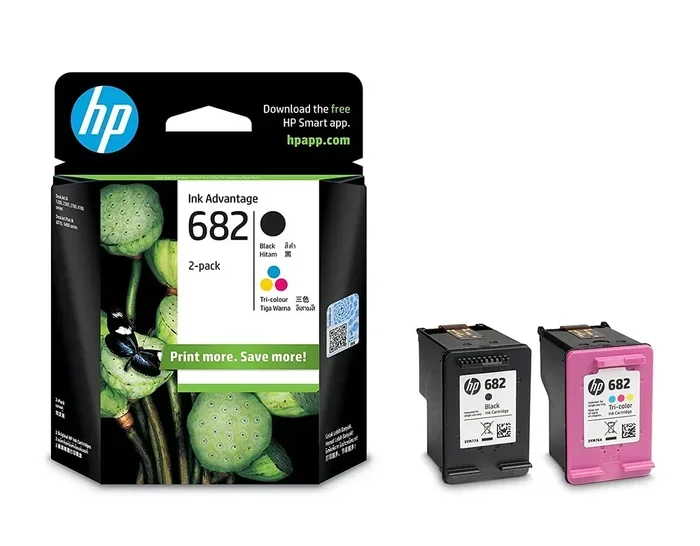
Can I Use Non Hp Ink In My Hp Printer And Is It Safe
Using non HP ink in your HP printer is possible, but it comes with real risks and rewards. Third-party and compatible non HP ink cartridges can save you significant money, yet they may affect print quality and void your warranty. This guide covers everything you need to know about non HP ink safety, compatibility, and best practices for your HP printer.
So you just bought a new HP printer and noticed the ink cartridges are expensive. You browse online and find non HP ink options that cost a fraction of the price. The question hits you right away: can you actually use non HP ink in your HP printer?
The short answer is yes. But the full answer is more nuanced than a simple yes or no. Using non HP ink in your HP printer involves trade-offs. You might save money upfront, but you could face print quality issues, compatibility problems, or even void your warranty.
This article breaks down everything you need to know. We will cover how non HP ink works, the risks involved, the benefits, and how to choose the right third-party ink cartridges for your printer. By the end, you will feel confident making the best decision for your printing needs.
Key Takeaways
- Non HP ink works in most HP printers: but compatibility varies by model and cartridge type.
- Cost savings are real: third-party inks can cost up to 50% less than OEM cartridges.
- Print quality may vary: cheaper inks sometimes produce lighter or less accurate colors.
- Warranty risks exist: using non HP ink may void your printer warranty in some cases.
- Chip compatibility matters: some non HP cartridges need resetters or chip replacements.
- Quality brands are safer: reputable third-party manufacturers reduce the risk of damage.
📑 Table of Contents
- What Is Non Hp Ink And How Does It Work
- Can You Put Non Hp Ink In Any Hp Printer
- Is It Safe To Use Non Hp Ink In Your Hp Printer
- How To Choose The Best Non Hp Ink For Your Hp Printer
- Common Problems With Non Hp Ink And How To Fix Them
- Expert Insights On Non Hp Ink Safety
- Non Hp Ink Vs Oem Hp Ink: Which Should You Choose
- Final Thoughts On Using Non Hp Ink In Hp Printers
What Is Non Hp Ink And How Does It Work
Non HP ink refers to any ink cartridge that is not made by HP itself. These are also called aftermarket inks, compatible inks, or third-party inks. They are made by other companies that produce cartridges designed to fit HP printers.
There are two main types of non HP ink you will encounter:
- Compatible ink cartridges: These are brand-new cartridges built by third-party companies. They are designed to match the specs of original HP cartridges.
- Remanufactured ink cartridges: These are recycled HP cartridges that have been cleaned, refilled, and tested by a third-party manufacturer.
- Refill kits: These are bottles of ink you use to refill your empty HP cartridges yourself.
- Continuous ink systems (CISS): These are bulk ink setups that connect to your printer through external tanks.
How Non Hp Ink Cartridges Are Made
Non HP ink manufacturers study the design of original HP cartridges. They then build their own versions using similar shapes, sizes, and internal components. The ink formula may differ slightly from HP’s original dye-based ink or pigment-based ink formulas.
Most non HP ink cartridges come with their own electronic chips. These chips communicate with your printer to display ink levels and confirm the cartridge is recognized. This is where compatibility can sometimes become tricky.
Can You Put Non Hp Ink In Any Hp Printer
The honest answer is: it depends. Most HP printers will accept non HP ink cartridges physically. However, not every cartridge works perfectly in every printer model. Here is what you need to understand.
HP Printer Models And Compatibility
HP designs its printers to work best with original HP cartridges. That said, HP printer compatibility with non HP ink varies across product lines. Some models are more forgiving than others.
Here are some common HP printer series and their track record with non HP ink:
- HP DeskJet series: Generally very compatible with non HP ink. These are budget printers that accept many third-party options.
- HP OfficeJet series: Mostly compatible, but some newer models have stricter chip requirements.
- HP Envy series: Good compatibility, but print quality may vary with cheaper non HP ink.
- HP LaserJet series: Laser printers use toner, not ink. Non HP ink does not apply here, but compatible toners exist.
Why Some Non Hp Ink Cartridges Fail To Work
Sometimes a non HP ink cartridge simply will not work. Here are the most common reasons:
- Chip mismatch: The cartridge chip does not communicate with the printer correctly.
- Firmware updates: HP releases printer updates that block certain non HP ink cartridges.
- Physical fit issues: The cartridge does not seat properly in the printhead slot.
- Ink formulation differences: The ink viscosity or chemistry does not match what the printer expects.
Quick Tip: Before buying non HP ink, check the product listing for your specific HP printer model. Reputable sellers list compatible models clearly.
Is It Safe To Use Non Hp Ink In Your Hp Printer
This is the big question. The safety of using non HP ink depends on several factors. Let us break it down honestly.
Will Non Hp Ink Void Your Printer Warranty
This is one of the biggest concerns people have. The short answer is: it can, but not always.
HP states that using non HP ink will not automatically void your warranty. However, if a problem is directly caused by the non HP ink, HP may refuse to cover the repair. This is an important distinction.
For example, if your printhead clogs because of low-quality non HP ink, HP might deny the warranty claim. But if your printer has a mechanical failure unrelated to the ink, the warranty should still apply.
Key point: Keep your original HP cartridges. If you ever need warranty service, you can switch back to OEM ink to avoid disputes.
Risks Of Using Non Hp Ink
Using non HP ink does carry some real risks. Here are the ones to watch for:
- Print quality degradation: Cheaper non HP ink may produce faded prints, banding, or color inaccuracy.
- Printhead clogging: Poorly formulated ink can dry faster and clog the tiny nozzles in your printhead.
- Ink leaks: Low-quality cartridges may leak ink inside your printer, causing mess and potential damage.
- Shorter page yield: Some non HP ink cartridges print fewer pages than advertised.
- Ink expiration: Cheaper inks may expire faster or have shorter shelf lives.
- Firmware blocking: HP can push updates that stop non HP ink from being recognized.
Benefits Of Using Non Hp Ink
Now let us look at the bright side. There are genuine benefits to using non HP ink:
- Significant cost savings: Non HP ink cartridges often cost 40 to 60 percent less than OEM HP cartridges.
- More options: Third-party brands offer specialty inks, high-capacity options, and bulk printing solutions.
- Eco-friendly options: Remanufactured non HP ink cartridges reduce plastic waste from empty OEM cartridges.
- Widely available: You can find non HP ink online, in office supply stores, and at local shops.
- High page yield: Many compatible cartridges offer more ink per cartridge than the original HP versions.
How To Choose The Best Non Hp Ink For Your Hp Printer
If you decide to use non HP ink, choosing the right product matters a lot. Not all third-party ink cartridges are created equal. Here is how to make a smart choice.
Look For Reputable Brands
Not all non HP ink brands are the same. Some are excellent, and some are terrible. Stick with well-known brands that have strong customer reviews. Brands like LD Products, Carrot Ink, and 123InkJets have solid reputations in the market.
Here is what to look for when evaluating a brand:
- Positive customer reviews with at least 4-star ratings
- Clear compatibility listings for your HP printer model
- Warranty or satisfaction guarantee on their products
- Transparent information about ink composition and page yield
Check The Ink Type
HP printers use two main ink types: dye-based ink and pigment-based ink. Your non HP ink should match the type your printer uses.
Dye-based ink is common in home printers. It produces vibrant colors but can fade over time. Pigment-based ink is more common in office and photo printers. It offers better water resistance and longevity.
Using the wrong ink type can lead to poor print results. Always verify what ink type your HP printer requires before purchasing non HP ink.
Compare Page Yield And Cost Per Page
The sticker price of a non HP ink cartridge is not the only number that matters. You also need to look at page yield, which is the number of pages a cartridge can print before running out.
Here is a simple comparison table to help you understand the cost difference:
- OEM HP cartridge: $30 to $50, with a page yield of 200 to 400 pages
- Compatible non HP ink: $12 to $25, with a page yield of 200 to 500 pages
- Remanufactured non HP ink: $10 to $20, with a page yield of 150 to 400 pages
When you calculate cost per page, non HP ink often wins by a wide margin. A standard OEM cartridge might cost $0.10 per page, while a quality compatible non HP ink cartridge might cost $0.04 to $0.06 per page.
Read Reviews Before You Buy
Never buy non HP ink blindly. Spend a few minutes reading reviews from other HP printer users. Look for reviews that specifically mention your printer model. Pay attention to comments about print quality, reliability, and whether the cartridge was recognized by the printer.
Common Problems With Non Hp Ink And How To Fix Them
Even with the best non HP ink, you may run into occasional issues. Here are the most common problems and how to solve them.
The Printer Does Not Recognize The Cartridge
This is the most common issue with non HP ink. If your HP printer does not recognize a third-party cartridge, try these steps:
- Remove the cartridge and reinsert it firmly until it clicks into place.
- Clean the copper contacts on the cartridge with a lint-free cloth.
- Restart your printer and try again.
- Check if a chip resetter is needed for your specific cartridge model.
- Update or roll back your printer firmware if a recent update caused the issue.
Print Quality Is Poor Or Faded
If your prints look light, streaky, or washed out with non HP ink, try the following:
- Run the printer’s built-in cleaning cycle from the settings menu.
- Check the ink levels. Some non HP ink cartridges report inaccurate levels.
- Let the cartridge sit upright for a few hours after installation to allow the ink to settle.
- Print a test page to assess the actual quality before printing important documents.
Ink Leaks From The Cartridge
Ink leaks are a sign of a low-quality non HP ink cartridge. If this happens:
- Remove the cartridge immediately and clean any spilled ink.
- Do not continue using the leaking cartridge, as it can damage the printhead.
- Contact the seller for a replacement or refund.
- Switch to a higher-quality brand of non HP ink for future prints.
Expert Insights On Non Hp Ink Safety
Printer experts generally agree that using non HP ink is a personal choice that depends on your printing needs and budget.
Expert Insight: “Most modern HP printers can handle quality non HP ink just fine. The key is buying from reputable brands and avoiding the cheapest options on the market. A $5 cartridge from an unknown seller is a gamble. A $15 cartridge from a trusted brand is a smart investment.”
Many print shops and office supply experts recommend a hybrid approach. Use original HP ink for important documents and photos. Use non HP ink for everyday printing like drafts, school assignments, and internal documents. This approach gives you the best of both worlds.
How To Protect Your Printer When Using Non Hp Ink
If you decide to use non HP ink, follow these protective steps:
- Always buy from trusted sellers with clear return policies.
- Store non HP ink cartridges in a cool, dry place away from direct sunlight.
- Run a cleaning cycle at least once a month, even if you are not printing frequently.
- Keep your original HP cartridges on hand for warranty service visits.
- Update your printer firmware regularly to maintain compatibility.
- Do not leave empty non HP ink cartridges in the printer for extended periods.
Non Hp Ink Vs Oem Hp Ink: Which Should You Choose
The debate between non HP ink and original HP ink comes down to your priorities. Here is a side-by-side look:
- Cost: Non HP ink wins clearly. You save 40 to 60 percent per cartridge.
- Print quality: OEM HP ink generally delivers more consistent, professional results.
- Reliability: Original HP cartridges have a proven track record with HP printers.
- Page yield: Quality non HP ink can match or exceed OEM page yields.
- Warranty safety: OEM ink eliminates any warranty risk entirely.
- Availability: Both OEM and non HP ink are widely available online.
For most home users who print regularly, non HP ink is a practical and economical choice. For professionals who need perfect color accuracy and reliability, original HP ink remains the safer bet.
Final Thoughts On Using Non Hp Ink In Hp Printers
Using non HP ink in your HP printer is a decision that balances cost, quality, and risk. The truth is that millions of people use non HP ink every day without any major issues. The key is being informed and making smart choices.
Start by choosing a reputable brand of non HP ink that matches your specific HP printer model. Test a single cartridge before committing to a bulk purchase. Pay attention to print quality and watch for any warning signs like clogging or leaking.
Remember that non HP ink is not inherently bad. It is simply an alternative. With the right expectations and a little care, you can enjoy significant savings while keeping your HP printer running smoothly. The best approach is the one that fits your budget and meets your printing needs without unnecessary stress.
Whether you choose original HP ink or non HP ink, the most important thing is that your printer works for you. Print confidently, save wisely, and keep your HP printer maintained for years of reliable service.
Frequently Asked Questions
Can I use non HP ink in my HP printer without voiding the warranty?
Using non HP ink does not automatically void your HP printer warranty. However, if the non HP ink directly causes a problem, HP may deny the warranty claim for that specific issue. Keep your original HP cartridges handy for warranty service visits to avoid any disputes.
What happens if non HP ink leaks inside my HP printer?
If non HP ink leaks, turn off your printer immediately and remove the cartridge. Clean any spilled ink carefully with a dry cloth. Do not use the leaking cartridge again, as it can damage the printhead. Contact the seller for a replacement and switch to a higher-quality brand of non HP ink going forward.
Why does my HP printer say the non HP ink cartridge is not recognized?
This usually happens because of a chip mismatch or a recent firmware update. Try removing and reinserting the cartridge firmly. Clean the copper contacts with a lint-free cloth. If the issue persists, check if a chip resetter is needed or if a recent HP firmware update is blocking the non HP ink cartridge.
Is non HP ink as good as original HP ink for photo printing?
Quality non HP ink can produce good results for everyday photos, but original HP ink generally delivers more consistent color accuracy and longevity for professional photo printing. If photo quality is your top priority, stick with OEM HP ink or invest in premium-grade non HP ink from a trusted brand.
How long does non HP ink last in the cartridge?
Most non HP ink cartridges have a shelf life of 1 to 2 years when stored properly in a cool, dry place. Once installed in your HP printer, the ink typically lasts 6 to 12 months depending on how frequently you print. Avoid leaving empty cartridges sitting in the printer for extended periods.
Can I mix non HP ink and original HP ink in the same printer?
Yes, you can mix non HP ink and original HP ink in the same HP printer. Many users keep one OEM cartridge and one compatible cartridge in their printer at the same time. This approach can save money while maintaining reliable print quality for important documents.
=== CONCLUSION ===
Using non HP ink in your HP printer is a practical option for many users. It offers real cost savings and works with most HP printer models. The key is choosing quality non HP ink from reputable brands and understanding the potential risks involved.
By following the tips in this guide, you can make an informed decision about whether non HP ink is right for your printing needs. Save money, protect your printer, and enjoy great print results with the right third-party ink cartridges.