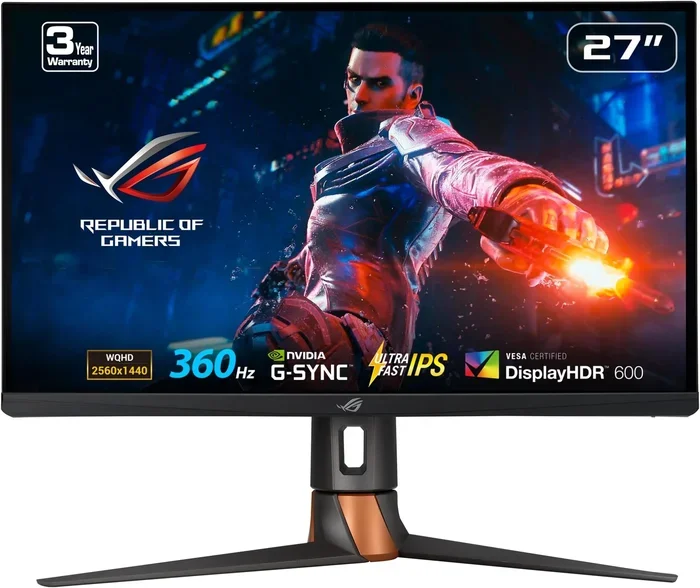
Can HDMI Do 360hz Here Is Everything You Need To Know
Yes, HDMI can do 360hz, but only with the right cable and port version. HDMI 2.1 is the key that unlocks 360Hz refresh rates, especially at 1440p and 1080p resolutions. If you want buttery smooth gaming and competitive esports performance, understanding HDMI bandwidth and version requirements is essential.
Key Takeaways
- HDMI 2.1 supports 360Hz at 1440p: This is the only HDMI version capable of delivering 360Hz refresh rates.
- Bandwidth matters enormously: HDMI 2.1 provides 48 Gbps, which is the minimum needed for high refresh rates at higher resolutions.
- Not all cables are equal: You need a certified Ultra High Speed HDMI cable to achieve 360Hz without signal loss.
- Your GPU must keep up: Even with the right HDMI setup, your graphics card needs to push enough frames to use that 360Hz.
- HDMI vs DisplayPort debate continues: DisplayPort 1.4 and 2.1 also offer strong 360Hz options for PC gamers.
- 360Hz is mainly for competitive gaming: Casual gamers may not notice a huge difference beyond 144Hz or 240Hz.
- Check your monitor and GPU specs carefully: Both ends of the connection must support 360Hz for it to work.
📑 Table of Contents
- Can HDMI Do 360hz — Here Is Everything You Need to Know
- What Is HDMI and Why Does Refresh Rate Matter
- Can HDMI Do 360hz — The Short Answer
- HDMI Versions Compared for High Refresh Rates
- What You Need for a 360Hz Gaming Setup
- HDMI vs DisplayPort for 360Hz Gaming
- Common Myths About HDMI and 360Hz
- Quick Tips for Getting the Most Out of HDMI 360Hz
- Final Verdict — Is HDMI Ready for 360Hz
Can HDMI Do 360hz — Here Is Everything You Need to Know
If you are a gamer or a tech enthusiast, you have probably heard the buzz around 360Hz monitors. The idea of getting 360 frames per second on your screen sounds incredible. But here is the real question: can HDMI do 360hz? The short answer is yes. But the full answer involves a few important details that you need to understand before you spend your hard earned money.
Not every HDMI cable or port can handle 360Hz. The version of HDMI you use, the cable quality, and even your graphics card all play a role. In this guide, we will break down everything you need to know about HDMI 360Hz support. We will look at which HDMI versions work, what cables you need, and whether your current setup can pull this off.
Whether you are building a new gaming PC or upgrading your current monitor, this article will give you clear, practical answers. No jargon. No fluff. Just the facts you need to make the right decision.
What Is HDMI and Why Does Refresh Rate Matter
HDMI stands for High Definition Multimedia Interface. It is the most common cable type used to connect devices like PCs, consoles, and monitors. You probably have at least one HDMI cable lying around your house right now. It carries both audio and video signals through a single cable, which makes it very convenient.
But not all HDMI cables are created equal. Over the years, HDMI has gone through several versions. Each new version brings higher bandwidth, which means it can carry more data. More data means higher resolutions and higher refresh rates.
Refresh rate is the number of times your screen updates per second. It is measured in hertz (Hz). A 60Hz monitor refreshes 60 times per second. A 144Hz monitor refreshes 144 times per second. And a 360Hz monitor refreshes 360 times per second. The higher the refresh rate, the smoother motion looks on screen.
Why High Refresh Rates Matter for Gaming
If you play competitive games like Valorant, Fortnite, or Counter Strike 2, a high refresh rate gives you a real edge. You can see enemies faster and react more quickly. Even in single player games, a smooth 360Hz experience feels incredibly responsive.
But here is the catch. To actually get 360 frames per second, your graphics card needs to be powerful enough to render those frames. And your cable and port need to be able to transmit that much data. That is where HDMI comes into the picture.
Can HDMI Do 360hz — The Short Answer
So, can HDMI do 360hz? Yes, it can. But only under specific conditions. The key factor is the HDMI version. HDMI 2.1 is the first version that supports 360Hz at 1440p resolution. It also supports 360Hz at 1080p and even 4K at lower refresh rates.
Older HDMI versions like HDMI 2.0 and HDMI 1.4 simply do not have enough bandwidth. They can handle 144Hz or 240Hz at 1080p, but they will struggle or fail at 360Hz. So if you want to use HDMI for a 360Hz monitor, HDMI 2.1 is non negotiable.
HDMI 2.1 Bandwidth Explained
HDMI 2.1 offers a massive bandwidth of 48 Gbps. That is a huge jump from HDMI 2.0, which maxes out at 18 Gbps. This extra bandwidth is what makes 360Hz refresh rates possible. It allows the cable to carry significantly more data every single second.
Think of bandwidth like a highway. HDMI 2.0 is a two lane road. HDMI 2.1 is an eight lane highway. Both can carry cars, but the highway can handle far more traffic at once. In the same way, HDMI 2.1 can carry much more video data, enabling higher refresh rates and resolutions.
HDMI Versions Compared for High Refresh Rates
Not sure which HDMI version you have or need? Here is a detailed breakdown of how different HDMI versions compare when it comes to high refresh rates and 360Hz support.
HDMI Version Comparison Table
| HDMI Version | Max Bandwidth | Max Refresh Rate at 1080p | Max Refresh Rate at 1440p | Max Refresh Rate at 4K | Supports 360Hz? |
|---|---|---|---|---|---|
| HDMI 1.4 | 10.2 Gbps | 144Hz | No | 30Hz | No |
| HDMI 2.0 | 18 Gbps | 240Hz | 144Hz | 60Hz | No |
| HDMI 2.1 | 48 Gbps | 480Hz | 360Hz | 240Hz | Yes |
As you can see from the table, HDMI 2.1 is the only version that supports 360Hz. If your monitor or TV only has HDMI 2.0 ports, you will not be able to reach 360Hz through HDMI, no matter what cable you use.
What About HDMI 2.0b and HDMI 2.0a?
You might see monitors that list HDMI 2.0b or HDMI 2.0a. These are minor updates to the HDMI 2.0 standard. They do not increase bandwidth. So they still cannot do 360Hz. The jump from HDMI 2.0 to HDMI 2.1 is a big one, and that is where the magic happens for high refresh rate gaming.
What You Need for a 360Hz Gaming Setup
Buying a 360Hz monitor is only half the battle. You need the right equipment on every end to actually get 360 frames per second. Here is a checklist of everything you need.
1. An HDMI 2.1 Cable
Not just any HDMI cable will work. You need a certified Ultra High Speed HDMI cable. This is the official name for HDMI 2.1 cables. They are designed to handle the full 48 Gbps bandwidth.
Cheap or uncertified cables might claim to be HDMI 2.1 but may not deliver the full bandwidth. Look for the Ultra High Speed HDMI certification logo on the cable packaging. This ensures the cable has been tested and verified.
2. A Monitor with HDMI 2.1 Ports
Your monitor needs to have HDMI 2.1 input ports. Many modern gaming monitors do, but not all of them. Check the specifications carefully before buying. Look for terms like “HDMI 2.1” or “48Gbps” in the product description.
Some monitors have a mix of HDMI 2.1 and HDMI 2.0 ports. If you want 360Hz, make sure you plug into the HDMI 2.1 port specifically.
3. A Powerful Graphics Card
Even with the best HDMI setup, your GPU needs to be strong enough to push 360 frames per second. Most modern GPUs from NVIDIA and AMD can handle this at 1080p. At 1440p, you need a more powerful card like the NVIDIA RTX 4070 or better.
At 4K and 360Hz, you would need a top tier GPU like the RTX 4090, and even then it may not be possible in all games. For most gamers, 1440p at 360Hz is the sweet spot for HDMI 2.1 setups.
4. Correct Display Settings
Sometimes the hardware is fine but the settings are wrong. Make sure your display settings are configured correctly. In Windows, go to Display Settings and check your refresh rate. In NVIDIA Control Panel or AMD Radeon Software, make sure VRR (Variable Refresh Rate) is enabled.
Also, make sure your game settings are optimized. Lowering graphics quality can help your GPU reach higher frame rates. The goal is to get as close to 360 FPS as possible.
HDMI vs DisplayPort for 360Hz Gaming
HDMI is not the only option for 360Hz gaming. DisplayPort is another popular choice, especially for PC monitors. Let us compare the two.
DisplayPort 1.4 and 360Hz
DisplayPort 1.4 can support 360Hz at 1080p and 1440p with DSC (Display Stream Compression). DSC is a compression technology that allows higher resolutions and refresh rates over a given bandwidth. It is visually lossless, meaning you will not notice any quality difference.
DisplayPort 2.1 and 360Hz
DisplayPort 2.1 offers even higher bandwidth at 80 Gbps. This makes it very future proof for high refresh rate gaming. If you are building a new PC, DisplayPort 2.1 is an excellent option alongside HDMI 2.1.
Which Should You Choose?
For most gamers, both HDMI 2.1 and DisplayPort work great for 360Hz. The choice often comes down to what ports your monitor and GPU have. If you are connecting a console like the PS5 Pro or Xbox Series X, HDMI is your only option. For PC gaming, either will work well.
Common Myths About HDMI and 360Hz
There are a lot of misconceptions floating around about HDMI and 360Hz. Let us clear up some of the most common ones.
Myth 1: Any HDMI Cable Can Do 360Hz
This is simply not true. Older HDMI cables like Standard HDMI or High Speed HDMI cables cannot handle the bandwidth needed for 360Hz. You absolutely need an Ultra High Speed HDMI cable rated for HDMI 2.1.
Myth 2: 360Hz Is Only for Esports
While 360Hz is most popular in competitive esports, it is not exclusive to that. Anyone can enjoy the smoother motion and lower input lag that comes with a high refresh rate. Even casual gamers can appreciate the difference.
Myth 3: HDMI 2.1 Is Only for 360Hz
HDMI 2.1 does much more than just 360Hz. It also supports 4K at 120Hz, 8K at 60Hz, Dynamic HDR, and eARC for better audio. It is a versatile standard that benefits all types of content, not just gaming.
Myth 4: You Will Notice 360Hz in Every Game
The difference between 240Hz and 360Hz is subtle. Only highly competitive players in fast paced games will notice a meaningful improvement. For most people, 144Hz or 240Hz is already very smooth.
Quick Tips for Getting the Most Out of HDMI 360Hz
- Always buy certified cables: Look for the Ultra High Speed HDMI certification mark.
- Check your monitor manual: Confirm which HDMI ports support 2.1 and at what resolutions.
- Update your GPU drivers: New drivers often improve compatibility with high refresh rate displays.
- Use DSC when needed: Display Stream Compression helps push higher refresh rates at demanding resolutions.
- Test your setup: Use on screen display tools to verify your actual refresh rate is running at 360Hz.
- Keep cables short: Longer cables can sometimes cause signal degradation. Keep HDMI cables under 3 meters for best results.
Final Verdict — Is HDMI Ready for 360Hz
So, can HDMI do 360hz? Absolutely. With HDMI 2.1, the right cable, and a compatible setup, you can enjoy a 360Hz gaming experience. It is a real and achievable goal for most PC gamers and console owners today.
The key is making sure every part of your setup supports it. Your GPU, your cable, your monitor, and your settings all need to be on the same page. If even one link in the chain falls short, you will not get the full 360Hz experience.
If you are serious about gaming and want the smoothest possible experience, HDMI 2.1 is the way to go. It provides the bandwidth, the features, and the future proofing you need. Just make sure you invest in quality equipment and double check your compatibility before you buy.
The world of high refresh rate gaming is exciting. And with HDMI 2.1 making 360Hz more accessible than ever, there has never been a better time to jump in. Whether you are a competitive gamer chasing every last millisecond of advantage or someone who simply loves buttery smooth visuals, 360Hz through HDMI is well within your reach.
Frequently Asked Questions
Can HDMI 2.0 Do 360hz?
No, HDMI 2.0 cannot do 360Hz. The maximum refresh rate for HDMI 2.0 at 1440p is 144Hz. You need HDMI 2.1, which provides 48 Gbps of bandwidth, to achieve 360Hz at 1440p or 1080p resolutions.
What HDMI Cable Do I Need for 360hz?
You need an Ultra High Speed HDMI cable, which is the official certification for HDMI 2.1 cables. Make sure the cable is certified and supports 48 Gbps bandwidth. Cheap or uncertified cables may not work reliably at 360Hz.
Is 360hz Worth It for Gaming?
It depends on your gaming style. Competitive esports players will benefit the most from 360Hz due to reduced input lag and smoother motion. Casual gamers may not notice a big difference beyond 144Hz or 240Hz, but it still feels great.
Can You Get 360hz on HDMI With a Console?
Some modern consoles support high refresh rates through HDMI 2.1. The PS5 and Xbox Series X can output at 120Hz at 4K via HDMI 2.1. However, 360Hz on a console is currently not common and depends on game and console support.
Does 360hz Require a Special Monitor?
Yes, you need a monitor specifically designed for 360Hz. These monitors have fast response times and support HDMI 2.1 input. Not all gaming monitors support 360Hz, so check the specifications carefully before purchasing.
Can You Use HDMI 2.1 for 4K at 360hz?
HDMI 2.1 cannot do 4K at 360Hz. The maximum for 4K over HDMI 2.1 is around 240Hz. For 360Hz, you would need to use 1440p or 1080p resolution. If you want both 4K and high refresh rates, consider DisplayPort 2.1 or DSC technology.