Can You Use Any Wifi Router With ATT and Save Money
Yes, you can use your own wifi router with ATT and cut that annoying monthly rental fee. Whether you have AT&T Fiber, AT&T DSL, or AT&T fixed wireless, bringing a personal router with ATT is possible and surprisingly easy. This guide walks you through every step, from checking compatibility to router setup and troubleshooting common issues. You will learn which third-party router models work best, how to avoid setup mistakes, and exactly how much money you can save each year.
Have you ever stared at your AT&T bill and noticed that annoying line item for the gateway rental fee? It is usually somewhere between $10 and $15 every month. Over a year, that adds up fast. Many people do not realize they have a choice. You do not have to use AT&T’s equipment forever. The big question most customers ask is simple: can you use any wifi router with ATT? The short answer is yes. But there are a few things you need to know before you buy a new router for AT&T internet.
This guide breaks everything down in plain language. We will cover which routers work with AT&T, how to set them up, what mistakes to avoid, and how much money you can actually save. Whether you are on AT&T Fiber, AT&T DSL, or AT&T fixed wireless, this article has you covered. Let us dive in and help you take back control of your internet setup.
Key Takeaways
- Bring Your Own Router: You can absolutely use a personal wifi router with ATT instead of renting AT&T’s gateway device.
- Big Savings: Ditching the AT&T rental fee can save you $120 to $180 per year or more.
- Check Compatibility First: Not every router works with AT&T internet. You need to verify mode, speed support, and connection type.
- Bridge Mode Is Key: Most setups require putting AT&T’s gateway into bridge mode before connecting your own router with ATT.
- Top Picks Exist: Routers like the ASUS RT-AX86U, TP-Link Archer AX73, and Netgear Nighthawk R7000 are proven AT&T compatible routers.
- Setup Is Manageable: With the right steps, you can complete the AT&T router setup yourself in under 30 minutes.
- Support Still Helps: Even with your own device, AT&T customer service can assist with basic router settings and connection issues.
📑 Table of Contents
- Understanding AT&T’s Router and Gateway Situation
- Can You Use Any Wifi Router With ATT?
- How to Connect a Third-Party Router With AT&T
- Best Routers to Use With AT&T Internet
- AT&T Router vs Own Router: Cost Comparison
- Common Problems and How to Fix Them
- Expert Insights on Maximizing Your AT&T Internet Setup
- Key Takeaways
- Conclusion
Understanding AT&T’s Router and Gateway Situation
AT&T provides customers with a device called a gateway. This gadget combines a modem and a router into one box. It handles both the incoming internet signal and the Wi-Fi broadcast inside your home. AT&T loves these gateways because they make support easier for the company. But they are not always the best choice for your home.
What Is an AT&T Gateway?
An AT&T gateway is the device AT&T installs at your home. It connects to their network and creates your home Wi-Fi network. The most common models include the AT&T BGW210, AT&T BGW320, and AT&T NVG599. These devices work fine for basic internet use. But they often have weak Wi-Fi range, limited features, and outdated hardware compared to modern third-party routers.
AT&T charges a monthly fee to use these gateways. That fee is the rental fee. It shows up on every bill. Over two or three years, that money adds up to hundreds of dollars. Many people pay it without questioning because they do not know they can use something else.
Why Do People Want to Use Their Own Router?
There are several good reasons people look for a router compatible with AT&T. First, they want better Wi-Fi speed and coverage. AT&T gateways are not always built for large homes or heavy usage. Second, they want to save money. Cutting the rental fee is one of the easiest ways to reduce monthly bills. Third, they want more control over their network. A personal router with ATT lets you adjust settings, set up guest networks, and use features like parental controls and VPN support.
Some people also want to future-proof their setup. AT&T gateways can become outdated. A good Wi-Fi router you own will last for years and receive firmware updates from the manufacturer. You are investing in your own network instead of paying AT&T to rent outdated hardware.
Can You Use Any Wifi Router With ATT?
This is the most common question, and the answer is more nuanced than a simple yes or no. Not every router will work with AT&T internet. AT&T uses specific connection types and network settings. Your router needs to be compatible with those settings. Let us break down what matters.
Connection Types and Compatibility
AT&T offers several types of internet service. The type you have determines which routers work with AT&T and how you need to set them up.
- AT&T Fiber: Uses fiber-optic lines and typically requires a specific ONT (Optical Network Terminal). You connect your own router to the ONT. This is the most straightforward setup for using a personal wifi router with ATT.
- AT&T DSL: Uses traditional phone lines. You connect your router to a DSL modem. Compatibility is generally good with most modern routers.
- AT&T Fixed Wireless: Uses a wireless antenna to receive the signal. The setup is similar to fiber in that you connect your own device to the receiver.
- AT&T 5G Fixed Wireless: Uses a 5G receiver. You can often connect your own router directly to this device.
What to Look for in a Router for AT&T
Not all routers for AT&T internet are created equal. Here are the key features to check before you buy:
- Bridge Mode Support: Your AT&T gateway must support bridge mode. This is essential for most setups.
- Wi-Fi Standard: Look for Wi-Fi 5 (802.11ac) or Wi-Fi 6 (802.11ax) for the best performance.
- Gigabit Ports: Make sure the router has Gigabit Ethernet ports to match your internet speed.
- PPPoE Support: AT&T DSL connections often use PPPoE. Your router must support this protocol.
- Dual Band or Tri-Band: Multiple bands help reduce congestion and improve Wi-Fi speed in busy households.
How to Connect a Third-Party Router With AT&T
Setting up your own router with ATT is easier than most people think. You do not need to be a tech expert. Follow these steps and you will be online with your new router in no time.
Step 1: Put AT&T Gateway into Bridge Mode
This is the most important step. Bridge mode turns off the router function inside the AT&T gateway. It lets your new router for AT&T internet handle all the Wi-Fi duties. To do this, log into the AT&T gateway admin page. The default address is usually 10.0.0.1 or 192.168.1.254. Enter the admin username and password, which are often printed on the bottom of the gateway.
Look for a setting called “Bridge Mode” or “IP Passthrough.” Enable it and save your changes. The gateway will restart. Once it comes back online, the Wi-Fi light on the gateway should turn off. That means the gateway is no longer broadcasting its own Wi-Fi network.
Step 2: Connect Your Router to the Gateway
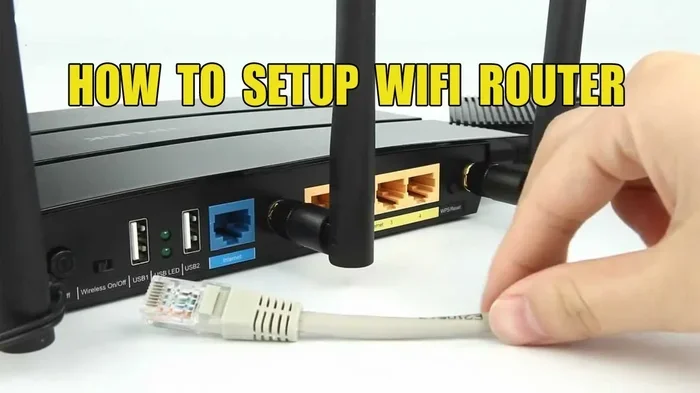
Take an Ethernet cable. Plug one end into the LAN port on the AT&T gateway. Plug the other end into the WAN or Internet port on your new router with ATT. Make sure you use the WAN port on your router, not any of the regular LAN ports.
Step 3: Configure Your New Router
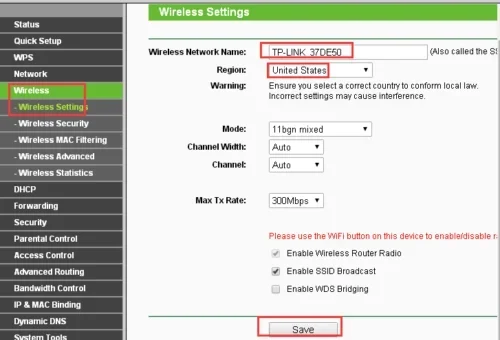
Now you need to set up your new router settings. Connect a computer or phone to the router. Open a web browser and enter the router’s admin address. This is usually something like 192.168.1.1 or 192.168.0.1. Check your router’s manual for the exact address.
Follow the setup wizard. You will need to configure the internet connection type. For AT&T Fiber, this is usually set to DHCP or IPoE. For AT&T DSL, you will need to select PPPoE and enter the username and password AT&T provided. Once the connection is established, set your Wi-Fi name and password.
Step 4: Test Your Connection
After setup, run a speed test. Visit a site like speedtest.net and check your Wi-Fi speed. If you are getting speeds close to what your AT&T plan promises, you are all set. If not, double-check all cable connections and router settings.
Quick Tips for a Smooth Setup
- Write down your AT&T gateway admin login before making changes.
- Restart both devices after connecting them.
- Place your new router in a central location for the best Wi-Fi coverage.
- Update your router firmware right after setup.
- Keep the AT&T gateway powered on at all times.
Best Routers to Use With AT&T Internet
Not all routers compatible with AT&T are the same. Some deliver better performance, and some offer features that make them especially useful for AT&T internet users. Here are some top picks across different budgets.
Best Overall: ASUS RT-AX86U
The ASUS RT-AX86U is a Wi-Fi 6 router that delivers excellent Wi-Fi speed and range. It supports bridge mode easily and works well with AT&T Fiber and DSL. The setup process is user-friendly, and ASUS offers great parental controls and security features. It is a bit pricey but worth every penny for the performance boost.
Best Budget: TP-Link Archer AX73
If you want a solid router for AT&T internet without breaking the bank, the TP-Link Archer AX73 is a great choice. It supports Wi-Fi 6, has Gigabit ports, and covers most homes well. The setup is straightforward, and TP-Link’s Tether app makes managing your network easy from your phone.
Best for Large Homes: Netgear Nighthawk R7000
The Netgear Nighthawk R7000 is a powerful router with strong range. It works well with AT&T compatible routers setups and handles multiple devices without slowing down. It is a solid choice for larger homes or households with many connected devices.
Best for Advanced Users: ASUS RT-BE96U
This top-tier Wi-Fi 7 router offers the latest technology and future-proof performance. It is ideal for power users who want maximum control over their network performance. It pairs beautifully with AT&T Fiber connections and handles heavy traffic with ease.
AT&T Router vs Own Router: Cost Comparison
One of the biggest reasons people switch to a personal wifi router with ATT is the cost savings. Let us look at the numbers.
Rental Fee Costs
AT&T charges between $10 and $15 per month for their gateway rental. Over one year, that is $120 to $180. Over three years, you are looking at $360 to $540. And that is just for a basic gateway that may not give you the best Wi-Fi coverage.
Own Router Costs
A good third-party router costs between $80 and $250 upfront. Even the pricier options pay for themselves within a year or two. After that, you own the equipment outright. No more monthly fees. No more renting outdated hardware.
| Option | Monthly Cost | Yearly Cost | 3-Year Cost |
|---|---|---|---|
| AT&T Gateway Rental | $10 – $15 | $120 – $180 | $360 – $540 |
| Own Router (One-Time Purchase) | $0 | $0 | $80 – $250 |
| Total Savings (Own Router) | $10 – $15 | $120 – $180 | $280 – $460 |
As you can see, using your own router with ATT can save you a significant amount of money. Even a mid-range router pays for itself quickly. And the network performance improvements are a nice bonus.
Common Problems and How to Fix Them
Switching to your own router for AT&T internet is not always perfectly smooth. Here are some common issues and how to solve them.
No Internet Connection After Setup
This is the most common issue. Usually, it happens because the AT&T gateway was not properly set to bridge mode. Double-check that bridge mode is enabled. Also, make sure the Ethernet cable is plugged into the WAN port on your new router with ATT, not a LAN port. Restarting both devices often fixes the problem too.
Slow Wi-Fi Speeds
If your Wi-Fi speed is slower than expected, try moving your router to a central location. Walls, floors, and electronic devices can weaken the signal. Also, check if your router is using the correct Wi-Fi band. For best network performance, connect to the 5GHz band when you are close to the router.
AT&T Support Will Not Help With Your Router
This is an important thing to know. AT&T customer support will only help with AT&T-provided equipment. If you use your own router settings and something goes wrong, AT&T will not troubleshoot it. They can still help with your internet connection, but the router is your responsibility. Keep your router’s manual handy and know how to perform a factory reset if needed.
IP Address Conflicts
Sometimes your new router and the AT&T gateway fight over IP addresses. This causes connection drops or slow speeds. To fix this, log into your new router’s admin panel and change its IP address to something different from the gateway. For example, if the gateway is at 10.0.0.1, set your router to 192.168.1.1. This prevents conflicts and keeps your router setup running smoothly.
Forgetting PPPoE Credentials for DSL
AT&T DSL users need PPPoE login credentials. If you forget them, call AT&T and ask for the PPPoE username and password. Write them down and keep them somewhere safe. You will need them every time you set up or reset your router compatible with AT&T.
Expert Insights on Maximizing Your AT&T Internet Setup
Getting a personal wifi router with ATT is just the first step. Here are some expert tips to get the most out of your setup.
Update firmware regularly. Router manufacturers release updates that improve security and performance. Check for updates every few months through your router’s admin panel.
Use Quality of Service (QoS) settings. Most modern routers let you prioritize certain types of traffic. Set streaming and gaming as high priority to keep your internet plan performing at its best.
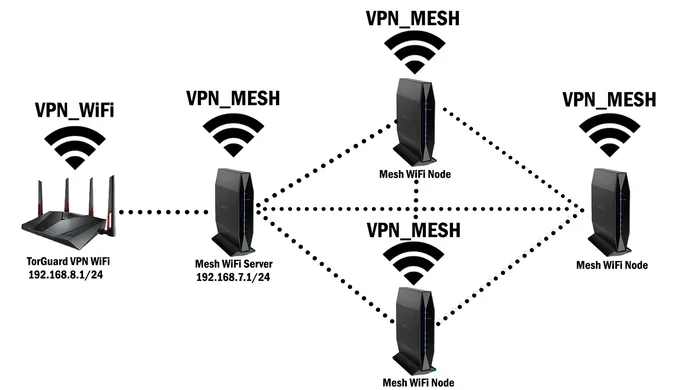
Consider a mesh system for large homes. If your home is larger than 2,000 square feet, a single router may not provide full coverage. A mesh Wi-Fi system uses multiple nodes to blanket your home in strong signal. Many mesh systems work perfectly with AT&T internet.
Change default login credentials. This is a security best practice. Always change the default admin username and password on your new router. It protects your home network from unauthorized access.
Place the router off the floor and away from walls. Signal strength drops when routers are hidden behind furniture or placed in closets. Elevate your router and keep it in an open space for the best Wi-Fi coverage.
Key Takeaways
- Bring Your Own Router: You can absolutely use a personal wifi router with ATT instead of renting AT&T’s gateway device.
- Big Savings: Ditching the AT&T rental fee can save you $120 to $180 per year or more.
- Check Compatibility First: Not every router works with AT&T internet. You need to verify mode, speed support, and connection type.
- Bridge Mode Is Key: Most setups require putting AT&T’s gateway into bridge mode before connecting your own router with ATT.
- Top Picks Exist: Routers like the ASUS RT-AX86U, TP-Link Archer AX73, and Netgear Nighthawk R7000 are proven AT&T compatible routers.
- Setup Is Manageable: With the right steps, you can complete the AT&T router setup yourself in under 30 minutes.
- Support Still Helps: Even with your own device, AT&T customer service can assist with basic router settings and connection issues.
Conclusion
So, can you use any wifi router with ATT? Yes, you can. And doing so is one of the smartest moves you can make as an AT&T customer. You save real money, get better Wi-Fi speed, and gain more control over your home network. The process is simpler than most people expect, and the payoff is worth it.
Whether you choose a budget-friendly router for AT&T internet or invest in a high-performance model, you will come out ahead financially. Just remember to check compatibility, enable bridge mode, and follow the setup steps carefully. Avoid the common mistakes outlined in this guide, and you will be enjoying your new setup in no time.
Take a look at your next AT&T bill. Think about how much that rental fee costs you over a year. Then think about how a one-time purchase of your own router compatible with AT&T could eliminate that charge forever. The choice is clear. You have nothing to lose and a faster, better network to gain.
Start by researching routers compatible with AT&T today. Pick one that fits your budget and needs. Follow the setup steps in this guide. And enjoy the satisfaction of owning your own internet equipment while keeping more money in your pocket. Your AT&T internet experience can be so much better with the right router.
Frequently Asked Questions
Can I use any brand of router with AT&T internet?
Most major brands work, but you need to check compatibility first. The router must support bridge mode and match your connection type. ASUS, TP-Link, and Netgear are all proven AT&T compatible routers. Always verify the router supports your AT&T internet speed before purchasing.
Do I need to contact AT&T before using my own router?
No, you do not need to contact AT&T. You can set up your own router with ATT on your own. However, you may want to inform them so they do not send a technician or replace your gateway. AT&T support will not help troubleshoot third-party equipment, but your internet service will continue working normally.
Will using my own router void my AT&T service agreement?
No, using your own router for AT&T internet does not void your service agreement. AT&T allows customers to use their own equipment. You simply stop paying the monthly gateway rental fee. Your internet service remains the same, and you keep your AT&T account active and in good standing.
What is bridge mode and why is it necessary?
Bridge mode turns off the router function inside the AT&T gateway. It lets the gateway pass the internet signal directly to your new router with ATT. Without bridge mode, both devices try to manage the network, which causes conflicts and connection problems. It is the essential first step in any AT&T router setup with third-party equipment.
How much can I really save by using my own router?
Most customers save between $120 and $180 per year. Over three years, that is $280 to $460 or more. The exact savings depend on your AT&T rental fee. Even an expensive third-party router pays for itself within one to two years, and you keep using it long after that.
Can I still use AT&T’s Wi-Fi calling features with my own router?
Yes, Wi-Fi calling works with your own router settings. You may need to enable certain features like SIP ALG or adjust firewall settings. Check AT&T’s support pages for specific instructions on configuring router compatible with AT&T for phone services. Most modern routers handle this without any extra steps.
=== META TITLE ===
Can You Use Any Wifi Router With ATT and Save Money
=== URL SLUG ===
can-you-use-any-wifi-router-with-att
=== SEO TITLE ===
Can You Use Any Wifi Router With ATT and Save Money