Does A Smart Tv Need A Coaxial Cable For Streaming
A smart TV does not strictly need a coaxial cable for streaming content from services like Netflix or Hulu. Most smart TVs connect to the internet through Wi-Fi or an Ethernet cable, which handles all your streaming needs. However, a coaxial cable can be useful if you want to watch traditional cable TV channels or use an antenna for free over-the-air broadcasts. Understanding when and why you would use a coaxial input helps you set up your TV the right way without unnecessary cables or confusion.
You just got a shiny new smart TV. You unbox it, plug it in, and then you stare at the back panel. There are so many ports. So many cables. And then you see it — the coaxial input. You wonder, does a smart TV need a coaxial cable for streaming? The short answer is no. But the full answer is a lot more interesting than that.
Smart TVs have changed the way we watch shows and movies. We no longer need a tangled mess of cables just to watch our favorite series. A smart TV connects to the internet and gives you access to Netflix, YouTube, Hulu, Disney Plus, and hundreds of other apps. All of that happens through your home Wi-Fi network or a simple Ethernet cable. But the coaxial port still sits there on the back of your TV. Why? And when do you actually need to use it?
In this guide, we will walk through everything you need to know about coaxial cables and smart TV streaming. We will cover when you need a coaxial connection, when you do not, and how to set up your TV the smart way. By the end, you will know exactly which cables matter and which ones you can ignore.
Key Takeaways
- Smart TVs do not require a coaxial cable for streaming: Wi-Fi and Ethernet connections handle all internet-based streaming perfectly.
- A coaxial cable is useful for cable TV and antenna connections: It delivers traditional TV signals and over-the-air channels to your smart TV.
- Most modern smart TVs still include a coaxial input: This gives you flexibility to connect cable boxes or antennas even if you stream most content.
- An HDMI cable is the go-to connection for streaming devices: Devices like Roku, Chromecast, and Fire Stick work best with HDMI, not coaxial.
- You can cut the cord entirely: With a good Wi-Fi connection, you can stream everything without ever touching a coaxial cable.
- Signal quality matters: A coaxial connection can offer a stable, interference-free signal for live TV and antenna broadcasts.
- Setup simplicity varies by connection type: Knowing which cable to use saves time and avoids frustrating setup mistakes.
📑 Table of Contents
- What Is a Coaxial Cable and What Does It Do?
- Does a Smart TV Need a Coaxial Cable for Streaming?
- When Do You Actually Need a Coaxial Cable with a Smart TV?
- Coaxial vs. HDMI vs. Wi-Fi: Which Connection Should You Use?
- Can You Use a Smart TV Without a Coaxial Cable at All?
- Common Mistakes People Make with Coaxial Cables and Smart TVs
- Expert Tips for the Best Smart TV Setup
- The Bottom Line
What Is a Coaxial Cable and What Does It Do?
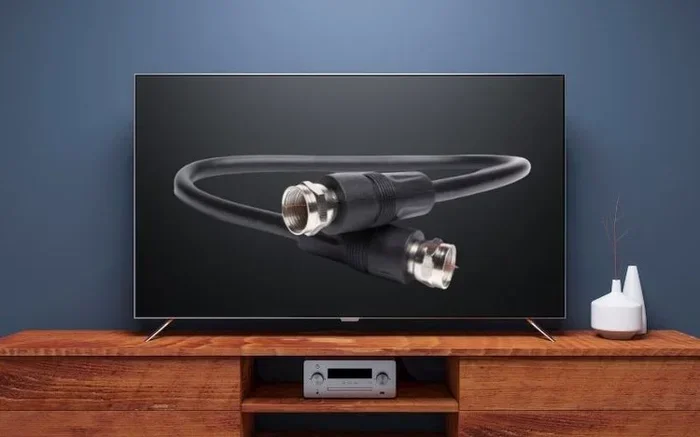
A coaxial cable is one of the oldest types of TV connections still in use today. It has a copper center wire surrounded by insulation, a metal shield, and an outer jacket. The connector is usually called an F-connector or RF connector. You have probably seen this cable before. It is the thick, round cable that comes out of your wall outlet for cable TV.
The coaxial cable carries radio frequency signals. This means it can deliver cable TV channels, antenna signals, and internet data. In the world of smart TVs, the coaxial input serves a specific purpose. It receives external TV signals from either a cable provider or an over-the-air antenna. It does not carry internet data for streaming apps like Netflix or Amazon Prime Video.
How Coaxial Cables Work with TVs
When you connect a coaxial cable to your TV, you are plugging into the TV’s tuner. The tuner decodes the TV signal and displays channels on your screen. This works for both cable TV subscriptions and free antenna channels. The coaxial connection bypasses your internet entirely. It pulls the signal directly from your cable outlet or antenna.
Here are some common uses for a coaxial cable with a smart TV:
- Connecting to a cable TV service through a wall outlet
- Hooking up an indoor or outdoor TV antenna for free channels
- Linking a cable box or satellite receiver to your TV
- Receiving RF signals from older media devices
Most smart TVs manufactured in the last decade still include a coaxial input. Manufacturers keep this port because many households still use cable TV or antennas. Even though streaming has taken over, the coaxial connection remains relevant for traditional TV viewing.
Does a Smart TV Need a Coaxial Cable for Streaming?
The direct answer is no. A smart TV does not need a coaxial cable to stream content. Streaming happens over the internet. Your smart TV connects to your home network through Wi-Fi or an Ethernet cable. From there, you can access all the major streaming services. You do not need a coaxial cable for any of that.
Think of it this way. Your internet connection is the highway that delivers streaming content to your TV. The coaxial cable is a different road entirely. It delivers broadcast TV signals from your cable provider or antenna. Two completely different systems. You only need the coaxial road if you are watching traditional TV channels or using an antenna setup.
How Smart TVs Connect to the Internet for Streaming
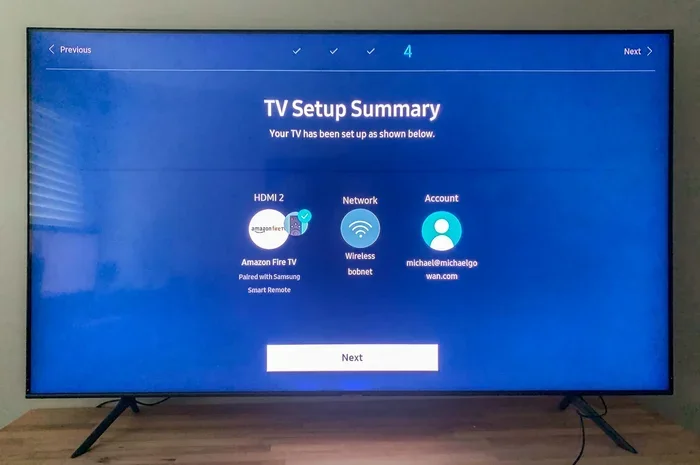
Smart TVs use two main methods to connect to the internet. The first is Wi-Fi. This is the wireless connection most people use. You go into your TV settings, select your home network, enter the password, and you are connected. The second method is an Ethernet cable. This is a wired connection that plugs directly into your router. It offers a more stable and faster connection than Wi-Fi.
Both of these connections are all you need for streaming. Here is what you can do with just a Wi-Fi or Ethernet connection:
- Watch Netflix, Hulu, Disney Plus, and other streaming apps
- Browse YouTube and watch videos
- Use voice assistants built into your smart TV
- Cast content from your phone or tablet to your TV
- Download and install new streaming apps
- Update your smart TV software and apps
None of these activities require a coaxial cable. Your smart TV is essentially a giant internet-connected screen. As long as it has a solid internet connection, it can handle all your streaming needs.
When Do You Actually Need a Coaxial Cable with a Smart TV?
While you do not need a coaxial cable for streaming, there are situations where it becomes essential. Let us look at the common scenarios where a coaxial connection makes sense.
Watching Cable TV Channels
If you have a cable TV subscription from a provider like Comcast, Xfinity, or Spectrum, you may need a coaxial cable. Many cable providers still use coaxial infrastructure to deliver their channels. In this case, you would run a coaxial cable from your wall outlet to your smart TV. Some cable providers also offer cable boxes that connect via HDMI, which eliminates the need for a direct coaxial connection to the TV.
However, more and more cable providers are shifting to streaming-based packages. These packages deliver channels through your internet connection, not through a coaxial cable. So even if you keep your cable subscription, you might not need the coaxial cable anymore.
Using a TV Antenna for Free Channels
One of the best reasons to use a coaxial cable with a smart TV is for an antenna setup. A TV antenna picks up over-the-air broadcast signals from local stations. These signals include ABC, NBC, CBS, FOX, PBS, and many local channels. All of this is completely free once you have the antenna.
To set up an antenna, you connect a coaxial cable from the antenna to the coaxial input on your smart TV. The TV’s built-in tuner picks up the channels and displays them. This is a fantastic option for people who want free local news, sports, and weather without paying for a cable subscription.
Here are some tips for getting the best antenna signal through a coaxial connection:
- Place your antenna near a window or on an elevated surface
- Use a high-quality coaxial cable to minimize signal loss
- Run a channel scan on your TV after connecting the antenna
- Consider a signal amplifier if you live far from broadcast towers
- Keep the coaxial cable as short as possible for the best signal
Connecting a Cable Box or Satellite Receiver
Some people prefer to use a cable box or satellite receiver with their smart TV. These devices often connect to the TV via HDMI, but older models might use a coaxial connection. If your cable box or satellite receiver uses coaxial output, you will need a coaxial cable to link it to your TV.
In most modern setups, however, cable boxes connect through HDMI. This gives you better picture quality and easier control through your smart TV interface. If you are setting up a new system, HDMI is almost always the better choice over coaxial for video quality.
Coaxial vs. HDMI vs. Wi-Fi: Which Connection Should You Use?
Choosing the right cable for your smart TV can feel confusing. There are so many options. Let us break down the three main connection types and when to use each one.
Coaxial Connection
The coaxial connection is best for traditional TV signals. It handles cable TV and antenna broadcasts. It does not support internet streaming on its own. The signal is stable and reliable, but the picture quality is limited compared to HDMI. Coaxial cables carry standard definition or high definition signals depending on your setup.
HDMI Connection
HDMI is the gold standard for smart TV connections. It carries high-definition video and audio through a single cable. Most streaming devices like Roku, Chromecast, Apple TV, and Fire Stick use HDMI. If you want the best picture quality and the simplest setup, HDMI is your go-to option.
HDMI also supports ARC (Audio Return Channel), which lets your TV send audio back to a soundbar or home theater system through the same cable. This is a huge convenience for home entertainment setups.
Wi-Fi and Ethernet Connection
Wi-Fi and Ethernet are not physical cables that plug into your TV for video. They are internet connections. Wi-Fi is wireless and convenient. Ethernet is wired and more stable. Both deliver the internet data that powers your streaming apps. For the best streaming experience, a strong Wi-Fi signal or a reliable Ethernet connection is more important than any video cable.
Comparison Table
| Connection Type | Best For | Picture Quality | Internet Required |
|---|---|---|---|
| Coaxial Cable | Cable TV and antenna signals | SD to HD | No |
| HDMI Cable | Streaming devices and high-definition content | Full HD to 4K | Yes (for streaming) |
| Wi-Fi | Wireless streaming from apps | Depends on internet speed | Yes |
| Ethernet | Stable wired streaming | Depends on internet speed | Yes |
As you can see from the table, each connection type serves a different purpose. The coaxial cable is not your streaming cable. It is your traditional TV signal cable. Keep this in mind when setting up your smart TV.
Can You Use a Smart TV Without a Coaxial Cable at All?
Absolutely. You can use a smart TV without ever connecting a coaxial cable. Millions of people do it every day. If you only watch streaming content and do not care about cable TV or antenna channels, you do not need a coaxial connection at all.
Here is what a coaxial-free smart TV setup looks like:
- Connect your smart TV to your Wi-Fi network through the TV settings
- Open the app store on your TV and download your favorite streaming apps
- Log in to each app with your account credentials
- Start streaming movies, shows, and live content
That is it. No coaxial cable needed. Your smart TV becomes a streaming powerhouse with just a Wi-Fi connection. You can also connect external streaming devices like a Roku stick or Amazon Fire Stick through the HDMI port for even more app options.
Some people worry that skipping the coaxial cable will limit their TV’s capabilities. It does not. Modern smart TVs are designed to work primarily through internet connections. The coaxial port is an extra option, not a requirement.
Common Mistakes People Make with Coaxial Cables and Smart TVs
Setting up a smart TV can come with some common pitfalls. Let us look at mistakes people often make with coaxial cables and streaming setups.
Assuming the Coaxial Cable Will Give You Internet
This is the biggest mistake. A coaxial cable does not provide internet access for streaming apps. If you connect a coaxial cable to your smart TV and expect to open Netflix, you will be disappointed. The coaxial cable carries TV signals, not internet data for streaming services.
Using a Damaged or Low-Quality Coaxial Cable
If you do need a coaxial connection for antenna or cable TV, the quality of your cable matters. A cheap or damaged coaxial cable can cause signal loss, pixelated pictures, and missing channels. Invest in a good quality coaxial cable with proper shielding to keep your signal strong.
Forgetting to Run a Channel Scan
After connecting an antenna through a coaxial cable, many people forget to run a channel scan. Your TV needs to search for available broadcast signals. Go to your TV settings, find the channel scan or auto-tune option, and let the TV find all available channels. This step is essential for getting the most out of your antenna setup.
Overcomplicating the Setup
Some people try to use a coaxial cable for streaming because they think it is the “main” TV cable. It is not. Streaming works through your internet connection. Keep your setup simple. Use Wi-Fi or Ethernet for streaming, and only use coaxial if you have a specific need for cable TV or antenna channels.
Expert Tips for the Best Smart TV Setup
Getting the most out of your smart TV is easier than you think. Follow these practical tips to ensure a smooth and enjoyable viewing experience.
Start with your internet connection. A fast, stable internet connection is the foundation of any smart TV setup. If your Wi-Fi signal is weak in the room where your TV sits, consider moving your router closer or using a Wi-Fi extender. For the best performance, an Ethernet cable from your router to your TV eliminates Wi-Fi altogether.
Use HDMI for all streaming devices. If you use a streaming stick or box, plug it into an HDMI port on your TV. This gives you the best picture quality and the easiest navigation. Label your HDMI ports so you always know which device is plugged where.
Keep the coaxial cable handy if you watch local channels. Even if you are a streaming-only household, having a coaxial cable and a basic antenna can be a lifesaver during bad weather or internet outages. Local news and weather channels do not require an internet connection when accessed through an antenna.
Update your TV software regularly. Smart TV manufacturers release updates that improve performance, fix bugs, and add new features. Keeping your TV updated ensures the best streaming experience and the best security for your connected devices.
The Bottom Line
So, does a smart TV need a coaxial cable for streaming? The answer is a clear no. Your smart TV streams content through your home internet connection, whether that is Wi-Fi or Ethernet. The coaxial cable serves a completely different purpose. It delivers traditional TV signals from cable providers or antennas. It is not needed for streaming apps like Netflix, Hulu, or YouTube.
That said, the coaxial port on your smart TV is not useless. If you watch cable TV, use an antenna, or connect older equipment, the coaxial connection has real value. The key is understanding what each cable does and using the right one for the right purpose.
Set up your smart TV with confidence. Know which cables you need and which ones you can leave unplugged. Focus on a strong internet connection, use HDMI for your streaming devices, and keep the coaxial cable ready for traditional TV needs. With the right setup, your smart TV will deliver an amazing viewing experience every single day.
Take a few minutes to understand your TV’s connections. You will save time, avoid frustration, and get the most out of your investment. Happy streaming.
Frequently Asked Questions
Can I stream Netflix on a smart TV without a coaxial cable?
Yes, absolutely. Netflix streams over the internet, not through a coaxial cable. As long as your smart TV is connected to Wi-Fi or Ethernet, you can stream Netflix without any coaxial connection at all.
Do all smart TVs have a coaxial input?
Most smart TVs still include a coaxial input, but some newer or ultra-thin models may not have one. Check the back or side panel of your TV for the coaxial port, which looks like a small round metal connector labeled “RF IN” or “ANT IN.”
Can I use a coaxial cable to connect to the internet for streaming?
No. A coaxial cable carries TV signals, not internet data for streaming apps. To connect your smart TV to the internet, use Wi-Fi or an Ethernet cable. Some internet providers use coaxial cables for their modem connection, but that is between the modem and the wall outlet, not between the modem and the TV.
What is the difference between a coaxial cable and an HDMI cable?
A coaxial cable carries TV broadcast signals and connects to cable outlets or antennas. An HDMI cable carries high-definition video and audio and is used for streaming devices, gaming consoles, and other modern devices. HDMI provides much better picture and sound quality than coaxial.
Do I need a cable box if I have a smart TV?
Not necessarily. If you only watch streaming apps, you do not need a cable box at all. Your smart TV can access all major streaming services directly through Wi-Fi. You only need a cable box if you want to watch traditional cable TV channels through your cable provider.
Can I watch local channels on a smart TV without a coaxial cable?
Yes, you can. Many smart TVs have a built-in TV tuner that works with an antenna connected through the coaxial port. However, some smart TVs also allow you to stream local channels through apps like Pluto TV or the apps from your local broadcast stations, which only require an internet connection.
=== CONCLUSION ===
A smart TV does not need a coaxial cable for streaming. Your internet connection through Wi-Fi or Ethernet handles all your streaming needs. The coaxial cable is there for traditional TV signals from cable providers or antennas. Understanding this simple distinction makes setting up your smart TV much easier and less confusing.
Use the right cable for the right purpose. Stream through your internet connection, connect streaming devices with HDMI, and only reach for the coaxial cable when you need traditional TV channels. With this knowledge, you can enjoy the best of both worlds — modern streaming and classic TV — all on one smart TV.