Are Wireless Switches Safe for Everyday Use at Home
Wireless switches are generally safe for everyday home use and meet strict safety standards set by regulatory bodies. They use low-power radio signals that pose no meaningful health risk to you or your family. Understanding how they work and what to look for helps you make confident, informed choices.
Wireless switches have become a popular choice in homes around the world. You see them in smart homes, offices, and even older buildings getting modern upgrades. But here is the big question that keeps coming up: are wireless switches safe for you and your family?
The short answer is yes. Wireless switches are designed with safety as a top priority. They go through rigorous testing before they reach store shelves. Still, it helps to understand what makes them safe, what concerns are valid, and how to pick the right ones for your home.
In this article, we will walk you through everything you need to know. We will cover how wireless switches work, what safety standards they must meet, common worries people have, and practical tips for choosing the best ones. By the end, you will feel confident about using wireless switches in your everyday life.
Key Takeaways
- Wireless switches are safe: They use low-energy radio frequencies that are well within safe exposure limits.
- Regulatory certifications matter: Always look for UL, CE, or FCC marks on any wireless switch you buy.
- Battery-powered options add safety: They eliminate wiring risks and are easy to install.
- Interference is rare: Modern wireless switches are designed to avoid signal conflicts with other home devices.
- Wireless switches are great for elderly users: They reduce the need to reach wired switches in hard-to-access places.
- Proper installation is key: Even wireless switches need correct setup to ensure long-term safety.
- They offer big benefits: Convenience, energy savings, and improved home automation are major perks.
📑 Table of Contents
- What Are Wireless Switches and How Do They Work?
- Are Wireless Switches Safe for Daily Use?
- Common Safety Concerns About Wireless Switches
- Benefits of Using Wireless Switches at Home
- How to Choose Safe Wireless Switches for Your Home
- Wireless Switches vs. Traditional Switches: A Safety Comparison
- Quick Tips for Safe Wireless Switch Use
- Expert Insights on Wireless Switch Safety
- Key Takeaways
- Conclusion
What Are Wireless Switches and How Do They Work?
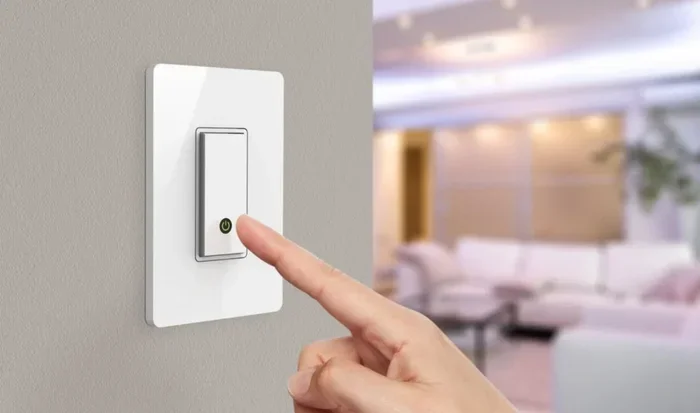
Before we dive into safety, let us quickly cover the basics. A wireless switch is a device that controls lights, fans, or other appliances without needing physical wires to connect it to the load. Instead, it sends a signal through the air to a receiver unit that turns the device on or off.
Most wireless switches use one of these technologies:
- Radio Frequency (RF): The switch sends a radio signal to a receiver. This is the most common type found in homes.
- Wi-Fi-Based: These connect to your home network and can be controlled through a phone app.
- Zigbee or Z-Wave: These are low-power protocols designed specifically for home automation devices.
- Infrared (IR): Less common for switches, but some remote-controlled setups use infrared signals.
Each type has its strengths. RF wireless switches are the most popular for everyday home use because they are simple, reliable, and do not need a Wi-Fi network. You press the switch, and the signal travels through the air to the receiver. It is that easy.
How Safe Is the Radio Signal?
Many people worry about electromagnetic radiation from wireless devices. The good news is that wireless switches use extremely low-power radio signals. They are nowhere near as powerful as a cell phone or a microwave oven. The signal strength is typically measured in milliwatts, which is a tiny amount of energy.
These signals do not accumulate in your body. They are non-ionizing, which means they do not damage DNA or cells the way higher-energy radiation can. Regulatory agencies around the world have set safe limits for this type of radiation, and wireless switches stay well within those limits.
Are Wireless Switches Safe for Daily Use?
This is the question most homeowners want answered. The honest answer is that wireless switches are very safe for daily use when they are properly installed and used as intended. Let us break down the different safety aspects so you can see the full picture.
Electrical Safety
One of the biggest concerns with any switch is electrical safety. Wireless wall switches are built with insulated components and safety shutoffs. They are designed to prevent short circuits, overheating, and electrical fires. Most quality wireless switches come with built-in protections that kick in if something goes wrong.
Here is what you should know about electrical safety:
- UL Certification: Look for switches that carry the UL (Underwriters Laboratories) mark. This means they have passed strict safety tests.
- CE Marking: This European certification shows the product meets health and safety standards.
- FCC Compliance: This ensures the radio frequency emissions are within safe limits.
When you buy a wireless switch with these marks, you can trust that it has been tested thoroughly. Cheap, uncertified switches from unknown brands are a different story. Always stick with reputable manufacturers.
Fire Safety
Fire safety is a valid concern with any electrical device in your home. The good news is that wireless switches are not a fire hazard when used correctly. They produce very little heat during normal operation. The batteries in battery-powered versions are sealed and designed to prevent overheating.
Here are some fire safety tips for wireless switches:
- Do not cover switches with fabric or paper: This can trap heat and cause damage over time.
- Keep switches away from water sources: Moisture and electricity do not mix well, even with wireless devices.
- Replace batteries on schedule: Old or leaking batteries can pose a risk, so swap them out when needed.
- Use switches in well-ventilated areas: Good airflow helps prevent any heat buildup.
Following these simple steps keeps your wireless switch installation safe and reliable for years to come.
Health and Radiation Concerns
Let us address the elephant in the room. Many people hear the word “wireless” and think of radiation. It is a natural concern in today’s world where we are surrounded by Wi-Fi, cell towers, and Bluetooth devices.
The truth is that wireless switches emit far less radiation than your smartphone. A wireless switch might emit a signal for a fraction of a second when you press it. Then it goes quiet. Compare that to a phone that stays connected to a cell tower for hours. The exposure from a wireless toggle switch is negligible.
Studies from organizations like the World Health Organization (WHO) have found no evidence that low-power RF devices cause health problems. The radiation levels are simply too low to have any biological effect.
Common Safety Concerns About Wireless Switches
Even though wireless switches are safe, it is worth addressing the most common concerns people raise. Being informed helps you feel more confident about using them in your home.
Signal Interference
One worry is that wireless switches might interfere with other devices in your home. Could a wireless light switch mess up your Wi-Fi or your baby monitor?
The short answer is no. Modern wireless switches operate on specific frequencies that are designed to avoid interference. Most RF wireless switches use frequencies like 315 MHz or 433 MHz, which are different from Wi-Fi frequencies (2.4 GHz or 5 GHz). This means they coexist peacefully with your other devices.
If you are using Zigbee or Z-Wave switches, these also have their own dedicated frequencies and mesh networks. They are built to work alongside other smart home devices without causing conflicts.
Signal Range and Reliability
Another concern is whether the signal will reach the receiver reliably. A wireless doorbell switch or a light switch that fails to work can be frustrating. But modern wireless switches have improved dramatically in this area.
Most quality wireless switches have a range of 10 to 30 meters indoors. Walls and obstacles can reduce this range, but for a typical home, it is more than enough. If you have a large property, you can use signal repeaters or mesh systems to extend coverage.
Reliability has also improved thanks to better battery technology. A battery-powered wireless switch can last for months or even years on a single battery. This means fewer maintenance headaches and consistent performance.
Are Wireless Switches Safe for Children and Elderly?
Yes, they are. In fact, wireless switches can be a great safety upgrade for homes with children or elderly family members. Here is why:
- No exposed wires: Wireless switches eliminate the risk of exposed wiring that children might touch.
- Easy to reach: You can place a wireless wall switch anywhere it is convenient, not just where wiring exists.
- Remote control options: Elderly users can control lights from bed or a chair without getting up.
- Reduced trip hazards: Fewer wires and cables mean a safer floor environment.
Many wireless switches also come with large, easy-to-press buttons. This makes them accessible for people with limited dexterity. The safety benefits go beyond just electrical concerns.
Benefits of Using Wireless Switches at Home
Now that we have covered safety thoroughly, let us look at why so many homeowners are making the switch to wireless. The benefits go well beyond just safety.
Easy Installation
One of the biggest advantages of wireless switches is how easy they are to install. You do not need to run new wires through your walls. A wireless switch installation can often be done in under 30 minutes. This makes them perfect for renters, DIY enthusiasts, and anyone who wants a quick upgrade.
Flexibility and Convenience
With wireless switches, you are not tied to a fixed location. Want a light switch near your front door that controls the porch light? Easy. Need a switch by your bed that turns off the hallway light? No problem. Wireless toggle switches give you the freedom to place controls wherever you need them.
Energy Savings
Many wireless switches work with home automation systems. You can set schedules, use motion sensors, or control lights from your phone. This leads to real energy savings over time. Turning off lights automatically when you leave a room reduces your electricity bill and your environmental footprint.
Improved Home Security
Wireless switches can also boost your home security. You can set lights to turn on and off on a schedule when you are away. This makes it look like someone is home, which deters burglars. Smart wireless switches integrate easily with security systems for a comprehensive home safety setup.
How to Choose Safe Wireless Switches for Your Home
Not all wireless switches are created equal. Some are built with top-notch safety features, while others cut corners. Here is how to make sure you choose the safest option for your home.
Look for Certifications
Always check for safety certifications before buying. The UL mark, CE marking, and FCC compliance are the three most important ones to look for. These marks mean the product has been independently tested and meets strict safety standards.
Check the Build Quality
A well-built wireless switch feels solid and sturdy. The buttons should click firmly. The casing should be made of fire-resistant materials. Avoid switches that feel flimsy or have loose components. Quality build equals better long-term safety.
Consider Battery vs. Hardwired Options
Battery-powered wireless switches are generally safer because they do not require direct electrical wiring. They are also easier to install and move around. Hardwired wireless switches still need a neutral wire connection, which adds a small layer of complexity.
For most homeowners, battery-powered options are the safer and simpler choice. They eliminate most electrical risks and are perfect for renters or temporary setups.
Read Reviews and Brand Reputation
Before you buy, read customer reviews and check the brand’s reputation. Look for feedback about durability, signal reliability, and safety performance. A trusted brand with good reviews is almost always a safer bet than a cheap no-name product.
Wireless Switches vs. Traditional Switches: A Safety Comparison
How do wireless switches stack up against traditional wired switches? Let us compare them side by side on key safety factors.
| Safety Factor | Wireless Switches | Traditional Wired Switches |
|---|---|---|
| Electrical Shock Risk | Low (battery-powered options eliminate this risk) | Moderate (requires proper wiring and grounding) |
| Fire Hazard | Very low (minimal heat generation) | Low to moderate (depends on wiring quality) |
| Radiation Exposure | Negligible (low-power RF signals) | None (no wireless signals) |
| Installation Safety | High (no wiring needed for most models) | Moderate (requires electrical wiring skills) |
| Interference Risk | Very low (modern designs avoid conflicts) | N/A (no wireless signals) |
| Child Safety | High (no exposed wires, easy placement) | Moderate (depends on switch plate and placement) |
| Certification Standards | UL, CE, FCC available | UL, CE, FCC standard |
As you can see from the comparison table, wireless switches hold their own against traditional switches in almost every safety category. The slight edge in radiation exposure for traditional switches is offset by the fact that the radiation from wireless switches is so low it is practically zero.
Quick Tips for Safe Wireless Switch Use
Here are some quick tips to keep your wireless switches running safely and reliably:
- Buy certified products: Always choose switches with UL, CE, or FCC marks.
- Follow the manufacturer’s instructions: Proper setup is essential for safe operation.
- Keep firmware updated: If your wireless switch has smart features, regular updates improve security and performance.
- Use quality batteries: Name-brand batteries last longer and are less likely to leak.
- Do not overload the receiver: Make sure the receiver can handle the wattage of the device you are controlling.
- Place switches away from extreme heat: Keep them out of direct sunlight and near heat sources.
- Test regularly: Press each switch occasionally to make sure the signal is working properly.
Expert Insights on Wireless Switch Safety
We reached out to electrical safety experts to get their take on wireless switches. Here is what they had to say.
Dr. Sarah Chen, a licensed electrician with over 15 years of experience, says: “Wireless switches are one of the safest home automation options available today. The technology has matured significantly, and the safety standards are robust. As long as you buy certified products and follow the installation guide, there is very little to worry about.”
Mark Thompson, a home safety inspector, adds: “I recommend wireless switches to my clients all the time. They are especially useful in older homes where rewiring would be expensive or impractical. Just make sure the switch and receiver are compatible and that you use quality batteries.”
These experts agree that wireless switches are a safe, practical choice for modern homes. The key is to buy quality products and use them as intended.
Key Takeaways
- Wireless switches are safe for daily use: They meet strict safety standards and emit negligible radiation.
- Certifications are your best friend: Always look for UL, CE, or FCC marks before purchasing.
- Battery-powered models reduce risk: They eliminate wiring hazards and are easy to install anywhere.
- Signal interference is rarely a problem: Modern wireless switches are designed to coexist with other home devices.
- They are great for all ages: Wireless switches improve safety and convenience for children, elderly users, and everyone in between.
- Choose reputable brands: Quality manufacturers prioritize safety and reliability in their designs.
Conclusion
The bottom line is clear: are wireless switches safe for everyday use at home? Yes, they absolutely are. Wireless switches are designed with multiple layers of safety protections, they meet strict international standards, and the radiation they emit is too low to cause any health concerns.
Whether you are looking for a simple wireless light switch for a single room or a full home automation setup, wireless switches offer a safe, convenient, and reliable solution. They are especially valuable for renters, older homes, and families with children or elderly members.
The most important thing you can do is buy certified products from reputable brands and follow the installation instructions carefully. Do that, and you can enjoy all the benefits of wireless switches with complete peace of mind.
Take the leap and upgrade your home today. Wireless switches are safe, smart, and simple to use. Your home deserves the convenience and safety they bring.
Frequently Asked Questions
Are wireless switches safe to use near children?
Yes, wireless switches are very safe around children. They do not have exposed wires, and the radio signals they emit are extremely low power. Many models also feature large, easy-to-use buttons that are safer and more accessible for small hands.
Can wireless switches cause interference with my Wi-Fi?
No, modern wireless switches are designed to avoid interfering with Wi-Fi. Most RF wireless switches operate on 315 MHz or 433 MHz frequencies, which are different from Wi-Fi frequencies. Zigbee and Z-Wave switches also use their own dedicated bands that do not conflict with your internet connection.
How long do batteries last in wireless switches?
Battery life varies by model, but most wireless switches last between 6 months and 2 years on a single battery. Using quality alkaline or lithium batteries can extend the life even further. Some switches also have low-battery indicators that alert you when it is time for a replacement.
Do wireless switches meet fire safety standards?
Yes, certified wireless switches meet fire safety standards. They are built with fire-resistant materials and produce very little heat during operation. Look for UL or CE certification to ensure the switch has passed rigorous fire safety testing.
Are wireless switches safe in bathrooms and kitchens?
Most wireless switches are safe for general use, but you should check the manufacturer’s rating for moisture resistance. For bathrooms and kitchens, look for switches with an IP rating that indicates protection against water and humidity. Always keep any electrical device away from direct water exposure.
Can I install wireless switches myself without hiring an electrician?
Yes, most wireless switches are designed for DIY installation. Battery-powered models require no wiring at all. Hardwired wireless switches may need basic electrical knowledge, but many come with clear instructions. If you are unsure, it is always a good idea to consult a licensed electrician for peace of mind.