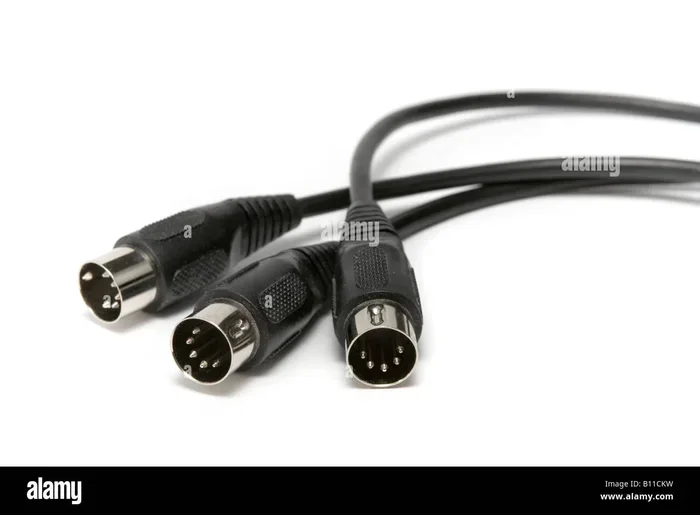
Are All Midi Cables The Same Find Out Before You Buy
Not all MIDI cables are the same. There are real differences between 5-pin DIN, USB, and other types that impact your sound and setup. Choosing the wrong cable can cause signal issues, latency, and connectivity headaches. This guide shows you exactly what to look for before you buy.
Have you ever stood in front of a rack of music gear, staring at a pile of cables, and wondered if they all do the same job? MIDI cables might look simple on the outside, but underneath that plastic housing lies a world of differences that can make or break your setup. Not every MIDI cable is created equal, and understanding why matters more than most musicians realize.
Whether you are connecting a MIDI keyboard to a computer, linking multiple MIDI devices on a stage, or building a home studio, the right cable choice affects your signal quality, latency, and overall performance. In this guide, we will walk through everything you need to know about MIDI cables so you can make a confident purchase. No guesswork, no confusion, just clear facts you can use.
The world of MIDI cables is surprisingly diverse. From the classic 5-pin DIN cable to modern USB MIDI cables, each type has its own strengths and ideal use cases. Some cables carry data faster, while others are built for long-distance runs on a live stage. By the end of this article, you will know exactly which MIDI cable fits your needs and which ones to avoid.
Key Takeaways
- Different Types Exist: 5-pin DIN, USB, and hybrid cables all serve different purposes in a MIDI setup.
- Signal Quality Matters: Cheap, unshielded cables can introduce noise and data loss into your MIDI signal.
- Cable Length Affects Performance: Longer runs can degrade signal quality, so choose the right length for your needs.
- USB MIDI Cables Are Popular: Modern setups often use USB MIDI cables for simplicity and speed.
- Match Cable to Gear: Always check your MIDI device ports before purchasing a cable.
- Budget Options Work: You don’t need to spend a fortune, but avoid the cheapest no-name options.
📑 Table of Contents
What Makes MIDI Cables Different from Each Other
At first glance, most MIDI cables look identical. They have a connector on each end, a rubber or braided outer jacket, and a handful of internal wires. But the differences go deeper than appearance. The type of connector, the internal wiring, the shielding, and the data protocol all play a role in how well your MIDI cable performs.
The MIDI standard has been around since the early 1980s. It was designed to let electronic instruments communicate with each other. Over the decades, the way we transmit MIDI data has evolved. This means there are now multiple types of MIDI cables serving different purposes. Understanding these differences is the first step toward choosing the right one.
The Role of MIDI Connectors
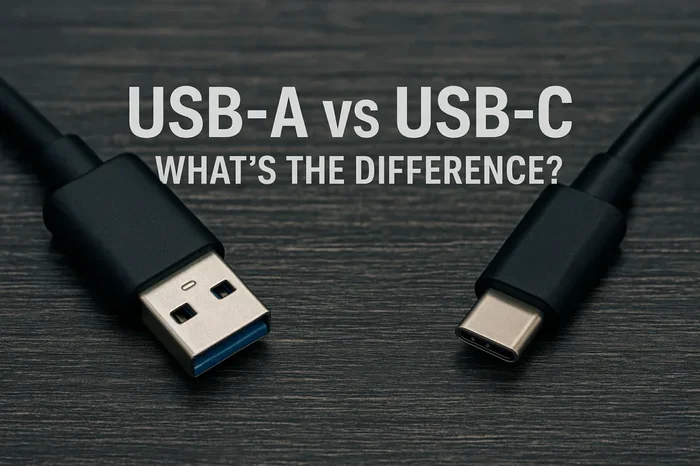
The connector is the physical plug that attaches your MIDI cable to a device. The most familiar connector is the 5-pin DIN plug, which has been the standard for decades. However, USB connectors have become increasingly common in modern setups. Some devices even use proprietary connectors, which adds another layer of complexity.
Each connector type has its own advantages. The 5-pin DIN connector is rugged and reliable for traditional setups. USB connectors offer faster data transfer and simpler plugging. When shopping for MIDI cables, always check what kind of connector your gear uses. Mismatched connectors are one of the most common buying mistakes.
Data Transfer Speed and Protocol
Not all MIDI cables transmit data at the same speed. Traditional 5-pin DIN cables use the original MIDI protocol, which transmits data at 31.25 kilobits per second. This is perfectly fine for most basic applications, such as sending note-on and control change messages from a MIDI controller to a sound module.
USB MIDI cables, on the other hand, use the USB protocol to carry MIDI data. This allows for much faster transfer rates and the ability to handle multiple MIDI channels simultaneously. If you are running a complex setup with many instruments, a USB MIDI cable can handle the load far better than a traditional DIN cable.
The Main Types of MIDI Cables You Should Know
There are three primary types of MIDI cables that you will encounter. Each one serves a different purpose and works best in specific scenarios. Let us break them down so you can easily compare your options.
Standard 5-Pin DIN Cables
The 5-pin DIN cable is the original and most traditional MIDI cable type. It has been the backbone of MIDI connections since the protocol was introduced. These cables are still widely used today, especially in live performance and older studio equipment.
5-pin DIN MIDI cables are simple and reliable. They carry MIDI data one direction at a time through a single wire pair. This means you need two cables for bidirectional communication between devices. Many musicians keep a collection of 5-pin DIN cables in different lengths for their stage setups.
One thing to watch out for is that not all 5-pin DIN cables are created equal. Some are shielded cables designed to reduce interference, while others are basic and unshielded. For stage use where electromagnetic interference is common, a shielded MIDI cable is essential.
USB MIDI Cables
USB MIDI cables have become the go-to choice for modern producers and performers. They connect directly to your computer or audio interface, eliminating the need for a separate MIDI interface in many cases. This simplicity is a huge advantage for beginners and seasoned pros alike.
A good USB MIDI cable does more than just carry data. Many models include built-in MIDI interfaces that convert the USB signal to standard MIDI data. This means you can plug your MIDI keyboard directly into your computer with a single cable and start making music right away.
When choosing a USB MIDI cable, look for models that support low-latency MIDI data transfer. Cheap cables can introduce noticeable delays, which is frustrating when you are playing live or recording. Investing in a quality USB MIDI cable pays off in smoother performance.
MIDI to USB Adapters and Interfaces
Not every MIDI cable is a single piece of wire. Sometimes you need a converter to bridge old and new technology. MIDI to USB adapters and MIDI interfaces serve this purpose. They take the traditional 5-pin DIN connection and convert it to USB for computer compatibility.
These adapters are especially useful if you have older gear with 5-pin DIN ports but want to connect to a modern computer. A quality MIDI interface can handle multiple MIDI inputs and outputs, letting you connect several instruments at once. This is a smart solution for studios with a mix of old and new equipment.
How MIDI Cables Affect Your Music Setup
The MIDI cable you choose has a real impact on how your setup performs. It is not just about plugging things in. Cable quality, length, and construction all play a role in the reliability and clarity of your MIDI data transfer.
Signal Quality and Shielding
MIDI data is digital, which means it is less susceptible to noise than analog audio signals. However, that does not mean cable shielding does not matter. In environments with heavy electrical equipment, unshielded MIDI cables can pick up interference that causes dropped notes or erratic behavior.
A shielded cable wraps the internal wires in a layer of conductive material that blocks outside interference. For studio use, a well-shielded MIDI cable ensures clean and reliable signal quality. For stage use, shielding becomes even more critical due to the presence of amplifiers, lighting systems, and power cables.
Quick Tip: If you notice random MIDI dropouts or notes triggering unexpectedly, your cable shielding might be the culprit. Try replacing a suspect cable with a shielded version and see if the problem goes away.
Cable Length and Signal Integrity
The length of your MIDI cable matters more than many people realize. The MIDI standard specifies a maximum cable length of about 15 meters (50 feet). Beyond this distance, signal quality can degrade, leading to missed notes or delayed messages.
For short runs, such as connecting a MIDI keyboard to a nearby interface, almost any cable will work. But for longer runs, such as running a cable across a stage or through a large studio, you need a high-quality MIDI cable with good shielding and solid construction.
If you need to go beyond the 15-meter limit, consider using a MIDI splitter or a MIDI thru port to extend your reach. A MIDI splitter takes one input and splits it into multiple outputs, allowing you to keep individual cable runs shorter and cleaner.
Active vs Passive MIDI Cables
Not all MIDI cables are passive. Some are active, meaning they contain circuitry to boost or regenerate the MIDI signal. Active MIDI cables can be useful for long cable runs or when connecting multiple daisy-chained devices.
Passive MIDI cables are simpler and more common. They just carry the signal from point A to point B. For most home studios and short stage runs, a passive MIDI cable is perfectly fine. Active cables come in handy when you need to maintain signal strength over longer distances or when powering devices through the MIDI thru port.
| Feature | Passive MIDI Cable | Active MIDI Cable |
|---|---|---|
| Internal Electronics | None | Boosting circuitry |
| Max Recommended Length | Up to 15 meters | Up to 30 meters |
| Signal Boosting | No | Yes |
| Power Required | No | Sometimes (bus-powered) |
| Price Range | $5 to $25 | $20 to $60 |
| Best For | Short studio runs | Long stage runs, daisy chains |
Common Mistakes People Make with MIDI Cables
Even experienced musicians sometimes make avoidable mistakes when choosing or using MIDI cables. These errors can lead to frustration, signal problems, and wasted money. Let us look at the most common pitfalls so you can steer clear of them.
Using the Wrong Cable Type
The most common mistake is buying the wrong type of MIDI cable for your setup. If your MIDI device has a USB port, a 5-pin DIN cable will not work without an adapter. Conversely, plugging a USB MIDI cable into a 5-pin DIN port will not produce any signal either.
Before you buy any MIDI cable, take a moment to check the ports on your gear. Make a list of what connectors you need. This simple step saves time, money, and a lot of headache. Many music stores also have staff who can help you match the right MIDI cable to your equipment.
Ignoring Cable Build Quality
It is tempting to grab the cheapest MIDI cable available, especially when you are on a budget. But cheap cables often use thin wiring, poor cable shielding, and flimsy connectors. These cables fail more often and can introduce noise into your MIDI data transfer.
You do not need to buy the most expensive option, but aim for a middle-ground cable from a reputable brand. Look for features like braided shielding, strain relief at the connectors, and gold-plated contacts. These details make a real difference in durability and signal quality.
Running Cables Too Long
Another common mistake is using cables that are longer than necessary. A longer MIDI cable does not mean better coverage. Excess length increases the chance of signal degradation, interference, and tangling.
Measure the distance you actually need and add a little slack, but do not buy a 10-meter cable if a 3-meter one will do the job. Keeping your MIDI cable runs as short as possible helps maintain clean signal quality and keeps your setup tidy.
How to Choose the Right MIDI Cable for Your Needs
Choosing the right MIDI cable does not have to be complicated. If you know your setup and what you need the cable to do, the decision becomes much easier. Here is a practical guide to help you make the best choice.
Matching Cable to Your Gear
Start by identifying the ports on your MIDI devices. Do you have 5-pin DIN outputs, USB ports, or both? Once you know this, you can narrow down your MIDI cable options. A MIDI keyboard with USB output needs a USB MIDI cable. A classic synthesizer with 5-pin DIN ports needs a traditional DIN cable.
If you are connecting multiple devices, consider how many MIDI inputs and outputs you need. A MIDI splitter can help distribute signals to several devices from one source. This is especially useful on stage where space and cable management matter.
Budget vs Premium Options
MIDI cables come in a wide price range, from a few dollars to over $50 each. Budget cables from reputable brands work well for most home setups. Premium cables offer better shielding, more durable connectors, and sometimes active signal boosting.
For a home studio, mid-range MIDI cables in the $10 to $20 range strike a great balance between quality and cost. For live performance, where cables get tugged, stepped on, and exposed to the elements, investing in premium options makes sense. They last longer and hold up better under pressure.
Where to Buy and What to Look For
When shopping for MIDI cables, buy from reputable retailers or directly from trusted brands. Look for cables that specifically state they support the MIDI standard and provide details about shielding and connector quality. Read reviews from other musicians who have used the same cable in similar setups.
Avoid generic no-name cables from unknown sellers. They might work temporarily, but they often fail within a few months. A reliable MIDI cable is a small investment that protects your entire MIDI setup from frustration.
Expert Tips for Getting the Most from Your MIDI Cables
Professional musicians and studio engineers have learned a few tricks over the years that can help you get the best performance from your MIDI cables. These tips might seem small, but they add up to a smoother, more reliable setup.
Organize Your MIDI Setup
Keep your MIDI cables organized with cable ties, velcro straps, or cable sleeves. Tangled cables not only look messy but can also cause accidental disconnections during a performance. Labeling your cables at both ends is a pro move that saves time when troubleshooting.
A clean setup also helps with signal quality. When MIDI cables are neatly routed, they are less likely to pick up interference from power cables or other sources. Take a few extra minutes to organize your setup, and you will thank yourself during every session.
Test Your Cables Regularly
Even the best MIDI cables can develop issues over time. Get into the habit of testing your cables before a gig or recording session. A simple way to test is to plug in a MIDI device and check that all notes and controllers respond correctly.
Keep a few spare MIDI cables in your bag at all times. A backup cable can save a performance when the unexpected happens. Many touring musicians carry at least two spare MIDI cables of different lengths for this exact reason.
Upgrade When Needed
If you are experiencing frequent MIDI dropouts, erratic behavior, or signal loss, it might be time to upgrade your cables. Older MIDI cables with worn connectors or damaged shielding are a common source of problems.
Upgrading to a well-shielded, high-quality USB MIDI cable or a new 5-pin DIN cable can solve many issues that musicians blame on their gear. Before you replace expensive equipment, try replacing the cables first. You might be surprised at how much difference a good MIDI cable makes.
Conclusion
The answer to whether all MIDI cables are the same is a clear no. Different types serve different purposes, and choosing the right one for your setup makes a real difference in performance and reliability. From the classic 5-pin DIN cable to modern USB MIDI cables, each option has its place in the world of music production and performance.
By understanding the types of MIDI cables available, how they affect your signal quality, and the common mistakes to avoid, you are now equipped to make smart buying decisions. Take the time to match your MIDI cable to your gear, invest in reasonable quality, and keep your setup organized.
Your MIDI setup is only as strong as its weakest link, and cables are often that link. Choose wisely, and your MIDI devices will communicate flawlessly every time. Now go out there and find the perfect MIDI cable for your needs, and enjoy making music with confidence.
Frequently Asked Questions
Can I Use Any USB Cable as a MIDI Cable?
No, not every USB cable works for MIDI. You need a cable specifically designed for MIDI data transfer that follows the USB MIDI class standard. A regular USB cable might charge your device but will not transmit MIDI data correctly. Always look for cables labeled as USB MIDI cables to ensure proper functionality.
How Long Can a MIDI Cable Be Before Signal Loss Occurs?
The MIDI standard supports cable lengths up to about 15 meters (50 feet) without signal degradation. Beyond this distance, you may experience dropped notes or delayed messages. If you need longer runs, use a MIDI splitter or an active MIDI cable to maintain signal integrity across greater distances.
Do More Expensive MIDI Cables Sound Better?
MIDI cables do not carry audio signals, so they do not affect the tone or sound of your instruments directly. However, a well-built shielded cable provides more reliable MIDI data transfer with fewer dropouts. The difference is in reliability and consistency, not in sound quality.
What Is the Difference Between a MIDI In and MIDI Out Port?
A MIDI In port receives MIDI data from another device, while a MIDI Out port sends MIDI data to another device. Think of it like a conversation, one device speaks and the other listens. Some devices also have a MIDI Thru port, which passes the incoming signal to another device in a chain.
Can I Daisy-Chain Multiple MIDI Devices on One Cable?
Yes, you can daisy-chain MIDI devices by connecting the MIDI Out of one device to the MIDI In of the next. However, each device in the chain adds a tiny bit of latency. For setups with many devices, using a MIDI splitter is often a better approach to keep signal quality strong across all connected devices.
Are Wireless MIDI Cables Worth It?
Wireless MIDI solutions have improved significantly in recent years. They are convenient for stage performances where cable management is a challenge. However, they can introduce slight latency and depend on battery life. For critical studio recording, a wired MIDI cable is still the most reliable choice.
=== CONCLUSION ===
To sum it all up, MIDI cables are not all the same, and now you know exactly why. The differences between 5-pin DIN cables, USB MIDI cables, and adapters are real and they matter. Your choice of MIDI cable affects signal reliability, setup flexibility, and overall performance.
Take what you have learned here and apply it the next time you shop for MIDI cables. Check your ports, consider your setup, and choose quality over the cheapest option. A great MIDI cable is a small investment that keeps your music flowing without interruption.
Now you are ready to make a confident purchase. Go ahead, pick the right MIDI cable for your gear, and get back to making great music. Your setup deserves the best connection you can give it.