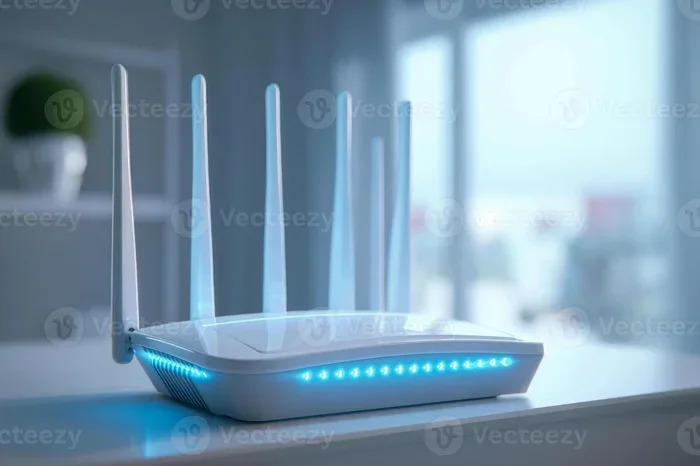
Do Antennas For Wifi Work And Why They Matter So Much
Do Antennas For Wifi Work? The short answer is yes. Wifi antennas play a huge role in how well your wireless network performs. They control signal direction, boost range, and reduce dead zones in your home or office. Upgrading or positioning your antenna correctly can transform your internet experience. This guide covers everything you need to know about wifi antennas and how they impact your wireless connectivity.
Key Takeaways
- Wifi antennas directly impact your signal strength and coverage area. A better antenna can eliminate dead zones and boost your wireless signal.
- Internal and external antennas serve different purposes. External antennas offer more power and direction control than built-in options.
- Antenna gain measured in dBi affects how far and wide your signal travels. Higher gain means better range but a narrower focus.
- Wrong antenna placement is a common mistake. Even the best antenna won’t help if it’s placed near metal objects or microwaves.
- Not all routers need antenna upgrades. Sometimes a wifi extender or mesh system solves your problem faster.
- Directional and omnidirectional antennas serve different needs. Choose based on whether you need focused or wide coverage.
📑 Table of Contents
- Do Antennas For Wifi Work And How They Actually Function
- Types Of Wifi Antennas And What Each One Does
- Do Antennas For Wifi Work In Real-World Scenarios
- Signal Strength And Range: What Antenna Gain Really Means
- Common Wifi Antenna Mistakes That Hurt Your Performance
- How To Choose The Right Wifi Antenna For Your Setup
- Expert Insights On Wifi Antenna Performance
- Key Takeaways
- Conclusion
Do Antennas For Wifi Work And How They Actually Function
Let’s start with the big question. Do antennas for wifi work? The answer is a clear yes. But understanding how they work makes the real difference. Many people buy new antennas without knowing what they actually do. That leads to wasted money and frustration.
A wifi antenna sends and receives radio signals between your router and your devices. Think of it like a walkie-talkie. The better the antenna, the clearer and farther your signal travels. Without an antenna, your router would have no way to connect to your phone, laptop, or smart TV.
Your router’s internal antenna sends signals in all directions. This is called omnidirectional coverage. It works great for small spaces. But large homes or offices need more focus. That’s where external antennas and high gain models come in.
Wifi antennas work on specific frequency bands. Most home routers use 2.4 GHz or 5 GHz bands. Some newer models support both, which is called dual band. The antenna design affects how well it handles each band. A 2.4 GHz signal travels farther but slower. A 5 GHz signal is faster but covers less distance.
So when you ask do antennas for wifi work, the real question is which antenna works best for your situation. That depends on your space, your devices, and your internet habits.
The Science Behind Wireless Signal Transmission
Wifi signals are a form of electromagnetic radiation. They travel through the air at the speed of light. Your antenna converts electrical signals from your router into radio waves. Those waves bounce off walls, furniture, and even people in the room.
Signal strength drops as distance increases. This is called attenuation. A weak antenna amplifies this problem. A strong antenna fights it. That’s why antenna gain matters so much for your wireless signal.
The shape of the antenna also matters. A straight stick antenna sends signals outward like a donut shape. A panel antenna focuses the signal in one direction. Each design has its place in home networking.
Types Of Wifi Antennas And What Each One Does
Not all antennas are the same. Different types serve different needs. Let’s break them down so you can pick the right one.
Internal Antennas vs External Antennas
Internal antennas are built into your router. They’re hidden inside the plastic casing. Most basic and mid-range routers use internal antennas. They’re clean and simple. You don’t have to worry about positioning them.
External antennas stick out from the router. You can adjust their angle. They usually provide stronger signal than internal ones. Many gamers and remote workers prefer external models. They offer more control over your wireless connectivity.
Here’s a quick comparison of the two types:
- Internal Antennas: Compact, easy to set up, less signal interference from accidental bumps, but lower signal strength and limited adjustability.
- External Antennas: Higher signal strength, adjustable direction, better range, but take up more space and can get bumped or damaged.
Omnidirectional vs Directional Antennas
Omnidirectional antennas broadcast signal in all directions. They’re perfect for open floor plans. If your router sits in the middle of your home, this type works great.
Directional antennas focus the signal in one direction. Think of it like a flashlight beam. They’re ideal for long hallways or connecting two buildings. A directional high gain antenna can push your signal much farther than a standard one.
Signal strength and coverage pattern are the main differences. Omnidirectional gives you a wide circle. Directional gives you a focused beam. Choose based on your layout.
High Gain Antennas Explained
Antenna gain is measured in dBi, which stands for decibels isotropic. Higher dBi means more focused signal. A standard router antenna has about 2 to 5 dBi. A high gain model can reach 9 to 12 dBi or more.
More gain doesn’t always mean better. It means the signal goes farther in one direction. If you need whole-house coverage, a high gain antenna might not help. It could actually reduce coverage in some areas.
For most home users, a 5 to 8 dBi external antenna is the sweet spot. It balances range and coverage well. This is a key insight many people miss when shopping for wifi signal boosters.
Do Antennas For Wifi Work In Real-World Scenarios
Now let’s get practical. Do antennas for wifi work in real homes and offices? Yes, but the results depend on several factors. Let’s look at when upgrades make a real difference.
When Antenna Upgrades Actually Help
Antenna upgrades help in specific situations. Here are the most common cases where they make a real difference:
- Large homes with thick walls: Standard antennas struggle with brick and concrete. A high gain external antenna pushes through better.
- Wifi dead zones: If your bedroom or basement has no signal, a directional antenna can target that area.
- Outdoor coverage: Antennas designed for outdoor use can extend your wireless network to a patio or garage.
- Multiple device households: Better antennas handle more connected devices without slowing down.
- Long-distance connections: If you need to reach a detached garage or office building, directional antennas work wonders.
When Antenna Upgrades Don’t Help Much
Sometimes swapping antennas won’t fix your problem. Here are situations where you might be wasting your time:
- Your internet plan is slow: No antenna can make your ISP speed faster. If your plan is 25 Mbps, a better antenna won’t change that.
- Severe signal interference: Microwaves, baby monitors, and Bluetooth devices can drown out your wifi. Fix the interference first.
- Your router is outdated: Old routers with 802.11n technology can’t benefit from modern antennas. A new router might be the better investment.
- Your space is too large: Antennas have limits. A 3,000 square foot home might need a mesh system instead.
Signal Strength And Range: What Antenna Gain Really Means
Let’s talk numbers. Many people see dBi ratings and get confused. Here’s what they actually mean for your daily use.
Antenna gain doesn’t make your router more powerful. It reshapes the signal. Think of it like a garden hose. A standard nozzle sprays water everywhere. A focused nozzle shoots it farther in one direction. Both use the same water pressure. The antenna is just the nozzle.
A 3 dBi antenna sends signal in a wide horizontal pattern. A 9 dBi antenna narrows that pattern and sends it farther. The trade-off is coverage area. You gain distance but lose width.
For most homes, here’s a simple guide:
- 2 to 4 dBi: Small apartments and offices. Good all-around coverage.
- 5 to 7 dBi: Medium homes up to 2,000 square feet. Solid range without dead zones.
- 8 to 12 dBi: Large homes or outdoor links. Focused signal for long distances.
Keep in mind that wireless signal quality depends on more than just antenna gain. Your router’s processor, the number of spatial streams, and your internet plan all play a role. The antenna is just one piece of the puzzle.
Common Wifi Antenna Mistakes That Hurt Your Performance
Even the best antenna can fail if you make basic mistakes. Here’s what to watch out for.
Placing Your Antenna Near Interference Sources
Many people tuck their router behind a TV or inside a closet. This kills your signal. Metal objects, glass, and electronics all interfere with wireless signals. Your wifi performance drops significantly when the antenna is blocked.
Place your router in a central, open location. Elevate it on a shelf. Keep it away from microwaves, cordless phones, and baby monitors. These simple changes can improve your signal more than buying a new antenna.
Pointing All Antennas Straight Up
This is the most common mistake. People leave all antennas pointing straight up like tall trees. That creates a signal pattern that spreads horizontally but not vertically.
For multi-story homes, angle one antenna sideways and one upright. This creates better coverage across floors. A simple adjustment like this can eliminate dead zones on different levels of your home.
Buying the Wrong Antenna Type
Not every antenna fits every router. Check your router’s connector type before buying. Most consumer routers use RP-SMA connectors. Some business routers use N-type connectors. A mismatch means the antenna won’t work at all.
Also, check the frequency band. A 2.4 GHz antenna won’t perform well on a 5 GHz network. Make sure your purchase matches your router’s specifications.
Ignoring Cable Loss
If you use an external antenna with a cable, the cable itself can weaken the signal. Longer cables lose more signal. This is called insertion loss. Keep cables short and use high quality ones. A cheap cable can undo the benefits of a premium antenna.
How To Choose The Right Wifi Antenna For Your Setup
Choosing the right antenna doesn’t have to be complicated. Follow these steps to find the perfect match.
Step 1: Identify Your Coverage Needs
Measure your space. Count the rooms and floors. Note any thick walls or obstacles. This tells you whether you need a wide coverage antenna or a focused directional one.
For a small apartment, an omnidirectional internal antenna works fine. For a large two-story home, consider external antennas with moderate gain. For a point-to-point link between buildings, a high gain directional antenna is your best bet.
Step 2: Check Router Compatibility
Look at your router’s specifications. Note the antenna connector type and frequency bands. Write these down before shopping. This prevents buying the wrong product.
Step 3: Set a Budget
Good wifi antennas range from $10 to $80. You don’t need to spend a fortune. A $20 external antenna often outperforms a $60 one for home use. Focus on dBi rating and connector compatibility over brand name.
Quick Tips For Better Antenna Performance
- Experiment with antenna angles. Small adjustments can make a big difference in signal distribution.
- Keep firmware updated. Router software updates improve how your antenna performs.
- Use a wifi analyzer app. These free tools show you signal strength and help you find the best antenna position.
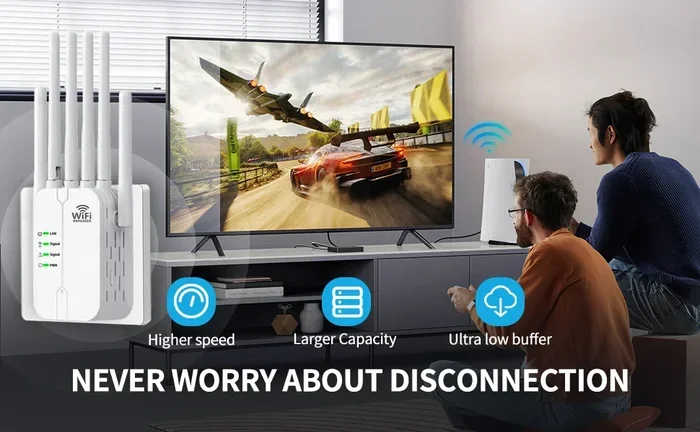
- Consider a wifi extender. Sometimes extending the network beats upgrading the antenna.
- Clean your antenna connectors. Dust and corrosion weaken the connection over time.
Expert Insights On Wifi Antenna Performance
Network engineers often say the antenna is the most overlooked part of a wifi setup. People spend hundreds on routers but skimp on antennas. That’s backwards. A good antenna on a modest router can outperform a premium router with a weak built-in antenna.
According to networking experts, antenna placement matters more than antenna type. A $15 antenna placed correctly will beat a $50 antenna placed poorly every time. The key is finding the right spot in your space.
Another expert tip: don’t chase the highest dBi number. More isn’t always better. Match your antenna to your actual needs. A focused beam in the wrong direction creates new dead zones while boosting signal in areas that already work fine.
The Future Of Wifi Antenna Technology
Wifi technology keeps evolving. The newest standard, wifi 6 and wifi 7, uses advanced antenna techniques. MIMO, which stands for Multiple Input Multiple Output, uses multiple antennas to send and receive data simultaneously. This dramatically improves wireless connectivity speed and reliability.
Beamforming is another exciting development. Instead of broadcasting in all directions, the router targets your specific device. This means better signal strength and less interference for everyone on the network.
These technologies are already in modern routers. If your router is more than five years old, upgrading might give you better results than swapping antennas alone.
Key Takeaways
- Do antennas for wifi work? Absolutely yes. They are essential for wireless signal transmission and reception.
- Internal antennas suit small spaces. External antennas give you more control and stronger signal for larger areas.
- Antenna gain (dBi) reshapes your signal. Higher gain means more focused, longer range but narrower coverage.
- Placement and positioning matter as much as the antenna itself. Even the best antenna fails if placed poorly.
- Avoid common mistakes like blocking the signal or using mismatched connectors. These errors cost you performance.
- Match your antenna to your actual needs. Don’t overbuy or underbuy based on your space and usage.
Conclusion
So do antennas for wifi work? The evidence is clear. They absolutely do. Your wifi antenna is the bridge between your router and every device in your home. Without a good antenna, that bridge is weak, unreliable, and full of dead spots.
Whether you choose an internal or external design, omnidirectional or directional, the right antenna transforms your wireless experience. Signal strength improves. Coverage expands. Dead zones shrink. Your internet feels faster and more stable.
But remember, antennas are just one piece of the puzzle. Pair a quality antenna with good placement, a solid internet plan, and a modern router for the best results. Don’t expect a $15 antenna to fix a broken 100 Mbps connection. Use it as a tool to maximize what you already have.
Take action today. Check your current antenna. Measure your signal in different rooms. Identify your weak spots. Then choose an upgrade that fits your real needs. Your wifi performance will thank you.
The world of wireless networking keeps getting better. Wifi 6 and wifi 7 routers are making huge leaps. But no matter how advanced the technology gets, the antenna remains the most important physical component. Treat it right, and it will serve you well for years to come.
Frequently Asked Questions
Do antennas for wifi really make a difference?
Yes, they make a significant difference. A good antenna improves signal strength, extends range, and reduces dead zones. However, the improvement depends on your current setup and your specific needs. Upgrading a weak antenna on a modern router often delivers noticeable results.
Can I use any external antenna with my router?
Not all antennas fit all routers. You need to check the connector type and frequency band compatibility. Most home routers use RP-SMA connectors and support 2.4 GHz or 5 GHz bands. Always verify these specs before purchasing an external antenna.
What is the best antenna gain for home use?
For most homes, 5 to 8 dBi is the sweet spot. This range provides good range without sacrificing too much coverage area. Higher gain antennas work better for specific directional needs like connecting two buildings or covering long hallways.
Do internal antennas on modern routers work well?
Yes, internal antennas on modern routers work very well for small to medium spaces. They offer clean aesthetics and adequate signal for most home users. However, they lack the adjustability and raw power of external antennas for larger or more challenging environments.
How can I test if my wifi antenna is working properly?
Use a free wifi analyzer app on your phone or laptop. Walk through your home and check signal strength in different rooms. Compare results before and after any antenna changes. A noticeable improvement in signal strength means your antenna upgrade is working.
Should I upgrade my router or just the antenna?
It depends on your router’s age and technology. If your router supports wifi 5 or newer, upgrading the antenna can help. If it’s an older 802.11n model, a full router replacement might give better results. Consider both options based on your budget and needs.