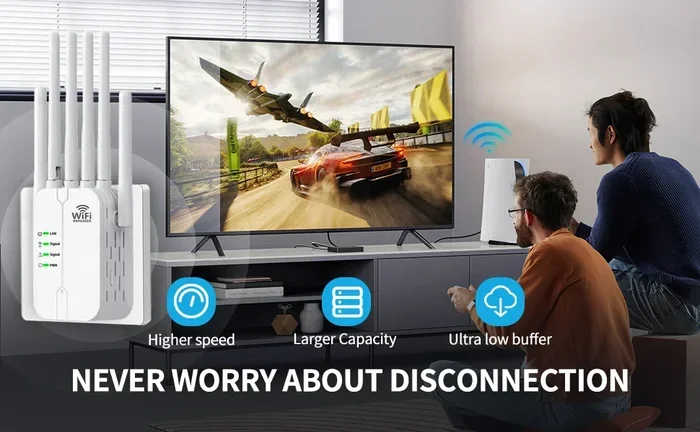
Can You Get An Antenna For Wifi To Boost Your Signal
Yes, you can absolutely get an antenna for wifi to boost your signal, and it is one of the most effective ways to improve your wireless coverage. Whether you are dealing with dead zones, slow speeds, or weak connections, the right wifi antenna can make a huge difference. This guide covers everything you need to know about wifi antennas, from types and installation to real-world tips that actually work.
Have you ever stood in your kitchen and watched your wifi signal drop to zero? Or tried to stream a movie in the bedroom only to get endless buffering? If so, you are not alone. Millions of people deal with weak wireless signals every single day.
The good news is that a simple fix exists. You can get an antenna for wifi to boost your signal and bring back fast, reliable internet to every corner of your home. But how does it work? What type should you buy? And is it really worth it? Let us walk through everything step by step.
A wifi antenna is a device that sends and receives wireless signals between your router and your devices. Think of it like a megaphone for your internet signal. The stronger the antenna, the farther your signal can travel and the more devices it can reach. This makes it a popular choice for people who want better wireless coverage without spending money on a whole new router or system.
Key Takeaways
- Wifi antennas are real and effective: You can buy or build them to significantly boost your wireless signal and range.
- Directional and omnidirectional antennas serve different needs: Choose based on whether you need focused or broad coverage.
- High-gain antennas amplify signal strength: They help extend your wifi range without buying new equipment.
- Installation is simple: Most wifi antennas plug right into your router or USB adapter with no technical skills needed.
- Placement matters as much as the antenna itself: Even the best antenna won’t help if it is positioned poorly.
- Legal and safety considerations exist: Always check regulations before modifying or amplifying your signal beyond standard limits.
📑 Table of Contents
- How Does a Wifi Antenna Work?
- Types of Wifi Antennas You Can Buy
- Can You Really Boost Your Signal With an Antenna?
- How to Choose the Right Antenna for Your Setup
- Installing Your Wifi Antenna: A Step-by-Step Guide
- Common Mistakes People Make With Wifi Antennas
- Expert Tips to Maximize Your Wifi Antenna Performance
- DIY Wifi Antenna: Can You Build One at Home?
- Wifi Antenna vs. Other Signal Boosting Methods
- Is It Legal to Boost Your Wifi Signal With an Antenna?
- Final Thoughts: Should You Get an Antenna for Wifi?
How Does a Wifi Antenna Work?
The Basics of Wireless Signal Transmission
Your router sends out radio waves through its built-in antenna. These waves carry data to your phone, laptop, and smart home devices. The strength of these waves depends on several factors, including the antenna type, its placement, and the environment around it.
When you add an external antenna, you are essentially upgrading the “sender” of those radio waves. A better antenna focuses the signal more efficiently, which means your devices get a stronger connection from farther away. This is the core idea behind using an antenna for wifi to boost performance.
Frequency Bands Explained
Wifi signals travel on two main frequency bands. The first is 2.4 GHz, which offers wider coverage but slower speeds. The second is 5 GHz, which delivers faster speeds but has a shorter range. Your router likely uses both bands, and your antenna needs to support them.
Most standard antennas work across both bands. However, some high-performance antennas are designed specifically for one band. If you want to improve signal strength across the board, look for a dual-band antenna that covers 2.4 GHz and 5 GHz frequencies.
Types of Wifi Antennas You Can Buy
Not all antennas are the same. Different designs serve different purposes, and choosing the right one depends on your specific situation. Here are the most common types you will find when shopping for an antenna for wifi.
Omnidirectional Antennas
An omnidirectional antenna sends signals in all directions, kind of like a lighthouse beam that spreads in a full circle. These are great for homes where you need coverage in every room. They work well when your router is in the center of the house.
If you have a small or medium-sized home, an omnidirectional wifi antenna is usually the best starting point. It spreads the signal evenly without leaving any one area with a weak connection.
Directional Antennas
A directional antenna focuses the signal into a narrow beam, like a flashlight pointing in one direction. These are perfect when you need to boost the signal toward a specific area, such as a detached garage, a backyard, or a neighboring building.
Directional antennas are also called high-gain antennas because they concentrate power in one direction. This makes them ideal for long-range wifi range improvements. If you have a dead zone on one side of your property, a directional antenna can target that spot directly.
Yagi Antennas
A Yagi antenna is a popular type of directional antenna. It looks like a long stick with multiple horizontal elements sticking out. Yagi antennas are known for their focused signal and long reach. They are commonly used for point-to-point connections, where you want to send a signal from one building to another.
These antennas are not the most common choice for home use, but they work well for specific situations. If you have a large property or need to reach a faraway structure, a Yagi antenna for wifi is worth considering.
Panel Antennas
Panel antennas look like flat rectangular boxes. They offer a middle ground between omnidirectional and highly directional designs. A panel antenna covers a wide area in one direction, making it great for hallways, long rooms, or multi-story buildings.
Many people choose panel antennas for office spaces or large open areas. They provide focused coverage without the extreme narrowness of a Yagi. For most home users, a panel antenna strikes a good balance between reach and spread.
Can You Really Boost Your Signal With an Antenna?
The short answer is yes. A quality antenna can absolutely improve your wireless signal strength and extend your coverage area. But there are some important things to understand before you buy one.
What an Antenna Can Do
An external antenna can do several helpful things. It can increase the distance your signal travels. It can improve the speed you get at the edge of your network. It can reduce dead zones in your home. And it can help more devices connect at the same time without dropping off.
For example, if your router is in the living room and your bedroom is at the far end of the house, a good antenna can make the difference between getting full bars and getting zero bars in that room.
What an Antenna Cannot Do
It is important to be realistic. An antenna cannot fix problems caused by a bad internet plan. It cannot overcome severe physical barriers like thick concrete walls or metal roofing. And it cannot turn a slow connection into a fast one if your internet service itself is the bottleneck.
Think of an antenna as a way to distribute your existing signal more effectively. It amplifies what you already have, but it does not create more speed than your internet plan provides.
How to Choose the Right Antenna for Your Setup
Choosing the right antenna for wifi depends on your home, your router, and what you need. Here are the key factors to consider before making a purchase.
Check Your Router’s Compatibility
Not every antenna works with every router. Before you buy anything, check your router’s specifications. Look for the antenna connector type, which is usually RP-SMA or SMA. Make sure the antenna you choose matches that connector.
Also, check whether your router has external antenna ports or internal ones. If your router has internal antennas, you may need a USB wifi adapter with an external antenna instead. This is a common point of confusion, so take a moment to verify before ordering.
Consider Your Home Size and Layout
Small apartments usually do not need powerful directional antennas. A simple omnidirectional antenna will do the job. Larger homes with multiple floors may benefit from a panel or directional antenna aimed at the areas with the weakest coverage.
Think about where your dead zones are. If the problem is in one specific direction, a directional antenna makes sense. If the problem is everywhere, an omnidirectional design is your best bet.
Gain Matters: Understanding dBi Ratings
Antenna strength is measured in dBi, which stands for decibels relative to isotropic. A higher dBi number means a stronger, more focused signal. Standard router antennas usually have around 2 to 5 dBi. High-gain antennas can go up to 12 dBi or more.
More dBi does not always mean better. A very high-gain antenna focuses the signal tightly, which is great for long-range but not ideal for wide coverage. Match the dBi rating to your needs. For most home setups, an antenna in the 5 to 9 dBi range works very well.
Budget-Friendly Options
You do not need to spend a fortune to get a better antenna. There are affordable options available for every budget. Basic omnidirectional antennas can be found for under $20. Mid-range directional antennas typically cost between $30 and $60. High-end models with excellent range can go up to $100 or more.
Before spending money, consider whether your current router allows you to replace the existing antennas. Many routers come with detachable antennas, which makes upgrading easy and inexpensive.
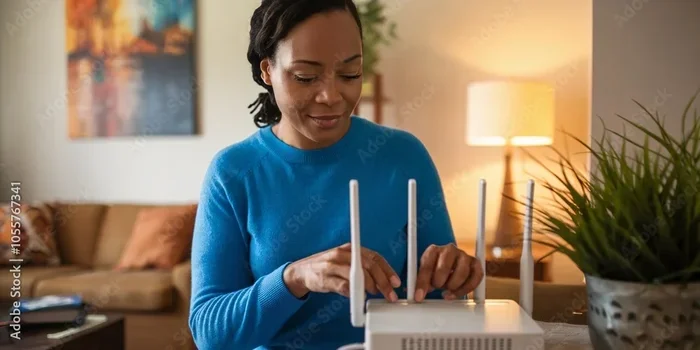
Installing Your Wifi Antenna: A Step-by-Step Guide
Installing an external antenna is easier than most people think. You do not need to be a tech expert to do it. Here is a simple walkthrough to get you started.
Step 1: Turn Off Your Router
Before you touch anything, unplug your router from the power source. This keeps you safe and prevents any damage to the equipment during installation.
Step 2: Remove the Existing Antenna
Gently unscrew the current antenna from the router by turning it counterclockwise. Most router antennas twist off easily. Be careful not to force anything. If the antenna feels stuck, try wiggling it gently while twisting.
Step 3: Attach the New Antenna
Take your new antenna for wifi and screw it onto the router by turning it clockwise. Make sure it is snug but do not overtighten. A secure connection ensures the best signal transfer.
Step 4: Position the Antenna Correctly
Placement makes a big difference. For omnidirectional antennas, stand them straight up so the signal spreads horizontally across your home. For directional antennas, point the front of the antenna toward the area where you need the strongest signal.
Try to place the antenna as high as possible, ideally on an upper floor. Signals travel downward more effectively than upward, so elevation helps your wireless coverage reach lower floors and distant rooms.
Step 5: Power On and Test
Plug your router back in and wait for it to fully start up. Use your phone or laptop to walk around your home and check the signal strength in different rooms. You should notice an improvement, especially in areas that previously had weak or no connection.
Common Mistakes People Make With Wifi Antennas
Even with the right antenna, some common mistakes can reduce its effectiveness. Here are the pitfalls to avoid.
Placing the Antenna Near Metal Objects
Metal blocks and reflects wifi signals. Placing your antenna near a metal shelf, filing cabinet, or appliance can severely weaken your connection. Keep your antenna away from metal surfaces for the best results.
Ignoring Interference From Other Devices
Microwaves, baby monitors, cordless phones, and Bluetooth devices all operate on the same 2.4 GHz frequency as most wifi networks. This interference can weaken your signal even with a great antenna. Try to keep your router and antenna away from these devices.
Buying the Wrong Connector Type
This is one of the most common buying mistakes. An antenna will not work properly if the connector does not match your router. Always double-check the connector type before purchasing. RP-SMA and SMA are the two most common types, and they look similar but are not interchangeable.
Overestimating What an Antenna Can Fix
An antenna improves signal distribution, but it cannot fix everything. If your internet speed is slow because of a poor service plan, an antenna will not solve that problem. If thick walls block your signal, you may need a different solution like a mesh network or a wifi signal booster.
Expert Tips to Maximize Your Wifi Antenna Performance
Getting the antenna is only half the battle. Here are some expert-backed tips to squeeze every bit of performance out of your setup.
Update Your Router Firmware
Router manufacturers release firmware updates that improve signal handling and compatibility with external antennas. Check your router’s admin panel regularly and install any available updates. This simple step can boost your wifi performance without any extra hardware.
Change the Channel to Reduce Congestion
In apartment buildings or crowded neighborhoods, many routers compete for the same wireless channels. Switching to a less congested channel can dramatically improve your signal quality. Most routers have a channel selection option in their settings. Try channels 1, 6, or 11 for the 2.4 GHz band, as these overlap the least with each other.
Combine Your Antenna With a Range Extender
For large homes, an antenna alone may not be enough. Consider pairing your upgraded antenna with a range extender or a mesh wifi system. The antenna boosts the signal from your router, and the extender pushes it further into hard-to-reach areas. This combination approach gives you the best of both worlds.
Keep Your Antenna Clean and Dry
Dust and moisture can degrade signal quality over time. Wipe down your antenna periodically and make sure it is not exposed to rain or extreme humidity if it is placed outdoors. A clean, dry connection performs better than a dirty, damp one.
DIY Wifi Antenna: Can You Build One at Home?
Some tech enthusiasts like to build their own antenna for wifi at home. It is possible, and it can be a fun project. However, DIY antennas come with trade-offs.
The most common DIY design uses a parabolic reflector, like a satellite dish shape made from aluminum foil or a wire coat hanger. You attach this reflector behind a standard antenna to focus the signal in one direction. Some people also build cantenna designs using Pringles cans or similar cylindrical objects.
DIY projects can work for temporary setups or experimentation. But for reliable, long-term use, a commercial antenna is always the better choice. Store-bought antennas are tested, certified, and designed to meet safety standards. They also tend to have better build quality and consistent performance.
If you do try a DIY approach, be careful about signal strength. Amplifying your signal too much can interfere with your neighbors’ networks and may violate local regulations. Always stay within legal limits for signal transmission power.
Wifi Antenna vs. Other Signal Boosting Methods
There are several ways to improve your wifi signal. Let us compare an external antenna with other popular methods.
| Method | Pros | Cons |
|---|---|---|
| Wifi Antenna Upgrade | Affordable, easy to install, improves router signal directly | Only works with compatible routers, limited by existing hardware |
| Range Extender | Extends coverage to distant areas, easy to set up | Can reduce speed by half, creates a separate network name |
| Mesh Wifi System | Seamless coverage, whole-home solution, easy to manage | Expensive, requires replacing your router |
| Powerline Adapter | Uses electrical wiring, stable connection | Depends on wiring quality, not wireless |
| USB Wifi Adapter | Works with any device, portable | Only improves one device, not the whole network |
Each method has its strengths. An antenna for wifi is one of the most cost-effective ways to improve your entire network’s signal. If your router supports external antennas, this is often the first upgrade you should try before moving on to more expensive solutions.
Is It Legal to Boost Your Wifi Signal With an Antenna?
In most countries, using an external antenna to boost your wifi signal is perfectly legal. The Federal Communications Commission (FCC) in the United States, for example, allows consumers to use external antennas with their own equipment. However, there are limits.
You cannot use amplifiers that boost the signal beyond what is allowed by law. High-power amplifiers that exceed FCC limits can result in fines and penalties. Stick to standard antennas without built-in amplifiers, and you will stay on the right side of the regulations.
Also, be mindful of your neighbors. A very strong directional antenna aimed at someone else’s property can cause interference. Keep your signal focused on your own property and you should have no issues.
Final Thoughts: Should You Get an Antenna for Wifi?
If you are struggling with weak wifi signals, dead zones, or slow speeds in parts of your home, getting an antenna for wifi is a smart and affordable first step. It costs very little, installs in minutes, and can make a noticeable difference in your daily internet experience.
Start by identifying where your signal is weakest. Then choose the right type of antenna based on your home layout and coverage needs. Install it correctly, position it well, and test the results. In most cases, you will immediately feel the improvement.
Remember that an antenna works best as part of a broader strategy. Combine it with good router placement, firmware updates, and smart channel selection for the best possible wireless performance. With the right approach, you can turn frustrating dead zones into strong, reliable connections throughout your entire home.
So yes, you can absolutely get an antenna for wifi to boost your signal. The question is not whether it works, but which antenna is the best fit for your setup. Now that you have all the information, you are ready to make a smart choice and take control of your wifi range once and for all.
Frequently Asked Questions
Can I use any antenna with my router?
Not every antenna works with every router. You need to match the connector type, usually RP-SMA or SMA, and make sure the router has external antenna ports. Check your router’s manual or specs before buying an antenna for wifi.
Will a better antenna increase my internet speed?
A better antenna can improve signal strength and stability, which may lead to faster speeds at the edges of your network. However, it cannot increase the speed of your internet plan itself. The antenna helps distribute your existing signal more effectively.
How far can a high-gain wifi antenna reach?
A high-gain antenna can extend your wifi range significantly. In open spaces, some models can reach 1 to 3 miles under ideal conditions. Indoors, the range is usually shorter due to walls and interference, but you can expect a meaningful improvement over standard antennas.
Is it better to build a DIY wifi antenna or buy one?
Buying a commercial antenna is almost always the better choice. Store-bought antennas are tested, reliable, and safe. DIY antennas can be fun to build but may not perform as consistently and could potentially violate signal regulations if not built carefully.
Can I use a wifi antenna outdoors?
Yes, there are weather-resistant antennas designed for outdoor use. These are great for covering large yards, detached garages, or outbuildings. Make sure to check the weather rating and install the antenna in a sheltered, elevated position for the best results.
Do I need any special tools to install a wifi antenna?
No special tools are needed. Most external antennas simply screw on and off by hand. You just need to make sure the connector matches your router and that the antenna is positioned correctly for optimal wireless coverage.
=== CONCLUSION ===
A wifi antenna is one of the simplest and most affordable ways to improve your home network. Whether you choose an omnidirectional design for full-house coverage or a directional antenna to target a specific weak spot, the right choice can transform your internet experience. Understanding how antennas work, what to look for, and how to install them puts you in control of your wireless signal strength. Take the time to pick the right antenna, set it up correctly, and enjoy stronger, more reliable wifi throughout your home.