Can We Use Wifi In Airport And Stay Connected Online
Yes, you can absolutely use WiFi in airports around the world. Most major airports now offer free airport WiFi that lets travelers browse, stream, and work while waiting for flights. In this guide, we walk you through how to connect, what speeds to expect, and how to stay safe online.
Traveling can be stressful, and one thing that makes it worse is losing your internet connection. But here is the good news. You can use WiFi in almost every airport today. Whether you need to check flight updates, reply to emails, or stream a movie before boarding, airport WiFi has you covered. Let us dive deep into everything you need to know about staying connected at the airport.
Key Takeaways
- Free WiFi Is Widely Available: Most airports offer free wireless internet access for all passengers.
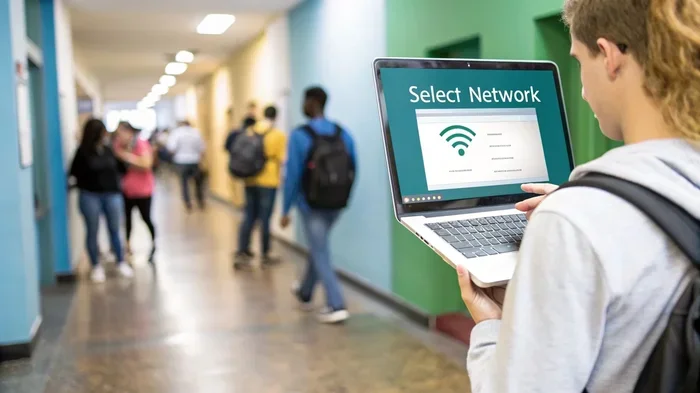
- Connecting Is Easy: You just need to select the airport network and follow a simple login process.
- Speed Varies: Airport WiFi speeds depend on the terminal, time of day, and airport size.
- Security Matters: Always use a VPN when connecting to public airport WiFi to protect your data.
- Some Airports Charge: A few airports still require payment for premium internet access.
- Work-Friendly Options Exist: Many airports offer lounge WiFi with faster speeds for remote workers.
📑 Table of Contents
How Airport WiFi Works
Airport WiFi is a wireless network that covers terminals, gates, and common areas inside an airport. It works just like the WiFi you have at home or in your office. The airport sets up wireless routers throughout the building. These routers send out a signal that your phone, laptop, or tablet can pick up.
When you walk into an airport terminal, your device will usually detect the network automatically. The network name often includes the airport code or the airport name. For example, you might see something like “DFW Free WiFi” or “JFK Airport Internet.”
The network connects to a larger internet backbone through a wired connection. This backbone links the airport to internet service providers. From there, you get access to the open web. Some airports use a shared bandwidth model. This means the speed depends on how many people are connected at the same time.
Most modern airports use a system called a captive portal. This is the screen that pops up when you first connect. It asks you to agree to terms of service or enter your email. After that, you are online. The whole process takes less than a minute.
Types Of Airport WiFi Networks
Not all airport WiFi networks are the same. Here are the most common types you will encounter:
- Free Open WiFi: No password needed. Just connect and browse. This is the most common type at major airports today.
- Free Limited WiFi: You get a certain amount of data or time for free. After that, you may need to pay or wait before reconnecting.
- Paid Premium WiFi: Faster speeds and more data for a fee. Some airports offer this for travelers who need reliable connections.
- Lounge WiFi: Exclusive to lounge members. These networks are usually faster and less crowded.
- Airlines WiFi: This is different from airport WiFi. It works on the plane during flight and is separate from the airport network.
Is Airport WiFi Free?
The short answer is yes, most of the time. The vast majority of airports around the world now offer free WiFi for passengers. This has become an expected amenity, just like restrooms and food courts. Airports know that travelers want to stay connected, and they compete for better ratings by offering good internet access.
However, there are some exceptions. A small number of airports still charge for internet access. And even at free airports, there are often limits. You might get a free session of 30 minutes or 100 megabytes. After that, you may need to watch an ad or wait a while before reconnecting.
Some airports also offer tiered service. The basic plan is free but slower. The premium plan costs money but gives you faster speeds and more data. This model works well for travelers who just need to check messages and those who need to video call or upload large files.
How To Find Free Airport WiFi
Finding free WiFi at airports is usually straightforward. Here is what to do:
- Open your device’s WiFi settings.
- Look for a network with the airport name or “Free WiFi” in the title.
- Tap on it and wait for a login page to appear.
- Follow the on-screen instructions to connect.
If you do not see a network, check the airport’s website or look for WiFi signs in the terminal. Many airports post the network name on digital screens or information boards near gates.
How To Connect To Airport WiFi
Connecting to airport WiFi is simple, but the exact steps vary slightly depending on the airport and your device. Here is a step-by-step guide that works for most situations.
First, turn on your device’s WiFi. Make sure it is not set to airplane mode. On most phones, you can swipe down from the top of the screen and tap the WiFi icon. On a laptop, click the WiFi symbol in the taskbar or menu bar.
Second, look for the airport network. It might show up as “Airport Name Free WiFi” or something similar. Tap or click on it to connect.
Third, a login page should appear automatically. This is the captive portal. If it does not appear, open your web browser and try visiting any website. The login page should pop up then.
Fourth, follow the prompts. You may need to accept terms and conditions, enter your email address, or scan a boarding pass. Some airports even require you to watch a short ad before granting access.
Fifth, once you are connected, open a browser and test your connection. Try loading a website or running a speed test. If it works, you are good to go.
Common Connection Issues And Fixes
Sometimes airport WiFi does not work right away. Here are some common problems and how to fix them:
- No Network Found: Walk to a different area in the terminal. WiFi signals are stronger near the center of the building. Also, make sure airplane mode is off.
- Login Page Not Loading: Try opening a new incognito browser window. Clear your browser cache. Or type a simple URL like “neverssl.com” to trigger the portal.
- Connection Drops Frequently: This happens when too many people are on the same network. Move closer to a router or try reconnecting.
- Slow Speeds: Avoid peak hours if possible. Early morning and late evening are usually less crowded. Also, close apps that use a lot of data in the background.
Airport WiFi Speed And Quality
One of the biggest questions travelers ask is about airport WiFi speed. The truth is, it varies a lot. Some airports have excellent internet that rivals home broadband. Others have slow connections that make even loading a webpage frustrating.
Several factors affect airport WiFi quality. The number of users on the network is the biggest one. During busy travel times, like holiday weekends or Monday mornings, the network gets crowded. This slows things down for everyone.
The airport’s infrastructure matters too. Newer airports tend to have better WiFi equipment and more routers. Older airports may struggle to keep up with demand. The size of the airport also plays a role. A small regional airport will have fewer users than a massive international hub.
Here is a general idea of what to expect from airport WiFi speeds:
- Basic browsing and email: Works well on most networks, even slower ones.
- Social media scrolling: Usually fine on free airport WiFi.
- Video streaming: Can be hit or miss. Standard definition usually works. High definition may buffer or fail.
- Video calls: Need a stable and fast connection. Free airport WiFi may not always deliver this reliably.
- Large file uploads or downloads: Best done on paid premium networks or from airport lounges.
How To Test Airport WiFi Speed
If you want to check your airport WiFi speed, you can use free tools like Speedtest.net or Fast.com. Just connect to the airport network, open the website, and tap the go button. The test will measure your download speed, upload speed, and ping time.
For basic tasks, a download speed of at least 5 Mbps is good. For video calls, aim for 10 Mbps or higher. If your speed is much lower than this, try moving to a different part of the terminal or switching to a paid network if available.
Airport WiFi Security Tips
Using public WiFi always comes with some risk. Airport WiFi is no different. Since it is a shared network with many strangers, there is a chance that someone could try to intercept your data. But do not worry. With a few simple precautions, you can stay safe and enjoy your connection.
The most important thing you can do is use a VPN. A virtual private network encrypts your internet traffic. This means that even if someone on the same network tries to snoop on your data, they will not be able to read it. Many good VPN services are available, and some are even free.
Another tip is to avoid accessing sensitive accounts on public WiFi. This includes online banking and shopping sites that require credit card details. If you must use these sites, make sure the URL starts with HTTPS. This means the connection is encrypted. Look for the little padlock icon in your browser bar.
Here are some quick security tips for airport WiFi:
- Always use a VPN when connecting to public networks.
- Avoid logging into bank accounts or entering payment details.
- Make sure websites use HTTPS before entering any personal info.
- Turn off file sharing and auto-connect features on your device.
- Forget the network after you leave the airport so your device does not auto-connect next time.
- Keep your antivirus software up to date on all devices.
- Use two-factor authentication on important accounts for an extra layer of protection.
Is Airport WiFi Safe For Online Shopping?
It is best to avoid online shopping on airport WiFi. Entering your credit card number on a public network is risky. If you really need to make a purchase, use your mobile data instead. You can also wait until you are on a trusted network, like your home WiFi or a secure hotel connection.
Best Airports For WiFi Access
Not all airports are created equal when it comes to internet access. Some airports stand out for their excellent WiFi coverage and speed. Here are a few airports known for great connectivity:
Singapore Changi Airport: This airport is famous for its world-class facilities. The free WiFi is fast, reliable, and covers every corner of the terminal. It is one of the best airport WiFi experiences in the world.
Incheon International Airport (South Korea): Travelers at Incheon enjoy fast and free internet throughout the airport. The network handles high traffic without slowing down much.
Amsterdam Schiphol Airport: Schiphol offers free WiFi with no time limits. The connection is solid and works well across all terminals.
Hong Kong International Airport: The WiFi here is free and covers both the terminal and the airport city. Speeds are decent for most tasks.
Dallas/Fort Worth International Airport: DFW offers free WiFi across all terminals. The network has improved a lot in recent years and now handles heavy use well.
London Heathrow Airport: Heathrow provides free WiFi with a generous data allowance. The network covers all terminals and works reliably for most travelers.
Airports With Paid WiFi
While most airports have gone free, a few still charge for internet access. These airports may offer a free basic tier with limited data and a paid premium tier for faster speeds. Always check the airport website before you travel if you need reliable internet access.
Expert Tips For Staying Connected At The Airport
Want to make the most of airport WiFi? Here are some expert tips that seasoned travelers swear by:
- Download Offline Maps Before You Go: Even with WiFi, loading maps can use a lot of data. Download them ahead of time so you can navigate without relying on the airport network.
- Carry A Portable Charger: Using WiFi drains your battery faster. Keep a power bank handy so your device stays charged while you browse.
- Use Flight Tracker Apps: These apps work well on airport WiFi and keep you updated on gate changes and delays in real time.
- Pre-Download Entertainment: If you know the WiFi will be slow, download movies or shows before you arrive at the airport.
- Check For Airport Lounges: Many lounges offer faster WiFi for their guests. Some lounges are accessible with a day pass even if you do not have a premium ticket.
- Use Messaging Apps Over Email: Messaging apps like WhatsApp use less data and load faster on crowded networks. They are a better choice for quick messages.
- Have A Backup Plan: Always have mobile data as a backup. If the airport WiFi fails, you can still stay connected using your phone’s hotspot.
What About In-Flight WiFi?
In-flight WiFi is different from airport WiFi, but it is worth mentioning. Many airlines now offer WiFi on their planes. This lets you stay connected during your flight. Some airlines offer free in-flight WiFi, while others charge a fee. The quality of in-flight WiFi has improved a lot in recent years, but it is still slower than ground-based connections because it relies on satellite signals.
Common Mistakes People Make With Airport WiFi
There are a few mistakes travelers make when using airport WiFi that you should avoid:
- Not Reading The Terms Of Service: Some airports collect data when you connect. Read the fine print so you know what you are agreeing to.
- Forgetting To Disconnect: Your device may auto-connect to the airport network even after you leave. This can drain your battery and use data unnecessarily.
- Assuming All Airports Are The Same: WiFi quality varies wildly. Do not expect the same experience at every airport.
- Ignoring Security Warnings: If your browser warns you about an insecure connection, pay attention. Do not enter personal information on unsecured sites.
- Not Having A Backup: Relying entirely on airport WiFi is risky. Always have a plan B, like mobile data or offline content.
Frequently Asked Questions
Can I use WiFi in every airport around the world?
Most airports offer WiFi these days, but coverage and quality vary. Very small or remote airports may not have WiFi at all. Before you travel, check the airport’s website or contact them directly to confirm internet availability.
Is airport WiFi completely free?
Most major airports offer free WiFi, but some have time or data limits. A few airports still charge for internet access. Always check the airport’s website to understand their WiFi policy before you arrive.
Can I use airport WiFi for video calls?
You can, but the quality depends on the airport and how crowded the network is. Free airport WiFi often struggles with video calls during peak hours. For the best experience, try connecting during off-peak times or use a premium paid network if available.
Do I need a password to connect to airport WiFi?
Most airport WiFi networks are open and do not require a password. You simply select the network and follow the login prompts on the captive portal page. Some lounge networks may require a password, which is usually available to lounge members.
Is it safe to do banking on airport WiFi?
It is not recommended. Public WiFi networks are less secure than private ones. If you must access your bank account, use your mobile data or a VPN to encrypt your connection. Avoid entering sensitive information on public networks whenever possible.
How can I improve my airport WiFi speed?
To get better speeds, move closer to the center of the terminal where routers are more concentrated. Avoid using WiFi during peak hours when the network is most crowded. Close unused apps and browser tabs to free up bandwidth. If available, consider paying for a premium WiFi package for faster speeds.
Conclusion
So, can we use WiFi in the airport? Absolutely. Airport WiFi has become a standard feature at airports all over the world. Most airports now offer free WiFi access that lets you browse, work, stream, and stay in touch with loved ones while you wait for your flight.
Connecting is simple, and the quality has improved dramatically in recent years. While there are still some airports with slow or limited networks, the trend is clearly moving toward better and more accessible internet for travelers.
Remember to stay safe online. Use a VPN, avoid sensitive transactions on public networks, and always have a backup plan. With the right approach, you can stay connected and productive from the moment you walk into the airport to the moment you land at your destination.
Next time you are at the airport, do not stress about being offline. Just connect to the WiFi and enjoy the ride. Safe travels and happy browsing.