Can You Get WiFi On A Plane With Southwest Airlines
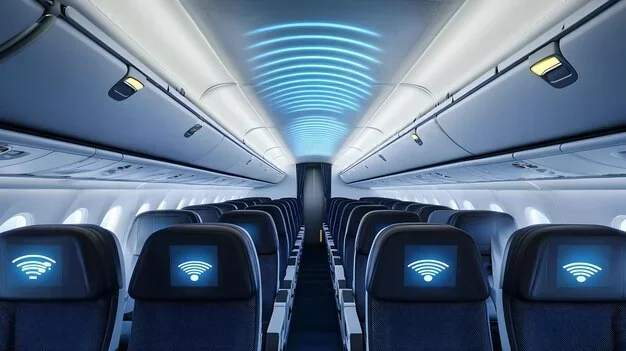
Yes, you can get WiFi on a plane with Southwest Airlines. Southwest offers in-flight WiFi on nearly all its flights, giving passengers the ability to browse, stream, and stay connected at 35,000 feet. The airline provides both free and paid WiFi options, making it one of the more flexible choices for inflight connectivity.
Have you ever been on a Southwest flight and wondered, “Can I get WiFi on a plane?” The short answer is yes. Southwest Airlines has invested heavily in inflight WiFi technology over the past several years. Today, most Southwest planes offer internet access to passengers who want to stay connected while they fly.
But how does it actually work? What does it cost? And is the WiFi good enough to watch a movie or hop on a video call? These are the questions we will answer in this guide. Whether you are a frequent flyer or someone planning a one-off trip, understanding Southwest WiFi can make your next flight much more enjoyable.
Southwest Airlines is one of the largest carriers in the United States. It flies to hundreds of destinations across the country and even internationally. With such a massive network, staying connected while in the air has become a priority for many travelers. The airline recognized this early on and began rolling out WiFi across its fleet.
In this article, we will cover everything you need to know about Southwest WiFi. We will look at how the service works, what it costs, how it compares to other airlines, and share practical tips to get the best experience. By the end, you will know exactly what to expect when you log on at cruising altitude.
Key Takeaways
- WiFi is available on most Southwest flights: The airline equips the majority of its fleet with WiFi capability.
- Two main WiFi plans exist: Passengers can choose between a day pass or a monthly subscription plan.
- Free messaging is sometimes included: Southwest has offered free messaging on select flights in the past.
- Speed varies by flight: WiFi performance depends on the aircraft type, route, and number of users.
- You can stream and browse: The WiFi supports streaming, video calls, and social media use.
- Logging in is simple: The process takes just a few minutes once you are airborne.
- Southwest WiFi compares well to competitors: It holds its own against other major U.S. airlines.
📑 Table of Contents
Does Southwest Airlines Offer WiFi On Flights?
The short answer is yes. Southwest Airlines provides WiFi on the vast majority of its flights. The airline has been working to equip its entire fleet with WiFi capability. As of now, most planes in the Southwest inventory have WiFi installed and ready to go.
However, not every single flight may have WiFi. Some older aircraft or short-haul routes might not be equipped yet. The airline is continuously updating its fleet, so the coverage keeps expanding. If WiFi is important to you, it is a good idea to check the specific aircraft for your flight before booking.
How To Check If Your Flight Has WiFi
Checking WiFi availability is easy. You can look at your booking details on the Southwest website or app. The aircraft information is usually listed there. You can also use third-party tools like FlightAware or SeatGuru to find out what type of plane you will be on.
Another simple way is to ask a Southwest gate agent at the airport. They are usually well informed about the amenities on your specific flight. If WiFi is not available on your flight, do not worry. Southwest also offers a great inflight entertainment system through its app, which does not require internet access.
Types of WiFi Available On Southwest
Southwest uses two main types of inflight WiFi technology. The first is satellite-based WiFi. This relies on satellites orbiting the Earth to deliver internet signals to your device. Satellite WiFi offers broader coverage, especially over oceans and remote areas.
The second type is air-to-ground WiFi. This uses ground-based cell towers to provide internet access. It works well over land but may lose signal over large bodies of water or very remote regions. Southwest has been transitioning toward satellite WiFi for better performance and reliability.
How Southwest WiFi Works
Understanding how inflight WiFi works can help you set realistic expectations. When you board a Southwest plane, your device connects to the WiFi network just like it would at a coffee shop or airport. The plane has specialized equipment that sends and receives internet signals.
Once the plane reaches a certain altitude, the WiFi system activates. You will see a network name on your device. Connect to it, open your browser, and you will be directed to the Southwest WiFi portal. From there, you can choose your plan and start browsing.
The Login Process
Logging into Southwest WiFi is straightforward. Here is what you typically need to do:
- Step 1: Turn on airplane mode on your device.
- Step 2: Enable WiFi and select the Southwest network.
- Step 3: Open your browser. You will be redirected to the WiFi portal.
- Step 4: Choose your WiFi plan and follow the prompts to purchase or log in.
- Step 5: Start browsing, streaming, or messaging.
The whole process takes less than five minutes. Even if you are not tech-savvy, you should have no trouble connecting. Southwest designed the process to be as simple as possible.
WiFi Speed and Performance
WiFi speed on Southwest flights can vary. Several factors influence how fast your connection is. The number of users on the same flight is one of the biggest factors. If the plane is full and everyone is streaming videos, the speed will be slower for everyone.
The type of aircraft also matters. Newer planes tend to have better WiFi equipment. Routes that pass over areas with strong ground towers or satellite coverage will generally perform better. Overall, most users report that basic browsing and email work well. Streaming video is possible but may not always be smooth, especially on crowded flights.
Expert Insight
“Inflight WiFi has come a long way in the last five years,” says a frequent Southwest flyer and tech reviewer. “The speeds are good enough for most tasks. I can reply to emails, scroll through social media, and even join a video call on shorter flights. Just do not expect the same speeds you get at home.”
Southwest WiFi Plans and Pricing
Southwest offers different WiFi plans to suit various needs and budgets. Knowing what is available helps you decide if WiFi is worth it for your trip. The pricing and plans have changed over time, so it is good to stay updated before your next flight.
Current WiFi Pricing Options
Southwest has offered several WiFi pricing tiers in recent years. Here is a general overview of what you might expect:
- Free Messaging: Southwest has occasionally offered free messaging on WiFi. This allows you to use apps like iMessage, WhatsApp, or Facebook Messenger without paying for full internet access.
- Day Pass: A single-day WiFi pass typically costs around $8 to $16. This gives you full internet access for the duration of your flight.
- Monthly Subscription: Southwest has offered a monthly WiFi plan for frequent flyers. This plan provides WiFi access on all Southwest flights for a monthly fee, usually around $40 to $50.
- Pay-Per-Flight: Some travelers prefer to pay for WiFi on a per-flight basis rather than committing to a monthly plan.
Prices can change, and Southwest sometimes runs promotions or offers free WiFi during special events. Always check the Southwest website or app for the most current pricing before your flight.
Is Southwest WiFi Worth the Cost?
Whether Southwest WiFi is worth it depends on your needs. If you just want to check emails or send messages, the free messaging option might be enough. If you need to work during your flight, a day pass or monthly subscription makes sense.
For leisure travelers, WiFi might not be essential. Southwest offers free inflight entertainment through its app, which does not require internet. You can download movies, TV shows, and games before your flight and enjoy them offline.
Quick Tips: Saving Money on Southwest WiFi
- Check for WiFi promotions on the Southwest app before your flight.
- Consider a monthly subscription if you fly Southwest frequently.
- Use the free inflight entertainment app instead of relying on WiFi for entertainment.
- Download content before your flight so you can enjoy it offline.
- Look for Southwest credit card perks that include free WiFi access.
Comparing Southwest WiFi With Other Airlines
How does Southwest WiFi stack up against the competition? Several other major U.S. airlines offer inflight WiFi. Comparing them can help you decide which airline best fits your connectivity needs.
| Airline | WiFi Available | Free WiFi? | Typical Cost | Speed |
|---|---|---|---|---|
| Southwest Airlines | Yes, on most flights | Limited (messaging) | $8 – $16 day pass | Moderate |
| Delta Air Lines | Yes, on most flights | Free messaging | $7 – $17 day pass | Moderate to Fast |
| American Airlines | Yes, on most flights | Limited free tier | $10 – $20 day pass | Moderate |
| United Airlines | Yes, on most flights | Free messaging | $7 – $14 day pass | Moderate |
| JetBlue | Yes, on most flights | Free basic WiFi | Free basic / paid upgrades | Fast |
As you can see, Southwest WiFi is competitively priced. JetBlue stands out for offering free basic WiFi, which is a nice perk. Delta and United also offer free messaging options. Southwest holds its own well, especially when you consider the overall value of flying with the airline.
One thing to note is that WiFi quality can vary by route and aircraft. A direct flight on a newer plane will generally have better WiFi than a connecting flight on an older aircraft. This applies across all airlines, not just Southwest.
Tips for Getting the Best WiFi Experience on Southwest
Getting the most out of Southwest WiFi is not complicated. A few simple steps can make a big difference in your inflight internet experience. Here are some practical tips to keep in mind.
1. Connect Early
Connect to the WiFi network as soon as the crew announces it is available. The earlier you connect, the better your chances of getting a stable connection. If you wait until the plane is full, the network might already be overloaded.
2. Use a Device with a Strong Antenna
Newer smartphones, tablets, and laptops tend to have better WiFi antennas. If you have the option, use a newer device for the best experience. Older devices may struggle to maintain a strong connection at cruising altitude.
3. Download Content Before Your Flight
Even with WiFi, streaming can be hit or miss on a plane. Download movies, music, or podcasts before you board. This way, you have entertainment ready even if the WiFi is slow or unavailable.
4. Close Unnecessary Apps
Background apps can eat up your bandwidth. Close any apps you are not actively using. This helps your device focus on the tasks that matter most, like browsing or streaming.
5. Be Patient During Peak Times
If you are on a full flight during a busy travel period, expect slower speeds. This is normal and not specific to Southwest. Everyone is sharing the same connection, so speeds will naturally dip during peak usage.
Common Mistakes to Avoid
- Forgetting to turn off airplane mode: You need to turn on WiFi after disabling airplane mode for the connection to work.
- Not bringing a charger: Using WiFi on a plane drains your battery faster. Always bring a portable charger or use a seat with a power outlet.
- Expecting home internet speeds: Inflight WiFi is not the same as your home connection. Set realistic expectations and you will be happier.
- Not checking WiFi availability beforehand: Always verify that your specific flight has WiFi before assuming it does.
- Ignoring the Southwest app: The app offers offline entertainment and is a great backup if WiFi is slow or unavailable.
Southwest WiFi and Inflight Entertainment
One of the great things about Southwest is that you do not need WiFi to stay entertained. The airline offers a robust inflight entertainment system through its free app. You can download movies, TV shows, music, and games before your flight and enjoy them without any internet connection.
This is a big advantage. Even if the WiFi is slow or not available on your flight, you can still have a great in-flight experience. The app is free to download and works on both iOS and Android devices.
Some passengers prefer to use WiFi for work-related tasks and rely on the app for entertainment. This combination gives you the best of both worlds. You stay productive and still have plenty of ways to pass the time.
Southwest WiFi for Business Travelers
For business travelers, WiFi on Southwest can be a game-changer. The ability to respond to emails, join conference calls, and work on documents while in the air adds significant value to the flying experience. A monthly WiFi subscription is especially appealing for frequent business flyers.
However, it is important to note that video calls on a plane can be challenging. Background noise, limited bandwidth, and the close quarters of a cabin can make calls difficult. If you need to take important calls, consider using a noise-canceling microphone and keeping your expectations realistic.
The Future of WiFi on Southwest Flights
Southwest Airlines continues to invest in improving its WiFi service. The airline is always looking for ways to enhance the inflight experience for passengers. As technology evolves, we can expect faster speeds, more reliable connections, and possibly even more free options.
The airline industry as a whole is moving toward better inflight connectivity. Competition among airlines is driving innovation. Passengers now expect WiFi as a standard amenity, and airlines are responding. Southwest is well positioned to keep up with these expectations.
In the coming years, we may see WiFi become entirely free on most flights. Some airlines are already moving in that direction. Southwest might follow suit as the technology becomes cheaper and more efficient.
Expert Insight
“The future of inflight WiFi is bright,” notes a travel industry analyst. “As satellite technology improves and costs decrease, airlines like Southwest will be able to offer faster and more affordable WiFi. Within a few years, staying connected at 35,000 feet could be as seamless as it is on the ground.”
Conclusion
So, can you get WiFi on a plane with Southwest Airlines? Absolutely. Southwest offers WiFi on most of its flights, with multiple pricing options to fit different needs and budgets. Whether you need to stay connected for work or simply want to browse the web during a long flight, Southwest WiFi has you covered.
The service is easy to use, competitively priced, and continually improving. While it may not match home internet speeds, it is more than enough for most tasks. With the tips and insights in this guide, you are now well prepared to make the most of Southwest WiFi on your next flight.
Remember to check WiFi availability before your trip, download entertainment ahead of time, and set realistic expectations. A little preparation goes a long way toward ensuring a smooth and enjoyable inflight internet experience. Happy travels, and stay connected with Southwest.
Frequently Asked Questions
Is WiFi free on Southwest Airlines flights?
Southwest has offered free messaging on WiFi in the past, but full internet access typically requires a paid plan. A day pass usually costs between $8 and $16, and a monthly subscription is available for frequent flyers. Always check the latest offers on the Southwest website or app for current pricing and promotions.
Can I stream video on Southwest WiFi?
Yes, you can stream video on Southwest WiFi, but the experience may vary. Streaming works best on less crowded flights and newer aircraft. If the plane is full or the route has weaker signal coverage, streaming quality may be lower. Downloading content before your flight is a reliable backup option.
How do I connect to Southwest WiFi?
Turn on airplane mode, enable WiFi, and select the Southwest network. Open your browser, and you will be redirected to the WiFi portal. Choose your plan, follow the prompts, and you will be connected within minutes. The process is designed to be simple and user-friendly for all passengers.
Does every Southwest flight have WiFi?
Most Southwest flights do have WiFi, but not every single one. Some older aircraft or specific routes may not be equipped. You can check your flight details on the Southwest app or website to confirm WiFi availability for your specific booking.
How fast is Southwest WiFi compared to home internet?
Southwest WiFi is generally slower than home internet. Speeds depend on the number of users, aircraft type, and route. Basic browsing and messaging work well, but heavy streaming or video calls may be slower. Think of it as a shared connection, similar to a busy coffee shop.
Can I use WiFi on a Southwest flight for video calls?
You can use WiFi for video calls on Southwest flights, but results vary. Bandwidth is shared among all passengers, so call quality depends on how many people are connected. Using a noise-canceling microphone and keeping expectations realistic will help you have a better experience.