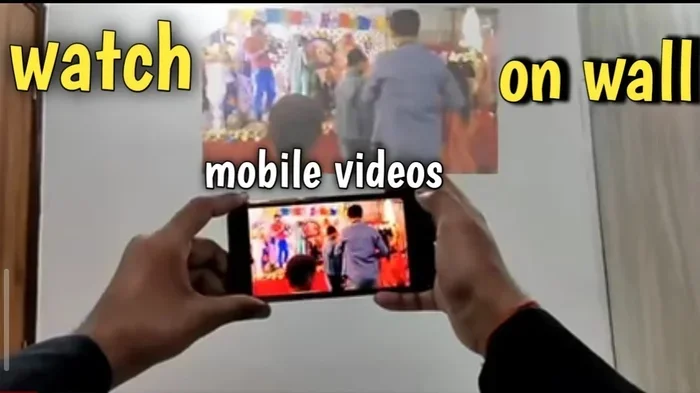
Can I Use My Phone As A Projector Without A Projector
Yes, you can use your phone as a projector without a projector. With a few simple DIY tricks, free apps, and everyday items like a cardboard box and a magnifying lens, you can turn your phone into a movie machine. This guide shows you exactly how to use your phone as a projector for backyard movie nights, presentations, or gaming on a big screen.
Ever wanted to watch a movie on a giant screen but don’t have a projector? You’re not alone. Many people wonder if they can use their phone as a projector without a projector. The answer is yes, and it’s easier than you think.
You don’t need expensive gear. A few household items, some free apps, or a simple adapter can turn your phone into a projector. This guide walks you through every method. You’ll learn how to use your phone as a projector for movie nights, game sessions, or work presentations. I’ll share tips, mistakes to avoid, and quick fixes that actually work.
By the end, you’ll know exactly which method fits your needs. Whether you want a DIY cardboard projector or a wireless cast to your TV, you’re covered. Let’s get started.
Key Takeaways
- DIY Cardboard Projector: A magnifying lens and a box can project your phone screen onto a wall.
- Projector Apps: Free apps can turn your phone into a projector by enhancing brightness and contrast.
- Wired HDMI: An MHL or SlimPort adapter lets you connect your phone directly to a display.
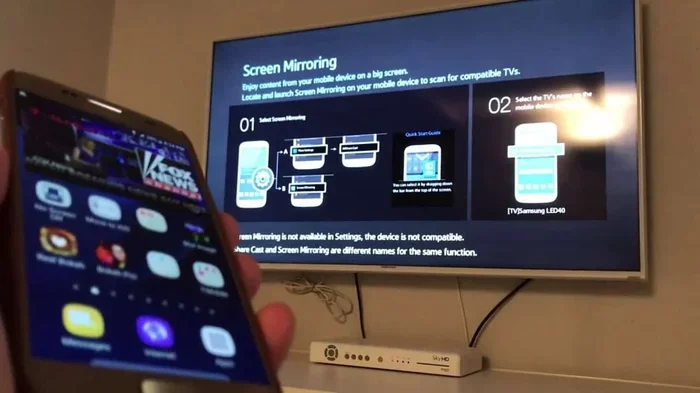
- Wireless Casting: Chromecast, AirPlay, and Miracast stream your phone screen to a TV without cables.
- Brightness Matters: A dark room and a white wall give the best results for any DIY method.
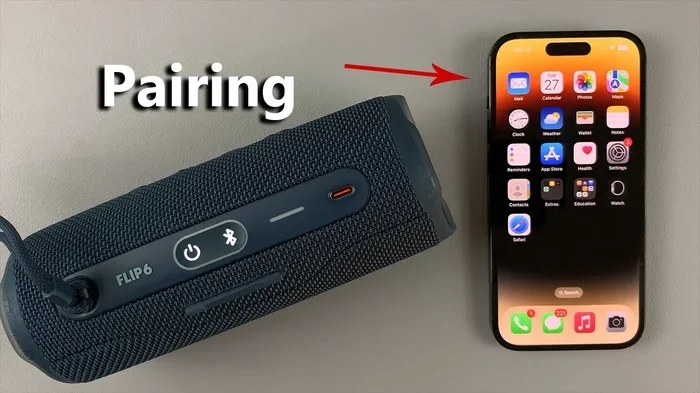
- Audio Is Key: Don’t forget to pair a Bluetooth speaker for clear sound.
📑 Table of Contents
- Can I Use My Phone As A Projector Without A Projector? The Simple Answer
- DIY Cardboard Projector: Build Your Own Big Screen
- Projector Apps: Turn Your Phone Into a Projector
- Wired and Wireless Methods to Cast Your Phone
- Tips for the Best Projected Image
- When a Real Projector Makes More Sense
- Conclusion: Your Phone Is a Surprising Projector
Can I Use My Phone As A Projector Without A Projector? The Simple Answer
The short answer is yes. You can use your phone as a projector without buying a real projector. There are several ways to do this. Some methods use things you already have at home. Others need a small, cheap accessory. Each method has its own pros and cons. I’ll break them down so you can pick the best one.
The Basic Concept
A projector shines light through an image or lens to make a picture bigger. Your phone screen is the light source. You just need a way to magnify and direct that light. A magnifying glass can do this. A cardboard box with a hole can too. Some apps can boost your phone’s brightness and sharpness. Even your TV can act as a giant screen when you cast from your phone.
Why People Try This
People want a big screen without the cost. A real projector can cost hundreds of dollars. A DIY phone projector costs almost nothing. It’s fun to build. It’s also great for camping trips, backyard parties, or quick work demos. Kids love it. Friends love it. You can surprise anyone with a movie night using just your phone and a few simple items.
DIY Cardboard Projector: Build Your Own Big Screen
This is the most popular way to use your phone as a projector without any electronics. You build a simple projector from a cardboard box, a magnifying lens, and a little tape. It works by focusing your phone’s light through the lens onto a wall. The result is a larger, flipped image. It’s a fun project that anyone can do in an hour.
What You Need
- A cardboard box (shoebox size works great)
- A magnifying glass (5x or 7x magnification is ideal)
- Black paint or black tape (to block light)
- A sharp knife or scissors
- Your smartphone
- A white wall or blank sheet
Step-by-Step Build
- Cut a hole in one side of the box for the magnifying glass.
- Paint the inside of the box black. This reduces glare.
- Attach the magnifying glass tightly over the hole.
- Cut a small slot on the opposite side for your phone.
- Place your phone inside the box, screen facing the lens.
- Close the box and adjust the phone’s distance from the lens.
- Darken the room and project the image onto a white wall.
Making the Image Brighter
A DIY cardboard projector works best in a dark room. The image will be dim compared to a real projector. You can boost brightness by setting your phone to maximum brightness. Use a flashlight to illuminate the wall behind the projection. Also, keep the lens clean. Any smudge will blur the picture. This method is perfect for casual fun, not for a home theater setup.
Projector Apps: Turn Your Phone Into a Projector
Did you know there are apps that claim to turn your phone into a projector? They don’t add a real lens. But they can enhance your screen in clever ways. These phone projector apps adjust brightness, contrast, and color. Some add a lens effect that makes the image look projected. They work best on a white wall in a dark room. They’re free and easy to try.
Top Free Apps for Phone Projection
- Projector Screen: Adds a projector frame and boosts colors.
- Bright Screen Flashlight: Maxes out your screen brightness for a projector-like glow.
- Screen Mirroring Apps: Cast your phone screen to a PC or TV wirelessly.
- DIY Projector Simulator: Creates a fun lens effect for pranks or presentations.
How These Apps Work
These apps don’t magically create a projector. They use your phone’s screen as the light source. They simply make the image look bigger and more vivid. Some apps overlay a magnifying glass border. Others increase the pixel intensity. The real trick is to pair the app with a physical magnifier or a white wall. The app sets the stage, and the lens does the rest. For the best results, use a phone projector app with the cardboard DIY method.
Wired and Wireless Methods to Cast Your Phone
If you want a clearer, brighter projection, you can connect your phone to a real display. This uses your TV or monitor as the projector screen. You can do this with a cable or wirelessly. Both methods are simple and reliable. I’ll explain each one so you can choose.
Using an HDMI Adapter
Many phones support MHL (Mobile High-Definition Link) or SlimPort. These technologies let you plug your phone into an HDMI cable. You need a small adapter that matches your phone’s charging port. Connect the adapter to your phone. Then plug an HDMI cable from the adapter to your TV. Your phone screen appears on the TV instantly. You can use the TV as a giant projector screen. This method gives a bright, clear picture. It works even in a lit room.
Wireless Casting with Chromecast, AirPlay, and Miracast
Wireless casting is the easiest way to use your phone as a projector. If you have a smart TV, you can cast your screen. Chromecast works with Android and iOS. AirPlay works with iPhones and iPads. Miracast works with many Windows and Android devices. You just connect both devices to the same Wi-Fi network. Then tap the cast icon on your phone. Your phone screen streams live to the TV. No cables needed. The picture quality depends on your Wi-Fi speed. For movies, a strong connection is key.
Comparison of Phone Projection Methods
| Method | Cost | Setup Time | Image Quality | Best For |
|---|---|---|---|---|
| DIY Cardboard Projector | Free (household items) | 30–60 minutes | Dim, flipped image | Fun, camping, kids |
| Projector Apps | Free | 1–2 minutes | Enhanced screen, no lens | Quick demos, pranks |
| HDMI Adapter | $10–$25 | 5 minutes | Bright, clear, real HD | Presentations, movie nights |
| Wireless Casting (Chromecast/AirPlay) | $35–$50 for dongle | 5 minutes | Good, depends on Wi-Fi | Living room streaming |
Tips for the Best Projected Image
No matter which method you choose, a few simple tips make a huge difference. You want a clear, bright, and enjoyable image. These tips apply to every projection method. Follow them and you’ll get the best results every time.
Room Darkness and Wall Color
A dark room is the single most important factor. Even a small amount of light washes out the image. Close all curtains and turn off lamps. Use a white or light-colored wall for projection. A plain white wall works perfectly. Avoid textured or colored walls. They distort the image. If you don’t have a white wall, hang a white bedsheet. It makes a great DIY screen.
Audio Solutions
Your phone’s tiny speaker won’t fill a room. You need better audio. Connect a Bluetooth speaker for wireless sound. A smart TV with built-in speakers works great when you cast wirelessly. For the cardboard DIY projector, you can place your phone’s speaker facing the wall. But a Bluetooth speaker is much better. Pair it before you start the movie. This way you get both big picture and clear sound.
Phone Placement and Focus
For the lens method, the distance between your phone and the magnifying glass controls the image size. Move your phone closer to the lens for a smaller, sharper image. Move it farther away for a larger, blurrier image. Find the sweet spot. Use a phone stand or a stack of books to hold your phone steady. A stable phone means a steady picture. No shaky movies.
When a Real Projector Makes More Sense
DIY phone projection is fun and cheap. But it has limits. A real projector is better for certain situations. I’ll show you when it’s worth buying one. This helps you decide if your phone-as-projector setup is enough.
Brightness and Size Limitations
Your phone screen is small. Even with a lens, the projected image is limited. A real projector can throw a 100-inch image onto a wall. A DIY phone projector might give you a 20- to 40-inch image. That’s fine for a dark room with friends. But for a bright living room, a real projector wins. It has a powerful lamp that overpowers ambient light.
Cost vs. Convenience
A basic home projector costs $100 to $300. It gives you a bright, adjustable image every time. A DIY phone projector costs nothing but takes effort to set up. If you project often, a real projector saves you time. If you only do it once a month for a movie night, the DIY method is perfect. Think about how often you’ll use it. Choose the option that fits your lifestyle.
Conclusion: Your Phone Is a Surprising Projector
You now know that you can use your phone as a projector without a projector. From a cardboard box and a magnifying lens to free apps and wireless casting, the options are endless. Each method has its charm. The DIY approach is fun and creative. The app method is quick and easy. Wired HDMI gives a crisp, bright picture. Wireless casting turns your TV into a giant screen.
Remember the key tips. Make the room dark. Use a white wall. Add a Bluetooth speaker for sound. And don’t expect Hollywood-level brightness from a phone lens. Have fun with it. Try the cardboard build this weekend. Invite friends over for a backyard movie night. You’ll be amazed at how well it works. Your phone is a powerful tool. With a little creativity, it becomes a projector too.
Now you have all the knowledge to get started. Pick a method that excites you. Gather your materials. And enjoy your first phone-projected movie. Happy viewing!
Frequently Asked Questions
Can any phone be used as a projector?
Yes, any smartphone can be used as a projector with the right method. You can build a DIY cardboard projector, use a free app, or connect via HDMI or wireless casting. The phone’s screen acts as the light source. The results vary by phone brightness and screen size, but all phones can work.
Do I need a special lens for a phone projector?
A magnifying glass is the most common lens used. You can find one at a dollar store or craft shop. A 5x or 7x magnification lens works best. You don’t need an expensive lens. The key is to position it correctly inside a dark box to focus the light.
Is it better to use a projector app or a DIY box?
It depends on what you want. A projector app is quick and free, but it doesn’t magnify the image. A DIY cardboard box actually projects a larger picture onto a wall. For the best of both worlds, use an app to boost brightness while building the cardboard projector.
Can I project in a bright room?
Phone projection works best in a dark room. The phone screen isn’t very bright. In a lit room, the image will look washed out. If you need a bright room projection, use an HDMI adapter to connect to a TV. The TV screen is much brighter and easier to see in daylight.
How big can the projected image be?
A DIY cardboard projector can project an image about 20 to 40 inches wide. The size depends on the distance between the phone and the lens. Moving the phone farther from the lens makes the image bigger but less sharp. A real projector can go much larger, up to 100 inches or more.
Do I need an internet connection for wireless casting?
Yes, for wireless casting methods like Chromecast, AirPlay, or Miracast, both your phone and the TV must be on the same Wi-Fi network. The internet connection is needed to stream content, but the casting itself works over your local network. If you’re casting a local video file, you still need Wi-Fi for the devices to communicate.