Can HDMI 1 4 Support 120Hz And What You Need To Know
Can HDMI 1.4 support 120Hz? Yes, but only at 1080p resolution. HDMI 1.4 has a maximum bandwidth of 10.2 Gbps, which limits its ability to deliver 120Hz at higher resolutions like 4K. If you want true 4K 120Hz, you will need HDMI 2.1 or a DisplayPort connection.
Can HDMI 1.4 support 120Hz? This is one of the most common questions among gamers, home theater enthusiasts, and anyone shopping for display cables. The short answer is yes, but with important limitations. You can get a 120Hz refresh rate with HDMI 1.4, but only at 1080p resolution. If you want 4K at 120Hz, HDMI 1.4 simply does not have enough bandwidth. In this guide, we will walk through everything you need to know about HDMI 1.4 and 120Hz support. We will cover how it works, what the limits are, and what alternatives you should consider.
Many people buy cables or devices without checking the specifications first. This leads to disappointment when a monitor or TV does not perform as expected. Understanding your HDMI version and what it can do is essential. Whether you are building a gaming setup, connecting a console, or setting up a home theater, knowing your cable capabilities saves time and money. Let us dive into the details of HDMI 1.4 refresh rate support and what it means for your setup.
Key Takeaways
- HDMI 1.4 can support 120Hz, but only at 1080p resolution. It cannot push 120 frames per second at 4K.
- Bandwidth is the main limiting factor. HDMI 1.4 maxes out at 10.2 Gbps, which is not enough for high-resolution high refresh rate content.
- HDMI 2.0 and HDMI 2.1 are better options for 120Hz gaming. They offer much higher bandwidth and support for 4K 120Hz.
- You need a compatible source device and display. Both your PC or console and your monitor or TV must support 120Hz.
- Using the wrong cable version can cause frustration. Always check your HDMI version before buying hardware for 120Hz gaming.
- DisplayPort is a strong alternative for PC gamers. It often provides better refresh rate support at lower cost.
📑 Table of Contents
What Is HDMI 1.4?
HDMI 1.4 is a version of the High Definition Multimedia Interface standard. It was released in 2009 and brought several improvements over earlier versions. The standard became widely adopted in TVs, monitors, and gaming consoles. Many people still use devices with HDMI 1.4 ports today, so understanding its capabilities matters.
The most important spec for our discussion is bandwidth. HDMI 1.4 supports a maximum data rate of 10.2 gigabits per second. This determines how much video and audio information the cable can carry at once. More bandwidth means higher resolution and higher refresh rates. With only 10.2 Gbps, HDMI 1.4 has clear limits when it comes to pushing lots of pixels at fast frame rates.
Key Features of HDMI 1.4
HDMI 1.4 introduced several features that were important at the time of its release. Here are the main capabilities:
- 4K resolution at 30Hz: You could watch 4K content, but only at 30 frames per second. This is fine for movies but not ideal for gaming.
- 3D support: HDMI 1.4 added official support for 3D video formats.
- Audio Return Channel (ARC): This allowed audio to travel back from a TV to a soundbar or receiver through the same HDMI cable.
- Ethernet channel: HDMI 1.4 included a built-in 100 Mbps Ethernet connection between devices.
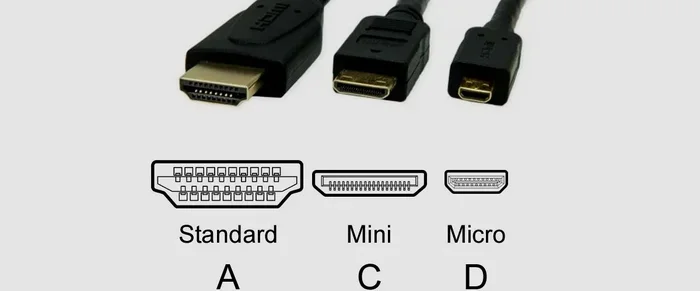
- Micro HDMI connector: A smaller connector type was introduced for portable devices.
While these features were great in 2009, the world of display technology has moved on fast. Modern gaming and content demand much more bandwidth than HDMI 1.4 can provide for high refresh rates.
Can HDMI 1.4 Support 120Hz?
The answer depends on the resolution you want to use. HDMI 1.4 can support 120Hz at 1080p, which is Full HD resolution. This works well for many competitive gamers who prioritize smooth gameplay over ultra-sharp image quality. However, HDMI 1.4 cannot support 120Hz at 4K resolution. The bandwidth ceiling of 10.2 Gbps simply is not enough to push four times the pixels at 120 frames per second.
Here is a quick look at what HDMI 1.4 can handle for refresh rates at different resolutions:
- 1080p at 120Hz: Fully supported. This is the sweet spot for HDMI 1.4 and 120Hz.
- 1080p at 144Hz: Not officially supported. You may get it with certain monitors using reduced color depth or chroma subsampling, but it is not guaranteed.
- 4K at 30Hz: Supported. This is the maximum 4K refresh rate for HDMI 1.4.
- 4K at 60Hz: Not supported natively. HDMI 2.0 is required for this.
- 4K at 120Hz: Not supported. You need HDMI 2.1 for this combination.
1080p at 120Hz with HDMI 1.4
Getting 120Hz at 1080p through HDMI 1.4 is very doable. This is the resolution and refresh rate combination that the standard was designed to handle comfortably. Many competitive gamers use 1080p 120Hz monitors because the high frame rate gives them a real advantage in fast-paced games. The image is sharp enough for a 1080p panel, and the smoothness of 120 frames per second makes a huge difference in gameplay.
To get this working, you need three things: a source device that can output 120Hz at 1080p, an HDMI 1.4 cable, and a display that supports 120Hz at 1080p. Most modern gaming monitors and TVs meet these requirements. Just make sure you go into your display settings and manually enable the 120Hz refresh rate. Sometimes it defaults to 60Hz even when the hardware can do more.
4K Resolution and 120Hz Limitations
If you want 4K at 120Hz, HDMI 1.4 is not the right choice. The math is simple. 4K resolution has about 8.3 million pixels. Sending 120 frames of that many pixels every second requires a lot of data. HDMI 1.4 can only handle about 10.2 billion bits per second. That is not nearly enough for 4K 120Hz content.
Some people try to use workarounds like chroma subsampling or reducing color depth to squeeze 4K 120Hz through an HDMI 1.4 connection. These tricks reduce image quality significantly. You might get a signal, but it will not look the way the content creator intended. The colors may look washed out, and fine details may blur together. It is not a real solution for anyone who cares about picture quality.
For true 4K 120Hz, you need HDMI 2.0 or HDMI 2.1. HDMI 2.0 supports 4K at 60Hz with its 18 Gbps bandwidth. HDMI 2.1 jumps to 48 Gbps, which easily handles 4K at 120Hz and even 8K at 60Hz. If you are investing in a 4K 120Hz gaming monitor or TV, make sure your entire signal chain supports it, including the cable and the source device.
HDMI 1.4 vs HDMI 2.0 vs HDMI 2.1
Understanding the differences between HDMI versions helps you make the right choice for your setup. Each new version brings more bandwidth and better features. Here is a comparison of the three most relevant versions for refresh rate support.
| Feature | HDMI 1.4 | HDMI 2.0 | HDMI 2.1 |
|---|---|---|---|
| Maximum Bandwidth | 10.2 Gbps | 18 Gbps | 48 Gbps |
| Max 1080p Refresh Rate | 120Hz | 144Hz+ | 240Hz+ |
| Max 4K Refresh Rate | 30Hz | 60Hz | 120Hz |
| Max 8K Refresh Rate | Not Supported | 30Hz | 60Hz |
| Dynamic HDR Support | No | Yes (static) | Yes (dynamic) |
| eARC Support | No | Yes | Yes |
| Variable Refresh Rate | No | No | Yes (VRR) |
| Quick Frame Transport | No | No | Yes |
The table makes it very clear why HDMI 1.4 falls short for modern 120Hz 4K setups. While HDMI 1.4 was a great standard in its time, the demands of today’s gaming and content have outpaced it. If you want the best refresh rate support, you should look at HDMI 2.0 or HDMI 2.1 devices and cables.
How to Get 120Hz with HDMI 1.4
If you already have an HDMI 1.4 setup and want to get the most out of it, there are practical steps you can take. You may not be able to hit 4K 120Hz, but you can still enjoy a smooth and responsive experience at 1080p.
First, check your source device settings. On a PC, go to your display settings and look for the refresh rate option. On a gaming console like the PS4 or Xbox One, check the video output settings. Make sure the resolution is set to 1080p and the refresh rate is set to 120Hz. Some devices default to 60Hz even when the display and cable can handle more.
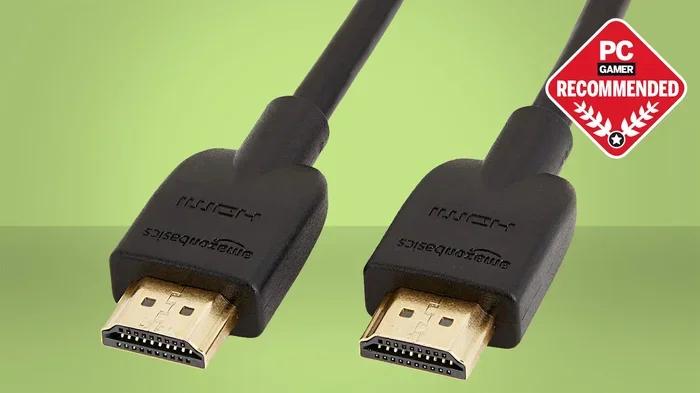
Second, use a high-quality HDMI 1.4 cable. Not all cables are created equal. A certified High Speed HDMI cable should handle 1080p 120Hz without any issues. Avoid cheap, uncertified cables that may not meet the specification. Look for the HDMI Licensing logo on the cable packaging to confirm it meets the standard.
Third, consider your display carefully. Not all 120Hz monitors or TVs are created equal. Some displays support 120Hz only at certain resolutions or color formats. Read the display specifications carefully to make sure 1080p 120Hz is listed as a supported input mode.
Quick Tips for Best Results
- Always check both ends of the connection. Your source device, cable, and display all need to support 120Hz.
- Update your device drivers and firmware. Sometimes a simple update unlocks better refresh rate options.
- Use the GPU control panel settings. NVIDIA and AMD control panels let you force specific refresh rates and resolutions.
- Test with a known 120Hz source. A Blu-ray player or a test pattern can help you confirm your setup is actually outputting 120Hz.
- Consider upgrading to HDMI 2.0 if possible. Even a small upgrade in your cable or port can unlock much better performance.
Common Mistakes and Misconceptions
There are several misconceptions about HDMI 1.4 and 120Hz that trip up even experienced users. Let us clear up the most common ones.
What People Get Wrong
Mistake 1: Thinking any HDMI cable supports 120Hz. Not true. An older Standard Speed HDMI cable cannot handle 1080p at high refresh rates. You need a High Speed HDMI cable rated for HDMI 1.4 or higher. Always check the cable specifications before purchasing.
Mistake 2: Believing 120Hz means 4K 120Hz. This is perhaps the biggest misconception. 120Hz refers to the number of frames per second, not the resolution. You can have 120Hz at 1080p, 1440p, or 4K. The resolution determines how many pixels are in each frame. HDMI 1.4 can handle 120Hz, but only at lower resolutions.
Mistake 3: Ignoring the source device capability. Even if you have a great 120Hz monitor and a good cable, your source device must be able to output 120 frames per second. An older gaming console or a budget PC graphics card may not support 120Hz output. Always check the specs of your source device as well.
Mistake 4: Assuming all 120Hz displays work the same way. Some monitors labeled as 120Hz may only support 120Hz at 1080p, not at higher resolutions. Others may have different input limits. Always check the maximum refresh rate at each resolution the display supports.
Mistake 5: Overlooking the role of chroma subsampling. Chroma subsampling reduces color information to save bandwidth. This can allow higher refresh rates at higher resolutions, but it comes at the cost of image quality. If you see color bleeding or reduced detail, chroma subsampling might be the cause.
Expert Insights on HDMI Refresh Rates
Display technology experts consistently emphasize that the cable or port version is only one piece of the puzzle. The entire signal chain matters. Your graphics card, your cable, your display, and even the settings on your device all work together to determine what refresh rate and resolution you actually get.
For competitive gamers, 1080p 120Hz through HDMI 1.4 remains a solid and affordable setup. Many esports professionals use this exact configuration because the high frame rate provides a tangible advantage in fast-paced games like first-person shooters and fighting games. The image does not need to be 4K when every millisecond counts.
For those who want cinematic quality and smooth gameplay at 4K, HDMI 2.1 is the clear choice. The 48 Gbps bandwidth of HDMI 2.1 handles 4K 120Hz with room to spare. It also supports features like Variable Refresh Rate (VRR), Auto Low Latency Mode (ALLM), and Quick Frame Transport (QFT), all of which enhance the gaming experience.
If you are shopping for new hardware today, experts recommend going with HDMI 2.1 where possible. The technology is becoming more affordable, and it future-proofs your setup for years to come. Even if your current devices do not take full advantage of HDMI 2.1, having the capability means you will be ready when you upgrade.
One more thing worth noting is the role of DisplayPort as an alternative for PC users. DisplayPort 1.4 offers 32.4 Gbps of bandwidth, which easily handles 4K at 120Hz and even 8K at 60Hz. Many gaming monitors use DisplayPort instead of HDMI, and for good reason. If you are building a PC gaming setup, consider DisplayPort alongside HDMI when choosing your connections.
Conclusion
Can HDMI 1.4 support 120Hz? Yes, it can, but with a clear limitation: only at 1080p resolution. The 10.2 Gbps bandwidth of HDMI 1.4 is enough for smooth 1080p gameplay at 120 frames per second. However, if you want 4K at 120Hz, you need a newer standard like HDMI 2.0 or HDMI 2.1. Understanding these limits helps you make informed decisions about your display setup and avoid frustration.
Whether you are a competitive gamer chasing high frame rates or a home theater enthusiast wanting the best picture quality, knowing your HDMI version and its capabilities is essential. Check your cables, check your devices, and check your display settings. A little knowledge goes a long way in getting the best performance from your setup.
The world of display technology continues to evolve rapidly. HDMI 1.4 served us well for many years, but modern demands have pushed the industry forward. By staying informed and choosing the right equipment for your needs, you can enjoy a smooth, responsive, and visually stunning experience. Take the time to understand your setup, and you will get the most out of every frame.
Frequently Asked Questions
Can I get 120Hz at 1440p with HDMI 1.4?
HDMI 1.4 can technically support 1440p at around 75Hz to 85Hz depending on the display and color settings. Getting a stable 120Hz at 1440p through HDMI 1.4 is not officially supported. You would need HDMI 2.0 or higher for reliable 1440p 120Hz performance.
Do I need a special HDMI cable for 120Hz?
You need a High Speed HDMI cable that is rated for HDMI 1.4 or higher. Standard cables may not handle the data rate required for 120Hz. Look for cables labeled as “High Speed” or “Premium High Speed” to ensure they can carry a 120Hz signal without issues.
Can a gaming console output 120Hz through HDMI 1.4?
Some gaming consoles can output 120Hz at 1080p through an HDMI 1.4 connection. However, consoles like the PS5 and Xbox Series X require HDMI 2.1 for 4K 120Hz output. Always check your console’s specifications and the HDMI version of your TV or monitor before expecting 120Hz performance.
What is the difference between HDMI 1.4 and HDMI 2.0 bandwidth?
HDMI 1.4 has a maximum bandwidth of 10.2 Gbps, while HDMI 2.0 offers 18 Gbps. That is nearly double the data capacity. This extra bandwidth is what allows HDMI 2.0 to support 4K at 60Hz, while HDMI 1.4 can only manage 4K at 30Hz.
Is DisplayPort better than HDMI for 120Hz gaming?
For PC gaming, DisplayPort often provides better value for high refresh rates. DisplayPort 1.4 offers 32.4 Gbps of bandwidth, which easily handles 4K 120Hz. Many gaming monitors use DisplayPort as their primary connection. However, HDMI 2.1 has closed the gap significantly and is the standard for console gaming and home theater setups.
Can I upgrade my HDMI 1.4 port to HDMI 2.1?
You cannot upgrade a port on a device that was manufactured with HDMI 1.4 hardware. The port itself is built into the device’s motherboard or graphics card. However, you can use an active adapter or a new device that has HDMI 2.1 ports. If you want true 4K 120Hz support, upgrading to a newer device or graphics card is the best path forward.