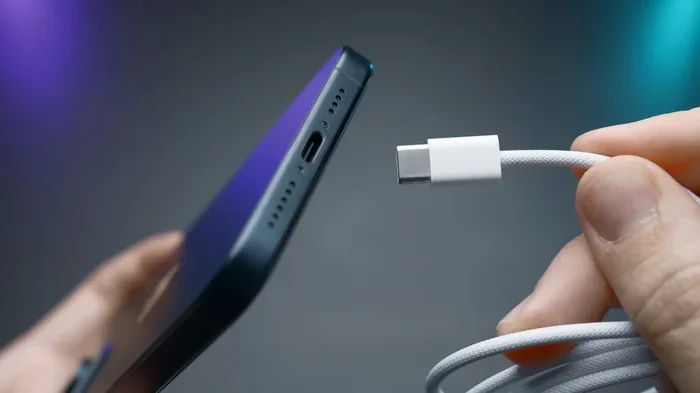
Can You Charge Usb C From Usb A Everything Explained
Yes, you can charge USB C from USB A using the right cable or adapter. This guide covers USB-A to USB-C charging, compatibility, speed limits, and practical tips to help you get the most out of your devices.
Have you ever been stuck with a USB-A charger and a shiny new USB-C device? It happens more often than you think. Maybe your old phone charger has a USB-A end, and your new tablet only uses USB-C. Or perhaps you are at a hotel with a standard USB-A port and need to juice up your USB-C laptop. The good news is that you can charge USB C from USB A in most situations. But there are some important things you need to know first.
In this guide, we will walk you through everything about charging USB-C devices from USB-A ports. We will cover how it works, what cables you need, how fast it charges, and what mistakes to avoid. By the end, you will feel confident about using USB-A to USB-C charging with any device in your collection.
The short answer is yes. You can absolutely use a USB-A port to charge a USB-C device. You just need the right cable. A standard USB-A to USB-C cable connects the older rectangular USB-A port to the newer oval-shaped USB-C connector. This works for phones, tablets, earbuds, and many other gadgets. However, the charging speed and power output depend on several factors. Let us dive into the details.
Key Takeaways
- USB-A can charge USB-C devices: You can use a USB-A to USB-C cable or adapter to power up your USB-C devices from older ports.
- Charging speed varies: USB-A ports typically deliver less power than USB-C, so expect slower charging speeds in most cases.
- Cable quality matters: Using a high-quality USB-A to USB-C cable ensures safe and efficient charging.
- Power Delivery is limited: Standard USB-A ports usually max out at 5W to 7.5W, while USB-C PD can deliver up to 100W.
- Adapters expand compatibility: USB-A to USB-C adapters let you use modern cables with older ports and vice versa.
- Check your device requirements: Not all USB-C devices charge the same way, so always verify wattage and voltage needs.
📑 Table of Contents
What Is the Difference Between USB-A and USB-C?
Before we go further, it helps to understand the basic differences between these two connector types. They look different, work differently, and deliver different amounts of power.
USB-A Connector
The USB-A connector is the classic rectangular port you have seen for decades. It is the flat, wide plug found on most computers, wall chargers, and power banks. USB-A has been the standard for many years. It comes in versions like USB 2.0 and USB 3.0. The connector is not reversible, meaning you have to plug it in the right way every time.
USB-C Connector
USB-C is the newer, smaller, and reversible connector. You can plug it in either way, which is a huge convenience. USB-C supports faster data transfer and higher power delivery. It is now the standard connector for most modern smartphones, laptops, and tablets. The USB-C power delivery standard allows for much faster charging than older USB-A ports.
Can You Charge USB C From USB A Using a Regular Cable?
Yes, you can. A standard USB-A to USB-C cable is all you need to connect a USB-A power source to a USB-C device. Most phones and tablets that use USB-C come with one of these cables in the box. But there is a catch. The charging speed depends on the power source and the cable quality.
How Charging Works With USB-A to USB-C
When you plug a USB-C device into a USB-A port, the power flows from the USB-A source through the cable to the device. The USB-A port acts as the power provider. The USB-C device receives that power and uses it to charge its battery. The process is simple and straightforward.
Here is what you need to know about this setup:
- USB 2.0 USB-A ports typically deliver up to 2.5 watts of power.
- USB 3.0 USB-A ports can deliver up to 4.5 watts.
- Dedicated USB-A chargers may deliver up to 7.5 watts or 10 watts with special protocols.
- The USB-C device will draw only as much power as the USB-A source provides.
Will Your Device Charge Safely?
Absolutely. USB-C devices are smart enough to regulate the power they receive. If the USB-A port delivers less power, the device simply charges slower. It will not overcharge or get damaged. The charging circuit inside the device manages the power intake safely.
How Fast Can You Charge USB-C From USB-A?
Speed is one of the biggest concerns people have. The truth is that USB-A to USB-C charging is slower than using a USB-C power source. But it still works well for overnight charging or top-ups during the day.
Charging Speed Comparison
Let us look at typical charging speeds for different USB-A setups:
- Standard USB 2.0 port: Charges at about 0.5 watts to 2.5 watts. This is very slow and not ideal for modern devices.
- USB 3.0 port on a computer: Delivers around 4.5 watts. Better, but still not fast.
- USB-A wall charger (5W): Delivers 5 watts. This is the standard that comes with many older chargers.
- USB-A fast charger (7.5W or 10W): Some USB-A chargers support faster charging protocols like Qualcomm Quick Charge.
Compare this to a USB-C Power Delivery charger that can deliver 18W, 30W, 65W, or even 100W. The difference is huge. A USB-C PD charger can fully charge a laptop in about an hour. A USB-A charger might take several hours for the same task.
What Affects Charging Speed?
Several factors determine how fast your device charges from a USB-A port:
- The power source: A wall charger usually delivers more power than a computer USB-A port.
- The cable quality: Cheap cables may not carry enough current for fast charging.
- The device’s charging circuit: Some devices limit the input power to protect the battery.
- The USB-A port version: USB 3.0 ports generally provide more power than USB 2.0 ports.
Quick Tips for Faster USB-A to USB-C Charging
- Use a wall charger instead of a computer port when possible.
- Choose a high-quality USB-A to USB-C cable rated for at least 3 amps.
- Avoid using your device while it charges, as this slows down the process.
- Turn on airplane mode or power off the device to charge faster.
- Check if your USB-A charger supports any fast-charging protocol.
What Cables and Adapters Do You Need?
Finding the right cable for USB-A to USB-C charging is easy, but you should pick wisely. Not all cables are created equal, and using the wrong one can lead to slow charging or even damage.
Types of USB-A to USB-C Cables
Here are the main types you will encounter:
- Basic USB-A to USB-C cable: This is the most common type. It works for charging and basic data transfer. Look for one rated for at least 3 amps for decent charging speed.
- USB-A to USB-C cable with fast charging support: These cables support protocols like Qualcomm Quick Charge or USB Power Delivery. They offer faster charging from compatible USB-A chargers.
- Braided USB-A to USB-C cable: More durable than standard cables. The braided design resists fraying and lasts longer.
- Short USB-A to USB-C cable: Great for desk use or travel. Shorter cables tend to charge slightly faster because of less resistance.
Using Adapters for USB-A to USB-C Charging
Sometimes you need more than just a cable. Adapters can help you connect USB-C devices to USB-A power sources in different setups:
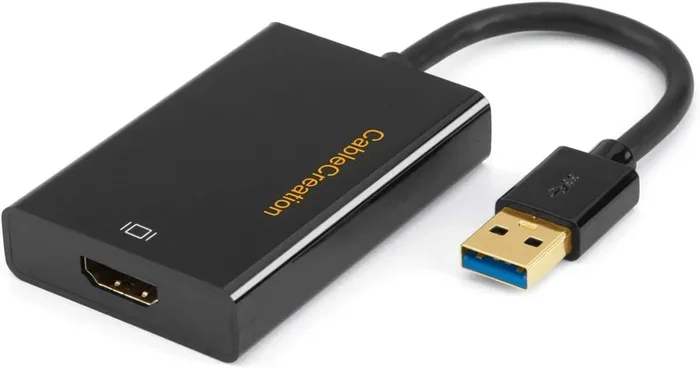
- USB-A to USB-C adapter: Plugs into a USB-A port and provides a USB-C receptacle. You can then use a USB-C cable to connect your device.
- USB-C to USB-A adapter: The reverse option. Lets you plug a USB-A cable into a USB-C port on your computer.
- USB-A hub with USB-C pass-through: A hub that provides both USB-A and USB-C ports for flexible charging.
How to Choose the Right Cable
When shopping for a USB-A to USB-C cable, keep these tips in mind:
- Check the amperage rating. Go for 3A or higher for faster charging.
- Look for USB-IF certification to ensure quality and safety.
- Buy from reputable brands to avoid counterfeit products.
- Match the cable to your device needs. A phone needs less power than a laptop.
Common Mistakes When Charging USB-C From USB-A
Even though charging USB-C from USB-A is simple, people still make mistakes that slow things down or cause problems. Here are the most common ones to avoid.
Using Low-Quality Cables
This is the number one mistake. Cheap, uncertified cables may not deliver the right amount of power. They can also overheat or damage your device. Always invest in a good-quality USB-A to USB-C cable from a trusted brand.
Expecting USB-C Speeds From a USB-A Port
USB-C is capable of amazing speeds and high power delivery. But a USB-A port cannot match that. If you expect the same fast charging from a USB-A port as from a USB-C charger, you will be disappointed. Manage your expectations and you will be happy.
Ignoring Power Requirements
Some USB-C devices need more power than a USB-A port can provide. For example, a USB-C laptop may need 45W or 65W to charge properly. A standard USB-A port can only deliver about 7.5W to 10W. In this case, the device will either charge very slowly or not charge at all while in use.
Plugging the Cable in the Wrong Way
USB-C is reversible, which is great. But USB-A is not. You still need to plug the USB-A end in the right way. And even with USB-C, sometimes it takes a few tries to get the orientation right. No shame in that.
Using Damaged or Worn Cables
Frayed cables, bent connectors, and exposed wires are a safety hazard. They can cause slow charging, intermittent connections, or even electrical shorts. Replace any damaged cable immediately.
Common Mistakes at a Glance
- Using cheap or uncertified cables
- Expecting USB-C PD speeds from USB-A ports
- Ignoring the power needs of your device
- Forcing a connector that does not fit
- Continuing to use damaged cables
- Not checking if the USB-A port is actually providing power
Expert Insights on USB-A to USB-C Charging
We spoke with tech experts to get their take on USB-A to USB-C charging. Here is what they had to say.
Expert Insight: The Future Is USB-C
Industry experts agree that USB-C is the future of charging and data transfer. The European Union has even mandated USB-C as the standard for smartphones and many other devices. If you are still relying on USB-A for charging, it is worth investing in USB-C chargers and cables now. This will future-proof your setup and make your life easier.
Expert Insight: Quality Over Quantity
Tech reviewers consistently emphasize that cable quality matters more than most people realize. A well-made USB-A to USB-C cable with proper wiring and safety features will charge your devices faster and safer than a cheap alternative. Spend a few extra dollars on a good cable.
Expert Insight: Power Delivery Makes a Difference
While USB-A ports cannot deliver USB-C Power Delivery, some modern USB-A chargers use proprietary fast-charging protocols. These can significantly boost charging speeds for compatible devices. Always check if your charger and device support the same fast-charging standard.
Key Takeaways
- USB-A can charge USB-C devices: You can use a USB-A to USB-C cable or adapter to power up your USB-C devices from older ports.
- Charging speed varies: USB-A ports typically deliver less power than USB-C, so expect slower charging speeds in most cases.
- Cable quality matters: Using a high-quality USB-A to USB-C cable ensures safe and efficient charging.
- Power Delivery is limited: Standard USB-A ports usually max out at 5W to 7.5W, while USB-C PD can deliver up to 100W.
- Adapters expand compatibility: USB-A to USB-C adapters let you use modern cables with older ports and vice versa.
- Check your device requirements: Not all USB-C devices charge the same way, so always verify wattage and voltage needs.
Conclusion
Can you charge USB C from USB A? Yes, you absolutely can. It is a simple and reliable way to power up your USB-C devices using older USB-A ports and chargers. Whether you are using a cable, an adapter, or a combination of both, the process works seamlessly in most cases.
The main thing to keep in mind is charging speed. USB-A ports deliver less power than USB-C ports, so your device will charge more slowly. But for overnight charging or quick top-ups, it works perfectly fine. Just make sure you use a good-quality USB-A to USB-C cable and avoid the common mistakes we covered in this guide.
As technology moves forward, USB-C is becoming the universal standard. But until every port is USB-C, knowing how to bridge the gap with USB-A to USB-C charging is an essential skill. Keep a reliable cable in your bag, on your desk, and by your bedside. You never know when you will need it.
So go ahead. Plug in that USB-C device to your USB-A charger with confidence. You now have all the knowledge you need to do it safely, efficiently, and effectively. Happy charging!
Frequently Asked Questions
Can I charge a USB-C laptop from a USB-A port?
Yes, but it will charge very slowly. Most USB-A ports deliver only 5W to 10W, while laptops usually need 45W or more. You can charge the laptop this way, but it may take many hours to get a full charge. It works best as a backup option, not as your primary charging method.
Is a USB-A to USB-C cable the same as a USB-C to USB-C cable?
No, they are different. A USB-A to USB-C cable has a USB-A plug on one end and a USB-C plug on the other. A USB-C to USB-C cable has USB-C plugs on both ends. Use the right cable for your setup to ensure proper charging and data transfer.
Why is my USB-C device charging slowly from USB-A?
Several reasons can cause slow charging. The USB-A port may only provide low wattage. The cable might be low quality or damaged. Your device may also limit the charging speed to protect the battery. Try using a different cable or a wall charger instead of a computer port to see if speed improves.
Can I use a USB-A to USB-C cable for data transfer too?
Yes, you can. A USB-A to USB-C cable supports both charging and data transfer. The data speed depends on the USB version of the port. USB 3.0 USB-A ports can transfer data at up to 5 Gbps, while USB 2.0 ports max out at 480 Mbps.
Do all USB-C devices work with USB-A chargers?
Most USB-C devices work with USB-A chargers for basic charging. However, some devices require higher wattage than USB-A can provide. These devices may charge very slowly or not charge at all while in use. Always check your device’s power requirements before relying on USB-A charging.
Are USB-A to USB-C cables reversible?
The USB-C end is reversible, so you can plug it in either way. The USB-A end is not reversible, so you need to plug it in the correct orientation. This is the same as any standard USB-A cable you have used before.