Can You Use Bluetooth With A Projector For Streaming
Yes, you can use Bluetooth with a projector for streaming audio wirelessly. Many modern projectors come with built-in Bluetooth, and older models can use a Bluetooth adapter. This guide covers everything from pairing steps to troubleshooting tips, so you can enjoy wireless audio without hassle.
Key Takeaways
- Bluetooth Connectivity Is Widely Supported: Many projectors now include built-in Bluetooth for easy wireless audio streaming.
- Adapters Work for Older Models: You can add Bluetooth to any projector using a simple Bluetooth transmitter or adapter.
- Pairing Is Simple: The process usually takes less than two minutes and follows clear steps.
- Audio Lag Can Be Fixed: A few tweaks can eliminate delay between video and audio for a smooth experience.
- Range Matters: Keep your devices within 30 feet for the best Bluetooth connection.
- Multiple Devices Work: You can pair speakers, headphones, and soundbars with most projectors.
📑 Table of Contents
- Can You Use Bluetooth With A Projector For Streaming?
- What Is Bluetooth Connectivity on a Projector?
- How to Connect Bluetooth to Your Projector
- Best Bluetooth Speakers for Projector Streaming
- Common Bluetooth Projector Problems and How to Fix Them
- Bluetooth vs. Other Wireless Streaming Options
- Can You Use Any Bluetooth Device With a Projector?
- Expert Insights: Getting the Most Out of Your Bluetooth Projector Setup
- How to Choose the Right Bluetooth Projector for Streaming
- Is Bluetooth Safe for Projector Audio?
- Key Takeaways
- Conclusion
Can You Use Bluetooth With A Projector For Streaming?
The short answer is yes. Can you use Bluetooth with a projector for streaming? Absolutely. Whether you want to watch movies, play games, or host a movie night, Bluetooth lets you ditch the cables and enjoy wireless audio from your projector. It is one of the most convenient features in modern home entertainment.
Not all projectors have Bluetooth built in, though. Some older models rely only on wired connections like HDMI or RCA. But here is the good news. You can add Bluetooth to almost any projector with a simple adapter. This means your existing setup can get a major upgrade without spending a fortune.
In this guide, we will walk you through everything you need to know. From checking if your projector supports Bluetooth to fixing common connection issues, we have you covered. Let us dive in and get your wireless streaming setup working perfectly.
What Is Bluetooth Connectivity on a Projector?
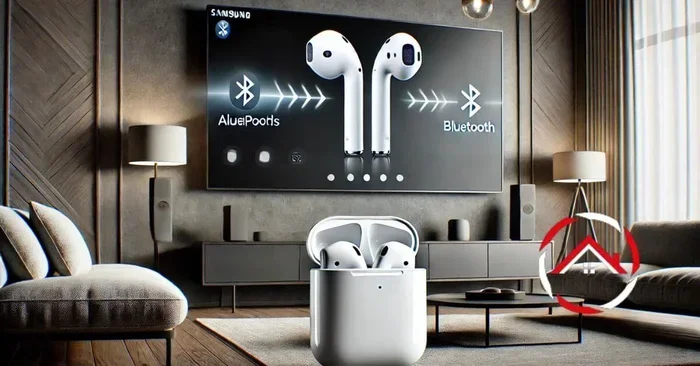
Bluetooth connectivity allows your projector to send or receive audio without cables. It uses short-range radio waves to connect two devices. Most projectors use Bluetooth to connect to speakers, headphones, or soundbars. Some can also receive audio from your phone or laptop.
The technology has come a long way. Older Bluetooth versions had slow speeds and noticeable audio delay. Today, Bluetooth 5.0 and newer versions offer much better performance. The connection is more stable, the range is wider, and the audio quality is significantly improved.
Built-In vs. Add-On Bluetooth
There are two ways a projector can have Bluetooth. The first is built-in. Many newer projectors come with Bluetooth already installed. The second is an add-on Bluetooth adapter. This is a small device you plug into your projector to add wireless capability.
Here is a quick look at the differences.
- Built-In Bluetooth: No extra equipment needed. It works right out of the box.
- Add-On Adapter: Costs less than a new projector. Easy to set up and use.
- Bluetooth 5.0 Built-In: The best option. Offers the fastest connection and lowest audio lag.
When shopping for a projector, always check the specs for Bluetooth compatibility. Look for the Bluetooth version number too. A higher number means better performance.
How to Connect Bluetooth to Your Projector
Setting up Bluetooth pairing with your projector is easier than you might think. The process is similar whether you have a built-in connection or an add-on adapter. Follow these steps and you will be streaming in no time.
Step-by-Step Pairing Guide
Here is how to connect your Bluetooth speaker or headphones to a projector.
- Turn on your projector. Make sure it is fully powered and ready to use.
- Go to the settings menu. Look for a Bluetooth or audio settings option on your projector’s remote or display.
- Enable Bluetooth. Toggle the Bluetooth switch to “On.” Your projector will start searching for nearby devices.
- Put your speaker in pairing mode. Most Bluetooth speakers have a button or switch for this. Check the manual if you are unsure.
- Select your speaker from the list. Your projector should show the speaker name on screen. Tap or select it to connect.
- Wait for the confirmation. You will usually hear a beep or see a message that the devices are paired.
That is it. The whole process takes about one to two minutes. Once paired, your projector will remember the device and reconnect automatically next time.
Quick Tips for a Smooth Connection
- Keep your devices close together during the first pairing. A distance of about 3 to 5 feet works best.
- Turn off other Bluetooth devices nearby to avoid interference.
- Make sure your speaker or headphones are fully charged before pairing.
- Restart both devices if the connection fails the first time.
Best Bluetooth Speakers for Projector Streaming
Not all Bluetooth speakers are created equal. Some are designed for home theater use and deliver rich, room-filling sound. Others are small and portable but may not have enough power for a big room. Here are some popular options that work great with a Bluetooth projector.
Top Picks for Home Theater
- JBL Flip 6: Great sound quality and compact size. Works well for small to medium rooms.
- Sony SRS-XB43: Powerful bass and long battery life. Perfect for outdoor movie nights.
- Bose SoundLink Revolve: 360-degree sound that fills any space evenly.
- Anker Soundcore Motion+: Excellent value for money with surprisingly rich audio.
When choosing a speaker, think about the room size. A large living room needs a louder speaker than a bedroom setup. Also, look for speakers with low audio lag so the sound stays in sync with the video.
Common Bluetooth Projector Problems and How to Fix Them
Even with the best setup, you might run into some issues. Bluetooth connections can sometimes be finicky. Here are the most common problems and how to solve them.
Audio Lag or Delay
Audio lag happens when the sound does not match the video. You see lips move, but the voice comes a second or two later. This is one of the most annoying problems with wireless audio on projectors.
Here is how to fix it.
- Move your devices closer together. Distance weakens the signal and increases lag.
- Check for Wi-Fi interference. Other wireless devices can disrupt the Bluetooth signal.
- Update the firmware on your projector and speaker. Manufacturers often release fixes for connectivity issues.
- Use a Bluetooth transmitter with a low-latency codec. Some adapters support aptX or aptX Low Latency for better sync.
Connection Keeps Dropping
If your audio cuts out frequently, the connection may be unstable. Walls, furniture, and even microwaves can interfere with Bluetooth signals.
- Keep the devices in the same room with a clear line of sight.
- Stay within the Bluetooth range, which is usually about 30 feet.
- Reduce the number of wireless devices in the area.
- Restart both the projector and the speaker to refresh the connection.
Speaker Not Showing Up in the List
If your speaker does not appear when the projector searches for devices, try these steps.
- Make sure the speaker is in pairing mode. The light should flash to show it is ready.
- Turn Bluetooth off and back on both devices.
- Forget the speaker from any other devices it was previously paired with.
- Reset the speaker if the problem persists.
Bluetooth vs. Other Wireless Streaming Options
Bluetooth is not the only way to stream audio wirelessly from a projector. Let us compare Bluetooth connectivity with other popular options.
Bluetooth vs. Wi-Fi Streaming
Wi-Fi streaming uses your home network to send audio. It can offer higher quality and less lag than Bluetooth in some cases. But it requires a strong Wi-Fi signal and is more complex to set up.
Bluetooth is simpler. It does not need a Wi-Fi network. It works almost anywhere. For most users, Bluetooth is the easier and more practical choice for projector audio.
Bluetooth vs. HDMI with ARC
HDMI with ARC (Audio Return Channel) sends high-quality audio through a single cable. It has zero lag and is very reliable. But it requires a cable run, which can be messy and limiting.
Bluetooth wins on convenience. HDMI wins on audio quality and reliability. Your choice depends on what matters more to you.
Comparison Table
| Feature | Bluetooth | Wi-Fi Streaming | HDMI ARC |
|---|---|---|---|
| Ease of Setup | Very Easy | Moderate | Easy |
| Audio Quality | Good | Excellent | Excellent |
| Latency | Low to Medium | Low | None |
| Cable Required | No | No | Yes |
| Range | Up to 30 ft | Full Home | Cable Length |
| Cost | Low | Free | Low |
Can You Use Any Bluetooth Device With a Projector?
Most Bluetooth devices will work with a projector. This includes wireless speakers, headphones, and soundbars. You can even connect a Bluetooth transmitter to send audio from your projector to a wireless receiver in another room.
However, there are a few things to keep in mind. Not all devices support the same Bluetooth codecs. A codec is the technology used to compress and send audio wirelessly. Some codecs offer better quality than others. The most common ones are SBC, AAC, and aptX.
If you want the best sound quality, look for devices that support aptX or aptX Low Latency. These codecs deliver clearer audio with less delay. Most modern Bluetooth speakers and headphones support at least one of these codecs.
Can You Connect Multiple Bluetooth Devices at Once?
Some projectors allow you to connect multiple Bluetooth devices simultaneously. This is useful if you want to connect both a soundbar and a pair of wireless headphones. Check your projector’s manual to see if this feature is supported.
If your projector does not support multiple connections, you can use a Bluetooth splitter. This small device takes one Bluetooth signal and sends it to multiple speakers or headphones. It is a cheap and easy way to share audio with a group.
Expert Insights: Getting the Most Out of Your Bluetooth Projector Setup
We asked a few home theater enthusiasts about their tips for getting the best wireless streaming experience with a projector. Here is what they had to say.
Placement matters. Keep your Bluetooth speaker at ear level or higher. Sound travels better when it is not blocked by furniture or walls. If you are using a projector in a basement, place the speaker on a shelf or stand rather than the floor.
Update your firmware regularly. Both your projector and Bluetooth devices receive software updates that improve performance. A simple update can fix connection issues and improve audio quality.
Use a dedicated Bluetooth transmitter for older projectors. If your projector does not have built-in Bluetooth, a good transmitter makes a huge difference. Plug it into the audio output, pair it with your speaker, and enjoy wireless sound instantly.
Watch for interference. Microwaves, baby monitors, and even USB 3.0 cables can interfere with Bluetooth signals. Keep your projector and speaker away from these devices for a cleaner connection.
Quick Tips for Better Sound Quality
- Place the speaker in the center of the room for balanced sound.
- Use the projector’s equalizer settings if available to fine-tune the audio.
- Keep the speaker away from walls to reduce echo and distortion.
- Test different Bluetooth codecs if your devices support them.
How to Choose the Right Bluetooth Projector for Streaming
If you are in the market for a new projector, choosing one with Bluetooth can save you a lot of hassle. Here is what to look for when buying a Bluetooth projector for streaming.
- Built-In Bluetooth: This is the most convenient option. No extra devices or cables needed.
- Bluetooth 5.0 or Higher: Offers better range, faster speeds, and lower audio lag than older versions.
- Multiple Audio Outputs: Look for projectors with both Bluetooth and a 3.5mm jack. This gives you flexibility.
- Good Built-In Speakers: Even if you plan to use Bluetooth, having decent built-in speakers is helpful for quick setups.
- HD or 4K Resolution: Pair Bluetooth audio with great video for the full home theater experience.
Some of the best projectors for streaming with Bluetooth include models from brands like Epson, BenQ, and Anker. These brands offer reliable projectors with solid Bluetooth performance and great picture quality.
Is Bluetooth Safe for Projector Audio?
Yes, Bluetooth is completely safe for projector audio. It uses low-power radio waves that are well within safety limits. There is no risk of damage to your projector or speaker from using Bluetooth.
The connection is also secure. Modern Bluetooth uses encryption to protect your data. You do not need to worry about someone else tapping into your audio stream. As long as you are using trusted devices from reputable brands, your connection will be safe and private.
Key Takeaways
- Bluetooth works with most projectors for wireless audio streaming. Check your model for built-in support or use an adapter.
- Pairing is simple and takes less than two minutes. Just enable Bluetooth on both devices and select the speaker.
- Audio lag and connection drops are fixable. Move closer, reduce interference, and update firmware.
- The best speakers for projector use deliver clear, room-filling sound with low latency.
- Bluetooth 5.0 offers the best performance. If buying a new projector, prioritize this feature.
- Older projectors can gain Bluetooth with a cheap transmitter. This is an easy and affordable upgrade.
Conclusion
Can you use Bluetooth with a projector for streaming? Yes, and it is one of the easiest ways to upgrade your home entertainment setup. Whether your projector has built-in Bluetooth or you need an adapter, the process is simple and the results are fantastic. You get clean, wireless audio without tangled cables cluttering your room.
Most of the common issues like audio lag and connection drops can be solved with a few simple adjustments. Keep your devices close, reduce interference, and stay updated on firmware. With the right setup, your projector and Bluetooth speaker will work together like a dream.
Now that you know how to connect and troubleshoot, it is time to set up your own wireless streaming system. Grab your favorite Bluetooth speaker, follow the steps in this guide, and enjoy movies, shows, and games with rich, immersive sound. Your home theater experience is about to get a whole lot better.
Frequently Asked Questions
Can I connect any Bluetooth speaker to my projector?
Most Bluetooth speakers will work with any projector that supports Bluetooth. Simply put both devices in pairing mode and connect them. If your projector does not have Bluetooth, a Bluetooth adapter will make it possible to connect virtually any speaker.
Does Bluetooth affect video quality on a projector?
No. Bluetooth only handles audio. Your video quality stays exactly the same. The video signal travels through HDMI or another cable, while the audio goes wirelessly through Bluetooth. You get the best of both worlds.
What is the range of Bluetooth on a projector?
Most projectors have a Bluetooth range of about 30 feet. This means you can place your speaker in the same room without any issues. Walls and obstacles can reduce the range, so keeping devices in the same room works best.
Can I use Bluetooth headphones with a projector?
Yes. Bluetooth headphones work great with projectors that support Bluetooth. This is a great option for late-night watching or when you do not want to disturb others. Just pair your headphones the same way you would connect a speaker.
Why is there a delay between video and audio when using Bluetooth?
Audio lag happens because Bluetooth takes a moment to process and transmit sound. This delay is usually very small but can become noticeable on larger screens. Using a low-latency Bluetooth codec like aptX Low Latency can significantly reduce or eliminate this issue.
Do I need a special app to use Bluetooth with a projector?
Most projectors do not require an app for Bluetooth. The pairing process is handled through the projector’s built-in settings menu. Some smart projectors may have companion apps, but they are optional and not required for basic Bluetooth connections.