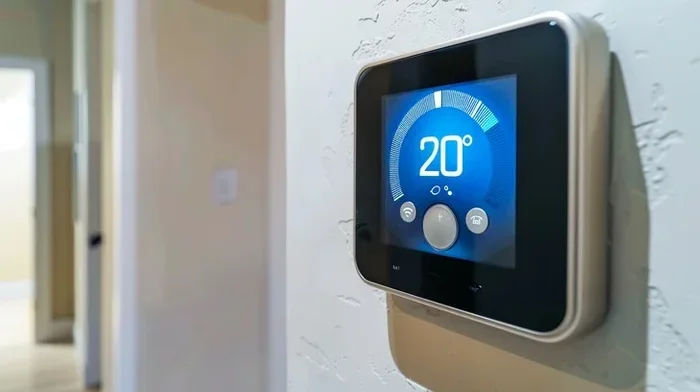
Do Smart Thermostats Go Bad Here Is What You Need To Know
Do smart thermostats go bad? Yes, like any electronic device, smart thermostats have a lifespan and can fail over time. Understanding the early warning signs of a failing thermostat helps you avoid discomfort and high energy bills. Regular maintenance and timely thermostat replacement keep your home comfortable and your heating and cooling system running efficiently.
Do smart thermostats go bad? It is a question many homeowners ask, especially when their heating and cooling system starts acting up. You invest in a smart thermostat because you want better energy savings, convenient home comfort, and the benefits of smart home technology. But what happens when that device starts giving you trouble? Does it just stop working one day, or are there warning signs you can catch early?
The truth is, smart thermostats do not last forever. They are electronic devices with moving parts, sensors, and software that can wear down over time. Understanding how long smart thermostats last and what causes them to fail can save you money, frustration, and uncomfortable nights. This guide covers everything you need to know about thermostat not working issues, how to spot the signs of a dying device, and what you can do about it.
Whether you have a Nest, Ecobee, Honeywell, or any other brand, the principles remain the same. A programmable thermostat or a smart thermostat works hard to regulate your room temperature and keep your HVAC system running efficiently. When things go wrong, knowing the root cause makes all the difference.
Key Takeaways
- Smart thermostats typically last 10 to 15 years, but performance can decline after 5 to 7 years.
- Common signs of a failing thermostat include inaccurate readings, unresponsive screens, and Wi-Fi connectivity issues.
- Wiring problems and battery drain are among the top causes of thermostat malfunction.
- Regular maintenance like cleaning dust and updating firmware can extend your device’s life significantly.
- Replacing an outdated thermostat can lead to better energy savings and improved home comfort.
- Some issues are fixable at home, while others require professional HVAC technician help.
📑 Table of Contents
- What Is a Smart Thermostat and How Long Does It Last
- Common Signs Your Smart Thermostat Is Going Bad
- Why Do Smart Thermostats Fail?
- Can You Fix a Failing Smart Thermostat?
- How to Extend the Life of Your Smart Thermostat
- When Should You Replace Your Smart Thermostat?
- The Cost of Ignoring a Failing Thermostat
- Final Thoughts
What Is a Smart Thermostat and How Long Does It Last
A smart thermostat is more than just a fancy temperature dial. It is a smart home device that connects to your Wi-Fi network, learns your habits, and adjusts your heating and cooling automatically. The best smart thermostats can save you serious money on your energy bills while keeping every room at the perfect room temperature.
The Average Smart Thermostat Lifespan
Most smart thermostats are built to last between 10 and 15 years. That is a long time. But here is the thing, the first 5 to 7 years are usually when the device performs at its best. After that, you may start noticing small issues. A thermostat not working correctly does not always mean the device is completely dead. Sometimes it just means it is aging.
Think of it like your smartphone. A new phone works perfectly for a few years, and then you start seeing slower performance, battery drain, and occasional glitches. Smart thermostats follow a similar pattern. The smart thermostat lifespan depends on several factors, including the brand, how often you use it, and the quality of your home’s electrical system.
What Affects Smart Thermostat Longevity
Several things can shorten or extend the life of your thermostat. Here are the main factors to consider:
- Quality of the device: Premium brands tend to last longer than budget options.
- Installation quality: Poor thermostat wiring can cause damage over time.
- Environmental conditions: Heat, humidity, and dust near the device take a toll.
- Usage patterns: Constant adjustments and heavy use wear out components faster.
- Software updates: Devices that receive regular firmware updates tend to perform better for longer.
- HVAC system compatibility: Mismatched systems can put extra strain on the thermostat.
Common Signs Your Smart Thermostat Is Going Bad
Catching the early signs of a failing thermostat is key to avoiding a complete device malfunction. Most problems do not happen overnight. They develop slowly, and if you know what to look for, you can address them before they become big headaches.
Inaccurate Temperature Readings
One of the first signs that something is wrong is when your thermostat reads the wrong temperature. If your house feels freezing but the thermostat says it is warm, or vice versa, your temperature sensor may be failing. This is one of the most common thermostat not working issues homeowners face.
Inaccurate readings can cause your heating and cooling system to run unnecessarily, driving up your energy bills and reducing energy savings. If you notice a consistent gap between what the thermostat shows and how the room actually feels, it is time to investigate further.
Connectivity Problems
Smart thermostats rely on Wi-Fi to function properly. If your device keeps disconnecting or refuses to connect to your network, it could be a hardware issue or a software problem. Wi-Fi connectivity issues are frustrating, but they do not always mean the thermostat is dead.
Try resetting your network, checking your router, and updating the device firmware first. If the problem persists, the thermostat’s internal wireless module may be failing. This is a common issue with older smart home devices that have been on the network for several years.
Unresponsive Controls
When you tap the screen or press a button and nothing happens, that is a red flag. An unresponsive thermostat can leave you without heating or cooling when you need it most. This issue can stem from a dead battery, faulty wiring, or a failing motherboard.
If your thermostat screen goes blank and will not turn back on, check the thermostat battery first. Many smart thermostats use batteries that need replacement every year or two. If the batteries are fine, the problem may be deeper inside the device.
Why Do Smart Thermostats Fail?
Understanding why smart thermostats fail helps you take preventive action. Not all failures are the same, and knowing the cause determines your next steps.
Hardware Wear and Tear
Over time, the internal components of a thermostat wear out. The temperature sensor can drift, the screen can degrade, and the internal circuits can weaken. This is natural and happens with all electronic devices. Hardware wear and tear is the most common reason smart thermostats go bad after several years of use.
Dust buildup inside the device accelerates this process. Tiny particles can settle on the circuit board and cause short circuits or corrosion. This is why regular cleaning matters so much for your thermostat maintenance routine.
Software and Firmware Issues
Smart thermostats run on software, and software can have bugs. Sometimes a firmware update causes unexpected problems. Other times, the device simply becomes incompatible with newer software versions. These software and firmware issues can make your thermostat behave erratically.
The good news is that most software problems can be fixed with a factory reset or a firmware update. Before assuming your device is dead, try restarting it or checking for updates through the companion app. Many homeowners skip this simple step and assume the worst.
Wiring Problems
Thermostat wiring issues are more common than people think. Loose connections, corroded wires, or incorrect installation can all cause a thermostat to malfunction. If your thermostat was installed by a non-professional, there is a chance the wiring was not done correctly.
Over time, vibrations from your HVAC system can loosen wire connections. This leads to intermittent power, display issues, and communication failures between the thermostat and your heating and cooling system. If you suspect wiring problems, it is best to call a licensed HVAC technician to inspect the setup.
Can You Fix a Failing Smart Thermostat?
The good news is that not every thermostat problem requires a full thermostat replacement. Some issues are easy to fix at home, while others need professional attention. Knowing the difference saves you time and money.
Troubleshooting Steps You Can Try
Before you give up on your device, try these troubleshooting steps:
- Check the batteries: Replace them with fresh ones and see if the device responds.
- Restart the device: Turn it off, wait 30 seconds, and turn it back on.
- Check your Wi-Fi: Make sure your network is working and the thermostat is connected.
- Clean the device: Use a soft, dry cloth to remove dust from the screen and vents.
- Check for firmware updates: Open the companion app and look for available updates.
- Reset to factory settings: This can resolve many software-related issues.
- Inspect the wiring: Turn off power to the HVAC system and check for loose or corroded wires.
Most of these steps take less than 10 minutes. If none of them work, the problem is likely hardware-related, and you may need to consider a replacement.
When to Call a Professional
If you have tried all the troubleshooting steps and your thermostat still does not work, it is time to call an expert. A professional HVAC technician can diagnose whether the problem is with the thermostat itself or with the heating and cooling system it controls. Sometimes what looks like a thermostat problem is actually an issue with the HVAC system.
Professionals also have the right tools to check thermostat wiring and ensure everything is connected properly. They can advise whether a repair is worth it or if a thermostat replacement makes more sense financially.
How to Extend the Life of Your Smart Thermostat
You do not have to sit around waiting for your thermostat to fail. There are simple steps you can take to keep it running smoothly for years. Think of these as habits that protect your investment in smart home technology.
Regular Maintenance Tips
- Dust the device regularly: Use a soft brush or compressed air to clean around the screen and vents every few months.
- Replace batteries on schedule: Do not wait for the low battery warning. Replace them proactively.
- Keep firmware updated: Check for updates monthly or enable automatic updates if your device supports it.
- Check wiring annually: Look for loose or corroded connections once a year.
- Keep the device away from heat sources: Direct sunlight, lamps, and appliances can affect the temperature sensor and cause inaccurate readings.
- Use a surge protector: Power surges can damage electronic components, including your thermostat.
Best Practices for Smart Home Devices
Beyond thermostat-specific care, general best practices for smart home devices also apply here. Keep your home network stable, use strong passwords for your Wi-Fi, and avoid placing the thermostat near devices that emit electromagnetic interference. A stable network connection ensures your smart thermostat communicates smoothly with your phone and other smart home gadgets.
Also, be mindful of how you use the device. Constantly changing the temperature setting manually can wear out the internal mechanisms faster. Let the smart features do their job and trust the scheduling and learning capabilities built into modern thermostats.
When Should You Replace Your Smart Thermostat?
At some point, every thermostat reaches the end of its useful life. Knowing when to replace it saves you from unexpected breakdowns and rising energy costs.
Signs It Is Time for a New One
Here are clear signs that do smart thermostats go bad and need to be replaced:
- The device is more than 10 years old and showing multiple issues.
- Temperature readings are consistently inaccurate despite calibration attempts.
- The screen is cracked, faded, or completely unresponsive.
- Connectivity problems persist even after troubleshooting.
- Your heating and cooling system cycles on and off randomly.
- Your energy bills have increased without any other explanation.
- The thermostat no longer responds to app commands or voice assistants.
If you are seeing three or more of these signs, a thermostat replacement is likely your best option. Continuing to use a failing device can strain your HVAC system and lead to costly repairs down the road.
Upgrading to a Newer Model
Replacing an outdated thermostat with a newer model can bring surprising benefits. Modern smart thermostats are more accurate, more efficient, and more connected than older models. Newer devices often feature better energy savings algorithms, improved Wi-Fi connectivity, and enhanced compatibility with other smart home devices.
When shopping for a new thermostat, look for models that offer easy installation, a user-friendly app, and strong customer support. Popular brands like Nest, Ecobee, and Honeywell Home offer excellent options at various price points. The smart thermostat lifespan of a new device will likely be longer than your old one, especially if you take good care of it.
The Cost of Ignoring a Failing Thermostat
Some homeowners ignore the signs of a failing thermostat because they do not want to spend money. This is a mistake. A malfunctioning thermostat can cause your heating and cooling system to work overtime, which increases wear on the entire HVAC system. Over time, this leads to higher repair costs and a shorter lifespan for your expensive heating and cooling equipment.
Beyond equipment damage, a broken thermostat wastes energy. If your system is running when it should not be, you are literally paying for comfort you are not getting. Replacing a failing thermostat quickly can pay for itself within a few months through lower energy bills and reduced HVAC wear.
Final Thoughts
Do smart thermostats go bad? Yes, they do, but with the right care and attention, you can get many years of reliable service from your device. The key is to watch for the warning signs, perform regular thermostat maintenance, and know when it is time for a thermostat replacement. A well-maintained smart thermostat keeps your home comfortable, your energy bills low, and your HVAC system running smoothly.
Do not wait until your thermostat completely stops working to take action. Address small issues early, keep the device clean and updated, and invest in a quality replacement when the time comes. Your home comfort and your wallet will thank you.
Frequently Asked Questions
How long do smart thermostats typically last?
Most smart thermostats last between 10 and 15 years. However, performance may start to decline after 5 to 7 years, especially if the device is not well maintained or is exposed to harsh conditions.
Can a smart thermostat stop working suddenly?
Yes, a smart thermostat can stop working suddenly due to wiring issues, power surges, or software failures. This is more common with older devices or those that have not received regular maintenance.
Is it worth repairing an old smart thermostat?
It depends on the age of the device and the cost of repairs. If the thermostat is more than 7 years old and needs a major component replaced, a thermostat replacement is usually more cost-effective than a repair.
What causes a smart thermostat to lose Wi-Fi connection?
Wi-Fi connectivity issues can be caused by a weak router signal, outdated firmware, interference from other devices, or a failing internal wireless module in the thermostat itself.
Can I install a smart thermostat myself?
Yes, many smart thermostats come with DIY installation guides. However, if you are not comfortable with electrical wiring, it is best to hire a professional to avoid damaging the device or your HVAC system.
Do smart thermostats need battery replacement?
Most smart thermostats use batteries that need replacement once or twice a year. Low battery warnings will appear on the screen or in the companion app when it is time for a replacement.
=== CONCLUSION ===
Do smart thermostats go bad? They absolutely can, but now you know how to spot the signs early and take action. From inaccurate temperature readings to Wi-Fi connectivity issues, the warning signs are there if you know where to look. Regular maintenance, timely troubleshooting, and knowing when to replace your device are the keys to keeping your home comfortable and your energy bills low.
Your smart thermostat is the brain of your heating and cooling system. Treat it well, keep it updated, and replace it when the time comes, and it will reward you with years of reliable performance and real energy savings. Do not wait for a complete breakdown to take action. Start today and enjoy the benefits of a well-functioning smart home device.