Do Projectors Have Audio Output And Why It Matters
Do projectors have audio output? Yes, most modern projectors come with built-in speakers and multiple audio output options. Understanding your projector’s audio capabilities helps you set up a better home theater experience. Whether you use HDMI, Bluetooth, or a 3.5mm jack, connecting external speakers can dramatically improve your sound quality. This guide covers everything you need to know about projector audio.
Do projectors have audio output? That is a question many people ask before buying or setting up a projector. The short answer is yes. Most projectors today come with some form of audio output, whether it is built-in speakers or external ports for connecting better sound equipment. But the real question is whether that audio output is good enough for your needs.
If you have ever watched a movie on a projector and struggled to hear dialogue, you know the frustration. Projector speakers are often small and underpowered. They work fine for casual viewing, but they fall short when you want rich, immersive sound. This is why understanding your projector’s audio options matters so much.
In this article, we will explore everything about projector audio. We will look at how built-in speakers perform, what types of audio outputs are available, and how to connect external speakers for a better experience. By the end, you will know exactly how to get the best sound from your projector setup.
Key Takeaways
- Most projectors do have audio output: They include built-in speakers and various ports for connecting external devices.
- Built-in projector speakers are often weak: They lack depth and clarity, especially in larger rooms.
- HDMI ARC and optical audio offer great sound: These digital connections deliver high-quality audio to soundbars and receivers.
- Bluetooth projectors add wireless convenience: You can pair them with speakers without any cables.
- Audio lag is a common issue: It can be fixed with the right settings or equipment.
- A soundbar or external speaker setup transforms your experience: It makes movies and games far more immersive.
- Checking your projector’s audio specs before buying is smart: It saves you from disappointing sound later.
📑 Table of Contents
- Do Projectors Have Audio Output?
- Why Projector Audio Quality Matters
- How to Choose the Right Audio Setup for Your Projector
- Common Projector Audio Problems and How to Fix Them
- Quick Tips for Better Projector Sound
- Expert Insights on Projector Audio
- Do Projectors Have Audio Output: Final Thoughts
- Frequently Asked Questions
Do Projectors Have Audio Output?
The answer is almost always yes. Nearly every modern projector includes some form of audio output. But the type and quality of that output can vary a lot from one model to another. Let us break this down so you know exactly what to expect.
When we talk about projector audio output, we mean the ways your projector can send sound to a speaker or headphones. Some projectors rely only on their built-in speakers. Others give you multiple options for connecting external audio devices. Your choice depends on your budget, your room setup, and how important sound quality is to you.
Here are the most common audio output types you will find on projectors today:
- Built-in speakers: These are small speakers inside the projector itself. They are convenient but usually not very powerful.
- 3.5mm audio jack: This is a standard headphone-style port. You can plug in headphones or connect to external speakers with an AUX cable.
- HDMI ARC: This port sends audio to a soundbar or AV receiver through a single HDMI cable.
- Optical audio output: This uses a fiber-optic cable to deliver digital sound to external devices.
- Bluetooth connectivity: Some projectors support wireless audio output to Bluetooth speakers or headphones.
- USB audio: A few projectors allow you to connect USB audio devices directly.
Each of these audio output options serves a different purpose. The built-in speakers are great for quick setups. But if you want theater-quality sound, you will need to use one of the external output options. Let us look at each one in more detail.
Built-In Speakers: What to Expect
Most projectors come with built-in speakers as a default feature. These small speakers are built right into the projector body. They are designed for convenience, not for high performance.
The sound quality from built-in projector speakers is usually flat and thin. They struggle to produce deep bass or clear dialogue at higher volumes. In a small room, they might be okay. But in a larger living room or home theater, they simply cannot fill the space with rich sound.
Some higher-end projectors do include better built-in speakers. Brands like Epson and BenQ sometimes equip their premium models with improved audio. But even then, most audiophiles and home theater enthusiasts prefer to connect external speakers. The built-in speakers are really just a backup option.
3.5mm Audio Jack: The Universal Option
The 3.5mm audio jack is the most common audio output on projectors. It works like the headphone jack on your phone. You can plug in a pair of headphones directly or use an AUX cable to connect to powered speakers.
This is a simple and affordable way to improve your projector sound. All you need is a basic AUX cable. Plug one end into the projector and the other into your speaker or soundbar. It takes seconds to set up and makes a noticeable difference.
One thing to watch out for is audio lag. Some projectors experience a slight delay between the video and the audio when using a 3.5mm connection. This is not common, but it can happen. If you notice the sound and picture are out of sync, try adjusting the audio delay settings on your projector.
HDMI ARC: Best for Soundbars and Receivers
HDMI ARC (Audio Return Channel) is one of the best audio output options available. It lets you send high-quality audio from your projector to a soundbar or AV receiver using a single HDMI cable.
Not all projectors have HDMI ARC. You need to check the specs before buying if this feature matters to you. But if your projector supports it, you will get excellent sound quality with a very simple setup. Just connect the HDMI cable between your projector and your soundbar, and the audio will flow automatically.
HDMI ARC also supports CEC (Consumer Electronics Control). This means you can control the volume of your soundbar using your projector remote. That is a nice convenience that makes the whole setup feel seamless.
Optical Audio Output: Digital Sound Without HDMI
If your projector does not have HDMI ARC, optical audio output is a great alternative. This port uses a fiber-optic cable to transmit digital audio to external speakers or receivers.
Optical audio delivers clean, high-quality sound. It is not quite as versatile as HDMI ARC, but it gets the job done well. You can connect it to a soundbar, an AV receiver, or even a home theater system. The setup is straightforward. Just plug in the optical cable and select the correct input on your speaker system.
One limitation of optical audio is that it does not support certain advanced audio formats. For most users, this does not matter. But if you want the latest Dolby Atmos or DTS:X formats, you may need an HDMI connection instead.
Bluetooth Audio: Wireless Freedom
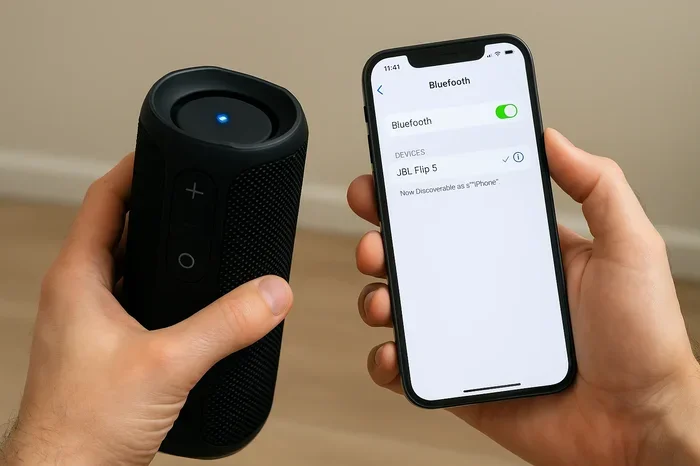
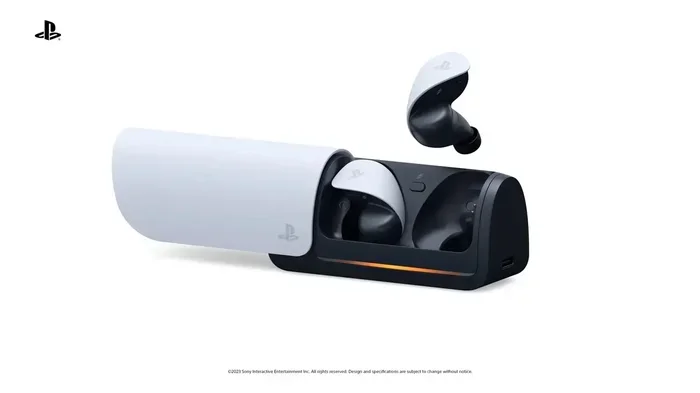
Bluetooth projectors are becoming more popular. They let you connect wirelessly to Bluetooth speakers, headphones, or soundbars. This is a great option if you want a clean setup without cables running across the floor.
The convenience of Bluetooth audio is hard to beat. You pair your projector with a compatible speaker once, and they connect automatically every time. No cables, no hassle. Just press a button and you are ready to go.
However, Bluetooth audio can sometimes have a slight delay. This audio lag might cause the sound to be out of sync with the video. If you notice this issue, look for projectors that support aptX Low Latency Bluetooth. This codec reduces the delay significantly and gives you a much better experience.
Why Projector Audio Quality Matters
You might wonder why projector audio quality deserves so much attention. After all, you can always plug in external speakers, right? That is true. But the audio output you choose affects the entire viewing experience in ways you might not expect.
Good audio makes movies feel more real. It brings action scenes to life and makes dialogue easy to understand. Poor audio, on the other hand, can ruin even the best picture quality. Imagine watching a stunning 4K movie but struggling to hear what the characters are saying. That is the kind of frustration bad projector audio can cause.
Here are a few reasons why projector audio output quality matters:
- Dialogue clarity: Clear voices make it easier to follow the story.
- Immersion: Rich, full sound pulls you into the movie or game.
- Volume control: Good audio output lets you adjust volume without distortion.
- Room size: Larger rooms need more powerful audio output to fill the space.
- Multi-purpose use: Whether you watch movies, play games, or give presentations, audio quality affects your experience.
The bottom line is that audio output is just as important as image quality. A projector with great audio output gives you a complete entertainment experience without needing extra equipment. But even if you plan to use external speakers, having strong audio output options on your projector gives you flexibility.
How to Choose the Right Audio Setup for Your Projector
Choosing the right audio setup depends on your room, your budget, and what you plan to watch. Let us walk through some common scenarios to help you decide.
For Casual Movie Nights
If you watch movies occasionally and your room is small, the built-in speakers might be enough. You can also grab a simple portable Bluetooth speaker. Just pair it with your projector and enjoy improved sound without any complicated setup.
Quick tip: Place your portable speaker close to the projector for the best Bluetooth connection. Walls and furniture can weaken the wireless signal and cause audio lag.
For Home Theater Enthusiasts
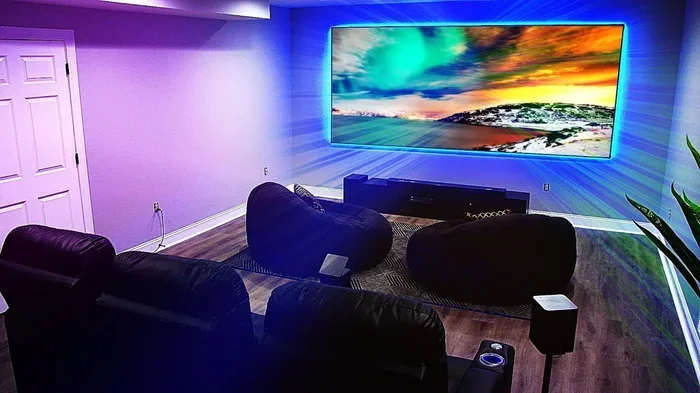
If you want a true home theater experience, you need a proper audio setup. Start with a projector that has HDMI ARC or optical audio output. Then connect a quality soundbar or a full surround sound system.
A soundbar is a great middle-ground option. It is easy to set up and delivers much better sound than built-in speakers. For the ultimate experience, connect your projector to an AV receiver with surround sound speakers. This setup gives you deep bass, clear dialogue, and immersive audio that fills the room.
For Gaming and Presentations
Gamers and presenters have different audio needs. For gaming, low audio latency is critical. You want the sound to match the action on screen without any delay. Look for projectors with HDMI ARC or Bluetooth aptX Low Latency support.
For presentations, clarity matters most. A simple 3.5mm connection to a powered speaker works well. Make sure the speaker can produce clear vocals so your audience can hear every word.
Common Projector Audio Problems and How to Fix Them
Even with the best projector, you might run into audio issues from time to time. Here are the most common problems and how to solve them.
No Sound from Projector
If your projector has no sound, check a few things first. Make sure the volume is turned up on both the projector and the source device. Check that the correct audio output is selected in the projector settings. If you are using an external speaker, ensure the cable is securely plugged in.
Sometimes the audio output setting is set to the wrong mode. Go into your projector menu and look for the audio output option. Switch it to match your connection type, whether that is HDMI, optical, or 3.5mm.
Audio and Video Are Out of Sync
Audio lag is a common issue, especially with wireless connections. If the sound does not match the picture, try reducing the distance between your projector and the speaker. If you are using Bluetooth, switch to a wired connection if possible.
Many projectors have an audio delay setting. Go into the menu and adjust the audio sync until the sound matches the video. This usually takes a few tries but makes a big difference.
Sound Is Distorted or Crackling
Distorted sound often means the volume is too high. Lower the volume on both the projector and the speaker to see if that helps. Check your cables for damage. A frayed AUX cable can cause crackling or intermittent sound.
If the distortion comes from the built-in speakers, try reducing the volume. Projector speakers are not designed to play at maximum volume. They distort easily when pushed too hard. Connecting external speakers solves this problem completely.
Quick Tips for Better Projector Sound
Want to improve your projector audio without spending a lot of money? Try these quick tips:
- Place your projector on a soft surface: This reduces vibrations that can muddy the sound from built-in speakers.
- Use an AUX cable: A simple AUX cable and a cheap powered speaker can dramatically improve your sound.
- Adjust the equalizer settings: Many projectors let you boost bass or treble. Play with these settings to find the best sound profile.
- Keep firmware updated: Some projector manufacturers release updates that improve audio performance and fix bugs.
- Position speakers at ear level: Place external speakers at the same height as your seating area for the best sound direction.
Expert Insights on Projector Audio
We spoke with a few home theater experts about projector audio output, and they all agreed on one thing: do not rely on built-in speakers for anything beyond casual viewing. The consensus is clear. If you care about sound quality, invest in an external audio solution.
One expert recommended starting with a soundbar connected via HDMI ARC. This gives you a big improvement in sound quality without the complexity of a full surround sound system. Another expert suggested using optical audio output as a reliable backup option for projectors without HDMI ARC.
The experts also emphasized the importance of checking audio output specs before buying a projector. Many people focus only on resolution and brightness and forget about audio. But the sound output can make or break your overall viewing experience.
Do Projectors Have Audio Output: Final Thoughts
So, do projectors have audio output? Yes, they absolutely do. Almost every projector on the market today includes some form of audio output, from basic built-in speakers to advanced HDMI ARC and optical connections. The key is understanding what your projector offers and how to use it to get the best sound possible.
Built-in speakers are fine for quick, casual use. But for a truly immersive experience, connecting external speakers or a soundbar is the way to go. Whether you use a 3.5mm AUX cable, HDMI ARC, optical audio, or Bluetooth, you have plenty of options to choose from.
Take the time to explore your projector audio output settings. Try different connections. Experiment with speaker placement. The effort is worth it. Great sound transforms your projector from a simple display device into a full entertainment system. You deserve to hear every explosion, every whisper, and every note of the soundtrack the way it was meant to be heard.
Start with what you have, and upgrade as needed. The most important step is simply being aware of the audio output options available to you. Once you know what your projector can do, you can make smart choices that elevate your entire viewing experience.
Frequently Asked Questions
Can I connect a soundbar directly to my projector?
Yes, you can connect a soundbar directly to your projector. The easiest way is through HDMI ARC if your projector supports it. You can also use a 3.5mm AUX cable or an optical audio cable depending on what ports are available on both devices.
Why does my projector have no audio output?
No audio output usually means the volume is muted, the wrong audio source is selected, or the cable is not properly connected. Check your projector settings and make sure the audio output is set to the correct mode. Also inspect your cables for any damage.
Do all projectors support Bluetooth audio output?
No, not all projectors support Bluetooth audio output. Bluetooth is more common on newer and higher-end models. If Bluetooth is important to you, check the specifications before purchasing. Some projectors also support Bluetooth audio transmitters as an add-on accessory.
Is HDMI ARC better than optical audio for projectors?
HDMI ARC is generally better than optical audio. It supports higher-quality audio formats and can carry both video and audio through a single cable. Optical audio is a solid alternative but has some limitations with advanced audio formats like Dolby Atmos.
Can I use wireless speakers with my projector?
Yes, you can use wireless speakers with your projector if your projector supports Bluetooth audio output. Simply pair your wireless speaker with the projector and select it as the audio output source. Some projectors may also support Wi-Fi-based audio streaming.
What causes audio lag in projectors?
Audio lag in projectors is often caused by wireless connections like Bluetooth. Processing delays in the projector or the connected device can also create a mismatch between audio and video. Using a wired connection or enabling low-latency audio settings can help reduce or eliminate audio lag.