Do All Bluetooth Headphones Work With All Phones Now
Not all Bluetooth headphones work with all phones. Compatibility depends on Bluetooth versions, audio codecs, and device profiles. Understanding these factors helps you avoid frustrating pairing issues and ensures you get the best wireless audio experience.
You just bought a shiny pair of wireless headphones. You unbox them, turn them on, and try to connect to your phone. Nothing happens. Or worse, they connect but the sound is awful. You start wondering, do all Bluetooth headphones work with all phones?
The short answer is no. But the full answer is more interesting. Bluetooth technology has come a long way. Still, not every pair of wireless earbuds plays nicely with every smartphone device. There are versions, codecs, and profiles that all play a role. And once you understand them, you never have to deal with bad audio again.
This guide breaks it all down. You will learn exactly why some headphones work and others don’t. You will also get practical tips to make any Bluetooth pairing smoother. Whether you use an iPhone, Android, or something else, this article has you covered.
Key Takeaways
- Bluetooth is not universal: Different versions and codecs affect how well headphones connect to phones.
- Bluetooth 5.0 and newer offer the best compatibility: They provide longer range and lower latency across devices.
- Audio codecs like aptX and AAC matter: They determine sound quality and whether your phone supports high-resolution audio.
- Most modern phones work with most headphones: But older or niche devices may have limitations.
- Multipoint pairing is a game-changer: It lets you connect to two devices at once seamlessly.
- Check profiles before buying: A2DP and HFP are the two key Bluetooth profiles you need.
- Firmware updates fix many issues: Always keep your headphones and phone software up to date.
📑 Table of Contents
- The Short Answer: Do All Bluetooth Headphones Work With All Phones?
- How Bluetooth Connectivity Works Between Devices
- Bluetooth Versions and Why They Matter for Compatibility
- Audio Codecs: The Hidden Factor in Phone-Headphone Pairing
- Common Compatibility Issues and How to Fix Them
- Tips for Choosing Bluetooth Headphones That Work With Your Phone
- Expert Insights and Final Thoughts
- Conclusion
The Short Answer: Do All Bluetooth Headphones Work With All Phones?
Here is the honest truth. Most Bluetooth headphones will connect to most modern phones. The connection might not always be perfect though. You might get lower sound quality. Or the range might be shorter. Sometimes the connection drops entirely.
Why does this happen? Because not all Bluetooth connectivity is created equal. Your phone and your headphones both have a Bluetooth version. If they don’t match well, problems follow. Think of it like two people trying to talk. If one speaks only French and the other speaks only English, they will struggle. Bluetooth profiles work the same way.
The good news? Most of the time, you can fix these issues. A few simple steps can make a huge difference. Let us dig into how Bluetooth wireless headphones actually talk to your phone.
Why Compatibility Is Not Always Guaranteed
When you buy wireless earbuds, the box usually says “works with all Bluetooth devices.” That sounds great. But it is not the whole story. A headphone might connect to your phone but refuse to play high-quality audio. Or it might work fine with your laptop but not your phone.
This happens because of three main reasons:
- Bluetooth version mismatch: Older headphones may not support newer Bluetooth standards.
- Codec incompatibility: Your phone and headphones need to agree on an audio codec.
- Missing Bluetooth profiles: Some devices lack the profiles needed for full functionality.
Understanding these three things will save you a lot of headache. Let us look at each one closely.
How Bluetooth Connectivity Works Between Devices
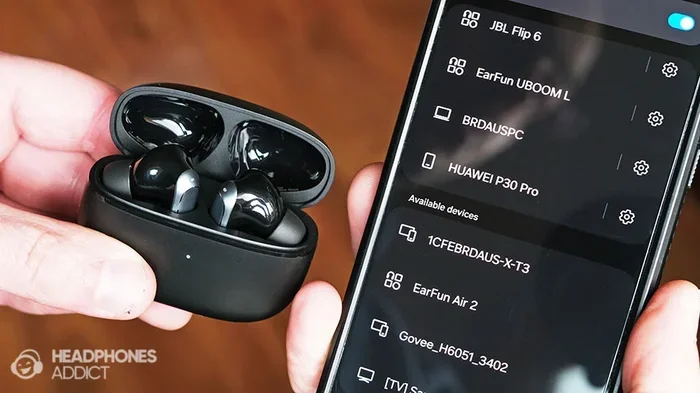
Bluetooth pairing is the process your phone and headphones go through to talk to each other. It is like a digital handshake. Once they shake hands, they can share audio back and forth. But the quality of that handshake depends on several factors.
When you put your Bluetooth headset in pairing mode, it broadcasts a signal. Your phone picks up that signal. Then they exchange information. They agree on which Bluetooth version to use. They agree on which codec to use. They also check which Bluetooth profiles both devices support.
If any part of this negotiation fails, you get problems. Maybe the connection drops. Maybe the audio sounds muffled. Or maybe nothing happens at all. This is why do all Bluetooth headphones work with all phones is such a common question. People run into these issues and do not know why.
The Role of Bluetooth Profiles
Bluetooth profiles are like language agreements between devices. They define what each device can do. The two most important profiles for headphones are:
- A2DP (Advanced Audio Distribution Profile): This handles high-quality audio streaming. It is what lets you listen to music wirelessly.
- HFP (Hands-Free Profile): This handles calls and microphone input. It is what lets you take calls through your headphones.
Almost all modern phones and headphones support both of these profiles. But older devices might only support HFP. That means you can take calls but not stream music. This is a common gotcha with Bluetooth wireless headphones and older phones.
Before buying any wireless earbuds, check which profiles they support. You can usually find this in the product listing or manual. If your phone supports A2DP and HFP, you are in good shape.
Bluetooth Versions and Why They Matter for Compatibility
Bluetooth version is one of the biggest factors in compatibility. Each new version brings better range, faster connections, and improved audio quality. Here is a quick look at the major versions you will encounter.
Bluetooth 4.0 and Older
Devices with Bluetooth 4.0 or older are becoming rare. But you still find them in budget headphones and older phones. These versions have a shorter range, usually about 30 feet. They also use more battery. And they do not support modern audio codecs well.
If your phone has Bluetooth 4.0 and your headphones have Bluetooth 5.0, they will still connect. They will just use Bluetooth 4.0. This means you miss out on the benefits of the newer version. Your audio quality and range will be limited.
Bluetooth 4.2
Bluetooth 4.2 was a big step forward. It introduced better security and faster data transfer. Many phones from 2015 to 2018 used this version. Most Bluetooth headphones from that era also used 4.2. These devices work well together for music and calls.
Bluetooth 5.0 and Newer
Bluetooth 5.0 changed the game. It doubled the range to about 800 feet in ideal conditions. It also reduced audio latency, which is the delay between the audio source and what you hear. This matters a lot for watching videos or playing games.
Bluetooth 5.0 also introduced LE Audio and the LC3 codec. These bring better battery life and improved sound quality. If you want the best Bluetooth connectivity experience, look for devices that support Bluetooth 5.0 or newer.
| Bluetooth Version | Range | Key Feature | Best For |
|---|---|---|---|
| 4.0 | ~30 feet | Basic connectivity | Older budget devices |
| 4.2 | ~60 feet | Better security and speed | Mid-range phones (2015-2018) |
| 5.0 | ~800 feet | Low latency, LE Audio | Modern phones and headphones |
| 5.3 | ~800 feet | Improved energy efficiency | Latest flagship devices |
What Happens When Versions Mismatch?
Here is a common scenario. You have a phone with Bluetooth 5.3. You buy wireless earbuds with Bluetooth 5.0. They will connect just fine. But they will only use Bluetooth 5.0 features. You will not get the extra range or battery savings of 5.3.
Now reverse it. You have an older phone with Bluetooth 4.2. You buy fancy Bluetooth headphones with Bluetooth 5.3. Same result. They connect but use Bluetooth 4.2. The expensive headphones do not perform at their best.
This is why checking the Bluetooth version on both devices matters. It is not about whether they will connect. It is about how well they will work together.
Audio Codecs: The Hidden Factor in Phone-Headphone Pairing
If Bluetooth version is the highway, then audio codecs are the type of car you drive. A codec is a way of compressing and sending audio data. Different codecs offer different levels of audio quality. And not all phones support all codecs.
This is one of the biggest reasons people ask, do all Bluetooth headphones work with all phones. The answer involves codecs more than most people realize.
What Is a Bluetooth Codec?
A codec takes raw audio and compresses it so it can be sent over Bluetooth connectivity. Then it decompresses it on the other end. The better the codec, the better the sound quality. But both your phone and your headphones need to support the same codec.
Think of it like a language. If your phone speaks aptX and your headphones only speak SBC, they will default to SBC. You will still get audio. But it will not sound as good as it could.
The Most Common Codecs
Here are the codecs you will run into most often:
- SBC (Subband Codec): This is the default codec for all Bluetooth devices. Every phone and every headphone supports it. It works fine for most people. But it does not deliver the best audio quality.
- AAC (Advanced Audio Coding): This is the standard for Apple devices. iPhones use AAC by default. It sounds great on iPhones but may not work as well on Android phones.
- aptX: This codec is popular on Android phones. It offers better sound quality than SBC. Many premium wireless headphones support aptX.
- aptX HD and aptX Adaptive: These are newer versions of aptX. They offer even higher quality and lower latency. They are great for audiophiles and gamers.
- LDAC: This is a Sony codec that supports very high-resolution audio. It is found on many Sony phones and headphones.
- LC3: This is the new codec that comes with Bluetooth 5.2 and LE Audio. It offers great quality at lower bitrates.
How to Check Which Codecs Your Phone Supports
On Android, you can check supported codecs in the developer options. Go to Settings, then About Phone, then tap Build Number seven times. This unlocks Developer Options. Then go to Bluetooth Audio Codec and see what is available.
On iPhone, Apple does not make this easy. iPhones use AAC by default. Some newer iPhones support aptX through third-party apps, but it is not native. If you want the best audio quality on iPhone, look for headphones that support AAC.
Quick Tip: If you care about sound quality, match your phone’s preferred codec with your headphones. This is one of the easiest ways to improve your wireless audio experience.
Common Compatibility Issues and How to Fix Them
Even with the right versions and codecs, you can still run into problems. Bluetooth pairing issues are incredibly common. The good news is most of them are easy to fix.
Problem 1: Headphones Will Not Connect
This is the most frustrating issue. You put your Bluetooth headset in pairing mode. Your phone finds it. But when you tap to connect, nothing happens. Try these steps:
- Turn Bluetooth off and back on.
- Remove the headphones from your phone’s Bluetooth list and try pairing again.
- Restart both your phone and headphones.
- Check if the headphones are connected to another device. Multipoint connection can cause conflicts.
Problem 2: Audio Keeps Cutting Out
If your wireless earbuds keep disconnecting, the issue is usually range or interference. Bluetooth range is about 30 feet in real-world conditions. Walls, microwaves, and other wireless devices can weaken the signal.
Try moving closer to your phone. Also, make sure you are not standing near a Wi-Fi router. Both Bluetooth and Wi-Fi use the 2.4 GHz frequency, and they can interfere with each other.
Problem 3: Poor Audio Quality
Muffled or low-quality audio usually points to a codec mismatch. Your phone and headphones might be defaulting to SBC when a better codec is available. Check your phone’s Bluetooth audio codec settings. Switch to the highest-quality codec both devices support.
Also, make sure your headphones are fully charged. Low battery can reduce audio quality and Bluetooth connectivity performance.
Problem 4: Only One Side Works
This issue is usually a firmware problem. Check if there is a firmware update for your headphones. Most premium Bluetooth wireless headphones have companion apps. Use the app to check for updates and install them.
If updating does not help, try resetting your headphones. Most models have a reset procedure in the manual. A reset clears any corrupted settings and often fixes one-sided audio issues.
Problem 5: Microphone Does Not Work During Calls
If you can hear but cannot be heard, your phone might be using the wrong Bluetooth profile. It needs to use HFP (Hands-Free Profile) for calls. Check your phone’s Bluetooth settings and make sure the profile is set correctly for the headphones.
Sometimes disconnecting and reconnecting the headphones fixes this. The phone will re-negotiate the profiles and pick the right one for calls.
Tips for Choosing Bluetooth Headphones That Work With Your Phone
Buying wireless headphones should be exciting, not stressful. Follow these tips to make sure you get a pair that works perfectly with your phone.
Check Bluetooth Version Compatibility
Before you buy, check the Bluetooth version of both your phone and the headphones. If both support Bluetooth 5.0 or newer, you are in great shape. Avoid pairing very old Bluetooth versions with very new ones if you want the best performance.
Match the Codecs
If you care about audio quality, match codecs. iPhone users should look for headphones that support AAC. Android users should look for aptX or aptX Adaptive support. This ensures you get the best possible sound from your wireless earbuds.
Look for Multipoint Support
Multipoint connection lets your headphones connect to two devices at once. You can listen to music on your phone and switch to your laptop for a video call. This is incredibly useful for people who work across multiple devices. Most premium Bluetooth headphones now offer this feature.
Read Reviews for Real-World Compatibility
Product listings often claim “works with all devices.” But real-world reviews tell a different story. Look for reviews from people who use the same phone model as you. They will mention any device pairing issues you might face.
Consider the Brand Ecosystem
Some brands work better with certain ecosystems. Sony headphones work great with Sony phones. Apple AirPods work seamlessly with iPhones. Samsung Galaxy Buds are optimized for Samsung devices. This does not mean they will not work with other phones. But you might miss out on features like auto-switching and quick pairing.
Check for Firmware Updates
Good headphone brands regularly release firmware updates. These updates fix bugs and improve Bluetooth connectivity. Before buying, check if the brand has an active update policy. This shows they care about long-term cross-platform compatibility.
Expert Insights and Final Thoughts
Do all Bluetooth headphones work with all phones? The answer is mostly yes, but with caveats. The connection will almost always happen. But the experience can vary widely based on Bluetooth versions, codecs, and profiles.
Technology has made huge strides. Bluetooth 5.0 and newer have made compatibility much better than it used to be. Most wireless earbuds and wireless headphones on the market today will work fine with any modern phone. The days of constant disconnections and terrible audio are mostly behind us.
That said, if you want the best experience, you need to be a smart shopper. Check the Bluetooth version. Look for codec support. Read reviews for real-world compatibility stories. These small steps save you from buying headphones that underperform with your phone.
Quick Tip: If you already own headphones that are not working well with your phone, try a firmware update first. This fixes many issues without costing you a dime. Also, forget the headphones on your phone and pair them fresh. A clean pairing often resolves mysterious problems.
The Bluetooth ecosystem is vast and constantly improving. New standards like LE Audio and LC3 are making wireless audio better for everyone. As long as you stay informed, you will always find headphones that work great with your phone.
So go ahead and enjoy your music wirelessly. Just make sure you know what you are buying. A little knowledge goes a long way in the world of Bluetooth wireless headphones. Your ears will thank you.
Frequently Asked Questions
Can I use any Bluetooth headphones with any phone?
Most Bluetooth headphones will connect to most phones. But the experience depends on Bluetooth versions, audio codecs, and supported profiles. Older phones may not support the best audio codecs, which can limit sound quality even if the connection works.
Why do my Bluetooth headphones keep disconnecting from my phone?
Disconnections usually happen due to range limits, interference from other devices, or low battery. Bluetooth works best within about 30 feet. Moving closer to your phone and reducing Wi-Fi interference often fixes the problem. Also, make sure both devices have the latest firmware.
Do Bluetooth headphones work differently on iPhone and Android?
Yes, they can. iPhones prefer the AAC codec, while many Android phones support aptX. This means the same headphones might sound different on each platform. Some features like auto-switching also work better within the same brand ecosystem.
Is Bluetooth 5.0 necessary for good audio quality?
Bluetooth 5.0 is not strictly necessary, but it helps. It offers lower latency, better range, and improved energy efficiency. The audio codec matters more for sound quality than the Bluetooth version. However, newer Bluetooth versions support better codecs like LC3.
Can old Bluetooth headphones work with new phones?
Yes, old Bluetooth headphones can work with new phones. They will connect using the older Bluetooth version both devices support. You might miss out on features like low latency or high-resolution audio codecs. But basic music playback and calls will work fine.
What should I do if my headphones will not pair with my phone?
Start by turning Bluetooth off and back on. Then remove the headphones from your phone’s Bluetooth list and try pairing again. If that does not work, restart both devices. Finally, check for firmware updates on your headphones using the manufacturer’s app. A factory reset on the headphones is the last resort.
Conclusion
The question do all Bluetooth headphones work with all phones has a nuanced answer. Most Bluetooth headphones will connect to most phones without issues. But the quality of that connection depends on several factors. Bluetooth versions, audio codecs, and device profiles all play a role.
By understanding these factors, you can make smarter buying decisions. You can also troubleshoot problems faster when they arise. The Bluetooth ecosystem is more compatible than ever. But a little knowledge makes a big difference.
Choose your wireless headphones wisely. Check the Bluetooth version. Match the codecs. Look for multipoint support if you need it. And always read real-world reviews before you buy.
With the right pair of Bluetooth wireless headphones, you will enjoy seamless, high-quality audio every day. Your phone and your headphones will work together beautifully. All it takes is a little know-how.