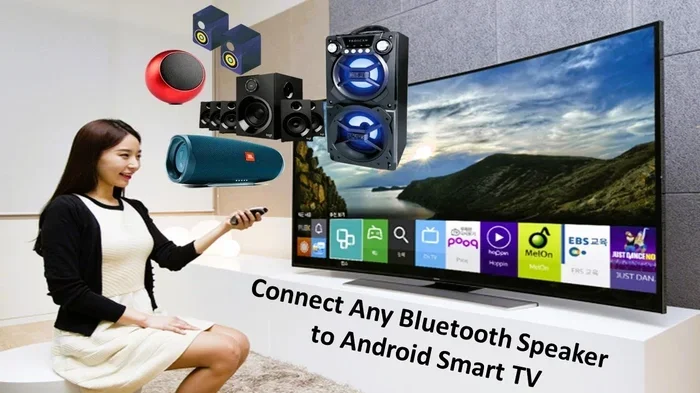
Can You Use Bluetooth Speakers On A Tv With Simple Steps
Yes, you can use Bluetooth speakers on a TV with just a few easy steps. Whether your TV has built-in Bluetooth or needs a transmitter adapter, connecting a wireless speaker is simple and affordable. This guide covers pairing, troubleshooting, and the best speakers for your setup. You’ll learn how to upgrade your TV audio without messy cables or complicated tech skills.
Have you ever wanted to use Bluetooth speakers on a TV but weren’t sure where to start? You’re not alone. Many people want to upgrade their TV sound without dealing with messy cables or complicated setups. The good news is that connecting a Bluetooth speaker to your television is easier than you might think. With just a few simple steps, you can enjoy wireless audio from your favorite shows, movies, and music.
Whether you have a smart TV or an older model, there are ways to get Bluetooth connectivity working. Some TVs come with built-in Bluetooth. Others need a small adapter. Either way, the process is straightforward. In this guide, we’ll walk you through everything you need to know. You’ll learn how to pair your devices, fix common issues, and choose the right speaker for your setup.
By the end of this article, you’ll feel confident setting up your own wireless speaker system. No technical degree required. Just clear, simple instructions that actually work. Let’s dive in and get your TV sound looking and sounding much better.
Key Takeaways
- Easy Connectivity: Most modern TVs support Bluetooth natively, making speaker pairing quick and hassle-free.
- Adapter Options Exist: Older TVs can use a Bluetooth transmitter to add wireless audio capability.
- Better Sound Quality: Bluetooth speakers offer improved audio over built-in TV speakers in most cases.
- Simple Setup Process: Pairing typically takes less than five minutes with clear step-by-step instructions.
- Watch for Latency: Audio delay can be an issue, but there are effective ways to minimize it.
- Right Speaker Matters: Choosing the right Bluetooth speaker for TV use ensures the best experience.
- Fix Common Issues: Most connection problems have straightforward solutions you can try at home.
📑 Table of Contents
- What Is Bluetooth and How It Connects to Your TV
- How to Connect Bluetooth Speakers to Your TV Step by Step
- Benefits of Using Bluetooth Speakers With Your TV
- Common Problems When Using Bluetooth Speakers With a TV
- Quick Tips and Common Mistakes to Avoid
- Comparison Table: Built-in Bluetooth vs Bluetooth Transmitter
- Best Bluetooth Speakers for TV Use
- Final Thoughts and Conclusion
What Is Bluetooth and How It Connects to Your TV
Bluetooth is a wireless technology that lets devices talk to each other over short distances. It uses radio waves to send audio signals without any cables. This means you can connect your wireless speaker to your TV without stretching cords across the room.
How Bluetooth Technology Works
Bluetooth creates a small personal network called a piconet. One device acts as the sender, and the other acts as the receiver. In your case, the TV sends audio, and the Bluetooth speaker receives it. This happens in real time, so you hear sound as the action unfolds on screen.
The Bluetooth range is typically about 30 feet. That means your speaker can be in another room and still work. However, walls and obstacles can weaken the signal. For best results, keep your speaker within a reasonable distance of the TV.
TV Bluetooth Compatibility
Most TVs made after 2015 have built-in Bluetooth. Smart TVs from brands like Samsung, LG, Sony, and TCL usually support it right out of the box. If you’re not sure, check your TV’s settings menu for a Bluetooth option.
Older TVs might not have Bluetooth at all. But don’t worry. You can still enjoy wireless audio with a Bluetooth transmitter. These small devices plug into your TV’s audio output and send sound to your speaker. They’re inexpensive and work with almost any TV.
How to Connect Bluetooth Speakers to Your TV Step by Step
Setting up your Bluetooth speaker with your TV is a simple process. Follow these steps and you’ll be watching your favorite show with great sound in no time.
Step One: Check Your TV Bluetooth Settings
First, turn on your TV and go to the settings menu. Look for a section called “Sound,” “Audio,” or “Connections.” Here, you should find a Bluetooth option. If your TV supports it, you’ll see a toggle to turn Bluetooth on.
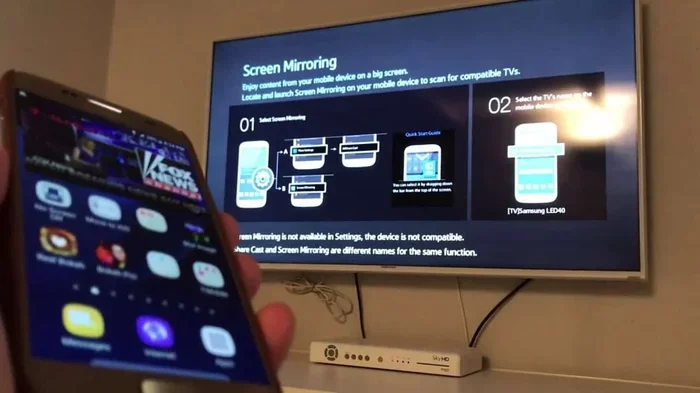
Some TVs call this “Bluetooth Audio” or “Wireless Display.” The exact name varies by brand. Once you find it, turn it on and put your TV in pairing mode. This makes your TV visible to nearby devices.
Step Two: Put Your Speaker in Pairing Mode
Now, turn on your wireless speaker. Most speakers have a dedicated Bluetooth button. Press and hold it until you see a flashing light or hear a voice prompt. This means the speaker is ready to pair.
If you’re not sure how to do this, check your speaker’s manual. The process is usually the same across brands. Some speakers use a blinking blue light. Others might say “Pairing” out loud.
Step Three: Select and Connect
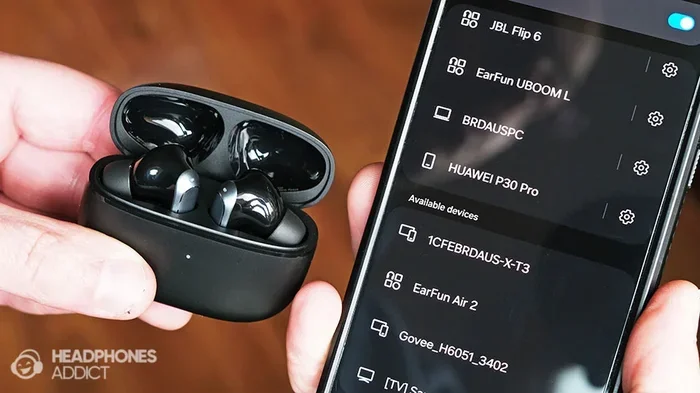
Go back to your TV’s Bluetooth settings. Your TV will scan for nearby devices. When you see your speaker’s name appear, select it. The connection should happen within a few seconds.
Once connected, your TV audio will route to the speaker. You might hear a confirmation sound. Test it by playing something on your TV. If you hear sound coming from the Bluetooth speaker, you’re all set!
Step Four: Adjust Audio Output Settings
After pairing, check your TV’s audio output settings. Make sure the TV is set to output sound through Bluetooth. Some TVs default back to their own speakers after a restart, so this is worth double-checking.
You can also adjust the speaker volume from your TV remote or directly on the speaker. Many people prefer controlling volume from the speaker itself since it’s more convenient.
Benefits of Using Bluetooth Speakers With Your TV
There are many reasons to connect a Bluetooth speaker to your TV. Here are the biggest advantages you’ll notice right away.
Better Sound Quality
Built-in TV speakers are often small and weak. They struggle to produce deep bass or clear dialogue. A Bluetooth speaker with bigger drivers delivers richer, fuller sound. You’ll hear details in movie soundtracks and conversations that you might have missed before.
Many modern speakers offer surround sound effects. Some even have built-in subwoofers for deep, punchy bass. This makes watching action movies and sports feel much more immersive.
Wireless Freedom
One of the best things about wireless audio is the freedom it gives you. Place your speaker anywhere in the room without worrying about cable length. You can even move it to the kitchen or patio if you want to listen outside.
This is especially helpful for people who live in small spaces. Without cables, you avoid tripping hazards and cluttered floors. Your living room stays clean and organized.
Easy Setup and Portability
Setting up a Bluetooth speaker takes just a few minutes. There are no tools or technical skills needed. Most speakers are also portable, so you can take them to parties, picnics, or camping trips.
This versatility is a huge plus. Your speaker isn’t stuck to your TV forever. You get a device that works for multiple purposes. It’s a great investment for your entertainment setup.
Common Problems When Using Bluetooth Speakers With a TV
While the process is simple, you might run into a few hiccups along the way. Here are the most common issues and how to fix them.
Audio Lag and Latency Issues
Audio lag happens when the sound doesn’t match what’s happening on screen. You see lips move, but the voice comes a split second later. This is called audio latency, and it can be annoying during fast-paced shows or movies.
The main cause is the Bluetooth codec your devices use. Some codecs prioritize range over speed, which adds delay. To fix this, look for a setting called “Low Latency” or “aptX Low Latency” in your speaker or TV settings.
Quick Tips:
- Move your speaker closer to the TV to reduce latency.
- Check if your TV has a “Game Mode” that reduces audio delay.
- Restart both devices if lag persists after pairing.
- Consider a Bluetooth transmitter with aptX Low Latency support.
Connection Drops and Interference
Sometimes your Bluetooth connectivity might drop unexpectedly. This usually happens when other wireless devices interfere. Microwaves, baby monitors, and even Wi-Fi routers can cause disruptions.
To fix this, move your router away from your TV and speaker. Also, make sure nothing is blocking the line of sight between the two devices. Bluetooth range works best in open spaces with minimal obstacles.
Volume Sync Problems
You might notice that the TV volume and speaker volume don’t match. Turning up the TV doesn’t always increase the speaker volume proportionally. This is a common frustration with wireless speaker setups.
The fix is usually simple. Adjust the volume directly on the speaker rather than relying solely on the TV remote. Some speakers also have a volume sync feature that you can enable in the app.
Quick Tips and Common Mistakes to Avoid
Here are some practical tips and mistakes to watch out for when setting up your Bluetooth speaker with your TV.
Quick Tips for Best Results
- Keep devices updated: Firmware updates often improve Bluetooth connectivity and fix bugs.
- Turn off other Bluetooth devices: This reduces interference and helps maintain a stable connection.
- Place the speaker at ear level: This gives you the best sound quality for listening.
- Use a dedicated Bluetooth transmitter: If your TV lacks built-in Bluetooth, a good transmitter makes all the difference.
- Reset both devices if needed: A fresh start often solves stubborn pairing issues.
Common Mistakes to Avoid
- Don’t pair too many devices at once: This can confuse your TV and cause connection issues.
- Don’t ignore firmware updates: Outdated software can cause compatibility problems with speaker pairing.
- Don’t place the speaker too far away: Stay within the recommended Bluetooth range for stable audio.
- Don’t forget to check audio output settings: Your TV might still be sending sound to its own speakers instead of the wireless speaker.
- Don’t use cheap transmitters: A low-quality Bluetooth adapter can cause audio lag and poor sound quality.
Expert Insights on Bluetooth TV Audio
According to audio engineers, the biggest factor in wireless audio quality is the Bluetooth codec your devices support. Newer codecs like aptX and LDAC deliver much better sound quality than older standards. If you care about audio fidelity, look for speakers and TVs that support these codecs.
Another expert tip is to always check your TV’s audio output settings after a software update. Updates can sometimes reset your Bluetooth preferences, causing the TV to default back to its internal speakers. A quick check after each update saves a lot of frustration.
For those who want the best of both worlds, consider a soundbar with Bluetooth support. Soundbars offer the deep bass of a dedicated speaker while keeping a sleek profile under your TV. They’re an excellent middle ground between basic TV speakers and standalone Bluetooth speakers.
Comparison Table: Built-in Bluetooth vs Bluetooth Transmitter
| Feature | Built-in Bluetooth | Bluetooth Transmitter |
|---|---|---|
| Setup Difficulty | Very Easy | Easy |
| Cost | Included with TV | $15 – $50 |
| Compatibility | Works with all Bluetooth speakers | Works with all TVs |
| Audio Quality | Depends on TV hardware | Depends on transmitter quality |
| Latency | Varies by TV model | Varies by transmitter model |
| Best For | Modern smart TVs | Older TVs without Bluetooth |
As you can see, both options have their strengths. If your TV already has Bluetooth, you’re in luck. If not, a Bluetooth transmitter is an affordable and effective solution. Either way, you get to enjoy wireless audio from your television.
Best Bluetooth Speakers for TV Use
Choosing the right Bluetooth speaker makes a big difference in your viewing experience. Here are some things to look for when shopping.
What to Look For in a TV Bluetooth Speaker
- Battery Life: Look for speakers with at least 10 hours of battery life for uninterrupted viewing.
- Sound Quality: Choose speakers with clear dialogue enhancement and decent bass response.
- Bluetooth Version: Version 5.0 or newer offers better range and lower latency.
- Size and Portability: Compact speakers are easy to move around and store.
- Volume Output: Make sure the speaker is loud enough to fill your room.
Some popular options include portable Bluetooth speakers from brands like JBL, Bose, and Anker. These brands are known for reliable Bluetooth connectivity and solid sound quality. You don’t need to spend a fortune to get great TV audio either.
If you want a more permanent setup, consider a dedicated TV Bluetooth speaker dock. These sit right under your TV and connect via Bluetooth or a 3.5mm jack. They provide stable audio without taking up much space.
Final Thoughts and Conclusion
Can you use Bluetooth speakers on a TV? Absolutely. It’s one of the simplest and most rewarding upgrades you can make to your home entertainment setup. Whether your TV has built-in Bluetooth or needs a small adapter, connecting a wireless speaker is quick and affordable.
You now know how to pair your devices, troubleshoot common issues, and choose the right speaker for your needs. The benefits of Bluetooth audio are clear: better sound quality, wireless freedom, and easy portability.
Don’t let complicated tech scare you away. The process is simpler than it looks, and the results are well worth the effort. Start with the steps outlined in this guide, and you’ll be enjoying improved TV audio in minutes.
Take action today. Pick up a Bluetooth speaker, follow the pairing steps, and transform your TV watching experience. Your ears will thank you every time you sit down to watch your favorite show or movie.
Remember, the key to a great setup is choosing compatible devices, keeping them updated, and placing your speaker for the best sound quality. With these tips, you’ll get the most out of your Bluetooth speaker and TV combination. Happy listening!
Frequently Asked Questions
Can I connect multiple Bluetooth speakers to my TV at the same time?
Most TVs can only connect to one Bluetooth speaker at a time. However, some smart TVs and speakers support multi-point pairing or stereo pairing, which lets you use two speakers together. Check your TV and speaker manual for this feature.
Does using a Bluetooth speaker affect my TV picture quality?
No, Bluetooth audio only affects sound. Your picture quality stays exactly the same. The audio signal is sent separately from the video signal, so there’s no impact on your display.
Can I use a Bluetooth speaker with a TV that doesn’t have Bluetooth?
Yes, you can. You just need a Bluetooth transmitter. This small device plugs into your TV’s audio output and sends sound wirelessly to your speaker. It’s an affordable and easy solution for older TVs.
Is there a delay when using Bluetooth speakers with a TV?
Some audio latency is normal with Bluetooth connections. This is called audio lag, and it can cause the sound to be slightly out of sync with the video. Using newer Bluetooth versions and low-latency codecs can significantly reduce this delay.
How far can my Bluetooth speaker be from the TV?
The typical Bluetooth range is about 30 feet in open spaces. Walls and obstacles can reduce this distance. For the best sound quality and stable connection, keep your speaker within 15 to 20 feet of the TV.
Do I need any special apps to connect a Bluetooth speaker to my TV?
Most of the time, no. Built-in TV Bluetooth settings handle the pairing process without any extra apps. However, some smart speaker brands offer companion apps that let you adjust settings and update firmware for better performance.