Can You Text On Airplane Mode Everything You Need To Know
Can you text on airplane mode? The short answer is yes, but it depends on how you set things up. You can send iMessages over WiFi and use certain messaging apps even when your phone is in flight mode. This guide covers everything from airplane mode settings to the best offline texting apps so you never lose touch.
Have you ever found yourself on a plane, in a subway, or in a remote area and wondered if you could still send a text message? The idea of being disconnected from the world can feel scary. But here is the good news. Can you text on airplane mode? Yes, you absolutely can, and it is easier than you might think. Understanding how offline messaging works can save you from frustration and keep you connected when you need it most.
Many people assume that turning on airplane mode means losing all ability to communicate. That is not entirely true. While cellular service gets turned off, your phone can still connect to WiFi networks. This opens up a whole world of texting without service. In this guide, we will walk you through everything you need to know about airplane mode texting. You will learn how iMessage and SMS behave differently, how to enable WiFi while in flight mode, and the best apps for staying connected offline.
Whether you are a frequent flyer, a traveler exploring remote areas, or someone who just wants to save battery life, this article has you covered. We will break down the steps for both iPhone and Android devices. You will also discover airplane mode tricks that most people do not know about. By the end, you will feel confident sending messages no matter where you are or what your phone settings look like.
Key Takeaways
- Yes, you can text on airplane mode: iMessage works over WiFi, and some apps allow offline messaging.
- WiFi is your best friend: Enabling WiFi while in airplane mode unlocks most texting features.
- SMS requires cellular service: Traditional text messages will not send without a signal.
- Third-party apps fill the gap: Apps like WhatsApp and Signal work over WiFi even in flight mode.
- Both iPhone and Android support this: Each platform has slightly different steps to enable WiFi texting.
- Avoid common mistakes: Don’t forget to turn off airplane mode after landing, and don’t confuse it with Do Not Disturb.
- Read receipts work over WiFi: You can still see when messages are delivered and read in airplane mode.
📑 Table of Contents
What Happens When You Turn On Airplane Mode
Before we dive into texting, it helps to understand what airplane mode actually does. When you toggle this switch, your phone changes its wireless connections in a specific way. Knowing this helps you make smart decisions about how to stay connected.
How Your Phone Disconnects from Networks
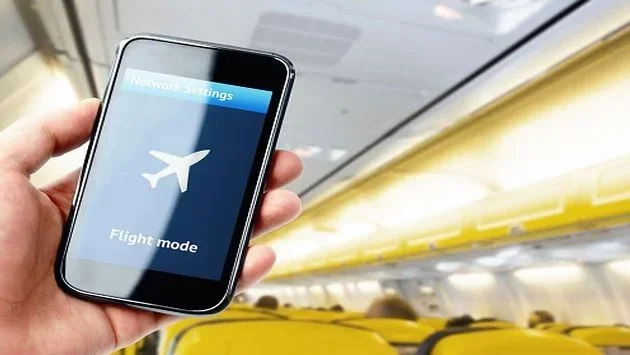
When you enable airplane mode settings, your phone immediately cuts off all wireless connections. This includes cellular service, WiFi, and Bluetooth. Your device becomes a standalone gadget that cannot send or receive data through traditional networks. The name comes from the original purpose of the feature, which was to prevent electronic interference with aircraft systems during flights.
Your phone’s mobile data connection gets disabled. This means no calls, no text messages through the cellular network, and no internet browsing. The status bar at the top of your screen will show a small airplane icon to confirm that the mode is active. Everything that relies on a cellular tower goes quiet.
What Stops Working and What Does Not
Not everything stops working when you turn on flight mode texting restrictions. Here is a quick breakdown of what changes:
- Cellular calls stop: You cannot make or receive regular phone calls through the cellular network.
- SMS texts stop: Traditional text messages need a cellular signal, so they will not go through.
- Mobile data stops: No internet access through your carrier’s data plan.
- WiFi can stay on: You can manually re-enable WiFi even while airplane mode is active.
- Bluetooth can stay on: Some devices let you keep Bluetooth connected for accessories like headphones.
- Offline features work: Apps that store data locally, like calendars and notes, continue to function.
This distinction is crucial. The fact that you can keep WiFi and Bluetooth active means you are not completely cut off. You just need to know how to use those remaining connections wisely.
Can You Text on Airplane Mode
The answer to can you text on airplane mode depends on the type of message you want to send and how your phone is configured. Not all text messages are created equal, and understanding the difference is the key to staying connected.
How iMessage Works Without Cellular Service
If you use an iPhone, you have access to iMessage. This is Apple’s built-in messaging platform that sends messages over the internet rather than through cellular networks. When you are in airplane mode, iMessage can still work if you have an active WiFi connection. Your text message delivery goes through Apple’s servers instead of cell towers.
Here is what makes iMessage so useful in airplane mode:
- Messages are sent as data, not as traditional SMS texts.
- You can send photos, videos, and voice messages over WiFi.
- Read receipts still work when connected to WiFi.
- Group chats continue to function as long as you have internet access.
- Your messages are blue bubbles instead of green, indicating they are iMessages.
The moment you turn on airplane mode and then enable WiFi, your iPhone treats the WiFi connection as its primary data source. This means iMessage behaves almost exactly as it would with a full cellular connection. It is a powerful feature that many people overlook.
SMS vs iMessage in Airplane Mode
It is important to understand the difference between SMS and iMessage when you are exploring airplane mode text options. SMS, or Short Message Service, is the traditional text messaging system. It relies on cellular networks to deliver messages. When you are in airplane mode with no cellular service, SMS messages simply cannot be sent or received.
iMessage, on the other hand, uses internet data. As long as you have WiFi, iMessage works perfectly. Here is a simple comparison:
| Feature | SMS | iMessage |
|---|---|---|
| Works in Airplane Mode | No | Yes (with WiFi) |
| Requires Cellular Service | Yes | No |
| Message Color | Green bubble | Blue bubble |
| Works Over WiFi | No | Yes |
| Read Receipts | Limited | Yes |
| Media Sharing | Limited | Full support |
As you can see, iMessage is the clear winner when it comes to offline messaging. If you want to stay in touch while in airplane mode, make sure your messages are being sent as iMessages rather than SMS.
How to Text on Airplane Mode Using WiFi
Now that you know it is possible, let us talk about how to actually do it. The process is straightforward, but it requires a few simple steps. Once you know the steps, you can use airplane mode wifi texting anytime you need to.
Enabling WiFi While in Airplane Mode
On most smartphones, you can manually turn WiFi back on after enabling airplane mode. Here is how it works on both major platforms:
For iPhone:
- Swipe down from the top right corner of your screen to open Control Center.
- Tap the airplane icon to turn on airplane mode.
- Wait about five seconds, then swipe up again to open Control Center.
- Tap the WiFi icon to turn WiFi back on.
- Connect to a available WiFi network.
- Open your Messages app and start texting as normal.
For Android:
- Swipe down from the top of your screen to open Quick Settings.
- Tap the airplane icon to enable airplane mode.
- Wait a few seconds, then swipe down again.
- Tap the WiFi icon to re-enable WiFi.
- Connect to a WiFi network.
- Open your messaging app and start sending messages.
Once WiFi is connected, your phone can send and receive data again. This means messaging apps like iMessage, WhatsApp, and Signal can all function normally. You are essentially bypassing the cellular restrictions that airplane mode imposes.
Best Messaging Apps for Offline Texting
Not all messaging apps work the same way in airplane mode. Some require a cellular connection, while others work perfectly over WiFi. Here are the best options for offline texting apps:
- iMessage (iPhone): Works over WiFi in airplane mode. Supports all iMessage features including read receipts and typing indicators.
- WhatsApp: Uses internet data, so it works over WiFi in airplane mode. Great for international travelers.
- Signal: A privacy-focused app that works over WiFi. All messages are end-to-end encrypted.
- Telegram: Supports WiFi messaging and allows you to send messages even with intermittent connections.
- Facebook Messenger: Works over WiFi but requires the app to be open and connected.
- Google Messages: On Android, this app supports RCS messaging over WiFi in airplane mode.
Each of these apps uses internet data rather than cellular networks. This makes them perfect for text without service situations. The key is making sure WiFi is enabled after you turn on airplane mode.
Quick Tips for Airplane Mode Texting
Here are some practical tips to make your airplane mode texting experience smoother:
- Turn on WiFi before you board: Connect to the plane’s WiFi as soon as you are allowed. This way, you can start texting right away.
- Check your message color: On iPhone, blue bubbles mean iMessage. Green bubbles mean SMS, which will not work in airplane mode.
- Pre-load important conversations: Open key chats before you go offline so the app caches the messages.
- Use WiFi calling when available: Some carriers support WiFi calling, which lets you make calls over WiFi even in airplane mode.
- Download messages for offline reading: Some messaging apps let you download conversation threads so you can read them without an active connection.
Common Mistakes to Avoid
Even though texting in airplane mode is straightforward, people still make avoidable errors. Here are the most common ones:
- Forgetting to turn on WiFi: Airplane mode disables all wireless connections. You must manually re-enable WiFi for messaging to work.
- Confusing airplane mode with Do Not Disturb: Do Not Disturb silences notifications but keeps all connections active. Airplane mode disables connections entirely.
- Assuming all apps work offline: Some apps, especially those tied to cellular networks, will not function without a signal.
- Not checking WiFi connectivity: Just because WiFi is turned on does not mean you are connected. Always verify you are connected to a network.
- Leaving airplane mode on after landing: This prevents your phone from reconnecting to cellular networks, which can cause missed calls and messages.
Avoiding these mistakes ensures a seamless experience when you want to use airplane mode wifi for messaging. A little preparation goes a long way.
iPhone vs Android: Airplane Mode Texting Compared
Both iPhone and Android devices support texting in airplane mode, but the experience differs slightly. Understanding these differences helps you get the most out of your device.
| Feature | iPhone (iOS) | Android |
|---|---|---|
| WiFi Re-enable in Airplane Mode | Yes, via Control Center | Yes, via Quick Settings |
| Built-in Offline Messaging | iMessage over WiFi | Google Messages over WiFi (RCS) |
| Third-Party App Support | Full support | Full support |
| Read Receipts over WiFi | Yes | Yes (for RCS messages) |
| SMS in Airplane Mode | No | No |
| WiFi Calling in Airplane Mode | Yes, if enabled | Yes, if supported by carrier |
| Bluetooth in Airplane Mode | Can be re-enabled manually | Can be re-enabled manually |
| Ease of Setup | Very simple, two-step process | Simple, varies by manufacturer |
As you can see, both platforms offer strong support for offline messaging. The main difference is the built-in messaging app and how WiFi calling is handled. iPhone users benefit from iMessage, which is deeply integrated into the operating system. Android users have Google Messages, which supports RCS over WiFi. Both platforms allow you to use third-party apps for airplane mode texting without any issues.
Expert Tips and Tricks for Airplane Mode Messaging
Expert Insights
People who travel frequently know the ins and outs of staying connected without cellular service. Here are some expert-level tips for mastering airplane mode messaging:
- Use WiFi hotspots strategically: Airports, cafes, and hotels often have free WiFi. Connect before you lose cellular service to pre-load your messages.
- Enable Background App Refresh: On iPhone, go to Settings and enable Background App Refresh for your messaging apps. This allows them to receive messages even when you are not actively using them.
- Use AirDrop for nearby sharing: If you are near another Apple device, AirDrop works via Bluetooth and WiFi even in airplane mode. You can share files and messages without internet.
- Set up WiFi calling before your trip: Contact your carrier and enable WiFi calling. This gives you an extra layer of connectivity when you are in airplane mode with WiFi.
- Keep your battery charged: WiFi uses more battery than cellular in some cases. Carry a portable charger to keep your phone alive during long flights.
Pro Methods for Staying Connected
For those who want to go beyond basic airplane mode wifi texting, here are some pro methods:
- Use a messaging app with offline sync: Apps like Telegram and Signal cache messages locally. You can read and compose messages even without a live connection, and they will send once WiFi is restored.
- Set up a personal hotspot: If you have a secondary device with cellular service, you can use it as a hotspot. Your phone in airplane mode can connect to this hotspot via WiFi and send messages.
- Download offline maps and guides: While not directly related to texting, downloading content before you fly ensures you have everything you need without any connection.
- Use email as a backup: Email works over WiFi in airplane mode. If you cannot send a text, send a quick email instead.
- Schedule messages in advance: Some messaging apps let you schedule messages to be sent at a specific time. Compose your message before going into airplane mode, and it will send once WiFi is available.
These methods give you multiple ways to communicate even when traditional cellular service is unavailable. The key is planning ahead and knowing which tools are available to you.
Common Mistakes People Make with Airplane Mode Texting
Even though texting in airplane mode is not complicated, mistakes happen. Here are the most common errors and how to avoid them:
- Not realizing SMS will not work: Many people try to send a regular text message and wonder why it fails. Remember that SMS requires a cellular signal. Switch to iMessage or a WiFi-based app instead.
- Leaving airplane mode on for too long: After your flight, make sure to turn off airplane mode. Otherwise, you will miss calls, texts, and notifications from the cellular network.
- Not checking WiFi password requirements: Some WiFi networks, especially on planes, require you to log in through a portal before you can use them. Make sure you complete any login steps.
- Ignoring battery drain: WiFi uses battery power. If you are in airplane mode for a long time, your phone might drain faster than expected. Turn off WiFi when you are not actively using it.
- Assuming all messaging apps work the same: Some apps require a constant connection to function. Others cache messages locally. Know which apps you are using and how they behave offline.
By being aware of these pitfalls, you can have a smooth and stress-free experience with texting on airplane mode. A little knowledge goes a long way toward keeping you connected.
Conclusion
The question can you text on airplane mode has a clear and encouraging answer. Yes, you can stay connected even when your phone is in flight mode. By enabling WiFi and using the right messaging apps, you can send and receive messages, share media, and stay in touch with the people who matter most. Whether you prefer iMessage on iPhone or WhatsApp on Android, the tools are available to keep you communicating.
Remember the key steps. Turn on airplane mode to save battery and avoid interference. Then re-enable WiFi to restore your internet connection. Use iMessage, WhatsApp, Signal, or any other WiFi-based app to send your messages. Avoid common mistakes like forgetting to turn off airplane mode after landing or confusing it with Do Not Disturb.
With the knowledge you have gained from this guide, you are now equipped to handle any situation where cellular service is limited. Airplane mode texting is not just a workaround. It is a practical skill that every smartphone user should know. Keep these tips handy, share them with friends, and never worry about losing your connection again.
Frequently Asked Questions
Can you receive texts on airplane mode if WiFi is on?
Yes, you can receive texts on airplane mode as long as WiFi is turned on and you are connected to a network. iMessage and other internet-based messaging apps will deliver incoming messages through the WiFi connection. However, traditional SMS texts will not arrive since they require a cellular signal.
Why can’t I send SMS messages in airplane mode?
SMS messages rely on cellular networks to deliver text messages. When airplane mode is active, your phone disconnects from all cellular towers. This means SMS cannot be sent or received. To send messages in airplane mode, you need to use an internet-based service like iMessage, WhatsApp, or Signal over WiFi.
Does airplane mode save battery life?
Yes, airplane mode significantly saves battery life. By turning off cellular connections, WiFi, and Bluetooth, your phone uses much less power. This is especially helpful during long flights or when you are in an area with weak signal strength, which can drain your battery quickly.
Can you use WhatsApp on airplane mode with WiFi?
Yes, WhatsApp works perfectly on airplane mode when WiFi is enabled. Since WhatsApp uses internet data rather than cellular networks, it can send and receive messages over WiFi. Just make sure you are connected to a WiFi network before you go offline.
How do I know if my message was sent successfully in airplane mode?
On iPhone, iMessage will show a “Delivered” status below the message if it was sent successfully over WiFi. On Android, RCS messages will also show delivery status. If the message fails, you will see a “Not Delivered” notification, which usually means your WiFi connection dropped or the app could not reach the internet.
Is it safe to use WiFi on airplanes for texting?
Yes, it is safe. Most airlines offer WiFi that is designed for passenger use. The WiFi network on planes is separate from the aircraft’s communication systems. Using WiFi for texting in airplane mode is perfectly safe and is allowed by most airlines during flights.