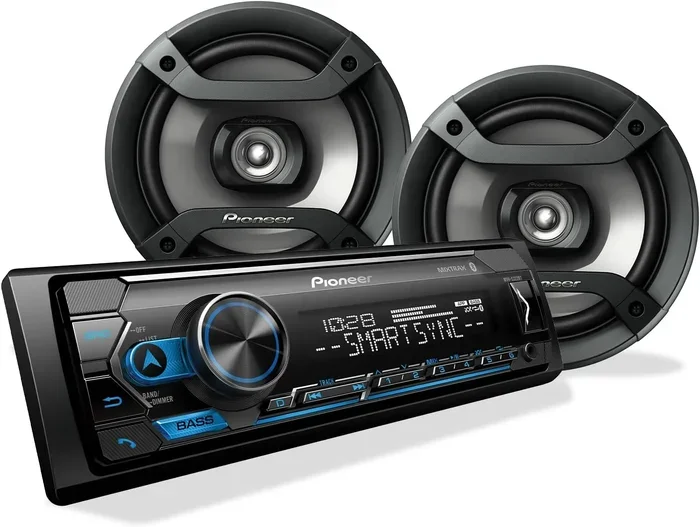
Can You Run A Bluetooth Speaker From Your Car Stereo
Yes, you can run a Bluetooth speaker from your car stereo, and it is easier than most people think. Whether you want wireless audio on the road or a backup speaker for road trips, connecting a portable speaker to your car audio system opens up a lot of possibilities. This guide covers every method, from AUX cables and FM transmitters to direct pairing and Bluetooth adapters. You will learn step-by-step setup, top speaker picks, and expert tips to avoid common problems.
Have you ever been driving down the highway and thought, “This car stereo sound just is not hitting right”? Maybe your factory speakers are blown, or maybe you just want louder, richer audio for a long road trip. Whatever the reason, running a Bluetooth speaker from your car stereo is a practical solution that more drivers are discovering every day.
The good news is that this is not some complicated tech project reserved for audio engineers. You do not need special equipment or a degree in sound engineering. With a few simple tools and this guide, you can turn your car into a mobile concert hall. Let us walk through exactly how this works, why you would want to do it, and the best ways to make it happen.
In this article, we will cover every connection method, recommend the best speakers for the job, and share real-world tips that save you time and frustration. By the end, you will know exactly what works, what does not, and how to get the most out of your setup.
Key Takeaways
- Multiple Connection Methods: You can use AUX cables, FM transmitters, Bluetooth adapters, or direct speaker pairing to connect a Bluetooth speaker to your car stereo.
- Improved Sound Quality: Adding a Bluetooth speaker to your car audio setup can boost volume and fill the cabin with richer sound.
- Easy Setup Process: Most methods take less than five minutes and require no special tools or technical skills.
- Watch for Latency: Bluetooth audio delay can be an issue, especially when watching videos, but there are ways to minimize it.
- Right Speaker Matters: Not all portable speakers work well in a car environment. Battery life, durability, and connectivity range are key factors.
- Troubleshooting Is Simple: Most connection problems come from interference, outdated firmware, or incorrect pairing steps.
📑 Table of Contents
- What Is a Bluetooth Speaker and How Does It Work with a Car Stereo?
- Why Would You Want to Run a Bluetooth Speaker from Your Car Stereo?
- How to Connect a Bluetooth Speaker to Your Car Stereo
- Comparison Table: Connection Methods
- Best Bluetooth Speakers for Car Stereo Use
- Common Problems and How to Fix Them
- Expert Tips for Getting the Best Sound Quality
- Is It Safe to Run a Bluetooth Speaker from a Car Stereo?
- Conclusion
What Is a Bluetooth Speaker and How Does It Work with a Car Stereo?
A Bluetooth speaker is a portable device that receives audio signals wirelessly using Bluetooth technology. Instead of plugging in a cable, it connects to your phone, tablet, or computer through a short-range radio signal. This makes it incredibly convenient for streaming music, podcasts, and even phone calls without dealing with tangled wires.
When you pair this type of speaker with a car stereo, you are essentially creating a wireless audio bridge. Your phone sends the music signal through the air to the speaker, and the speaker plays it out loud. The car stereo itself does not always need to be involved, but in many setups, the stereo acts as a middleman or amplifier that boosts the sound.
How Bluetooth Connectivity Works in a Car Setting
Bluetooth uses short-range radio waves, typically within a 30-foot range for most speakers. When you pair your phone with a speaker, they exchange a unique pairing code. After that first connection, they remember each other and reconnect automatically. In a car, this means you can keep your phone in your pocket or on the dashboard and still stream music seamlessly.
The Bluetooth protocol has improved a lot over the years. Modern versions like Bluetooth 5.0 and 5.3 offer better range, stronger connections, and lower power consumption. If your phone and speaker both support the latest Bluetooth version, you will get a more stable connection with fewer dropouts while driving.
Why Would You Want to Run a Bluetooth Speaker from Your Car Stereo?
There are plenty of reasons drivers choose to add a Bluetooth speaker to their car setup. Some are practical, and some are just plain fun. Let us look at the most common motivations.
Better Sound Quality Than Factory Speakers
Many cars, especially older models or budget vehicles, come with factory speakers that sound flat and tinny. A portable Bluetooth speaker with a built-in amplifier can dramatically improve the audio output in your cabin. You get fuller bass, clearer mids, and more volume without replacing your entire car audio system.
Backup Speaker for Road Trips
If you are traveling with friends and the car stereo is not loud enough, a portable speaker can fill the gap. Place it in the back seat or trunk, and suddenly everyone in the car hears the music clearly. This is especially helpful for convertibles or vehicles with poor speaker placement.
Wireless Streaming Without Replacing Your Stereo
Maybe your car stereo does not have Bluetooth built in. Instead of spending hundreds of dollars on a new head unit, you can use a Bluetooth speaker as a wireless streaming solution. It is a low-cost way to get modern audio features into an older vehicle.
Easy Setup for Everyone
Unlike installing a new stereo or amplifier, connecting a Bluetooth speaker requires almost no technical knowledge. Most people can complete the setup in under five minutes. There are no wires to run behind the dashboard, no tools needed, and no risk of damaging your car electrical system.
How to Connect a Bluetooth Speaker to Your Car Stereo
There are several methods to connect a Bluetooth speaker with your car stereo. Each has its own advantages and trade-offs. Let us break down every option so you can choose the one that fits your situation best.
Method 1: Using an AUX Cable
The simplest and most reliable method is using an AUX cable. This is a standard 3.5mm audio cable that plugs into the headphone jack of your Bluetooth speaker and the AUX input on your car stereo.
Here is how to do it:
- Turn off both your car stereo and the Bluetooth speaker.
- Plug one end of the AUX cable into the speaker’s headphone jack.
- Plug the other end into the AUX input on your car stereo.
- Turn on the car stereo and set it to AUX mode.
- Turn on the Bluetooth speaker and start playing music from your phone.
With this method, the Bluetooth speaker receives the audio signal from your phone wirelessly, but the car stereo amplifies it. You get the convenience of wireless streaming with the power of your car’s built-in amplifier.
Method 2: Using an FM Transmitter
An FM transmitter is a small device that plugs into your car’s cigarette lighter or USB port. It broadcasts your phone’s audio over an open FM radio frequency, which your car stereo picks up like a regular radio station.
To use this method:
- Plug the FM transmitter into your car’s power source.
- Set your car stereo to an empty FM frequency.
- Match the FM transmitter to the same frequency.
- Pair your phone with the transmitter via Bluetooth.
- Play music and adjust the volume on both the transmitter and your stereo.
This method works well when your car stereo does not have an AUX input. The downside is that FM signals can sometimes pick up interference from nearby radio stations, especially in urban areas with crowded airwaves.
Method 3: Using a Bluetooth Adapter
A Bluetooth adapter is a small device that adds Bluetooth capability to any stereo with an AUX or RCA input. You plug the adapter into your stereo, pair it with your phone, and stream wirelessly. Some adapters also act as a receiver, meaning they can send audio to a speaker instead of receiving it.
Popular options include devices like the Belkin Boost Up and the 1Mii Bluetooth receiver. These are compact, affordable, and work with most car stereo models.
Method 4: Direct Speaker Pairing
Some drivers simply place their Bluetooth speaker in the car and pair it directly with their phone, without involving the car stereo at all. This works best when the speaker has enough battery life and volume to fill the cabin on its own.
This method is great for casual use, but it does not give you the benefit of your car’s amplifier. The speaker handles all the audio processing on its own, which can drain its battery faster and may not sound as full as a setup that uses your car stereo as an amplifier.
Comparison Table: Connection Methods
| Method | Ease of Setup | Sound Quality | Cost | Best For |
|---|---|---|---|---|
| AUX Cable | Very Easy | Excellent | Low | Reliable wired connection |
| FM Transmitter | Easy | Good | Low | Cars without AUX input |
| Bluetooth Adapter | Easy | Very Good | Medium | Wireless streaming with quality |
| Direct Pairing | Very Easy | Good | None | Quick, no-fuss setups |
Best Bluetooth Speakers for Car Stereo Use
Not all portable speakers are created equal when it comes to car use. You want a speaker that is loud enough to fill a cabin, has good battery life, and can handle the vibrations and temperature changes inside a vehicle.
JBL Charge 5
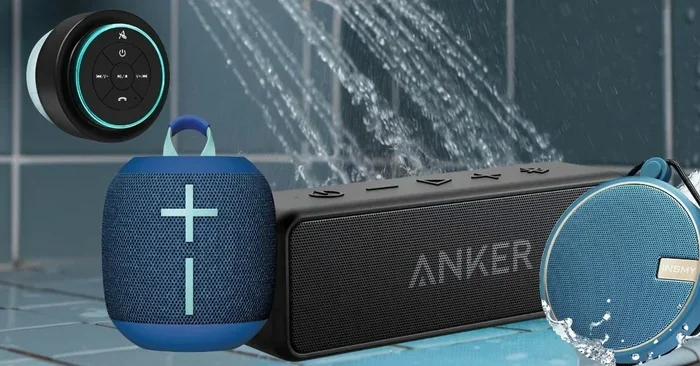
The JBL Charge 5 is one of the most popular portable speakers on the market, and for good reason. It has a built-in rechargeable battery that lasts up to 20 hours, which is more than enough for long road trips. The sound is loud and balanced, with deep bass that fills a car cabin nicely. It also has an IP67 waterproof rating, so spills and rain are not a concern.
Ultimate Ears Hyperboom
If you want maximum volume and bass, the Ultimate Ears Hyperboom is hard to beat. It is larger and heavier than most portable speakers, but the audio output is incredibly powerful. This speaker can easily fill a large SUV or truck with rich, immersive sound. It also supports Bluetooth 5.0 for a stable, lag-free connection.
Anker Soundcore Motion+
The Anker Soundcore Motion+ offers excellent sound quality at a mid-range price point. It has adjustable EQ settings through its app, which lets you fine-tune the audio for your car’s acoustics. Battery life is solid at 12 hours, and the compact size makes it easy to place anywhere in the cabin.
Bose SoundLink Color II
The Bose SoundLink Color II is a lighter, more portable option. It does not hit as hard bass-wise as the JBL or UE models, but the clarity and balance of the sound are outstanding. It is a great choice if you prioritize clean audio over raw volume.
Quick Tips for Choosing the Right Speaker
- Look for a speaker with at least 10 hours of battery life for road trips.
- Choose a speaker with an IPX rating of at least 4 for spill and sweat resistance.
- Check that the speaker supports Bluetooth 5.0 or higher for a stable connection.
- Consider the size of your car. A compact car needs a smaller speaker than a full-size truck.
- Read user reviews that specifically mention car audio use.
Common Problems and How to Fix Them
Connecting a Bluetooth speaker to a car stereo is usually smooth, but occasionally you will run into issues. Here are the most common problems and their solutions.
Audio Delay or Latency
One of the most noticeable issues with Bluetooth audio is a slight delay between the video on your phone and the sound coming from the speaker. This is called latency, and it happens because Bluetooth takes a fraction of a second to transmit audio data.
To reduce latency, make sure both your phone and speaker are close to each other. Avoid walls and metal barriers between them. Some speakers and phones support aptX Low Latency codecs, which significantly reduce the delay. If you are watching videos, try using a wired AUX connection instead for perfect sync.
Connection Drops While Driving
Bluetooth signals can weaken when your phone moves around inside the car or when you are far from the speaker. Vibration from the engine and road conditions can also cause intermittent dropouts.
Keep your phone in a secure mount near the speaker. Avoid placing the speaker in the trunk if possible, as the distance and metal barriers can weaken the signal. If you are using an FM transmitter, try different frequencies to find the clearest one for your location.
Poor Sound Quality
If the audio sounds distorted or muffled, the problem is usually related to volume levels or signal interference. Try lowering the volume on either your phone or the speaker to see if the distortion clears up. Also, make sure no other Bluetooth devices are nearby causing interference.
Another common cause is a low battery on the speaker. When the battery drops below 20%, many speakers reduce audio quality to save power. Keep your speaker charged for the best sound output.
Speaker Will Not Pair
If your speaker refuses to connect, start by turning off Bluetooth on your phone and then turning it back on. Delete the old pairing from both devices and start fresh. Make sure the speaker is in pairing mode, which usually involves holding down the Bluetooth button for three to five seconds until a light flashes.
Also check if the speaker is connected to another device. Some speakers remember multiple paired devices and may auto-connect to a different one. Turn off Bluetooth on nearby devices to force the speaker to connect to your phone.
Expert Tips for Getting the Best Sound Quality
Once you have your Bluetooth speaker connected to your car stereo, there are a few tricks that can take your audio experience to the next level. These tips come from audio enthusiasts and car audio professionals who have tested these setups extensively.
Place the Speaker Strategically
The location of your speaker inside the car matters more than you might think. Placing it on the passenger seat or the center console often gives the best sound spread. Avoid putting it on the dashboard where it can vibrate against the smooth surface, which causes rattling sounds.
Some drivers place their speaker in the center console between the front seats. This position keeps it close to the driver while still projecting sound evenly throughout the cabin. Experiment with different spots to find what works best for your specific car model.
Use the Car Stereo as an Amplifier
When you connect your speaker via AUX cable, you can use your car stereo’s amplifier to boost the signal before it reaches the speaker. This gives you louder, cleaner audio without draining the speaker’s battery as quickly. Set your car stereo’s EQ to a neutral or slight bass boost for the best results.
Update Firmware and Drivers
Both your phone and your Bluetooth speaker receive firmware updates that improve Bluetooth connectivity and audio performance. Check for updates regularly on both devices. Manufacturers often fix audio bugs and improve range in these updates, so keeping everything current makes a noticeable difference.
Minimize Interference from Other Devices
Cars are full of electronic devices that can interfere with Bluetooth signals. GPS units, dash cams, USB chargers, and even fluorescent lights can create electromagnetic interference that weakens your Bluetooth connection. Try to keep your speaker and phone away from these devices when possible.
Key Takeaways
- Placement Matters: Where you put the speaker inside the car affects sound quality significantly.
- Use Your Car’s Amp: Letting the car stereo amplify the signal gives you louder, better audio.
- Stay Updated: Firmware updates fix bugs and improve Bluetooth performance.
- Reduce Interference: Keep Bluetooth devices away from other electronics in the car.
Is It Safe to Run a Bluetooth Speaker from a Car Stereo?
Safety is an important concern for any setup that involves electronics in a vehicle. The good news is that running a Bluetooth speaker alongside your car stereo is completely safe when done correctly.
Bluetooth technology operates on low-power radio waves that have been extensively studied and deemed safe by health organizations worldwide. The signal strength from a Bluetooth speaker is far too weak to interfere with your car’s electronic systems, including its engine control unit, navigation, or safety features.
The only safety consideration is distraction. If you are constantly adjusting your speaker or reconnecting your phone while driving, that takes your attention away from the road. Set up your connection before you start driving, and make adjustments only when the car is parked.
Also, be mindful of battery safety. Do not leave your Bluetooth speaker charging in a hot car for extended periods. Extreme heat can damage lithium-ion batteries, which are standard in most portable speakers. Store the speaker in a cool, shaded spot when not in use.
Conclusion
Running a Bluetooth speaker from your car stereo is one of the simplest and most affordable ways to upgrade your in-car audio experience. Whether you use an AUX cable, an FM transmitter, a Bluetooth adapter, or direct pairing, the process is straightforward and works with nearly any car and speaker combination.
The key is choosing the right connection method for your setup, picking a speaker that suits your car and your listening habits, and following the troubleshooting tips when issues arise. With the right setup, you can enjoy wireless music streaming, richer sound, and a more enjoyable driving experience every time you hit the road.
Start with one of the methods in this guide, experiment with speaker placement, and fine-tune your settings. Once you hear the difference, you will wonder how you ever drove without it. A Bluetooth speaker paired with your car stereo is a small upgrade that makes a big impact.
Frequently Asked Questions
Can I connect any Bluetooth speaker to my car stereo?
Yes, most Bluetooth speakers can connect to a car stereo using one of the methods described in this article. The best method depends on what inputs your car stereo has. If your stereo has an AUX port, an AUX cable is the easiest option. If it does not, an FM transmitter or Bluetooth adapter will work well.
Will running a Bluetooth speaker drain my car battery?
Not significantly. Bluetooth speakers draw very little power, especially when connected via AUX cable since the car stereo does the amplifying. If you use a portable speaker on battery power alone, it will drain the speaker’s battery, not your car battery, unless you leave it charging in the car for days.
Is Bluetooth audio quality as good as a wired connection?
Modern Bluetooth codecs like aptX and LDAC deliver audio quality that is very close to a wired connection for most listeners. You may notice a slight difference in the highest frequencies, but for everyday music listening in the car, the difference is barely noticeable.
Can I use a Bluetooth speaker and my car stereo at the same time?
Yes, you can. When you connect a speaker via AUX cable, the car stereo amplifies the signal and sends it to the speaker. Both devices work together. You can also use your car stereo’s Bluetooth for hands-free calls while the portable speaker plays music through the AUX connection.
What is the best Bluetooth speaker for a small car?
Compact speakers like the Bose SoundLink Color II or the JBL GO 3 are excellent for small cars. They are lightweight, easy to place, and produce clear sound that fills a compact cabin without overwhelming it. Look for speakers under one pound for the easiest placement options.
Why does my Bluetooth speaker keep disconnecting while driving?
Disconnections usually happen due to distance, interference, or a weak Bluetooth signal. Keep your phone and speaker within three to five feet of each other. Avoid placing the speaker near other wireless devices. If you are using an FM transmitter, try switching to a less crowded frequency in your area.