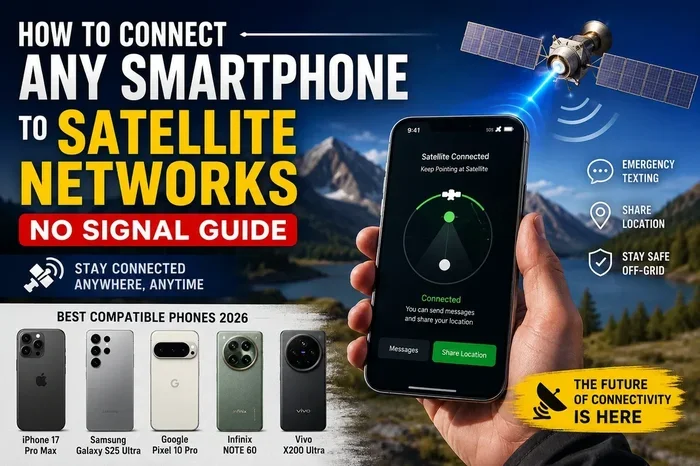
Can You Get Satellite Internet On Your Phone Right Now
Yes, you can get satellite internet on your phone, but the way you do it depends on the device, plan, and satellite technology you choose. Direct satellite-to-phone services, portable hotspot devices, and newer low earth orbit networks make satellite internet on your phone more accessible than ever. This guide covers everything you need to know about staying connected from anywhere on the planet.
Can you get satellite internet on your phone right now? The short answer is yes. But the full answer is a lot more interesting than a simple yes or no. Satellite internet on your phone has come a long way in just the past few years. What once required bulky equipment and complicated setups is now something you can carry in your pocket.
Whether you are a hiker heading into the backcountry, a traveler exploring remote areas, or someone living in a rural zone with no cell coverage, the idea of satellite internet on your phone sounds like a dream come true. And for many people, it actually is. But there are catches. Speed, cost, data limits, and device compatibility all play a role in whether this technology works for you.
In this guide, we will walk through everything you need to know. We will cover how it works, what options exist, what the limitations are, and whether it is worth the investment. By the end, you will have a clear picture of what satellite internet on your phone looks like in 2024 and beyond.
Key Takeaways
- Direct satellite-to-phone service is now possible with certain devices and plans, though options remain limited.
- Satellite hotspot devices like Starlink Mini and HughesNet offer the most practical way to connect your phone to satellite internet today.
- Low earth orbit satellites provide faster speeds and lower latency compared to older geostationary systems.
- Data caps, latency, and cost are still significant challenges for mobile satellite internet users.
- Rural and remote users benefit the most from satellite internet on their phones when traditional cellular coverage is unavailable.
- Emergency preparedness is a major advantage of having satellite connectivity on your mobile device.
- Technology is evolving fast, and more phone-native satellite features are expected in the coming years.
📑 Table of Contents
- How Satellite Internet Works on Mobile Devices
- Current Options for Satellite Internet on Phones
- Benefits of Getting Satellite Internet on Your Phone
- Limitations and Challenges
- How to Set Up Satellite Internet on Your Phone
- Is Satellite Internet on Your Phone Worth It?
- Comparison of Satellite Internet Options for Phones
How Satellite Internet Works on Mobile Devices
Understanding how satellite internet on your phone works helps you set realistic expectations. The technology is not as simple as connecting to a Wi-Fi router. Satellites orbit thousands of miles above the Earth, and your phone needs a way to talk to them.
The Basics of Satellite Connectivity
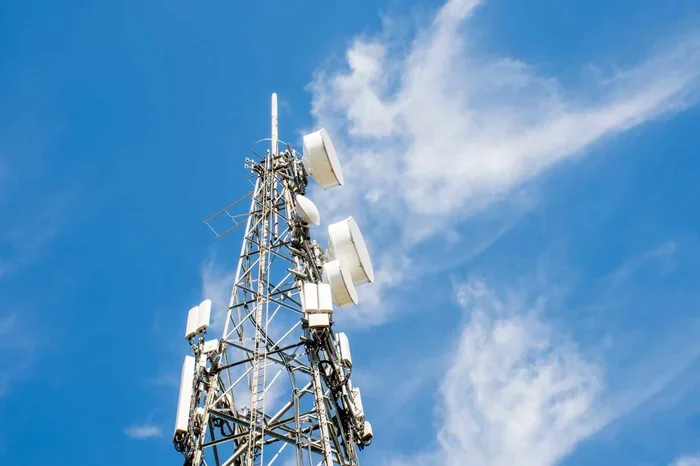
Satellite internet relies on a network of spacecraft orbiting the Earth. These spacecraft receive signals from ground stations and beam them back down to receivers on the ground. Your phone can connect to these receivers either directly or through a intermediary device called a hotspot.
There are two main types of satellite orbits used for internet service:
- Geostationary orbit satellites sit about 22,000 miles above the Earth. They stay fixed over one spot and have been used for decades. However, the long distance creates high latency, which means delays in data transfer.
- Low earth orbit satellites orbit at around 340 to 1,200 miles above the Earth. They move quickly and circle the globe constantly. Companies like Starlink use this approach to deliver faster speeds and lower latency.
For mobile satellite internet, low earth orbit systems are the clear winner. They offer speeds that feel more like regular broadband, which makes them practical for everyday phone use.
How Your Phone Connects to Satellites
Most phones today do not have built-in satellite antennas. That means your phone cannot connect directly to a satellite without some help. There are three main ways your phone gets satellite internet:
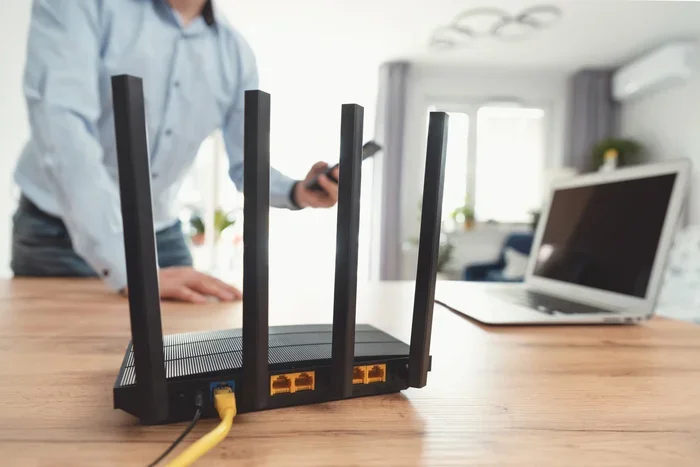
- Satellite hotspot devices. These are small portable units that connect to satellites and create a Wi-Fi hotspot. Your phone connects to the hotspot just like it would connect to a home router.
- Direct satellite-to-phone technology. Some newer phones and services use special antennas to communicate with satellites directly. Apple’s Emergency SOS via satellite and certain Motorola devices use this approach.
- Satellite-enabled phone plans. A few carriers now offer plans that include satellite connectivity as a backup when cellular networks are unavailable.
Each method has its strengths and weaknesses. We will explore them in detail below.
Current Options for Satellite Internet on Phones
When it comes to getting satellite internet on your phone, you have more options today than ever before. Let us break down the most practical choices available right now.
Direct Satellite-to-Phone Services
Direct satellite-to-phone service allows your phone to communicate with satellites without any extra hardware. This is the most seamless experience, but it comes with limitations.
Apple introduced Emergency SOS via satellite with the iPhone 14 and later models. This feature uses low earth orbit satellites from Globalstar to send text messages when you have no cellular coverage. It is not full internet access, but it is a step toward satellite internet on your phone.
Motorola has also partnered with AST SpaceMobile to develop direct-to-phone satellite technology. This aims to provide broader data access, including web browsing and messaging, directly from standard smartphones. The technology is still in early stages but shows great promise.
For now, direct satellite-to-phone services are limited to messaging and basic data. Full browsing and streaming are not yet widely available through this method.
Satellite Hotspot Devices
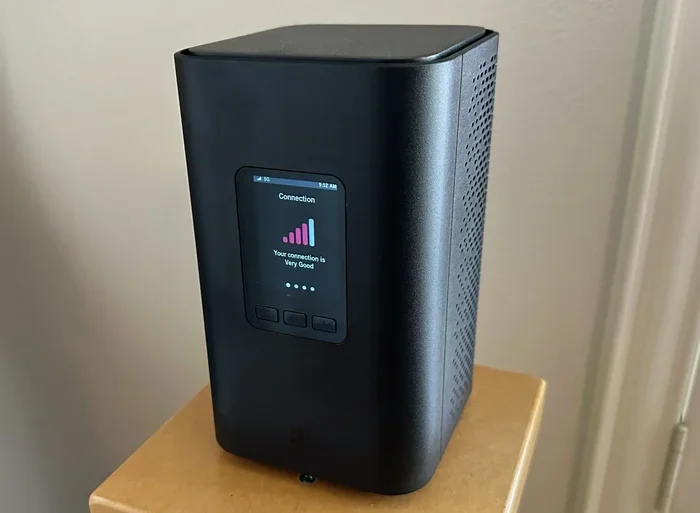
Satellite hotspot devices are the most practical way to get satellite internet on your phone today. These devices connect to satellites and create a Wi-Fi network that your phone can join.
Here are the most popular options:
- Starlink Mini. This is a portable, compact satellite internet device from SpaceX. It weighs just over two pounds and provides speeds of up to 100 Mbps. You set it up anywhere with a clear view of the sky, and your phone connects via Wi-Fi.
- HughesNet portable terminals. HughesNet offers mobile satellite internet solutions that work with smartphones through a hotspot connection. Speeds are lower than Starlink but coverage is broad.
- IRIDIUM GO! This is a satellite phone and hotspot device that lets you make calls, send texts, and access basic internet from your phone through a Wi-Fi connection.
- Garmin inReach devices. These are designed for outdoor adventurers. They offer messaging and basic data sharing with your phone via Bluetooth or Wi-Fi.
Hotspot devices give you the most flexibility. They work with any phone that supports Wi-Fi, and they do not require any special phone hardware or plans.
Starlink and Mobile Plans
Starlink has become the name most people associate with modern satellite internet on your phone. The company offers several products that can connect your phone to the internet through satellite.
The Starlink Mini is the most portable option. It is designed for travel and outdoor use. You set it up in minutes, and it provides reliable internet wherever you are. The Starlink Roam plan lets you use the service anywhere in the United States for a flat monthly fee.
Starlink also offers a maritime and RV plan for people who are constantly on the move. These plans include the same fast speeds but with roaming capabilities built in. For someone asking “can you get satellite internet on your phone,” Starlink is the closest thing to a complete solution today.
The cost is a factor. Starlink hardware runs around $599 for the Mini unit, and monthly plans start at around $120. This is not cheap, but for people who need connectivity in remote areas, it is often the best option available.
Benefits of Getting Satellite Internet on Your Phone
There are many compelling reasons to consider satellite internet on your phone. Let us look at the biggest advantages.
Staying Connected in Remote Areas
The most obvious benefit is access to the internet where traditional service does not reach. If you live in a rural area, work on a remote ranch, or travel to places without cell towers, satellite internet fills the gap. Your phone becomes a fully connected device no matter where you are.
For people who work remotely from locations like cabins, boats, or RVs, this technology is a game changer. You can video call, stream content, and browse the web just like you would at home.
Emergency Situations
Natural disasters and emergencies often knock out cellular networks and landlines. Having satellite internet on your phone means you can still communicate, access emergency updates, and call for help when ground-based infrastructure fails.
Services like Apple Emergency SOS and Garmin inReach have already saved lives by providing a communication lifeline during hurricanes, wildfires, and backcountry accidents.
Travel and Adventure
For travelers and outdoor enthusiasts, satellite internet opens up new possibilities. You can navigate remote trails, share your location, post updates on social media, and stay in touch with family from the most isolated places on Earth.
Sailors, overland travelers, and mountaineers all benefit from having a reliable internet connection through their phones, even in the middle of nowhere.
Limitations and Challenges
It is important to be honest about the limitations of satellite internet on your phone. The technology is impressive, but it is not perfect yet.
Speed and Latency Issues
Satellite internet speeds have improved dramatically with low earth orbit constellations. But they still cannot match the speeds of fiber or even good 5G connections. Starlink offers download speeds of 50 to 200 Mbps, which is decent but not blazing fast.
Latency is another concern. Even with low earth orbit satellites, there is a slight delay in signal travel. For browsing and messaging, this is barely noticeable. But for real-time applications like video calls or online gaming, the latency can be frustrating.
Older geostationary satellite services have much worse latency, often over 600 milliseconds. This makes real-time communication very difficult. If you are considering satellite internet on your phone, make sure you understand the speed and latency profile of the service you choose.
Data Caps and Costs
Most satellite internet plans come with data limits. Starlink does not enforce hard data caps on most plans, but heavy users may experience slower speeds during peak times. Other providers like HughesNet have strict data caps that can be expensive to exceed.
The cost of equipment and monthly service is another hurdle. A Starlink Mini kit costs nearly $600 upfront, and monthly plans run $120 or more. For people on a tight budget, this may not be feasible.
Direct satellite-to-phone services often come with per-message fees or limited data allowances. Apple’s Emergency SOS via satellite is free for the first two years, but after that, a subscription may be required.
Weather and Obstructions
Satellite signals can be affected by heavy rain, snow, and thick tree cover. If you are in a dense forest or during a storm, your connection may drop or slow down significantly. This is something to keep in mind if you plan to rely on satellite internet on your phone in challenging environments.
How to Set Up Satellite Internet on Your Phone
Setting up satellite internet on your phone is simpler than most people expect. Here is a practical guide to get you started.
Step-by-Step Setup Guide
Follow these steps to get your phone connected to satellite internet:
- Choose your satellite service. Decide whether you want a hotspot device like Starlink Mini, a direct-to-phone service, or a satellite phone plan. Consider your needs, budget, and where you will use the service.
- Purchase the hardware. Buy the satellite device or hotspot unit. Make sure it is compatible with your phone and your chosen service plan.
- Set up the device. Place the satellite unit in an area with a clear view of the sky. Follow the manufacturer’s setup instructions through the companion app. Most modern devices take less than 10 minutes to set up.
- Connect your phone. On your phone, go to Wi-Fi settings and find the network created by the satellite device. Enter the password and connect.
- Test your connection. Open a browser or run a speed test to confirm you have a working internet connection. Check the signal strength and speed to make sure it meets your needs.
Quick Tips for Better Performance
- Always place your satellite device in an open area away from trees and buildings.
- Keep your phone close to the hotspot for a stronger Wi-Fi signal.
- Use offline apps when possible to reduce data usage.
- Monitor your data consumption to avoid unexpected overages.
- Charge your satellite device fully before heading into remote areas.
Common Mistakes to Avoid
Here are some mistakes people make when setting up satellite internet on your phone:
- Placing the device under a tree or canopy. Satellite signals need a clear line of sight to the sky. Even partial obstruction can weaken or kill the connection.
- Ignoring weather conditions. Heavy rain and snow can disrupt satellite signals. Plan your usage accordingly.
- Overestimating data allowances. Streaming video and large downloads eat through data fast. Be mindful of your plan limits.
- Not checking compatibility. Make sure your phone supports the Wi-Fi standards used by your satellite hotspot device.
Is Satellite Internet on Your Phone Worth It?
The answer depends on your situation and needs. Let us look at who benefits most from satellite internet on your phone and what the future holds.
Who Should Use It
Satellite internet on your phone is ideal for:
- Rural residents who lack access to reliable broadband or cellular internet.
- Travelers and adventurers who explore areas beyond the reach of traditional networks.
- Emergency preparedness enthusiasts who want a backup communication method during disasters.
- Remote workers who need to stay connected from cabins, boats, or other off-grid locations.
- Marine and overland travelers who spend extended periods away from civilization.
Expert Insights
Industry experts agree that satellite internet on your phone is rapidly improving. The launch of thousands of low earth orbit satellites has transformed the landscape. Companies like Starlink, AST SpaceMobile, and Globalstar are investing heavily in expanding coverage and improving speeds.
“We are entering an era where connectivity is truly global,” says one telecommunications analyst. “Within a few years, most smartphones will have some level of native satellite capability built in.”
This prediction is already coming true. Apple, Samsung, and Google are all reportedly working on deeper satellite integration for future phone models. The day when every phone can connect to satellites natively may not be far off.
Final Verdict
Can you get satellite internet on your phone right now? Absolutely. The technology exists, the options are growing, and the quality is improving every year. Whether you choose a hotspot device like Starlink Mini, a direct-to-phone service, or a satellite-enabled plan, you can stay connected from virtually anywhere on the planet.
The costs are still relatively high, and the technology has some limitations. But for people who genuinely need connectivity in remote or underserved areas, satellite internet on your phone is a lifeline. It is worth the investment if traditional internet options are not available to you.
As the technology matures and more competitors enter the market, we can expect faster speeds, lower costs, and more seamless integration. The future of mobile satellite internet is bright, and now is a great time to explore what is available.
Comparison of Satellite Internet Options for Phones
| Option | Type | Speed | Cost | Best For |
|---|---|---|---|---|
| Starlink Mini | Hotspot | 50-220 Mbps | $599 + $120/mo | Remote work, travel |
| HughesNet Mobile | Hotspot | 25-50 Mbps | $300 + $60/mo | Basic browsing, rural areas |
| IRIDIUM GO! | Satellite Phone | Up to 1.5 Mbps | $1,000 + $65/mo | Emergency communication |
| Apple Emergency SOS | Direct-to-Phone | Text only | Free (limited time) | Emergency messaging |
| AST SpaceMobile | Direct-to-Phone | Up to 10 Mbps | Varies | Basic data on standard phones |
As you can see from the comparison table, each option serves a different purpose. Think about what you need most from satellite internet on your phone before making a decision.
Frequently Asked Questions
Can any phone connect to satellite internet?
Most phones can connect to satellite internet through a hotspot device or Wi-Fi connection. However, direct satellite-to-phone service requires specific hardware and software support. Newer phones from Apple and Motorola are beginning to include native satellite capabilities, but widespread support is still limited.
How fast is satellite internet on a phone?
Speeds vary depending on the service. Starlink Mini offers 50 to 220 Mbps, which is fast enough for browsing, streaming, and video calls. Older satellite services and direct-to-phone solutions are much slower, often limited to basic browsing and messaging. Low earth orbit satellites provide the best speeds for mobile use.
Is satellite internet on your phone expensive?
It can be. Hotspot devices like Starlink Mini cost around $599 upfront, with monthly plans starting at $120. Direct-to-phone services tend to be cheaper but offer limited data. Emergency satellite features like Apple SOS are free for the first two years. Costs are likely to decrease as the technology becomes more widespread.
Does satellite internet work in bad weather?
Heavy rain, snow, and thick cloud cover can weaken or disrupt satellite signals. Light rain usually does not cause issues. For the best experience, try to use your satellite connection in clear weather and avoid dense forests or heavy obstructions that can block the signal path to the sky.
What is the difference between satellite internet and cellular data?
Cellular data relies on ground-based towers and offers faster speeds and lower latency in covered areas. Satellite internet beams data from space and works anywhere with a clear view of the sky. Satellite internet is slower and more expensive but provides coverage where cellular networks cannot reach. For many users, a combination of both gives the best results.
Will all phones support satellite internet in the future?
The industry is moving in that direction. Major phone manufacturers are investing in satellite connectivity features. Within a few years, it is likely that most smartphones will have some form of built-in satellite capability. This will make getting satellite internet on your phone as easy as turning on a setting.
=== CONCLUSION ===
Can you get satellite internet on your phone right now? Yes, and the options are better than they have ever been. Whether you choose a portable hotspot like Starlink Mini, a direct-to-phone service, or a satellite-enabled plan, staying connected from anywhere is now within reach.
The technology is not perfect yet. Costs are still high, speeds are not as fast as fiber, and weather can cause interruptions. But for people who need connectivity in remote areas, during emergencies, or while traveling, satellite internet on your phone is a powerful and practical solution.
The future looks even brighter. As more satellites launch and more companies invest in this space, we can expect faster speeds, lower costs, and more seamless integration with our everyday devices. Now is the time to explore what is available and find the solution that fits your needs.
Stay connected, stay informed, and do not let your location limit your access to the internet. Satellite internet on your phone is here, and it is changing the way we stay connected.