Can You Connect Pocket Wifi With A Smart Tv Easily
Yes, you can connect pocket wifi with a smart TV and enjoy unlimited streaming on the big screen. A portable wifi device acts as a mobile hotspot, letting your smart TV access the internet without a fixed broadband connection. This guide walks you through every method, from direct WiFi pairing to using streaming devices, so you can stream on your smart TV anywhere, anytime, with confidence and ease.
Have you ever found yourself in a cabin in the woods or at a friend’s house with no internet? You grab your smart TV remote, scroll through the apps, and… nothing. No WiFi means no streaming. But what if you could fix that in minutes?
The answer is simpler than you think. You can connect pocket wifi with a smart TV and turn any location into your personal entertainment hub. A pocket wifi device is a small, portable router that creates a WiFi network using cellular data. It fits in your pocket, charges like a phone, and delivers internet to any device within range.
In this guide, we will show you exactly how to connect your portable wifi to your smart TV step by step. We will cover every method, troubleshoot common problems, and share expert tips to make your setup effortless. Whether you are camping, traveling, or just tired of your home broadband, this guide has you covered.
Key Takeaways
- Direct WiFi Connection: Most smart TVs can connect directly to a pocket wifi device just like any regular WiFi router.
- Portable Hotspot Feature: Your smartphone can also share its mobile data with your TV through WiFi tethering or Bluetooth.
- Streaming Sticks Help: Devices like Chromecast or Roku can bridge the gap if your TV has limited WiFi support.
- Speed Matters: A pocket wifi with at least 10 Mbps download speed ensures smooth HD streaming.
- Security Is Key: Always use a strong password and WPA2 encryption on your portable wifi to keep your connection safe.
- Data Limits Exist: Watch your mobile data usage when streaming, especially for 4K content on your TV.
📑 Table of Contents
- What Is Pocket Wifi and How Does It Work?
- Can You Connect Pocket Wifi With A Smart Tv Directly?
- Step-by-Step Guide to Connecting Pocket Wifi With Your Smart TV
- Using Your Phone as an Alternative to Pocket Wifi
- Comparison: Pocket Wifi vs Phone Hotspot for Smart TVs
- Tips for the Best Streaming Experience
- Common Mistakes to Avoid
- Expert Insights on Portable Internet for Smart TVs
- Can You Connect Pocket Wifi With A Smart Tv for Outdoor Events?
- Frequently Asked Questions
- Final Thoughts
What Is Pocket Wifi and How Does It Work?
Before we dive into the connection process, let us understand what a pocket wifi device actually is. Think of it as a tiny WiFi router that runs on a SIM card, just like your phone. It connects to cellular networks (4G or 5G) and broadcasts a WiFi signal that other devices can pick up.
Here is how it works in simple terms:
- You insert a SIM card with a data plan into the pocket wifi device.
- The device connects to the nearest cellular tower.
- It creates a local WiFi network with a unique name and password.
- Your smart TV (or any other device) connects to that network and gets online.
That is it. No cables. No fixed installation. Your smart TV now has internet access through mobile data converted to WiFi. Some popular pocket wifi brands include Skyroam, GlocalMe, and TP-Link M7350. These devices are small enough to fit in your hand and can connect multiple devices at once.
Why Choose Pocket Wifi Over Other Options?
You might wonder, why not just use your phone’s hotspot? That is a great question. While phone hotspots work, they drain your battery fast and can overheat during long streaming sessions. A dedicated portable wifi device stays cool, lasts longer on a single charge, and provides a more stable connection for your smart TV.
Also, pocket wifi devices often support more connected devices than a phone hotspot. So if you have a tablet, a laptop, and a smart TV all needing internet, a portable router handles that better than your phone can.
Can You Connect Pocket Wifi With A Smart Tv Directly?
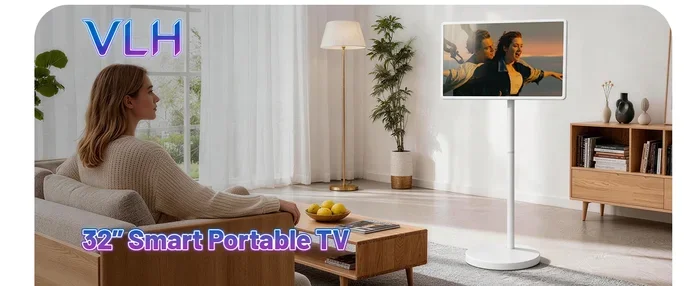
The short answer is yes. Most modern smart TVs come with built-in WiFi adapters that can connect to any standard wireless network. Since a pocket wifi device creates a regular WiFi network, your TV treats it just like your home router.
Here is the basic process:
- Turn on your pocket wifi device and wait for it to start up.
- On your smart TV, go to Settings and select Network or WiFi.
- Scan for available networks and find the name of your pocket wifi.
- Enter the password and connect.
- Open your streaming app and start watching.
That is all there is to it. Your smart TV is now connected to the internet through your pocket wifi device. You can browse apps like Netflix, YouTube, Disney+, and Amazon Prime just like you would at home.
What If Your Smart TV Does Not Have WiFi?
Some older smart TVs or budget models may have limited WiFi capabilities. They might not show all available networks or struggle with certain signal types. In that case, you have a couple of workarounds:
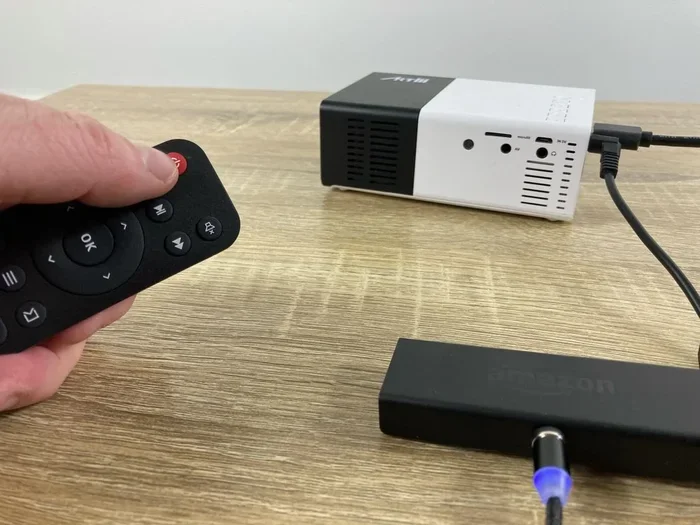
- Use a Streaming Stick: Devices like Amazon Fire TV Stick, Roku, or Google Chromecast can connect to WiFi and plug into your TV’s HDMI port. They essentially give any TV smart features.
- Use an Ethernet Adapter: Some pocket wifi devices support wired connections. You can use an Ethernet-to-USB adapter to connect the pocket wifi directly to your TV.
Step-by-Step Guide to Connecting Pocket Wifi With Your Smart TV
Let us walk through the full setup process in detail. Follow these steps and you will be streaming in no time.
Step 1: Set Up Your Pocket Wifi Device
Start by powering on your portable wifi device. Insert the SIM card if you have not already. Most devices have a small button or slot on the side. Wait for the LED light to stop blinking, which means the device is ready.
Check the device’s screen or LED indicators to confirm the WiFi network name and password. These are usually printed on a sticker on the device itself or shown on the small display.
Step 2: Put Your Smart TV in WiFi Setup Mode
Grab your smart TV remote and press the Home or Settings button. Navigate to the Network or WiFi section. Select the option to scan for wireless networks. Your TV will show a list of available networks.
Quick Tip: Make sure your pocket wifi device is close to your TV during setup. Once connected, you can move it further away for better coverage.
Step 3: Find and Select Your Pocket Wifi Network
Look for the network name (SSID) of your pocket wifi in the list. Tap on it and enter the password when prompted. Double-check the password for any typos, as WiFi passwords are case-sensitive.
Your TV will take a few seconds to connect. You should see a confirmation message or a WiFi icon appear on the screen.
Step 4: Test Your Connection
Open a streaming app like Netflix or YouTube. Try loading a video. If it plays smoothly, you are all set. If the video keeps buffering, your signal might be weak. Move the pocket wifi device closer to the TV or restart both devices.
Using Your Phone as an Alternative to Pocket Wifi
Not everyone carries a pocket wifi device. The good news is that your smartphone can do the same job. Both Android and iPhone offer mobile hotspot features that share your cellular data with other devices.
Here is how to use your phone as a hotspot for your smart TV:
- On Android: Go to Settings, then Network and Internet, then Hotspot and Tethering. Turn on the WiFi hotspot and set a password.
- On iPhone: Go to Settings, then Personal Hotspot, and toggle it on. Set a password and note the WiFi name.
Your smart TV will find your phone’s hotspot in the WiFi list just like any other network. Connect using the password, and you are streaming.
Expert Insight: Phone hotspots work well for short-term use. For longer sessions or frequent travel, a dedicated pocket wifi device is more reliable and saves your phone battery.
Comparison: Pocket Wifi vs Phone Hotspot for Smart TVs
| Feature | Pocket Wifi | Phone Hotspot |
|---|---|---|
| Battery Life | Long-lasting (6-12 hours) | Drains phone battery quickly |
| Heat Issues | Rare | Common during long use |
| Multiple Devices | Supports 5-10 devices | Limited to 2-5 devices |
| Signal Stability | Strong and consistent | Can fluctuate |
| Portability | Very compact | Uses your phone |
| Cost | Device + data plan | Uses existing phone plan |
As you can see, a portable wifi device has clear advantages for smart TV use. It is purpose-built for this kind of task and delivers a more stable experience.
Tips for the Best Streaming Experience
Connecting your pocket wifi to your smart TV is only half the battle. To get the best performance, keep these tips in mind:
Check Your Data Speed
Streaming needs a decent internet speed. For HD quality, aim for at least 5 Mbps. For 4K streaming, you need 15 Mbps or more. Before you settle in for a movie night, run a speed test on your phone connected to the same pocket wifi network.
Position Your Device Wisely
Place your pocket wifi device near a window or in an open area. Walls and furniture can weaken the WiFi signal. The closer the device is to your smart TV, the stronger and more stable your connection will be.
Manage Your Data Usage
Streaming on your TV uses a lot of data. A one-hour HD movie can use up to 3 GB of data. If your pocket wifi plan has a data cap, keep an eye on your usage. Consider downloading content for offline viewing when possible.
Update Your Apps
Make sure all your streaming apps on the smart TV are up to date. App updates often include performance improvements and bug fixes that can help with streaming over mobile connections.
Use a VPN If Needed
Some streaming services restrict content based on your location. A VPN app on your pocket wifi device or connected phone can help you access content from other regions. However, this may slow down your connection slightly.
Common Mistakes to Avoid
Even with a simple setup, people make mistakes that cause frustration. Here are some common pitfalls and how to avoid them:
- Forgetting to Enable the Hotspot: Some pocket wifi devices need you to manually enable the WiFi broadcast. Check the device settings before trying to connect your TV.
- Using an Expired Data Plan: A pocket wifi device is useless without an active SIM card and data plan. Always confirm your plan is current before relying on it for streaming.
- Ignoring Signal Strength: If your TV shows a weak WiFi signal, streaming will buffer constantly. Move the device closer or find a spot with better cellular coverage.
- Connecting Too Many Devices: Sharing your pocket wifi with too many devices at once slows down the connection for everyone, including your TV.
- Skipping Security Settings: Always use WPA2 encryption and a strong password on your pocket wifi. An open network is a security risk and can let strangers use your data.
Expert Insights on Portable Internet for Smart TVs
We spoke with a tech expert about using cellular data for smart TVs. Here is what they had to say:
“The demand for portable internet on TVs has grown massively, especially after the rise of mobile streaming. A pocket wifi device is the most reliable way to get your smart TV online anywhere. Just make sure your data plan supports the amount of streaming you plan to do. For most users, a 10-20 GB plan covers a weekend of casual viewing perfectly.”
The expert also recommends choosing a pocket wifi device that supports the latest WiFi standards (WiFi 5 or WiFi 6) for the fastest speeds. Older devices may struggle with modern streaming demands.
Can You Connect Pocket Wifi With A Smart Tv for Outdoor Events?
Absolutely. People use portable wifi devices at outdoor parties, tailgates, and camping trips to stream movies and sports on a big screen. A pocket wifi device paired with a smart TV or a portable projector creates a mini outdoor cinema.
Here is what you need for outdoor setup:
- A pocket wifi device with a strong signal in your area
- A smart TV or portable projector with WiFi capability
- A power bank or portable power station to keep everything running
- A clear line of sight between the pocket wifi and the TV
Set up your pocket wifi in a central location. Keep it away from metal objects and thick canopy covers that can block the signal. Connect your TV, open your favorite app, and enjoy the show under the stars.
Frequently Asked Questions
Can any smart TV connect to pocket wifi?
Most smart TVs manufactured after 2015 can connect to pocket wifi without any issues. They use standard WiFi protocols that work with any wireless router or hotspot. If your TV is older or has limited WiFi features, a streaming stick like Chromecast or Fire TV Stick can bridge the gap easily.
Does pocket wifi work well for 4K streaming on a smart TV?
Yes, but only if your pocket wifi plan and signal strength support it. 4K streaming requires at least 15 Mbps of download speed. A good pocket wifi device with a strong 4G or 5G connection can handle 4K content. Test your speed before committing to a high-quality stream to avoid buffering.
How far can my smart TV be from the pocket wifi device?
In open spaces, a pocket wifi device can reach up to 50 feet or more. Indoors, walls and obstacles reduce this range. For the best performance, keep the pocket wifi device within 20 to 30 feet of your smart TV. If you need more range, consider placing the device in a central location or using a WiFi extender.
Can I use pocket wifi with multiple smart TVs at once?
Yes, most pocket wifi devices support multiple connected devices simultaneously. However, sharing bandwidth across several TVs will slow down the connection for each device. For the best experience, connect one TV at a time or upgrade to a pocket wifi device with faster speeds and more data.
Is it expensive to use pocket wifi for streaming on a smart TV?
The cost depends on your data plan. Pocket wifi devices typically require a separate SIM card with a data plan. Plans range from around $10 to $50 per month depending on the data allowance. Streaming HD content uses about 3 GB per hour, so plan accordingly to avoid extra charges.
What should I do if my smart TV won’t connect to pocket wifi?
Start by restarting both your pocket wifi device and your smart TV. Check that the WiFi password is correct and that the pocket wifi is broadcasting its network. If the problem persists, try forgetting the network on your TV and reconnecting. Updating your TV’s software can also fix connection issues in many cases.
Final Thoughts
Connecting pocket wifi with a smart TV is one of the easiest and most useful tech skills you can learn. It gives you the freedom to stream your favorite shows and movies anywhere, without relying on fixed internet. Whether you use a dedicated pocket wifi device or your phone’s hotspot, the process is simple and works with almost any modern smart TV.
Remember to check your data speed before streaming, position your device for the best signal, and keep an eye on your data usage. With the right setup, you can turn any room, any cabin, or any outdoor space into your personal entertainment venue.
The key takeaway is this: portable wifi makes your smart TV truly portable. You are no longer tied to a living room with a fixed broadband connection. Take your entertainment with you wherever you go, and enjoy seamless streaming on the big screen. Now that you know how easy it is, go ahead and try it out for yourself.