Can I Replace A PC With A Laptop Everything You Need To Know
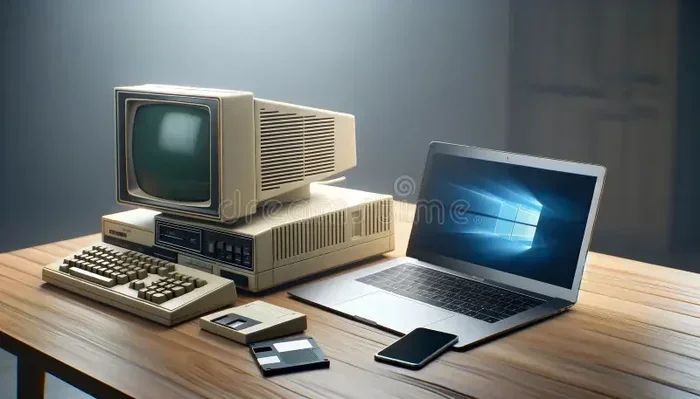
Yes, you can replace a PC with a laptop for most everyday tasks. Modern laptops offer powerful processors, ample storage, and vibrant screens that rival desktop setups. However, your computing needs and performance requirements will determine whether a laptop vs desktop setup works best for you.
Have you been staring at your bulky desktop tower and wondering if there is a better way? The short answer is yes. You can replace a PC with a laptop and still get the same work done. But the real question is whether a laptop fits your life, your workflow, and your wallet.
More people are making the switch every year. Remote work, coffee shop productivity, and travel-friendly computing have made portable computers more popular than ever. A desktop replacement laptop gives you the power of a tower in a compact, mobile package. But it is not always a perfect swap. Let us walk through everything you need to know before dropping your old PC.
Key Takeaways
- Portability is the biggest advantage: A laptop lets you work from anywhere without sacrificing core functionality.
- Performance has caught up: Today’s high-end laptops can handle gaming, video editing, and professional workloads.
- Upgrade options are limited: Desktops are easier to customize, while laptops have fixed components.
- Cost varies widely: You can find budget laptops that match basic desktop performance at similar prices.
- Peripheral support matters: A laptop can replace a PC if you invest in docking stations and external accessories.
- Battery life adds freedom: Working untethered from a wall outlet is a major lifestyle benefit.
📑 Table of Contents
- Why People Are Replacing Desktops With Laptops
- Performance: Does a Laptop Match a Desktop?
- Where Laptops Fall Short Compared to Desktops
- How to Choose the Right Laptop to Replace Your PC
- Setting Up Your Laptop as a Full Desktop Replacement
- Comparison: Laptop vs Desktop at a Glance
- Common Mistakes People Make When Switching
- Expert Insights on the Laptop vs Desktop Debate
- Quick Tips for a Smooth Transition
- Conclusion
Why People Are Replacing Desktops With Laptops
The trend toward laptop computing is not slowing down. In fact, laptop sales have outpaced desktop sales for over a decade. There are some very real reasons why people are choosing a portable computer over a traditional tower setup.
The Appeal of Mobility
Imagine carrying your entire workstation in a bag. That is what a laptop offers. You can move from your home office to the kitchen table to a local café without unplugging and replugging cables. This kind of portability advantage changes how and where you get things done.
For students, freelancers, and remote workers, a laptop is not just convenient. It is essential. You need a device that keeps up whether you are at a desk or on the go. A laptop vs desktop debate often comes down to one simple question: do you need to move around?
Space Savings
Desktops take up room. A tower, monitor, keyboard, mouse, and cables fill a desk quickly. A laptop replaces all of that with a single device. You get a built-in screen, keyboard, trackpad, and speakers in one neat package. Small apartments and shared offices make this space-saving benefit very attractive.
All-in-One Convenience
Modern laptops come with webcams, microphones, speakers, and batteries built right in. You do not need to buy extra accessories to get started. This all-in-one solution saves money and setup time. You open the lid, press power, and you are working.
Performance: Does a Laptop Match a Desktop?
This is the question everyone asks. And the honest answer is: it depends. The gap between laptop and desktop performance has narrowed significantly in recent years. But there are still important differences to understand.
Processing Power
High-end laptops now feature processors that rival desktop chips. Brands like Intel and AMD build powerful mobile CPUs that handle productivity tasks like spreadsheets, video calls, and photo editing with ease. A desktop replacement laptop with an Intel Core i7 or AMD Ryzen 7 processor can run demanding software smoothly.
However, desktop processors still hold an edge in raw power. They run hotter and consume more electricity, which allows them to push higher performance levels. For most users, this difference does not matter in daily use.
Graphics and Gaming
Gaming is where the comparison gets interesting. Top-tier gaming laptops now come with dedicated GPUs from NVIDIA and AMD. These mobile graphics cards deliver smooth frame rates in popular titles. You can play the latest games at high settings on a gaming laptop without a desktop tower.
That said, a desktop graphics card will always outperform its laptop counterpart at the same price point. If you are a hardcore gamer or a 3D render professional, a desktop still offers more bang for your buck.
RAM and Memory
Most modern laptops come with 8GB to 32GB of RAM. This is more than enough for browsing, office work, and light creative tasks. Some models even support 64GB, which handles heavy multitasking and professional software with ease.
Desktops typically offer more RAM slots and easier upgrade paths. But for the average user, a laptop’s memory is more than sufficient.
Storage Capacity
Laptops now commonly ship with 512GB to 2TB of SSD storage. Solid-state drives are fast and reliable. You can store thousands of documents, photos, and videos without running out of space. Some laptops also include secondary hard drives or support external storage for expanded capacity.
Desktops usually offer more storage options and easier expansion. But cloud storage and external drives have made this gap much smaller.
Where Laptops Fall Short Compared to Desktops
It is not all rosy. There are real limitations when you replace a PC with a laptop. Understanding these drawbacks helps you make an informed decision.
Limited Upgrade Options
This is the biggest disadvantage of a laptop. Most components are soldered to the motherboard. You cannot swap out the CPU or GPU like you can with a desktop. RAM and storage are sometimes upgradeable, but many modern laptops seal these components inside the chassis.
With a desktop, you can upgrade parts over time to keep your system current. A laptop typically lasts as-is until you replace the entire machine.
Screen Size Constraints
Laptop screens range from 13 inches to 17 inches. This is fine for most work. But if you do graphic design, video editing, or need to compare multiple documents side by side, a larger external monitor helps. You can connect a laptop to a bigger display, but this adds cost and reduces portability.
Cooling and Thermal Performance
Laptops pack powerful hardware into tight spaces. This leads to heat buildup under heavy loads. Some laptops throttle performance when they get too warm. Desktops have larger fans and better airflow, which keeps components running at full speed for longer periods.
Peripheral Support
A laptop works great with a mouse, keyboard, and external monitor. But you need extra gear to create a full desktop-like setup. A docking station or USB hub adds ports and connectivity. This adds cost and complexity to your setup.
How to Choose the Right Laptop to Replace Your PC
Not all laptops are created equal. If you want to replace a PC with a laptop, you need to pick the right machine for your needs. Here is what to look for.
Define Your Computing Needs
Start by asking what you do on your computer. Do you browse the web and write emails? Or do you edit 4K video and play demanding games? Your answer determines the hardware specifications you need.
- Basic tasks: Web browsing, email, word processing. A budget laptop with 8GB RAM and an SSD works great.
- Professional work: Photo editing, programming, data analysis. Look for 16GB RAM, a fast processor, and a quality display.
- Gaming and creative work: Video editing, 3D modeling, gaming. Choose a gaming laptop with a dedicated GPU and 32GB RAM.
Battery Life Matters
If you want to work away from an outlet, battery life is critical. Some laptops last 8 hours on a single charge. Others barely make it through a workday. Look for a portable computer with at least 8 hours of real-world battery life. Brands like Apple, Lenovo, and Dell often lead in this area.
Build Quality and Durability
A laptop you carry around daily needs to be tough. Look for aluminum or magnesium alloy chassis. Check for MIL-STD-810H durability ratings. A well-built laptop survives drops, spills, and daily wear much better than a flimsy one.
Budget Considerations
Laptops span every price range. You can find solid machines for $400 to $500 that handle everyday tasks. Professional workstations cost $1,500 or more. Gaming laptops with top-tier parts can exceed $2,000. Set a realistic budget and find the best laptop for your needs within that range.
Check the Ports and Connectivity
Make sure the laptop has the ports you need. USB-A, USB-C, HDMI, and an SD card reader cover most use cases. If you work with specialized gear, verify compatibility before you buy.
Setting Up Your Laptop as a Full Desktop Replacement
A laptop becomes a true PC replacement when you set it up properly. A bare laptop on a desk feels incomplete. But with a few extras, it becomes a powerful workstation.
Invest in a Docking Station
A docking station connects your laptop to multiple peripherals with a single cable. Plug in one USB-C cable at the end of the day, and your laptop becomes a desktop hub. You get external monitor support, extra USB ports, Ethernet, and audio connections.
Add an External Monitor
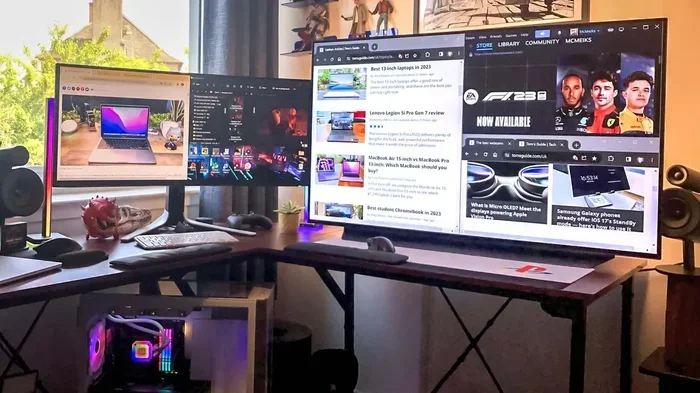
Connecting a 24-inch or 27-inch monitor to your laptop transforms your workspace. You get more screen real estate for multitasking. This setup gives you the best of both worlds: portability when you need it and a big screen when you do not.
Use a Quality Keyboard and Mouse
Laptop keyboards are functional but not always comfortable for long typing sessions. A mechanical keyboard and an ergonomic mouse make a huge difference. These small investments boost productivity and reduce strain during long workdays.
Optimize Your Settings
Tweak your laptop settings for the best experience. Adjust power plans for performance or battery life. Set up automatic backups to an external drive or cloud storage. Install antivirus software and keep your system updated. These steps keep your PC replacement running smoothly for years.
Comparison: Laptop vs Desktop at a Glance
Not sure which path to choose? Here is a side-by-side look at the key differences.
| Feature | Laptop | Desktop PC |
|---|---|---|
| Portability | Excellent | Poor |
| Performance | Good to Excellent | Excellent |
| Upgrade Options | Limited | Extensive |
| Screen Size | 13 to 17 inches | Any external monitor |
| Battery Life | 6 to 15 hours | None (always plugged in) |
| Cost (similar performance) | Higher | Lower |
| Space Required | Minimal | Moderate to large |
| Peripheral Setup | Needs docking | Built-in ports |
As you can see, each option has clear strengths. A desktop replacement laptop gives you the closest experience to a full desktop in a portable form factor. But it comes at a premium price. A traditional desktop offers better value and customization for users who stay in one place.
Common Mistakes People Make When Switching
Making the switch from PC to laptop is exciting. But many people make avoidable mistakes along the way.
- Skipping a docking station: Without one, you fight with limited ports every day. A docking station is a game-changer.
- Ignoring battery health: A laptop that barely lasts 3 hours defeats the purpose. Check battery specs carefully.
- Overlooking storage needs: Laptops with 256GB fill up fast. Aim for at least 512GB or plan for cloud storage.
- Buying too little RAM: 8GB is the bare minimum today. 16GB gives you comfortable headroom for multitasking.
- Forgetting about warranty and support: Laptops get dropped, spilled on, and bumped. A good warranty saves you money and stress.
Expert Insights on the Laptop vs Desktop Debate
Industry experts agree that laptops have matured into capable desktop replacements for most users. According to recent market research, over 60% of professionals now use a laptop as their primary computer. Many pair it with an external monitor and keyboard for a full desktop experience at their desk.
The rise of cloud computing and remote collaboration tools has also leveled the playing field. You do not need a powerful local machine to run most modern applications. Web-based tools, cloud storage, and streaming services work just as well on a laptop as on a desktop.
For creative professionals, the answer is more nuanced. Video editors and 3D artists still benefit from desktop-grade hardware. But high-end mobile workstations are closing this gap fast. Brands like Apple, ASUS, and MSI now offer workstation laptops that rival desktop towers in specific tasks.
Quick Tips for a Smooth Transition
- Transfer your files using cloud storage or an external hard drive before you wipe the old PC.
- Reinstall your essential software on the new laptop. Check compatibility with the operating system.
- Set up automatic backups to protect your data. Use both cloud and local backup solutions.
- Calibrate your laptop battery after the first full charge for accurate battery readings.
- Invest in a laptop stand for better ergonomics when using an external monitor.
- Keep your laptop clean and dust-free to maintain optimal cooling performance.
Conclusion
So, can you replace a PC with a laptop? Absolutely. For most users, a modern laptop handles every computing need from email to creative work to casual gaming. The portability advantage alone makes the switch worthwhile for many people. You gain freedom, save space, and enjoy a versatile all-in-one solution that fits your lifestyle.
That said, a laptop is not perfect for everyone. If you need maximum performance, easy upgrades, or a big screen at the lowest cost, a desktop still wins. But for the growing number of people who value flexibility and mobility, a desktop replacement laptop is the clear winner.
Take time to assess your needs, set a budget, and choose the right machine. With the right setup and accessories, your laptop will feel just as powerful and capable as any desktop. The age of the portable PC replacement is here. And it works.
Frequently Asked Questions
Can a laptop truly replace a desktop for work?
Yes, for most office and productivity tasks, a laptop can fully replace a desktop. With a docking station, external monitor, and keyboard, you get an identical setup. Modern laptops handle spreadsheets, emails, video calls, and document editing without any issues.
Is a gaming laptop as good as a gaming PC?
A gaming laptop comes close but does not match a desktop at the same price. Desktop GPUs and CPUs are more powerful because they have better cooling and higher power budgets. However, a high-end gaming laptop delivers excellent performance for most games at high settings.
How long does a laptop last as a PC replacement?
A quality laptop lasts 4 to 7 years with proper care. Battery degradation is the most common issue. You can replace the battery or use the laptop plugged in most of the time to extend its lifespan significantly.
Can I upgrade a laptop like a desktop PC?
Upgrades are limited compared to desktops. Most laptops allow RAM and storage upgrades. Some models let you swap the battery or add an extra drive. But CPU and GPU upgrades are usually not possible because these components are soldered to the motherboard.
What is the best laptop for replacing a desktop PC?
The best choice depends on your needs. For general work, look at models from Dell XPS, Lenovo ThinkPad, or Apple MacBook. For creative or gaming workloads, consider ASUS ROG, MSI, or Dell Alienware. Each offers strong performance comparison advantages in their category.
Do I need a docking station if I switch to a laptop?
A docking station is highly recommended. It lets you connect your laptop to an external monitor, keyboard, mouse, and peripherals with one cable. This setup turns your laptop into a full desktop experience in seconds. It is the key to making a laptop a true PC replacement.