Do Wifi Bulbs Need Internet or Can They Work Offline
Do wifi bulbs need internet to function? The answer depends on what features you want to use. WiFi bulbs can handle basic on-and-off operations without an active internet connection, but advanced smart home lighting features like remote control, scheduling, and voice commands need a working WiFi network. Understanding this difference helps you plan your home automation setup better and avoid frustration when your wireless connectivity drops.
Key Takeaways
- Basic Functions Work Offline: WiFi bulbs can still turn on and off without internet, but you need to be within range of the bulb’s direct signal.
- Advanced Features Require Internet: Remote control, voice commands, and automated schedules all depend on a stable WiFi connection and internet access.
- WiFi Bulbs Differ from Bluetooth Bulbs: Bluetooth bulbs work entirely offline, while WiFi bulbs rely on your router for most smart features.
- Router Problems Cause Most Issues: Weak signal strength, firmware updates, and router resets are the top reasons bulbs go offline.
- Local Control Options Exist: Some smart bulbs support local control through a hub or bridge, reducing dependency on the cloud.
- Planning Matters: Setting up your smart lighting system with backup plans ensures your lights keep working even during outages.
📑 Table of Contents
What Are WiFi Bulbs and How Do They Work
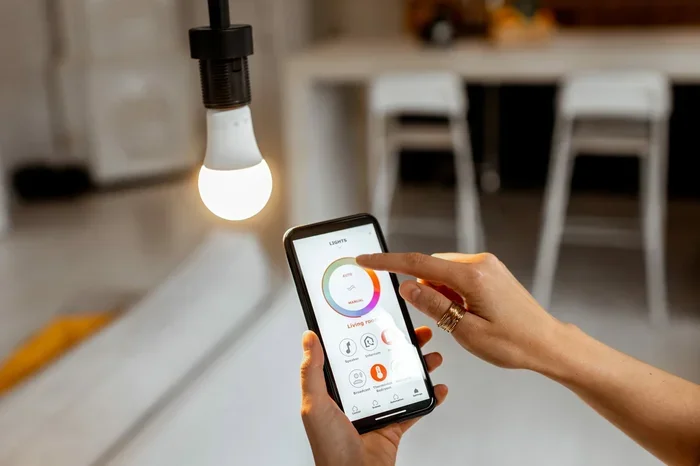
WiFi bulbs are wireless light bulbs that connect to your home network through your WiFi router. They let you control lighting from your phone, tablet, or voice assistant. Brands like Philips Hue, Wyze, and TP-Link Tapo make popular choices for smart home lighting.
These bulbs replace your regular light bulbs. You screw them in just like any other bulb. But inside, they have a tiny computer chip and a WiFi antenna that lets them talk to your router. From there, they connect to the cloud and your smart home app.
How WiFi Bulbs Connect to Your Home Network
When you set up a WiFi enabled bulb, it searches for available networks. You pick your home WiFi name and enter the password. The bulb then joins your network and becomes a connected device in your smart home ecosystem.
Once connected, the bulb talks to your phone through the internet. When you tap “on” in your app, the signal goes from your phone to the internet, then to your router, and finally to the bulb. This whole process takes less than a second.
What Makes WiFi Bulbs Different from Regular Bulbs
A regular bulb only does one thing: it lights up when power flows through it. A WiFi bulb adds a layer of intelligence. You can dim it, change colors, set timers, and group it with other bulbs. Some bulbs even change color based on the time of day or your mood.
The trade-off is complexity. More features mean more things can go wrong. And the biggest question most people ask is whether these bulbs need a constant internet connection to work.
Do WiFi Bulbs Need Internet to Function
The short answer is: it depends on what you want them to do. A WiFi bulb does not always need the internet to turn on or off. But it does need the internet to use most of its smart features.
Think of it like a smartphone. Your phone still works without internet. You can play music stored on it, use the calculator, or take photos. But you cannot browse the web, stream videos, or use apps that need cloud data. WiFi bulbs work the same way.
The Role of Your WiFi Router in Smart Lighting
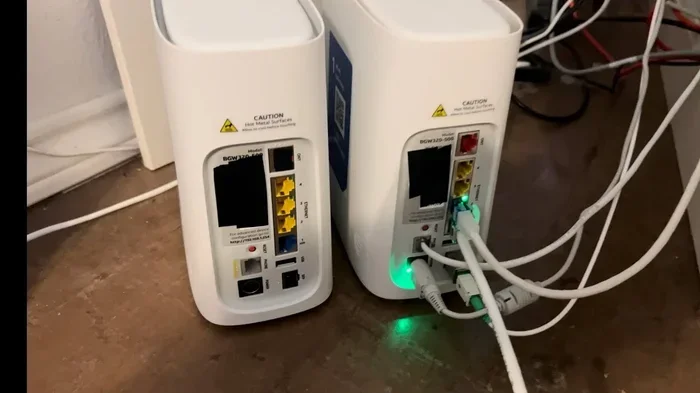
Your WiFi router is the bridge between your bulbs and the internet. When the router is on and connected to the internet, your bulbs can receive commands from anywhere in the world. You can turn lights on while you are on vacation or change the color from your office.
But here is the key part. Your router also creates a local network. Even if your internet goes down, your router can still communicate with devices connected to it. This means your bulbs can still receive commands from your phone if the phone is on the same local network.
When Internet Goes Down, What Happens to Your Bulbs
When the internet drops, WiFi bulbs do not stop working entirely. They stay powered on and can still be turned on or off. But you lose access to remote control, voice commands through cloud-based assistants, and automated schedules that rely on internet servers.
Some bulbs remember their last settings. If you had them set to dim at 80%, they will stay at 80% even without internet. But you cannot change those settings until the connection comes back.
What Happens When WiFi Bulbs Lose Their Connection
Losing your wireless connectivity can be frustrating. You walk into a room and expect to say “turn on the lights” to your smart speaker, but nothing happens. Understanding what works and what does not during an outage helps you stay calm and find quick solutions.
Offline Mode: What You Can Still Do
When your WiFi bulbs lose internet, you still have some control. You can use physical switches to turn them on or off. If you have a smart switch or a regular wall switch, flipping it will work. Some bulbs also respond to direct Bluetooth signals if they have that feature built in.
You can also control bulbs through your local network if your phone is connected to the same WiFi. This works even without internet, as long as your router is still running. The phone app sends a signal directly to the bulb through the router, no internet needed.
Why Some Smart Features Stop Working Without Internet
Features like voice control through Alexa or Google Assistant need the internet. Your voice command goes to the cloud, gets processed by the assistant’s servers, and then comes back as a command to your bulb. No internet means no cloud, which means no voice control.
Similarly, automated schedules and routines depend on cloud servers. If your bulb is set to turn on at sunset every day, it needs to check the time and sunset data from the internet. Without that connection, the schedule stops working until the internet returns.
WiFi Bulbs vs Bluetooth Bulbs vs Zigbee Bulbs: How Do They Compare
Not all smart bulbs use WiFi. Some use Bluetooth or Zigbee technology. Each has different internet requirements and offline capabilities. Understanding these differences helps you choose the right bulbs for your needs.
| Feature | WiFi Bulbs | Bluetooth Bulbs | Zigbee Bulbs |
|---|---|---|---|
| Internet Required | Yes, for most smart features | No | No, but needs a hub |
| Works Offline | Basic on/off only | Full local control | Full local control via hub |
| Range | Depends on WiFi coverage | Short (30 feet) | Medium (100+ feet with hub) |
| Remote Control | Yes, with internet | No | Yes, with hub and internet |
| Voice Control | Yes, with internet | Limited | Yes, with hub and internet |
| Smart Home Integration | Good | Limited | Excellent |
| Setup Complexity | Easy | Very Easy | Moderate |
As you can see from the table, WiFi bulbs are the most internet-dependent option. Bluetooth bulbs work entirely offline but have limited range. Zigbee bulbs need a hub but offer the best offline experience among smart bulbs.
Common Problems When WiFi Bulbs Go Offline
Even with a good plan, WiFi bulbs can lose connection. Understanding the common causes helps you fix issues faster and prevent them from happening again.
Router Issues and Weak Signal Strength
The most common reason bulbs go offline is a weak WiFi signal. If your bulb is far from the router, the signal may be too weak for a stable connection. Walls, floors, and large appliances can block or weaken the signal.
Another issue is router overload. If you have many IoT devices connected to one router, it may struggle to keep up. Smart bulbs, cameras, thermostats, and phones all compete for bandwidth. This can cause bulbs to drop off the network intermittently.
Firmware Updates and App Compatibility
Smart bulbs receive firmware updates that can change how they work. Sometimes an update breaks compatibility with your app or router. When this happens, bulbs may go offline even though the internet is working fine.
App updates can also cause problems. If your phone app is out of date, it may not communicate properly with the bulb. Keeping both the bulb firmware and the app updated helps prevent these issues.
Quick Tips for Better Connectivity
- Place your router in a central location in your home for the best coverage.
- Use a WiFi mesh system if you have a large home or thick walls.
- Keep your bulb firmware and smart home app updated at all times.
- Limit the number of devices on a single router if possible.
- Restart your router every few weeks to clear memory and refresh connections.
- Use a smart plug or range extender for bulbs that are far from the router.
Common Mistakes to Avoid
- Placing bulbs too far from the router without a signal booster.
- Ignoring firmware update notifications for your bulbs.
- Using too many smart devices on a single, old router.
- Assuming all smart features work the same way across different brands.
- Not setting up a backup control method like a physical switch or hub.
Tips to Keep Your WiFi Bulbs Working Without Internet
Even though do wifi bulbs need internet for full functionality, you can take steps to keep them useful even when the connection drops. A little planning goes a long way.
Setting Up Local Control for Your Smart Bulbs
Some smart bulb systems support local control. This means the hub or bridge handles commands without sending them to the cloud. Brands like Philips Hue use a bridge that keeps most functions working locally. This reduces internet dependency significantly.
If you want less internet dependency, look for bulbs that support local control through platforms like Home Assistant or Zigbee2MQTT. These systems process commands on your local network, so they keep working even when the internet is down.
Using a Hub or Bridge to Reduce Internet Dependency
A hub device acts as a middleman between your bulbs and the internet. The hub handles the heavy lifting locally, so even if the internet goes down, your bulbs can still follow schedules and respond to local commands.
For example, a Philips Hue Bridge lets you control your lights through the local network. You can set up routines that work without internet. The bridge stores the automation rules locally and executes them even when the cloud is unreachable.
Expert Insight: How to Minimize Internet Dependency
Planning for Internet Outages
Internet outages happen. They can last minutes or hours. Planning ahead means you are never left in the dark. Keep a regular lamp or flashlight in each room as a backup. Make sure your wall switches still work with smart bulbs installed so you can always flip them on manually.
You can also set up your bulbs to default to a bright white setting when they lose connection. This way, even if automation fails, the room stays lit at a comfortable level. Check your bulb brand’s settings for a “fallback” or “default state” option.
Final Thoughts on WiFi Bulbs and Internet Dependency
So, do wifi bulbs need internet? The answer is nuanced. For basic on-and-off functionality, they do not need internet. But for the full smart home experience, a stable WiFi connection is essential. Remote control, voice commands, scheduling, and color changing all rely on the internet and cloud services.
Understanding this difference empowers you to make better choices. You can pick the right bulbs for your needs, set up backup systems, and troubleshoot problems faster. Whether you are building a full home automation setup or just adding a few wireless light bulbs in your living room, knowing how internet dependency works puts you in control.
WiFi bulbs bring incredible convenience and ambiance to any home. With a little planning and the right setup, you can enjoy their benefits even when the internet goes down. Start small, test your setup, and build from there. Your smart lighting system will thank you for it.
Frequently Asked Questions
Can I control WiFi bulbs without internet?
Yes, you can control WiFi bulbs without internet for basic functions. You can turn them on and off using physical switches or through your local WiFi network if your phone is connected to the same router. However, remote control, voice commands, and cloud-based automations will not work without an active internet connection.
Do WiFi bulbs work during a power outage?
No, WiFi bulbs need electricity to work, just like any other bulb. During a power outage, they will not function unless you have a backup power source like a UPS or generator. However, some smart bulbs with battery backup can retain their settings and turn on automatically when power returns.
What happens to my WiFi bulbs if my router resets?
If your router resets, your WiFi bulbs will lose their connection to the network. They will still turn on with a physical switch but will not respond to app commands or voice assistants until the router restarts and the bulbs reconnect to the network. You may need to reconfigure them if the router settings change.
Can I use WiFi bulbs without a smart home app?
You can use WiFi bulbs without the app by using physical switches or voice commands if you have a smart speaker with local processing. However, the app is the primary way to set up, configure, and access advanced features like scheduling, color changing, and grouping your connected bulbs together.
Are WiFi bulbs worth it if they need internet?
Yes, WiFi bulbs are worth it for most homes. They offer convenient control, energy savings, and customizable lighting that regular bulbs cannot match. Even with internet dependency, the benefits of remote control, scheduling, and integration with other smart home devices make them a valuable addition to any modern home.
Do all smart bulbs need WiFi to work?
No, not all smart bulbs need WiFi. Bluetooth bulbs connect directly to your phone and work entirely offline. Zigbee bulbs use a separate protocol and need a hub but do not rely on WiFi for basic operation. WiFi bulbs are just one option in the smart lighting system market, and each type has different internet requirements.