Can I Charge My Laptop With My Phone Charger Easily
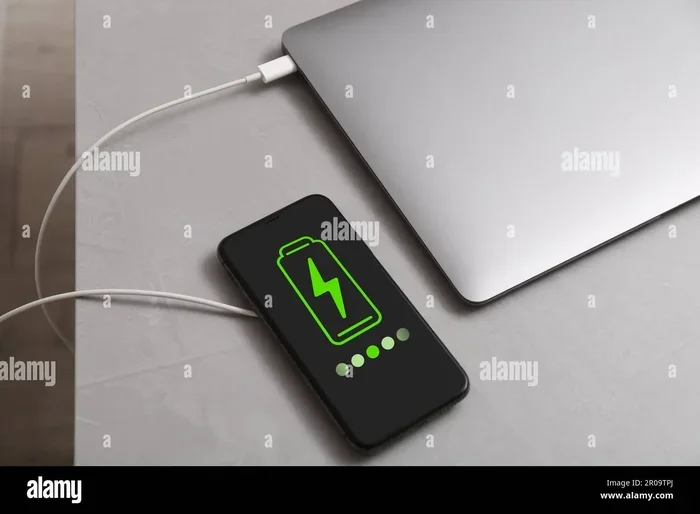
Can I Charge My Laptop With My Phone Charger? Yes, in many cases you can, but it depends on your charger type, wattage, and connector. Using a phone charger to power your laptop works best with USB-C charging and USB Power Delivery support. This guide covers when it works, when it does not, and how to do it safely.
Can I Charge My Laptop With My Phone Charger? The short answer is yes, in many cases you can. But it depends on your charger type, wattage output, and connector compatibility. Using a phone charger to power your laptop is more common than you think, especially with USB-C charging on modern devices. This guide covers everything you need to know about charging your laptop with a phone charger, including when it works, when it does not, and how to do it safely.
Charging a laptop with a phone charger has become a hot topic as more laptops adopt USB-C ports. The same connector that powers your phone can also charge your laptop, but not all chargers deliver enough power. Understanding the differences between phone charger wattage and laptop charging requirements is the key to making this work safely.
Can I charge my laptop with my phone charger and have it work well? The answer depends on your specific devices. Some modern laptops with USB Power Delivery support can charge from a phone charger, while older laptops need a dedicated laptop power adapter. Let us dive into the details.
Key Takeaways
- It Can Work: Many modern laptops with USB-C charging can accept power from a compatible phone charger, especially one with USB Power Delivery support.
- Wattage Matters Most: Your phone charger needs at least 18 to 20 watts to charge a laptop at all, and higher wattage means faster charging speed.
- Connector Compatibility Is Key: Both your phone charger and laptop must use USB-C ports for a direct connection to work.
- It Will Be Slower: Even when it works, charging a laptop with a phone charger is slower than using the original laptop power adapter.
- Safety Comes First: Always use certified, reputable chargers to avoid damaging your laptop battery or charging port.
- Power Banks Are a Great Backup: High-wattage portable chargers with USB-C PD support are excellent travel companions for laptop users.
- Use It as a Backup: Phone chargers are best for emergencies and quick top-ups, not as a permanent replacement for your laptop power adapter.
📑 Table of Contents
- Understanding USB-C and Power Delivery
- Can You Actually Charge a Laptop With a Phone Charger?
- How to Check If Your Phone Charger Is Compatible With Your Laptop
- What Happens When You Try to Charge a Laptop With a Phone Charger?
- Best Phone Chargers That Can Charge Laptops
- Tips and Best Practices for Charging Your Laptop With a Phone Charger
- Conclusion
Understanding USB-C and Power Delivery
Before you try charging your laptop with a phone charger, it helps to understand the technology behind it. Not all chargers and cables are the same, and the difference matters more than most people think.
What Is USB-C?
USB-C is a type of connector that has become the standard for many modern devices. It is small, reversible, and can carry data, video, and power through a single cable. Most new phones, tablets, and laptops use USB-C ports for charging and data transfer.
The beauty of USB-C charging is its universality. One cable can charge your phone, your laptop, and even your tablet. But the connector type alone does not determine whether a phone charger can charge a laptop. The real magic happens inside the charger and how it communicates with your device.
What Is USB Power Delivery?
USB Power Delivery, also known as USB-PD, is a charging standard that allows devices to negotiate the right amount of power they need. When you plug a USB-C cable into a USB-PD charger, the charger and your device talk to each other. They agree on the voltage requirements and wattage matching before power flows.
This is why not every USB-C charger can charge every USB-C device. A phone charger that does not support USB Power Delivery may only push out 5 to 10 watts. Your laptop might need 45, 65, or even 100 watts to charge properly.
Why Does Power Delivery Matter for Charging?
Power delivery determines how fast your laptop battery gets replenished. A charger with higher wattage output charges your device faster. But if the charger cannot deliver enough power, your laptop might still charge, just very slowly.
Think of it like a water hose. A phone charger is like a garden hose. A laptop power adapter is like a fire hose. Both can fill a bucket, but one does it much faster. If you only have the garden hose, you can still fill the bucket. It just takes longer.
Quick Tip: Look for the USB-PD logo on your charger. If it has this logo, it supports power delivery and is more likely to work with your laptop.
Can You Actually Charge a Laptop With a Phone Charger?
The honest answer is: it depends. Can I charge my laptop with my phone charger and expect good results? Sometimes yes, sometimes no. Let us break down exactly when it works and when it does not.
When It Works
Charging a laptop with a phone charger works in these situations:
- Your laptop has a USB-C charging port that supports USB Power Delivery.
- Your phone charger outputs at least 18 watts of power delivery.
- You are using a quality USB-C cable that supports high wattage.
- Your laptop is in sleep mode or turned off, reducing power demand.
Many modern ultrabooks like the MacBook Air, Dell XPS 13, and Lenovo ThinkPad X1 Carbon use USB-C charging as their primary method. These laptops can often accept power from a compatible phone charger, especially one with USB-PD support.
When It Does Not Work
There are clear situations where using a phone charger for laptop charging will not work:
- Your laptop uses a proprietary charging port, like older Dell or HP models with barrel connectors.
- Your phone charger only outputs 5 watts or 10 watts.
- Your USB-C cable does not support power delivery.
- Your laptop requires more than 20 watts and the charger cannot keep up.
If your laptop has a traditional barrel-style charging port, a phone charger simply will not fit. You would need an adapter, and even then, compatibility is not guaranteed.
The Role of Wattage in Charging
Wattage is the most important factor in determining whether a phone charger can charge your laptop. Here is a simple comparison of different charger types and their effectiveness:
| Charger Type | Typical Wattage | Can Charge Laptop? | Charging Speed |
|---|---|---|---|
| Basic phone charger (5W) | 5W | No or extremely slow | Very slow or none |
| Standard phone charger (18W) | 18W | Yes, slowly | Slow, may not keep up with usage |
| Fast phone charger (20W-30W) | 20W-30W | Yes, moderate speed | Moderate, good for top-ups |
| Laptop power adapter (45W-65W) | 45W-65W | Yes, full speed | Normal charging speed |
| USB-C PD charger (65W-100W) | 65W-100W | Yes, full speed | Normal or fast charging |
As you can see, a basic phone charger with low phone charger wattage will struggle to charge a laptop. A fast charging phone charger with at least 20 watts is your best bet for meaningful results.
Common Mistake: Using a cheap, uncertified phone charger can damage your laptop battery or cause overheating. Always look for chargers with safety certifications like UL or CE.
How to Check If Your Phone Charger Is Compatible With Your Laptop
Before you plug anything in, take a few minutes to check compatibility. This simple step can save you from frustration or potential damage to your device.
Check the Wattage Rating
Look at the label on your phone charger. It will list the output wattage, usually written as something like “18W” or “20W.” Now check your laptop’s charging requirements. You can find this on the original laptop power adapter or in your laptop’s user manual.
If your phone charger outputs 18 watts and your laptop needs 45 watts, the charger will still work, but it will charge very slowly. If your laptop needs 65 watts and your charger only gives 18 watts, your laptop might barely charge at all, especially if you are using it while charging.
Check the Connector Type
Make sure your phone charger and laptop use the same connector. USB-C is the most universal option today. If your phone uses a USB-C cable and your laptop has a USB-C charging port, you are in good shape.
If your phone uses a Lightning connector or a Micro-USB, you will need a different cable or adapter to connect to your laptop. And if your laptop uses a proprietary barrel plug, a phone charger alone will not work without an adapter.
Check Your Laptop’s Charging Requirements
Every laptop has specific voltage requirements and power delivery needs. You can usually find these on the bottom of your laptop or on the original charger label. Look for the voltage (V) and amperage (A) ratings.
Multiply voltage by amperage to get wattage. For example, 20V x 3.25A equals 65W. If your phone charger cannot deliver at least this much power, your laptop will either charge very slowly or not at all while under load.
Expert Insight: According to battery experts, laptops with battery capacities above 60Wh generally need at least 45W of charging power to maintain or increase charge while in use. A standard phone charger rarely meets this threshold.
What Happens When You Try to Charge a Laptop With a Phone Charger?
So you have decided to give it a try. You plug your phone charger into your laptop. What happens next? Let us look at the most common scenarios.
Slow Charging
This is the most common outcome when charging a laptop with a phone charger. Your laptop might show a charging icon, but the battery percentage barely moves. This happens because the phone charger cannot deliver enough power to keep up with your laptop’s energy consumption.
For example, if your laptop uses 30 watts while running and your phone charger only provides 18 watts, your laptop will actually lose battery over time, even though it shows a charging indicator. The charger simply cannot keep up with the demand.
Quick Tip: If you notice your laptop battery dropping while plugged in, the charger is not providing enough power. Switch to a higher-wattage charger or turn off your laptop to reduce consumption.
No Charging at All
In some cases, your laptop will not recognize the phone charger at all. This usually happens when the charger does not support USB Power Delivery or when the USB-C cable is not capable of handling the required power delivery protocol.
Your laptop might show a message like “Connected, not charging” or simply ignore the charger. This is a safety feature. Your laptop protects itself from receiving insufficient or unstable power.
Is It Safe to Use a Phone Charger?
Using a quality, certified phone charger is generally safe for your laptop. Modern devices have built-in charging compatibility circuits that regulate power flow. However, there are risks with cheap or uncertified chargers.
Low-quality chargers can deliver inconsistent voltage, which may harm your laptop battery over time. In rare cases, a faulty charger can cause overheating or even damage the charging port on your laptop.
Quick Tip: Always use chargers from reputable brands. Look for safety certifications like UL, CE, or FCC on the charger label. Avoid unknown brands from unverified sellers.
Common Mistake: Never use a damaged or frayed charger cable. A damaged USB-C cable can cause unstable power delivery, which may harm your laptop battery or charging port.
Best Phone Chargers That Can Charge Laptops
If you want to use a phone charger for your laptop, you need one that delivers enough power. Not all phone chargers are created equal. Here are the types that work best for charging your laptop with a phone charger.
Chargers With USB-PD Support
The best phone chargers for laptops are those that support USB Power Delivery with at least 20 to 30 watts of output. These chargers are often marketed as “fast chargers” for phones but can also handle laptops with lower power needs.
Brands like Anker, Belkin, and Apple make USB-C PD chargers that work well with many laptop models. The Apple 20W USB-C power adapter, for example, can charge a MacBook Air, though slowly. The Anker Nano series offers compact options with 20W to 30W output that work well for most ultrabooks.
Look for chargers that support PPS (Programmable Power Supply), which allows for more precise wattage matching with your laptop. This can improve charging speed and efficiency. PPS-enabled chargers dynamically adjust voltage and current to match your laptop’s needs in real time.
Portable Power Banks for Laptops
If you need portable charging on the go, a power bank with USB-C PD support can be a lifesaver. Some power banks are specifically designed for laptops and can deliver 45W to 100W of power.
Brands like Zendure, Baseus, and Anker make portable chargers with high enough output to charge most laptops. These are great for travel, coffee shops, or situations where you do not have access to a wall outlet.
Just make sure the power bank capacity (measured in mAh or Wh) is high enough to actually charge your laptop. A 10,000mAh power bank can give a laptop with a 50Wh battery about one full charge, maybe less. For reliable laptop charging on the go, look for power banks with at least 20,000mAh or 65Wh capacity.
Tips and Best Practices for Charging Your Laptop With a Phone Charger
If you have decided to use a phone charger for your laptop, follow these tips to get the best results and keep your device safe.
- Use a high-quality USB-C cable. The cable matters just as much as the charger. A cheap cable can limit power delivery and cause slow or unstable charging speed.
- Turn off your laptop while charging. This reduces power demand and allows the charger to focus on replenishing the battery instead of powering the screen and processor.
- Check the temperature. If your laptop or charger gets unusually hot, unplug it immediately. Overheating can damage both devices and reduce your laptop battery lifespan.
- Monitor the charging progress. If your laptop battery is still dropping after 30 minutes of charging, the phone charger is not providing enough power.
- Use the charger for top-ups, not full charges. A phone charger works best for maintaining battery level or adding a small charge, not for going from zero to full.
Expert Insight: Battery specialists recommend using your original laptop power adapter for full charges whenever possible. Phone chargers are best used as backup options for emergencies or quick top-ups. Relying on a phone charger as your primary charging method long-term may result in slower battery health over time.
Common Mistake: Do not leave your laptop charging unattended on a phone charger for extended periods. While modern devices have safety circuits, it is always better to be cautious with non-standard charging setups. Unplug the charger once your laptop reaches a comfortable battery level.
Conclusion
Can I Charge My Laptop With My Phone Charger? Yes, you can in many cases, but it depends on your devices and their compatibility. The key factors are USB-C support, power delivery capability, and sufficient wattage output from the charger.
A fast charging phone charger with at least 20 watts of USB Power Delivery support can charge most modern laptops, though it will be slower than using the original laptop power adapter. For older laptops or those with proprietary charging ports, a phone charger simply will not work.
The best approach is to use your phone charger as a backup option for emergencies or quick top-ups. For daily use and full charges, stick with your original laptop power adapter to ensure optimal charging speed and battery health. Now that you know the answer to can I charge my laptop with my phone charger, you can make smart decisions about when and how to use this convenient option. Keep a quality USB-C cable and a USB-PD charger in your bag, and you will always have a backup charging solution ready to go.
Frequently Asked Questions
Can any phone charger charge a laptop?
Not every phone charger can charge a laptop. Your phone charger needs to support USB Power Delivery and output enough wattage, usually at least 18 to 20 watts. It also needs to use a USB-C connector that matches your laptop’s charging port. Basic phone chargers with low wattage or proprietary connectors will not work.
Is it bad to charge your laptop with a phone charger?
Using a certified, high-quality phone charger occasionally is generally safe. However, relying on a low-wattage phone charger as your primary charging method can lead to slow charging speed and may not adequately maintain your laptop battery during use. Always use reputable, certified chargers to avoid risks.
How long does it take to charge a laptop with a phone charger?
It depends on the wattage of your phone charger and the battery capacity of your laptop. An 18W phone charger might take 4 to 6 hours to charge a laptop from zero, compared to 1.5 to 2 hours with a 65W laptop power adapter. Using the laptop while charging will make it take even longer.
Can I use a 20W phone charger to charge my laptop?
Yes, a 20W phone charger can charge most modern laptops with USB-C charging and USB-PD support. It will charge slower than the original adapter but is effective for top-ups and emergency situations. Make sure you use a quality USB-C cable that supports power delivery.
What happens if I use a phone charger with lower wattage than my laptop needs?
If your phone charger has lower wattage than your laptop requires, your laptop may charge very slowly or not at all while you are using it. The charger simply cannot deliver enough power to keep up with the laptop’s energy consumption. In some cases, the battery level may even drop slowly despite being plugged in.
Can I charge my laptop with a wireless phone charger?
No, standard wireless phone chargers do not have enough power output to charge a laptop. Wireless charging for phones typically delivers 5 to 15 watts, which is far below what most laptops need. Additionally, laptops generally do not support wireless charging at all unless they have a special wireless charging pad accessory designed for them.