Are Laptop Graphics Cards The Same As Desktop GPUs
Laptop graphics cards and desktop GPUs share the same name but are very different. They differ in power, size, cooling, and overall performance. If you are shopping for a new machine, understanding these differences matters a lot. This guide breaks down everything you need to know about laptop GPU vs desktop GPU in simple terms.
You may have heard people say that laptop graphics cards and desktop GPUs are basically the same thing. But are they really? The short answer is no. They look similar on paper, but the reality is quite different. If you are trying to decide between a gaming laptop and a desktop PC, this matters a lot.
A laptop GPU and a desktop graphics card come from the same family of chips. Companies like NVIDIA and AMD design both versions. However, they tune them differently. One version runs hot and fast. The other version runs cooler and slower. Understanding why this happens helps you make smarter buying decisions.
In this article, we will cover everything. You will learn about power differences, thermal limits, performance gaps, and upgrade options. By the end, you will know exactly what to look for. Whether you are a gamer, a content creator, or just someone who wants a powerful machine, this guide has you covered.
Key Takeaways
- Different architectures: Laptop GPUs are modified versions of desktop chips with lower power limits and fewer active cores.
- Performance gap is real: A laptop GPU typically delivers 30-50% less performance than its desktop counterpart.
- Thermal limits matter: Smaller chassis mean less cooling, which leads to thermal throttling and lower sustained performance.
- VRAM is often reduced: Many laptop GPUs come with less video memory, affecting gaming and creative workloads.
- Upgradeability differs: Desktop GPUs can be swapped easily, while laptop GPUs are usually soldered to the motherboard.
- Power consumption varies widely: Desktop GPUs can draw 300W or more, while laptop GPUs typically use 40-150W.
- Choose based on your needs: Portability and battery life favor laptops, while raw performance favors desktops.
📑 Table of Contents
- What Is a Graphics Processing Unit?
- How Laptop GPUs Differ from Desktop GPUs
- Performance Comparison: Laptop vs Desktop GPUs
- Why Are Laptop GPUs Made Differently?
- Can You Upgrade a Laptop GPU?
- Which Should You Choose: Laptop or Desktop GPU?
- Common Mistakes People Make When Comparing Laptop and Desktop GPUs
- Expert Insights on Mobile vs Desktop Graphics
- The Future of Laptop and Desktop GPUs
- Final Thoughts
What Is a Graphics Processing Unit?
A graphics processing unit, or GPU, handles all the visual work on your computer. It renders images, videos, and 3D graphics. Without a GPU, your screen would not show smooth animations or detailed game worlds. Both laptops and desktops use GPUs, but they are built differently.
There are two main types of graphics you will encounter. The first is integrated graphics. This is a basic GPU built into the processor. It works fine for web browsing and video watching. The second type is dedicated graphics. This is a separate chip with its own VRAM and cooling system. Dedicated GPUs are much more powerful.
Desktop computers almost always use dedicated GPUs. Laptops can use either integrated or dedicated graphics. When people talk about “laptop graphics cards,” they usually mean the dedicated kind. These are the ones we will focus on throughout this article.
How Laptop GPUs Differ from Desktop GPUs
At their core, laptop and desktop GPUs share the same chip design. NVIDIA calls these different versions by different names, like Max-Q or mobile variants. AMD does something similar with its Radeon RX Mobile lineup. But the differences go beyond just a name change.
Power Consumption and TDP
The biggest difference is power consumption. A desktop NVIDIA GeForce RTX 4070 might draw 200 watts of power. The laptop version of the same chip could draw as little as 85 watts. That is a huge gap. Less power means less heat, but it also means less performance.
TDP stands for thermal design power. It tells you how much heat a chip produces. Desktop GPUs have big coolers and plenty of space. They can handle high TDPs easily. Laptop GPUs must fit inside a slim chassis. They simply cannot dissipate as much heat.
Clock Speeds and Core Counts
Clock speed measures how fast a GPU processes data. Desktop GPUs often run at higher clock speeds. They also have more active cores. Laptop GPUs sometimes have cores disabled to save power. This reduces their overall output.
For example, a desktop GPU might have 5,888 CUDA cores. The laptop version of the same chip might have 4,608 cores. That is a significant reduction. Fewer cores mean slower rendering and lower frame rates in games.
Cooling Solutions
GPU cooling is another major factor. Desktop GPUs have large fans and heatsinks. Some even use liquid cooling. Air flows freely inside a desktop case. There is plenty of room for hot air to escape.
Laptops use compact cooling systems. They have small fans and thin heat pipes. Sometimes the heat has nowhere to go. This causes thermal throttling. When a GPU gets too hot, it slows itself down to prevent damage. Your laptop GPU may start strong but then drop in performance after a few minutes.
Performance Comparison: Laptop vs Desktop GPUs
Performance is where the gap becomes most obvious. You cannot expect a laptop GPU to match a desktop GPU. Even if they share the same name, the results will differ. Let us look at some real-world numbers.
Gaming Performance
If you are a gamer, this section matters to you. A desktop NVIDIA GeForce RTX 4080 can run modern games at 4K resolution with high settings. A laptop RTX 4080 might struggle at 1080p or 1440p with similar settings. The frame rate difference can be 30 to 50 percent.
Here are some factors that affect gaming performance:
- Resolution: Higher resolutions demand more GPU power.
- Settings quality: Ultra settings require more rendering power.
- VRAM availability: Less VRAM means lower texture quality.
- Sustained performance: Thermal throttling reduces frame rates over time.
- Ray tracing: This feature is especially demanding on mobile GPUs.
Creative Workloads
Content creators also feel the difference. Video editing, 3D rendering, and graphic design all rely heavily on GPU power. A desktop GPU will finish rendering jobs much faster. A laptop GPU will take longer, especially on complex projects.
That said, modern laptop GPUs are still quite capable. They handle most creative tasks well. If you are not pushing the absolute limits, a laptop can get the job done. Just expect it to take a bit more time.
Benchmark Results
Graphics benchmark scores show the gap clearly. Tools like 3DMark and Geekbench measure GPU performance. Desktop versions consistently score higher than their mobile counterparts. The gap varies by model, but it is always present.
Here is a simple comparison of what you can expect:
| GPU Model | Desktop Version | Laptop Version | Performance Difference |
|---|---|---|---|
| NVIDIA RTX 4060 | ~100% (baseline) | ~70-80% | 20-30% slower |
| NVIDIA RTX 4070 | ~100% (baseline) | ~65-75% | 25-35% slower |
| NVIDIA RTX 4080 | ~100% (baseline) | ~60-70% | 30-40% slower |
| AMD Radeon RX 7700 XT | ~100% (baseline) | ~65-75% | 25-35% slower |
| AMD Radeon RX 7800 XT | ~100% (baseline) | ~60-70% | 30-40% slower |
These numbers are approximate. Actual performance depends on the laptop’s cooling system, power settings, and display resolution. Always check reviews for specific laptop models before making a decision.
Why Are Laptop GPUs Made Differently?
You might wonder why companies do not just put a full desktop GPU into a laptop. The answer comes down to physics. Space, heat, and battery life all play a role.
Physical Size Constraints
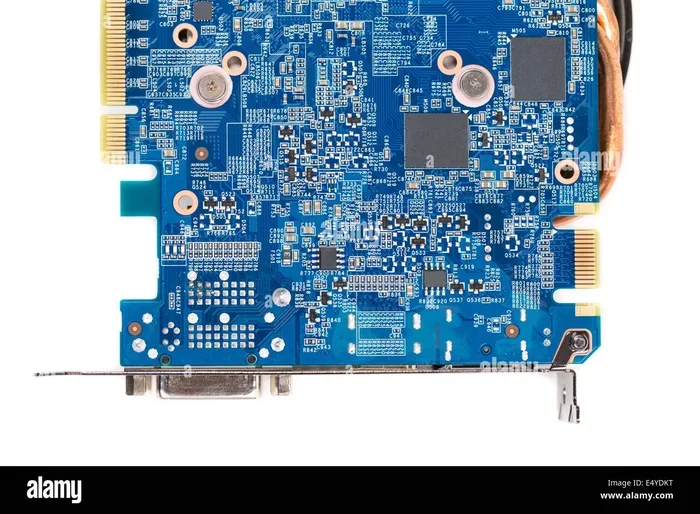
A desktop GPU is a large piece of hardware. It needs a big printed circuit board. It needs space for memory chips and power connectors. A typical desktop GPU card is 10 to 13 inches long. A laptop is only a few inches thick. There is simply no room for a full-sized card inside a laptop.
Engineers have to shrink the GPU board. They use smaller components and tighter layouts. This process is called miniaturization. It allows the same chip design to fit into a much smaller space.
Battery Life Considerations
Laptops run on batteries. A desktop GPU that draws 300 watts would drain a laptop battery in minutes. Laptop GPUs are designed to be energy efficient. They use advanced power management features. They can switch between low-power and high-performance states automatically.
This efficiency comes at a cost. Lower power means lower performance. It is a trade-off that laptop users must accept. Desktop users do not have to worry about battery life at all.
Thermal Design Challenges
Heat is the enemy of electronics. More power equals more heat. Desktop cases have multiple fans and open airflow. They can handle heat easily. Laptops have confined spaces with limited airflow.
Manufacturers use clever cooling tricks to manage heat. Some laptops use vapor chambers. Others use liquid metal thermal paste. These solutions help, but they cannot match a desktop cooling setup. The result is that laptop GPUs must operate at lower power levels to stay safe.
Can You Upgrade a Laptop GPU?
This is one of the most common questions people ask. The short answer is almost always no. Let us explain why.
In a desktop PC, the GPU plugs into a PCIe slot. You can remove it and install a new one. This is one of the biggest advantages of desktop computing. You can upgrade your graphics card upgrade whenever a newer model comes out.
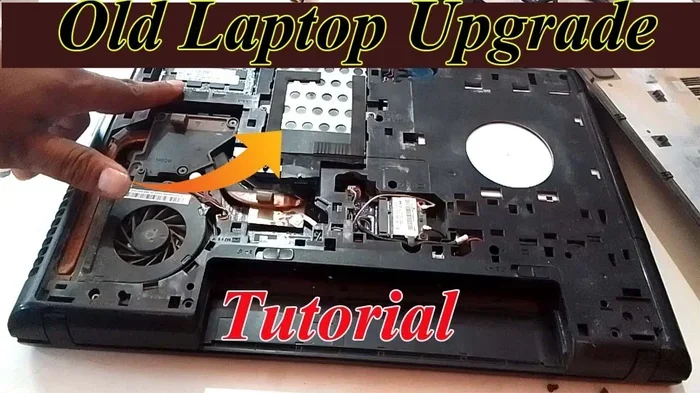
Laptop GPUs are different. They are soldered directly to the motherboard. You cannot remove them. You cannot replace them. When you buy a laptop, the GPU you get is the GPU you will have for life.
There are some rare exceptions. A few gaming laptops use the MXM standard. This allows GPU swapping. But MXM laptops are uncommon and expensive. For the vast majority of users, a laptop GPU is permanent.
This is why choosing the right GPU at purchase time matters so much. If you buy a laptop with a weak GPU, you cannot fix it later. You will have to buy a whole new laptop if you want more power.
Which Should You Choose: Laptop or Desktop GPU?
The right choice depends on your needs and lifestyle. Both options have strengths. Let us break them down.
Choose a Laptop GPU If:
- You need a portable computing solution for work or school.
- You travel frequently and need a machine you can carry anywhere.
- You have limited desk space or prefer a clean setup.
- You want all-in-one convenience with a built-in screen and keyboard.
- Your workloads are moderate and do not require maximum GPU power.
Choose a Desktop GPU If:
- You want the highest possible GPU performance for gaming or rendering.
- You plan to keep your system for years and upgrade components over time.
- You work with heavy 3D models, 4K video, or complex simulations.
- You have a dedicated workspace where portability is not a concern.
- You want the best value for your dollar in terms of raw power.
Hybrid Options Worth Considering
Some users choose both. They get a powerful desktop for home use and a laptop for travel. This gives you the best of both worlds. You get desktop performance when you need it. You get portability when you are on the go.
Another option is an eGPU, or external GPU. This is a desktop GPU housed in an external enclosure. You connect it to your laptop through a Thunderbolt port. It boosts your laptop’s graphics performance significantly. However, eGPUs are expensive and not as convenient as a built-in solution.
Common Mistakes People Make When Comparing Laptop and Desktop GPUs
Many buyers make mistakes when comparing laptop and desktop graphics. Avoid these pitfalls to make a smarter purchase.
Mistake 1: Assuming the same name means the same performance. An RTX 4070 laptop is not the same as an RTX 4070 desktop. They share a name but deliver very different results. Always check whether the listing says “mobile” or “laptop” version.
Mistake 2: Ignoring thermal design. Two laptops with the same GPU can perform very differently. One may have a better cooling system than the other. Always read reviews that test sustained performance under load.
Mistake 3: Overlooking VRAM differences. Some laptop GPUs come with less video memory. This affects texture quality and resolution scaling. Check the specs carefully before buying.
Mistake 4: Forgetting about the power supply. Desktop GPUs need strong power supplies. A 300-watt GPU requires a 650-watt or larger PSU. Make sure your setup can handle the power draw.
Mistake 5: Not considering future needs. A GPU that feels fast today may feel slow in two years. Think about how long you plan to keep the machine. Choose a GPU that will remain capable for your expected usage period.
Expert Insights on Mobile vs Desktop Graphics
Industry experts agree on one thing: laptop GPUs have improved dramatically in recent years. Companies like NVIDIA and AMD invest heavily in mobile graphics. The latest mobile GPU generations offer impressive performance for their size.
However, the laws of physics still apply. A smaller chip running on less power cannot match a larger chip running on more power. There is no magic trick that changes this fundamental reality.
Experts recommend that buyers focus on their specific use case. If you need portability, accept the performance trade-off. If you need maximum power, invest in a desktop. Trying to get both at the highest level usually leads to disappointment.
One piece of advice from industry professionals is to look at real-world benchmarks. Synthetic scores only tell part of the story. Actual game frame rates and rendering times give you a clearer picture of real performance.
The Future of Laptop and Desktop GPUs
The gap between laptop and desktop GPUs may narrow in the future. Chip manufacturers are constantly improving efficiency. New architectures deliver more performance per watt. This could mean laptop GPUs get significantly closer to desktop performance.
Advanced packaging technologies like chiplets may change the game. These allow more transistors in smaller spaces. Cooling solutions are also improving. Vapor chambers and advanced heat pipes are becoming standard in premium laptops.
But for now, the gap remains significant. If you need the absolute best performance, a desktop setup is still the way to go. If you need portability, today’s laptop GPUs are better than ever before.
Final Thoughts
So, are laptop graphics cards the same as desktop GPUs? They share the same DNA, but they are built for different purposes. A laptop GPU is designed for portability and efficiency. A desktop GPU is designed for maximum performance and power.
Understanding these differences helps you make the right choice. If you buy a laptop, pick the best GPU your budget allows. If you buy a desktop, you have the freedom to upgrade later. Both paths have their advantages.
Take your time when shopping. Compare benchmarks. Read reviews. And never assume that two GPUs with the same name are the same. The devil is in the details. With the right knowledge, you can find the perfect graphics solution for your needs.
Frequently Asked Questions
Can you use a desktop GPU in a laptop?
No, you cannot swap a desktop GPU into a laptop. Laptop GPUs are soldered to the motherboard. They are not removable or replaceable. The only alternative is using an external GPU enclosure, but that is expensive and not as seamless as a built-in solution.
Is a laptop GPU worth it for gaming?
Yes, a laptop GPU can still deliver a great gaming experience. Modern mobile GPUs handle most games well at 1080p and 1440p. You may need to lower some settings compared to a desktop. But for portable gaming, they are an excellent choice.
How much slower is a laptop GPU compared to a desktop GPU?
On average, a laptop GPU is 25 to 40 percent slower than its desktop counterpart. The exact difference depends on the specific model and the laptop’s cooling design. Some high-end gaming laptops narrow this gap with better thermal management.
Do laptop GPUs have the same VRAM as desktop GPUs?
Not always. Some laptop GPUs come with the same amount of VRAM. Others have less. For example, a laptop GPU might have 6GB of VRAM while the desktop version has 8GB. Less VRAM can limit performance in demanding games and creative applications.
Can you upgrade a laptop’s graphics performance?
You cannot upgrade the GPU itself in most laptops. However, you can improve performance by updating drivers, adjusting power settings, and using an external GPU. Keeping your laptop clean and well-ventilated also helps maintain performance over time.
What should I look for when buying a gaming laptop?
Focus on the specific GPU model and its power rating. Look for reviews that test sustained performance. Check the cooling system quality. Also consider the display refresh rate and the amount of RAM. These factors all work together to determine the overall gaming experience.
=== CONCLUSION ===
The difference between a laptop GPU and a desktop GPU is significant. They share the same chip family but operate under very different conditions. Power limits, cooling constraints, and physical size all shape the final performance you get.
If you value portability, a laptop with a dedicated GPU is a great option. If you want the absolute best performance, a desktop setup is hard to beat. Both choices have their place in the computing world.
Use this guide to make an informed decision. Know what you are getting before you spend your money. The right graphics solution depends on your lifestyle, your budget, and your performance needs. Choose wisely and you will enjoy your machine for years to come.