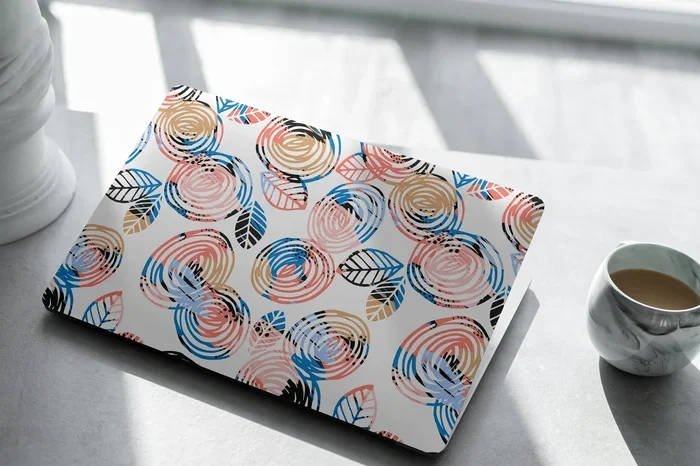
Are Computer Skins Removable Here Is Everything You Need
Are computer skins removable? The short answer is yes. Most computer skins are designed to peel off cleanly without leaving sticky residue. Whether you use vinyl laptop skins or custom computer skins, you can remove them safely if you follow the right steps. This guide covers everything from adhesive removal tips to reusable laptop skins and how to avoid skin residue on your device.
Have you ever stuck a computer skin on your laptop and then wondered if you could take it off later? Maybe you want to change your look. Maybe you are selling your device. Or maybe you just want to know if the skin for laptop you bought will cause permanent damage.
The good news is that most computer skins are made to be removable. They are not permanent. But there are some things you need to know before you peel one off. In this article, we will answer the big question: are computer skins removable? We will cover everything from how they work to the best removal techniques.
By the end of this guide, you will feel confident about applying, removing, and even reusing your custom computer skin. Let us dive in.
Key Takeaways
- Computer skins are removable: Most are designed to peel off without damaging your device.
- Heat helps removal: Using a hairdryer softens the adhesive and makes peeling easier.
- No residue left behind: Quality skins use low-tack adhesives that leave your laptop clean.
- You can reapply skins: Many removable vinyl wraps can be repositioned multiple times.
- Wrong removal causes damage: Pulling too fast or using sharp tools can scratch surfaces.
- Surface prep matters: Cleaning your device before applying a skin ensures better adhesion and cleaner removal.
- Not all skins are equal: Cheap skins may leave residue or tear during removal.
📑 Table of Contents
- What Are Computer Skins?
- Are Computer Skins Removable? The Short Answer
- How to Remove a Computer Skin Safely
- Can You Reuse a Computer Skin?
- Common Mistakes When Removing Computer Skins
- How to Choose a Removable Computer Skin
- Do Computer Skins Damage Your Laptop?
- Tips for Applying a Computer Skin for Easy Removal Later
- Frequently Asked Questions
- Final Thoughts
What Are Computer Skins?
Before we talk about removal, let us quickly cover what computer skins actually are. A computer skin is a thin layer of material that you stick onto your laptop or desktop. It changes the look of your device without adding bulk.
Most skins are made from vinyl. Some use adhesive vinyl that sticks gently to surfaces. They come in all kinds of designs. You can get matte finishes, glossy finishes, carbon fiber textures, and even custom printed patterns.
People use laptop skins for many reasons. Some want laptop customization. Others want skin protection laptop style. A skin can protect your device from scratches and minor bumps. It also lets you express your personality.
How Do Computer Skins Stick?
Computer skins use a special type of adhesive. It is not the same as super glue or strong tape. The adhesive is low-tack. This means it grips the surface firmly but releases easily. This is why are computer skins removable is such a common question. The answer is built right into the design.
The adhesive vinyl skin technology has improved a lot over the years. Older versions sometimes left behind a sticky mess. But modern removable vinyl wrap products are much better. They are engineered for clean removal.
Are Computer Skins Removable? The Short Answer
Yes. Are computer skins removable? Absolutely. Almost all quality laptop skins can be removed without leaving damage behind. But the word “almost” matters here. The quality of the skin you buy makes a huge difference.
Cheap, low-quality skins may use harsh adhesives. These can leave skin residue on your device. They might also tear during removal. A good vinyl skin laptop from a reputable brand will peel off smoothly.
Here is what you need to remember. The adhesive on a quality skin is designed to be temporary. It holds firmly while you use your laptop. But when you are ready to remove it, it lets go cleanly. This is the whole point of a removable vinyl wrap.
How to Remove a Computer Skin Safely
Now let us get into the practical part. If you are asking are computer skins removable because you want to take one off, this section is for you. Follow these steps for a clean, safe removal.
Step 1: Gather Your Supplies
You do not need much to remove a computer skin. Here is what you will need:
- A hairdryer or heat gun on low setting
- A microfiber cloth
- Isopropyl alcohol (70% or higher)
- A plastic scraper or your fingernail
- Patience
That is it. You do not need any fancy tools. A basic hairdryer works great.
Step 2: Apply Heat
Heat softens the adhesive. This is the most important step. Hold your hairdryer about six inches from the skin. Move it slowly back and forth. Heat the edges of the skin first.
After about 30 seconds of heating, try lifting a corner gently with your fingernail or a plastic scraper. Do not use anything metal. Metal can scratch your laptop surface.
Step 3: Peel Slowly
Once you have a corner lifted, pull the skin back slowly. Pull it at a low angle, close to the surface of your laptop. Pulling at a steep angle can cause the skin to tear.
If the skin resists, apply more heat. Go slowly. The goal is to remove the entire skin in one piece if possible. This makes cleanup much easier.
Step 4: Clean Any Residue
Even with a good quality skin without residue, there might be a tiny bit of leftover adhesive. This is normal. Dab a microfiber cloth with isopropyl alcohol. Gently rub the sticky area. The residue should come right off.
Do not use harsh chemicals. Avoid acetone or bleach. These can damage your laptop finish. Stick with isopropyl alcohol or a dedicated adhesive remover.
Can You Reuse a Computer Skin?
This is one of the most common questions people ask after learning are computer skins removable. The answer depends on the type of skin you have.
Some reusable laptop skins are designed to be removed and reapplied multiple times. These use a special repositionable adhesive. You can peel them off, let them rest for a bit, and stick them back on.
However, most standard custom computer skin products are designed for single use. After you remove them, the adhesive may lose some of its grip. You might still be able to reapply it. But it may not stick as well the second time around.
Here is a quick comparison:
| Skin Type | Reusable? | Residue Risk | Best For |
|---|---|---|---|
| Repositionable Vinyl Skin | Yes, multiple times | Low | People who like to change designs often |
| Standard Adhesive Skin | Once or twice | Very Low | Long-term decoration or protection |
| Cheap Low-Quality Skin | Not recommended | High | Temporary use only |
| Static Cling Skin | Yes, unlimited | None | Rentals or temporary events |
As you can see, the type of skin you choose matters a lot. If you want something you can remove and reuse, look for reusable laptop skins or static cling options.
Common Mistakes When Removing Computer Skins
Many people run into trouble when removing a computer skin. Most problems come from common mistakes. Let us look at what to avoid.
Mistake 1: Pulling Too Fast
The biggest mistake is yanking the skin off quickly. This can tear the material. It can also stretch the adhesive, leaving more behind on your laptop. Always peel slowly and steadily.
Mistake 2: Using Metal Tools
Do not use knives, razors, or metal scrapers. These can scratch your laptop finish. A plastic scraper or your fingernail is always the safer choice.
Mistake 3: Skipping the Heat
Some people try to peel a skin off cold. Cold adhesive is stiff and brittle. It is much more likely to tear. Always apply heat first. This makes the process smooth and clean.
Mistake 4: Using Harsh Cleaners
After removal, some people reach for strong cleaning products. Avoid anything with acetone or bleach. These can strip the finish from your laptop. Stick with gentle cleaners like isopropyl alcohol or mild soap and water.
How to Choose a Removable Computer Skin
If you are planning to buy a computer skin and want to make sure it is removable, here are some tips.
Look for Low-Tack Adhesive
The best removable skins use low-tack adhesive technology. This is sometimes called “repositionable adhesive.” It holds firmly but releases cleanly. Check the product description before you buy.
Choose Quality Brands
Cheap skins from unknown brands often use harsh adhesives. They may save you a few dollars now but cause headaches later. Stick with trusted brands known for quality vinyl skin laptop products.
Read Reviews
Before buying, read customer reviews. Look for comments about removal and residue. If multiple reviewers mention sticky residue, that is a red flag. Good computer skin application products will have plenty of positive feedback about clean removal.
Consider Static Cling Options
If you want zero risk of residue, consider static cling skins. These do not use any adhesive at all. They stick through static electricity. They are perfect for people who want to change their look frequently.
Do Computer Skins Damage Your Laptop?
This is another big concern. People worry that removing a skin for computer will peel off the finish underneath. The truth is, quality skins do not cause damage.
The adhesive on a good laptop skin is designed to be gentle. It grips the surface without bonding permanently. When you remove it correctly, your laptop finish stays intact.
However, there are some exceptions. If your laptop already has a weak or peeling finish, a skin might make it worse. The adhesive can pull up loose finish when you remove the skin. This is not the skin’s fault. It is just how weak finishes behave.
Also, leaving a skin on for too long can sometimes cause discoloration. This is rare with quality products. But if you plan to keep a skin on for months, check your laptop finish periodically.
Tips for Applying a Computer Skin for Easy Removal Later
If you know you will want to remove your computer skin someday, you can make the process easier from the start. Here are some pro tips.
- Clean your laptop first. Use isopropyl alcohol and a microfiber cloth. Remove all dust and oils. This helps the skin adhere evenly and come off cleanly.
- Apply in a dust-free room. Dust particles can get under the skin. They create bumps and make removal harder.
- Do not stretch the skin. Apply it gently. Stretching the material can weaken the adhesive.
- Smooth out bubbles carefully. Use a soft cloth to push bubbles toward the edges. Do not press too hard.
- Store the skin properly if removing temporarily. Place it on a clean sheet of paper. This keeps it dust-free for reapplication.
Following these simple steps means your skin without residue experience will be smooth every time.
Frequently Asked Questions
Can you remove computer skins without leaving residue?
Yes, most quality computer skins are designed to leave no residue behind. The key is to use a low-tack adhesive skin and remove it slowly with heat. If any tiny bits of stickiness remain, a cloth with isopropyl alcohol will clean it right up.
How long can you leave a computer skin on before removal?
You can leave a vinyl skin laptop on for months without issues. Quality skins hold up well over time. However, if you plan to remove it, doing so within 6 to 12 months ensures the easiest cleanup and the lowest risk of any adhesive buildup.
Will removing a computer skin void my warranty?
Most manufacturers do not consider skin removal a warranty issue. However, if the skin leaves marks or damages the finish, it could become a problem. Always check your warranty terms and use quality removable vinyl wrap products to stay safe.
Can you reuse a computer skin after removing it?
Some reusable laptop skins can be reapplied once or twice. Standard adhesive skins lose grip after removal. Static cling skins are the best option for unlimited reuse. They use no adhesive at all and stick through static electricity.
What is the best way to remove stubborn skin adhesive?
Use a hairdryer to apply gentle heat to the sticky area. Then rub with a microfiber cloth dampened with isopropyl alcohol. Avoid sharp tools and harsh chemicals. This method works for most computer skin application cleanup situations.
Are there computer skins that are not removable?
Yes, some permanent decorative films are not meant to be removed. These are rare in the consumer computer skin market. Most skins sold for laptops and desktops are designed to be removable. Always check the product label to confirm before purchasing.
Final Thoughts
So, are computer skins removable? The answer is a clear and confident yes. Whether you want to change your look, sell your laptop, or just try something new, computer skins give you the freedom to do so without permanent changes to your device.
The key is choosing the right product. Go for quality vinyl skin laptop options from trusted brands. Follow proper removal steps. Use heat, peel slowly, and clean gently afterward. You will get great results every time.
Computer skins are a fun and practical way to personalize your device. They protect your laptop from scratches. They let you express your style. And when you are ready for a change, they come off clean and easy.
Now that you know everything about removing and caring for your custom computer skin, you can enjoy your device with total confidence. Try it out. Experiment with new looks. And remember, your laptop skin is always just a peel away from a fresh start.