Do I Need To Update To Wi Fi 6 Heres What You Should Know
Do I need to update to WiFi 6? The short answer is: it depends on your devices, internet usage, and home setup. WiFi 6 brings faster speeds, better performance in crowded spaces, and improved battery life for smart devices. If you have multiple devices or notice slow internet, a WiFi 6 upgrade could make a big difference.
Have you been hearing a lot about WiFi 6 lately? Maybe your internet provider mentioned it, or you saw a new router on sale and wondered if it is worth the money. The truth is, wireless technology has changed a lot in recent years. And if you are like most people, you probably want to know if upgrading is actually necessary.
So, do I need to update to WiFi 6? That is exactly what we are going to break down today. We will look at what WiFi 6 really is, who benefits most from it, and whether your current setup is holding you back. By the end of this guide, you will have a clear answer for your own situation.
Let us start with the basics. WiFi 6 is the newest wireless standard, also known as 802.11ax. It replaced WiFi 5, which was called 802.11ac. Each new generation brings improvements in speed, range, and how well it handles multiple devices at once. Think of it like going from a two-lane road to a highway. The cars (your data) still travel the same destination, but they move faster and with less traffic.
Key Takeaways
- WiFi 6 offers faster speeds: You can see up to 40% faster data transfer compared to WiFi 5 under ideal conditions.
- Better performance with many devices: WiFi 6 handles multiple connected devices much more efficiently than older standards.
- Not everyone needs it right away: If you have few devices and basic internet needs, your current router may still work fine.
- Backward compatibility is a plus: WiFi 6 routers work with older devices, so you do not need to replace everything at once.
- Security improves too: WiFi 6 supports WPA3, which offers stronger encryption and better protection.
- Smart homes benefit the most: Homes with many IoT devices and smart gadgets see the biggest improvements with WiFi 6.
- Gaming and streaming get smoother: Lower latency and better bandwidth make WiFi 6 ideal for heavy users.
📑 Table of Contents
What Is WiFi 6 and Why Does It Matter?
WiFi 6 is the sixth generation of wireless networking technology. It was officially released in 2019 and has slowly become the new standard in routers and devices. But what makes it different from what you already have?
The short answer is efficiency. WiFi 6 uses two key technologies to improve your network. The first is called OFDMA, which stands for Orthogonal Frequency Division Multiple Access. This lets your router talk to many devices at the same time instead of one by one. The second is MU-MIMO, which stands for Multi-User Multiple Input Multiple Output. This helps your router handle more connections without slowing down.
Together, these technologies mean your wireless network can do more. You get better throughput, which is the amount of data your network can move at once. You also get lower latency, which means less delay when you are gaming or video calling.
How Fast Is WiFi 6 Compared to WiFi 5?
WiFi 6 can reach speeds of up to 9.6 Gbps on paper. WiFi 5 topped out at 3.5 Gbps. However, real-world speeds are much lower for both. In everyday use, most people see a 20 to 40 percent speed boost with WiFi 6 over WiFi 5.
But speed is not the only thing that matters. The way WiFi 6 manages traffic is a huge upgrade. Imagine a restaurant where the waiter takes one order at a time. That is WiFi 5. Now imagine a waiter who takes all orders at once and delivers them together. That is WiFi 6. The result is a smoother experience for everyone connected.
Do You Actually Need a WiFi 6 Upgrade?
This is the question most people want answered. And the honest truth is that not everyone needs WiFi 6 right now. Whether you should upgrade depends on a few key factors.
You Have Many Devices Connected
The average household now has over 20 connected devices. Smart TVs, phones, laptops, tablets, smart speakers, security cameras, and even smart fridges all share your network. If you have more than 10 devices on your WiFi, WiFi 6 can make a noticeable difference. It handles the traffic much better than older standards.
Think about your home right now. How many devices are online at the same time? If you are streaming a movie while someone else is gaming and another person is on a video call, your router has a lot to juggle. WiFi 6 does this juggling act far more efficiently.
You Notice Slow Speeds or Buffering
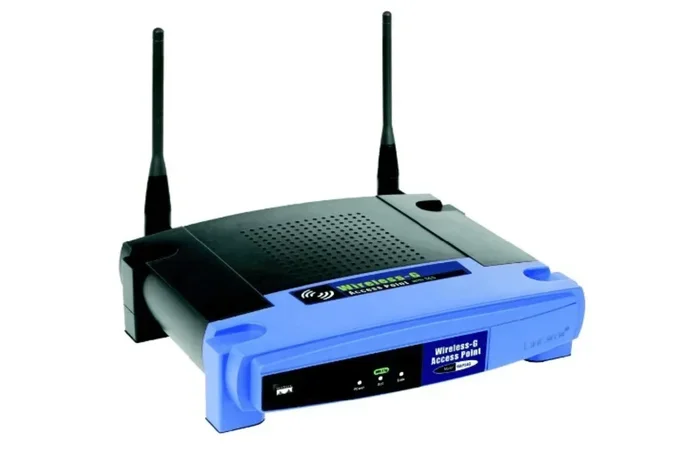
If your internet feels slow even though you pay for a good plan, your router might be the bottleneck. Older routers struggle to keep up with modern internet speeds. If you have a 100 Mbps plan or higher and your router is several years old, it might not be able to pass those speeds to your devices.
A WiFi 6 router can unlock the full speed of your internet plan. It also reduces the annoying buffering you see when too many devices are online. This alone is a strong reason for many people to make the switch.
You Are a Gamer or Streamer
Gamers and streamers need low latency and stable connections. WiFi 6 was designed with these users in mind. The reduced latency means less lag in online games. The better traffic management means your stream stays smooth even when someone else is downloading a large file in the background.
If you play competitive games or stream on platforms like Twitch, WiFi 6 is a real advantage. You will feel the difference, especially in fast-paced multiplayer games where every millisecond counts.
You Have a Smart Home Setup
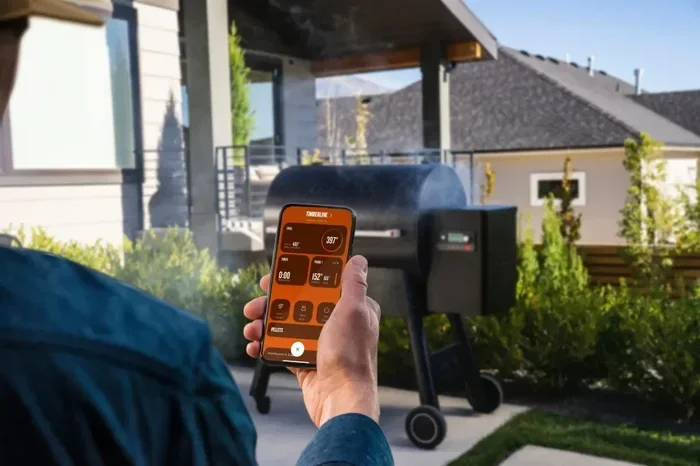
Smart home devices are growing fast. Smart lights, doorbells, thermostats, and sensors all need a reliable wireless connection. Many of these devices use very little data but still need constant connectivity. WiFi 6 handles these small, frequent data bursts much better than older standards.
If you have a smart home with a dozen or more connected gadgets, WiFi 6 will keep everything running smoothly. Your devices will respond faster, and you will experience fewer disconnections.
WiFi 6 vs WiFi 5 – Key Differences
Let us compare WiFi 6 and WiFi 5 side by side. This will help you understand exactly what you are getting with an upgrade.
| Feature | WiFi 5 | WiFi 6 |
|---|---|---|
| Max Theoretical Speed | 3.5 Gbps | 9.6 Gbps |
| Real-World Speed Boost | Baseline | 20-40% Faster |
| Device Handling | One at a time | Multiple at once |
| Latency | Moderate | Lower, around 20ms |
| Battery Efficiency | Standard | Better with Target Wake Time |
| Security | WPA2 | WPA3 Support |
| Range | Good | Slightly Better |
| Backward Compatible | Yes | Yes |
As you can see, WiFi 6 improves on nearly every front. The biggest upgrades are in how it handles multiple devices and how much less delay you experience. These two factors alone make WiFi 6 worth considering for most households.
What About WiFi 6E?
You may have also heard about WiFi 6E. This is an extension of WiFi 6 that adds access to the 6 GHz band. This new band has more channels and less congestion, which means even faster and more reliable connections. WiFi 6E routers are backward compatible with WiFi 6 and WiFi 5 devices.
If you want the latest and greatest, WiFi 6E is worth looking into. However, it is still newer and can be more expensive. For most homes, standard WiFi 6 is more than enough for now.
Benefits of Upgrading to WiFi 6
Let us take a closer look at the real-world benefits you get when you switch to WiFi 6.
Faster speeds for all your devices. Even if your internet plan has not changed, WiFi 6 delivers data to your devices faster. This means pages load quicker, files download faster, and streaming starts without delay.
Better performance in crowded spaces. Apartment buildings, offices, and busy homes all have lots of wireless networks competing for space. WiFi 6 handles this congestion much better. It uses a technology called BSS Coloring, which helps your router ignore signals from neighboring networks. The result is a cleaner, more stable connection.
Improved battery life on devices. WiFi 6 introduced a feature called Target Wake Time. This lets your devices schedule when they wake up to send or receive data. When your phone or tablet is sleeping, it uses less power. Over time, this can add up to noticeably better battery life on your connected devices.
Stronger security with WPA3. WiFi 6 supports WPA3 encryption, which is the latest and most secure wireless security protocol. WPA3 protects against brute force attacks and makes it harder for hackers to access your network. Even if your devices do not support WPA3, a WiFi 6 router can still use WPA2 for older devices.
Future-proofing your home. Internet speeds are only going to get faster. More devices will connect to your network over time. A WiFi 6 router prepares you for what is coming next. You will not need to upgrade again in just a year or two.
Quick Tips Before You Upgrade
- Check if your devices support WiFi 6. Newer phones, laptops, and tablets mostly do.
- Make sure your internet plan can take advantage of WiFi 6 speeds. A slow plan will not get faster just because you have a new router.
- Place your router in a central location for the best coverage.
- Consider a mesh system if your home is large or has thick walls.
- Look for routers with WPA3 support and the WiFi 6 certification label.
Common Mistakes People Make When Upgrading
Upgrading your router sounds simple, but many people make mistakes that reduce the benefits of their new WiFi 6 setup. Here are a few to avoid.
Thinking the new router will fix everything. A WiFi 6 router will not improve your internet plan if your ISP speed is slow. You still need a good plan from your provider. The router makes sure you get the most out of what you pay for.
Ignoring device compatibility. Not all your devices will connect at WiFi 6 speeds. Older phones and laptops may only connect using WiFi 5 or WiFi 4 standards. However, the router will still manage these connections better thanks to its improved traffic handling.
Placing the router in a bad spot. Even the best WiFi 6 router will struggle if it is hidden behind a TV, inside a closet, or far from where you use the internet. Keep it in an open, central area for the best signal.
Not updating firmware. Router manufacturers release firmware updates that improve performance and fix bugs. After you set up your new WiFi 6 router, check for updates right away. This simple step can make a big difference in how well it works.
Skipping the setup process. Many people just plug in the router and use the default settings. Taking a few extra minutes to configure your network name, password, and security settings ensures you get the best performance and protection.
How to Know If It Is Time to Make the Switch
Still unsure if now is the right time? Here are some clear signs that it is time to look into WiFi 6.
Your current router is more than four years old. Wireless technology moves fast, and routers older than four years are likely running WiFi 4 or WiFi 5 standards. These older standards simply cannot keep up with modern demands.
You regularly experience slow internet, even when no one else is using the network. If your speeds drop when multiple people are online, your router is struggling to manage the traffic.
You have added new devices recently and noticed a slowdown. Each new device adds to the load on your network. If your router cannot keep up, the whole network suffers.
You have invested in smart home devices or plan to. A WiFi 6 router is the best foundation for a growing smart home setup. It will handle the extra load with ease.
Your ISP offers speeds above 100 Mbps. If you pay for fast internet, you need a router that can deliver those speeds to all your devices. WiFi 6 routers are built for this.
Expert Insight: When to Wait
Not everyone needs to rush out and buy a WiFi 6 router today. If you have a small home, few devices, and a basic internet plan under 50 Mbps, your current router may still work just fine. There is no need to upgrade just for the sake of upgrading.
However, if any of the signs above sound familiar, WiFi 6 is a smart investment. It improves your daily internet experience and prepares your home for the future of wireless technology.
Conclusion
So, do I need to update to WiFi 6? For most modern households, the answer is yes. WiFi 6 brings faster speeds, better performance with many devices, lower latency, and stronger security. Whether you are a casual browser, a heavy gamer, or a smart home enthusiast, the upgrade delivers real benefits.
If your router is old and you are dealing with slow speeds or frequent buffering, WiFi 6 is a game changer. It handles the demands of today’s connected homes far better than older wireless standards. The investment pays off in a smoother, faster, and more reliable internet experience.
Take a look at your current setup. Count your devices. Check your internet speed. Ask yourself if you are getting the performance you deserve. If the answer is no, it is time to consider a WiFi 6 upgrade. Your network will thank you.
Frequently Asked Questions
Is WiFi 6 worth the upgrade if I only have a few devices?
If you have fewer than five devices and a basic internet plan, the upgrade may not be urgent. However, WiFi 6 still offers better range, improved security, and future-proofing. It is a good investment if you plan to add more devices in the future.
Do all my devices need to support WiFi 6 to see benefits?
No. WiFi 6 routers are backward compatible with older devices. Even if your phone or laptop only supports WiFi 5, the router will still manage your network better. You will see the biggest speed gains on devices that do support WiFi 6.
Will a WiFi 6 router improve my internet speed?
It can, but only if your internet plan supports faster speeds. A WiFi 6 router will not make a slow internet plan faster. However, it will help you get the most out of the speed you are already paying for.
What is the difference between WiFi 6 and WiFi 6E?
WiFi 6E is an extension of WiFi 6 that adds the 6 GHz wireless band. This band has more channels and less interference, which means faster and more reliable connections. WiFi 6E routers are backward compatible with standard WiFi 6 devices.
How much does a WiFi 6 router cost?
Prices vary, but most WiFi 6 routers range from 80 to 200 dollars. Mesh systems with WiFi 6 can cost more, usually between 200 and 500 dollars. The price depends on the brand, range, and number of units in the system.
Can I use a WiFi 6 router with my existing internet plan?
Yes, absolutely. WiFi 6 routers work with any internet plan. You do not need to change your service or switch providers. The router simply makes better use of the speed and bandwidth your plan already provides.