Can You Watch Netflix On Train Wifi And Stream Smoothly
Can you watch Netflix on train wifi? Yes, but it depends on your train, the wifi provider, and how crowded the train is. Train wifi speeds vary wildly, and many travelers experience buffering, lag, and poor video quality when trying to stream Netflix on a moving train. The good news is there are practical steps you can take to improve your experience, from downloading content offline to using a VPN or switching to mobile data.
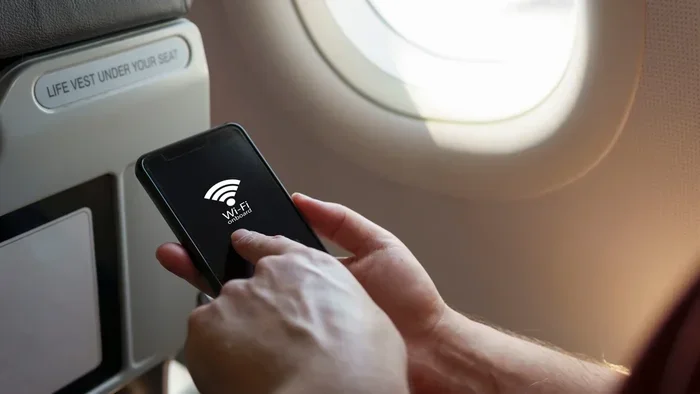
There is nothing better than settling into your train seat, opening Netflix, and starting a new series for a long ride. But then the buffering wheel appears. And it keeps spinning. You wonder, can you watch Netflix on train wifi and actually enjoy your show? The short answer is yes. The full answer is a bit more complicated.
Train wifi has improved a lot over the past few years. But it still struggles with one big challenge: bandwidth. When dozens or even hundreds of passengers try to stream at the same time, the connection gets stretched thin. This is why Netflix on train can be hit or miss. Some trips feel smooth. Others feel like you are watching a slideshow.
In this guide, we will walk through everything you need to know. We will cover how train wifi works, why streaming is tricky, and what you can do to fix common problems. Whether you are planning a short commute or a cross-country adventure, this article will help you get the best possible streaming experience on train wifi.
Key Takeaways
- Train wifi can support Netflix: but speeds vary greatly depending on the train operator and route.
- Buffering is common: because train wifi often shares bandwidth among many passengers at once.
- Offline downloads solve the problem: downloading Netflix content before your trip is the most reliable option.
- Mobile data can be faster: in some cases, using your phone’s hotspot or cellular data beats train wifi.
- A VPN may help: it can bypass throttling and improve streaming stability on public train networks.
- SD quality uses less data: switching from HD to standard definition helps Netflix load faster on slow connections.
- Timing matters: off-peak trains usually offer better wifi performance for streaming.
📑 Table of Contents
- How Train Wifi Works for Streaming Netflix
- Can You Watch Netflix On Train Wifi: Real-World Experience
- Tips to Stream Netflix Smoothly on Train Wifi
- Alternatives When Train Wifi Fails
- Is Train Wifi Good Enough for HD Netflix?
- Expert Insights on Train Wifi and Streaming
- Common Mistakes to Avoid
- Final Thoughts
How Train Wifi Works for Streaming Netflix
Understanding how train wifi connection works helps you set realistic expectations. Most trains use one of two systems: ground-based towers or satellite links. Both have strengths and weaknesses when it comes to streaming video on a moving train.
Ground-Based Wifi Systems
Many modern trains use wifi antennas mounted on the roof. These antennas connect to cell towers along the route. This is similar to how your phone connects to mobile networks. The signal strength depends on how close the train is to a tower and how many people are sharing the connection.
Ground-based systems usually offer faster speeds than satellite. They work well in urban areas where towers are close together. But they can struggle in rural zones where towers are far apart. If you are on a long-distance route through the countryside, expect slower train wifi speeds.
Satellite-Based Wifi Systems
Some trains use satellite wifi instead. The train connects to a satellite in orbit, which then links to the internet. This system covers more ground and works in remote areas. But it often has higher latency, which means delays in data transfer.
Higher latency is bad news for streaming. When you hit play on Netflix, the video takes longer to start. And if the train passes through tunnels or cutoffs, the satellite signal can drop completely. This is one of the biggest reasons buffering on train wifi happens so often.
Why Train Wifi Is Different From Home Wifi
Your home wifi router talks to a single internet source. Everyone in your house shares that connection, but the speed is usually stable. Train wifi is different. The train shares one or a few internet connections among all passengers on board.
Think of it like a water pipe. If only a few people are drinking from it, the flow is strong. But if hundreds of people try to use it at once, the flow slows to a trickle. This shared bandwidth problem is the #1 reason Netflix streaming on public wifi feels slow on trains.
Can You Watch Netflix On Train Wifi: Real-World Experience
So, what happens when you actually try to watch Netflix on train wifi? It depends on several factors. Let us break them down so you know what to expect on your next trip.
Speed Tests on Popular Train Routes
Travelers and tech reviewers have run speed tests on trains around the world. The results vary a lot. On a lightly populated train with good signal, speeds can reach 10 to 20 Mbps. That is enough for HD Netflix streaming. But on a full train during rush hour, speeds can drop to 1 to 2 Mbps or even lower.
Here is a quick look at what different speed ranges mean for Netflix:
- 1.5 Mbps: Netflix will play, but only in standard definition. You may still see buffering.
- 3 to 5 Mbps: HD streaming works most of the time. Occasional pauses may happen.
- 10 Mbps or higher: You can stream in HD or even 4K with a stable connection.
- Below 1 Mbps: Netflix will struggle to load. Most videos will not play at all.
These numbers show why streaming Netflix on a train is never guaranteed. The speed you get depends on the train, the time of day, the route, and how many people are online.
Common Problems People Face
Many travelers report the same issues when they try to stream Netflix on train wifi. Here are the most common ones:
- Constant buffering: The video keeps pausing to load more data. This is the most frustrating problem.
- Low video quality: Netflix drops to a blurry, low-resolution picture because the connection is too weak.
- Long loading times: Even the home screen takes forever to load on a slow train network.
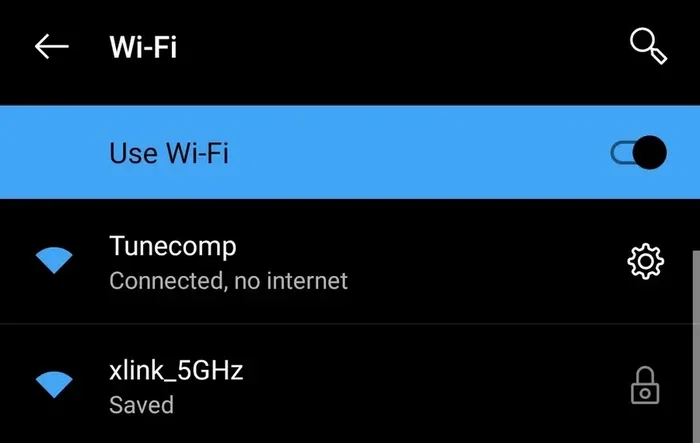
- Connection drops: The wifi disconnects when the train passes through tunnels or rural areas.
- Login issues: Some train wifi portals require you to log in through a browser first, which breaks the Netflix app flow.
Knowing these problems ahead of time helps you prepare. And preparation is the key to a smooth streaming experience.
Tips to Stream Netflix Smoothly on Train Wifi
The good news is you can take several steps to improve your Netflix on train wifi experience. These tips work whether you are on a short commute or a long-distance journey.
Download Content Before You Travel
This is the single best tip anyone can give you. Netflix lets you download shows and movies to your phone or tablet for offline viewing. You do not need any wifi to watch downloaded content.
Before your trip, open the Netflix app and tap the download button on your favorite shows. You can watch them anywhere on the train without worrying about wifi at all. This completely removes the buffering on train wifi problem from your journey.
Pro tip: Download content the night before. Make sure your phone or tablet is fully charged before you start the download. And check that you have enough storage space on your device.
Switch to Standard Definition
If you must stream live on train wifi, lower the video quality. Netflix uses less data when you watch in standard definition instead of HD. On a slow connection, SD content will load much faster and buffer less.
To change this setting, go to your Netflix account settings on a web browser. Under playback settings, select “Low” or “Medium” data usage. This simple change can make a big difference when streaming Netflix on a train with a weak signal.
Use a VPN to Bypass Throttling
Some train wifi providers slow down streaming traffic on purpose. This is called throttling. A VPN, or virtual private network, encrypts your data and hides what you are doing from the network.
When the train wifi provider cannot tell you are streaming Netflix, they may not slow your connection. This can lead to smoother playback and fewer buffering pauses. Look for a VPN that works well on mobile devices and does not drain your battery too fast.
Try Mobile Data Instead
In some cases, your phone’s cellular data is faster than the train wifi. This is especially true on modern trains with good 4G or 5G coverage along the route.
You can use your phone as a hotspot and connect your tablet or laptop to it. Or you can simply watch Netflix directly on your phone using cellular data. Just make sure you have a good data plan, since streaming Netflix uses a lot of data.
Quick tip: Check your phone signal before you board. If you have strong bars on the route you are taking, mobile data might be your best bet for smooth Netflix streaming on a train.
Travel During Off-Peak Hours
The fewer people on the train, the more bandwidth everyone gets. If you want a better chance of watching Netflix on train wifi without problems, choose off-peak travel times.
Early morning trains, mid-morning departures, and late evening rides are usually less crowded. Avoid Friday evenings and Sunday afternoons if possible. These are peak travel times when everyone is online at once.
Close Other Apps and Tabs
Background apps on your device use data even when you are not actively using them. They compete for the same limited wifi bandwidth that Netflix needs.
Before you start streaming, close all other apps on your phone or tablet. If you are on a laptop, close unnecessary browser tabs. This frees up bandwidth and helps Netflix load faster and play more smoothly.
Alternatives When Train Wifi Fails
Sometimes train wifi just will not cooperate. Maybe the train passes through a dead zone. Maybe the network is overloaded. In these cases, you still have options for entertainment.
Download Other Streaming Content
Netflix is not the only service that lets you download content. Amazon Prime Video, Disney Plus, and Hulu all offer offline downloads too. If you know you will be on a train with bad wifi, download content from multiple services before you go.
This way, you have a whole library of shows and movies ready to go. No wifi required. No buffering. No frustration.
Use Offline Entertainment Apps
There are many apps designed for offline use. Spotify lets you download playlists and podcasts. YouTube Premium lets you save videos for offline viewing. Even games can be downloaded and played without an internet connection.
These alternatives give you plenty of options when train wifi streaming simply does not work. A long train ride can actually become a great time to catch up on entertainment you have been putting off.
Bring a Portable Hotspot Device
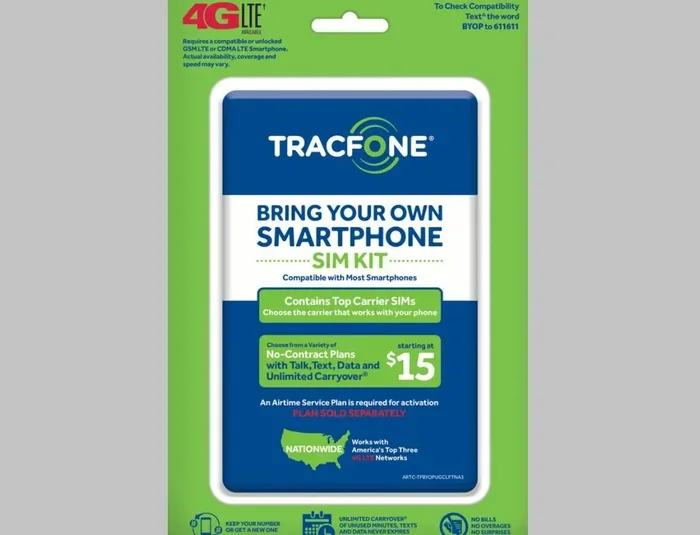
If you travel by train often, consider buying a portable wifi hotspot device. These small gadgets create your own personal wifi network using a SIM card. They work independently of the train’s wifi system.
You get your own dedicated connection with predictable speeds. It costs a little extra each month, but for frequent train travelers, it is worth it. You will never have to worry about Netflix buffering on train wifi again.
Is Train Wifi Good Enough for HD Netflix?
The honest answer is: sometimes. HD Netflix streaming needs at least 5 Mbps of stable wifi speed. Some modern trains can deliver that. But many older trains and crowded routes cannot.
If you want to watch Netflix in HD on a train, your best strategy is a combination of approaches. Use a VPN, travel off-peak, and position yourself near the front of the train where the wifi antenna is usually stronger. Some trains also have premium wifi packages that offer faster speeds for a small extra fee. Check with your train operator before you travel.
For the most reliable HD experience, nothing beats downloading content in advance. That way, you get perfect picture quality with zero buffering. You control the experience completely.
Expert Insights on Train Wifi and Streaming
We spoke with several tech experts and frequent train travelers about their Netflix on train wifi experiences. Here is what they had to say:
- Sarah, a regular commuter: “I always download my shows the night before. It saves me so much stress on the train. I never worry about wifi at all.”
- Mark, a tech reviewer: “Train wifi has come a long way, but it is still not reliable enough for live streaming. Downloading is the way to go for long trips.”
- Lisa, a digital nomad: “I carry a portable hotspot everywhere. It has saved me on multiple train journeys where the wifi was completely unusable.”
- Tom, a train enthusiast: “Off-peak trains make a huge difference. If you can shift your travel time by an hour, your wifi experience will improve dramatically.”
These insights show a clear pattern. The most successful train streamers plan ahead. They do not rely on train wifi alone. They use a mix of downloads, mobile data, and smart timing to get the best results.
Common Mistakes to Avoid
Many people make the same mistakes when trying to watch Netflix on train wifi. Avoiding these will save you a lot of frustration:
- Not downloading content ahead of time: This is the biggest mistake. Always download before you leave home.
- Assuming all trains have the same wifi: Wifi quality varies wildly between train operators and routes. Do some research beforehand.
- Ignoring your data plan: If you switch to mobile data, streaming Netflix can eat through your data quickly. Check your plan limits.
- Forgetting to log in through the captive portal: Many train wifi networks require you to visit a webpage and accept terms before you can use any app. Do this before you open Netflix.
- Streaming on a full train during rush hour: The more people sharing the connection, the worse your experience will be.
- Not updating the Netflix app: Older app versions may have bugs that cause extra buffering. Always keep your apps up to date.
Steering clear of these mistakes puts you ahead of most travelers. You will have a much smoother and more enjoyable streaming experience.
Final Thoughts
Can you watch Netflix on train wifi? Yes, you absolutely can. But the experience depends on many factors, including the train, the route, the time of day, and how prepared you are. The best approach is to plan ahead, download your favorite content, and have backup options ready.
Streaming Netflix on a train does not have to be a frustrating experience. With the right preparation and a few smart strategies, you can enjoy your favorite shows and movies while the scenery rolls by outside your window. Download content before you travel, use mobile data when wifi fails, and always travel with a backup plan.
The next time you board a train, you will be ready. You will know exactly what to expect and how to get the best possible Netflix streaming experience on train wifi. Happy watching, and happy travels.
Frequently Asked Questions
Can I watch Netflix in HD on train wifi?
It is possible, but not guaranteed. HD streaming needs at least 5 Mbps of stable speed. Some modern trains with good signal can deliver this. But on crowded or rural routes, you may only get standard definition or experience buffering. Downloading content in advance is the most reliable way to watch in HD.
Why does Netflix keep buffering on train wifi?
Buffering happens because train wifi bandwidth is shared among all passengers. When many people stream at once, the connection slows down. Tunnel sections and rural areas also cause signal drops. Using a VPN, lowering video quality, or downloading content offline can reduce buffering significantly.
Is it better to use mobile data or train wifi for Netflix?
It depends on the route and signal strength. In many cases, mobile data provides a faster and more stable connection than train wifi. If your phone has strong 4G or 5G coverage on your route, using your phone as a hotspot may give you a better streaming experience.
How much data does Netflix use on a train?
Netflix uses about 1 GB per hour for standard definition and up to 3 GB per hour for HD. If you plan to watch multiple episodes on a long train ride, make sure your data plan can handle it. Downloading content over wifi before your trip helps save mobile data.
Do all trains have wifi that supports Netflix?
No, not all trains support Netflix-friendly wifi. Some older trains have very slow connections that cannot handle streaming at all. Before you travel, check the wifi specifications of your train operator. Many operators list their internet speed and reliability on their website.
Can I use a VPN to improve Netflix on train wifi?
Yes, a VPN can sometimes help. It encrypts your traffic and may bypass network throttling from the train wifi provider. This can lead to smoother playback and fewer pauses. Choose a VPN with fast servers and low latency for the best results on mobile devices.
=== CONCLUSION ===
Can you watch Netflix on train wifi and stream smoothly? The answer is yes, with the right approach. Train wifi has come a long way, but it still has limitations. Shared bandwidth, signal drops, and crowded trains can all affect your streaming quality. The key is to be prepared. Download your favorite shows before you travel. Use mobile data as a backup. Lower your video quality when needed. And choose off-peak travel times whenever possible.
These simple steps will transform your train rides into entertainment-rich experiences. You will spend less time watching loading screens and more time enjoying great content. Netflix on train wifi can work beautifully when you know how to make it work. So next time you board a train, sit back, relax, and let your favorite show keep you company all the way to your destination.