Can Usb Ports Be Repaired Complete Guide With Fixes
Yes, USB ports can often be repaired at home or by a professional. Whether your port is loose, dirty, or completely dead, this guide walks you through every fix step by step. You will learn how to diagnose the problem, try simple DIY solutions, and know when to seek professional help. We cover everything from USB-C to traditional USB-A ports on laptops and desktops.
Have you ever plugged in a USB cable and nothing happened? Maybe your device charges slowly, or the connection keeps dropping out. It is frustrating when a USB port stops working, especially when you need it the most. The good news is that in most cases, USB ports can be repaired. You do not need to be a tech expert to fix many common problems. This guide will walk you through every step, from simple cleaning to more advanced soldering fixes.
We will cover how to diagnose the issue, what tools you need, and when to call a professional. Whether it is a laptop USB port repair or a desktop USB port fix, you will find practical solutions here. Let us get your ports working again.
Key Takeaways
- Most USB port issues are fixable: Whether the port is loose, dirty, or physically damaged, there is usually a solution.
- Start with simple fixes first: Cleaning the port and updating drivers solve many problems without any tools.
- Soldering is an option for the handy: With basic soldering skills, you can reattach a loose USB connector on a motherboard.
- Professional repair costs vary: Expect to pay between $50 and $200 depending on the device and port type.
- Prevention goes a long way: Using port covers, gentle insertion, and quality cables can extend port lifespan significantly.
- Know when to replace the device: If the motherboard is severely damaged, replacement may be more cost-effective than repair.
📑 Table of Contents
Understanding USB Port Problems
Before you fix anything, you need to understand what went wrong. USB ports fail for many reasons. Some issues are simple to solve. Others need more hands-on repair work. Let us break down the most common causes.
Common Types of USB Port Damage
Not all USB port damage is the same. Here are the most frequent problems people face:
- Loose USB port: The port wiggles when you plug in a cable. This usually means the internal connector has worn out.
- Broken USB connector: The metal pins inside the port are bent or snapped off.
- USB port not charging: The port recognizes the device but does not deliver power.
- Data transfer failure: The port charges the device but cannot transfer files.
- Complete port failure: The device is not recognized at all when plugged in.
- Corroded or dirty port: Dust, lint, or oxidation build up inside the port over time.
Each type of damage requires a different approach. A loose USB port might just need re-soldering. A broken USB connector could need full replacement. Understanding the problem saves you time and money.
USB-A vs USB-C Port Issues
The type of port matters too. USB-A ports are the older rectangular ones. They tend to fail from repeated plugging and wear on the internal springs. USB-C ports are newer, smaller, and reversible. They can fail from debris getting stuck in the thin opening or from bending stress. Both types are repairable, but the fix process differs slightly.
How to Diagnose a Faulty USB Port
Jumping straight to repairs without diagnosing the problem is a mistake. Take a few minutes to figure out exactly what is wrong. This saves effort and prevents unnecessary part replacements.
Quick Troubleshooting Steps
Follow these steps in order. Each one rules out a common cause before you move to the next.
- Try a different cable. A damaged cable often looks fine but fails to transfer data or power.
- Test the device on another computer. This tells you if the problem is with the port or the device itself.
- Check Device Manager on Windows. Look for yellow warning signs next to USB controllers. A USB driver update might fix the issue.
- Inspect the port with a flashlight. Look for bent pins, debris, or discoloration.
- Plug in a known-working USB device. A flash drive or mouse works well for this test.
If the device works on another computer, the problem is likely software or driver related. If it fails everywhere, the port itself is probably damaged. This simple check narrows down your next steps.
Using Diagnostic Software
Several free tools can help you troubleshoot USB port problems. USBDeview and USBTreeView show detailed information about every connected port. They can reveal whether the system even detects the port. If the software does not list the port at all, the hardware issue is likely more serious.
DIY Fixes for USB Port Issues
Many USB port problems can be fixed at home with basic tools. You do not need expensive equipment or years of experience. Start with the simplest fixes and work your way up.
Cleaning and Simple Repairs
Dirt and lint are the number one cause of USB port problems. Before you try anything else, clean the port. Here is how:
- Use compressed air: Blow short bursts into the port to dislodge dust and debris.
- Try a toothpick: Gently scrape around the inside of the port. Be very gentle. You do not want to bend any pins.
- Use a flashlight: Shine light into the port and look for visible dirt or lint clumps.
- Isopropyl alcohol trick: Dip a cotton swab in 90% isopropyl alcohol and gently clean the metal contacts inside.
After cleaning, plug in your device and test it. This simple step fixes a surprising number of issues. Many people skip this and jump to expensive repairs when a little cleaning would have done the trick.
Fixing a Loose USB Port
A wobbly port is one of the most common complaints. The internal spring contacts lose their tension over time. Here is what you can do:
First, try plugging in a cable and applying gentle pressure to see if the connection improves temporarily. If the port is only slightly loose, this might be enough for daily use. For a more permanent fix, you will need to open the device and re-solder the port to the motherboard USB port connections.
Here is what you need for this fix:
- A small Phillips screwdriver
- A soldering iron with a fine tip
- Lead-free solder wire
- A helping hands tool or magnifying glass
- Isopropyl alcohol for cleaning
Carefully remove the port from the motherboard. Clean the old solder pads. Apply fresh solder and reattach the port firmly. Let it cool completely before testing. This fix works well for laptop USB port repair and desktop machines alike.
When to Solder or Replace the Port
Sometimes the internal connector is too damaged to save. If the metal pins are broken off or the plastic housing is cracked, replacement is the best option. You can buy replacement USB ports online for just a few dollars. The process involves desoldering the old port and soldering the new one in place.
Here is a quick comparison of the two approaches:
| Aspect | Re-Soldering | Full Replacement |
|---|---|---|
| Difficulty Level | Moderate | Moderate to Advanced |
| Cost | Low (solder only) | Low to Medium (new port) |
| Time Required | 15-30 minutes | 30-60 minutes |
| Best For | Loose but intact ports | Broken or cracked ports |
| Success Rate | High if pins are intact | Very high with correct part |
If you have never soldered before, practice on an old circuit board first. Watch a few video tutorials. The skill is easier to learn than most people think. Once you get the hang of it, fixing a USB port replacement becomes straightforward.
Fixing USB-C Port Problems Specifically
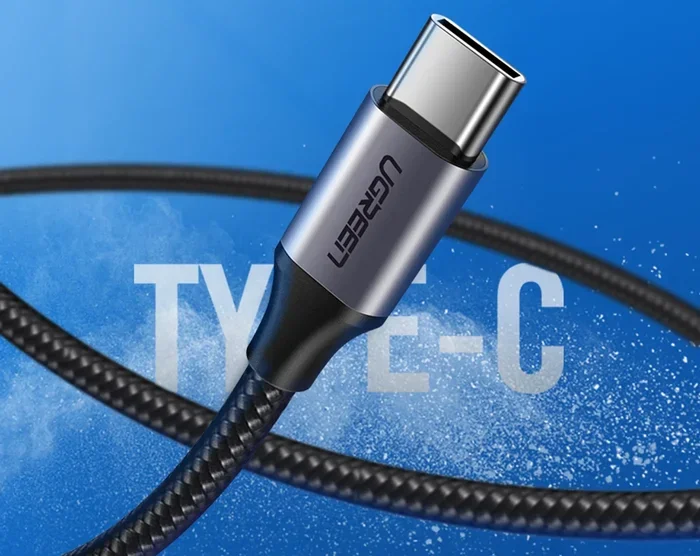
USB-C repair has become increasingly common as more devices use this connector. USB-C ports are smaller and more delicate than USB-A ports. A few tips specifically for USB-C:
- Use a thin, flexible tool like a dental pick to remove debris.
- Check if the port is bent. Sometimes the whole port shifts position and needs to be reseated.
- USB-C ports have more pins, so inspect all contacts carefully before soldering.
- Consider using a USB hub as a temporary workaround while you plan the repair.
Many people wonder if USB-C repair is worth the effort. The answer is yes, especially on expensive laptops and tablets. A replacement USB-C port costs very little compared to buying a new device.
Professional USB Port Repair Options
Not every fix needs to be DIY. Sometimes professional help is the smartest choice. Let us look at when to call in the experts and what to expect cost-wise.
Cost Considerations
The cost of USB port repair varies widely. Here is a rough breakdown:
- Simple cleaning and diagnostics: Free to $20 at most repair shops.
- Re-soldering a loose port: $30 to $75 depending on the device.
- Full USB port replacement: $50 to $150 including parts and labor.
- Motherboard-level repair: $100 to $300 if the damage extends beyond the port itself.
These prices vary by region and device type. Apple products tend to cost more to repair. Budget laptops might cost less. Always get a quote before committing to any repair.
When to Seek Professional Help
Some situations call for a professional technician. Here are clear signs you should not attempt a DIY fix:
- The motherboard USB port traces are damaged or burned.
- You are uncomfortable opening your device or using a soldering iron.
- The device is still under warranty. DIY repair may void it.
- Multiple ports are failing, which could indicate a deeper motherboard issue.
- The port is on a surface-mounted component that requires micro-soldering skills.
A qualified technician has the tools and experience to handle complex repairs safely. They can also diagnose issues you might miss, like a failing USB controller chip on the motherboard.
Preventing Future USB Port Damage
Once you fix a USB port, you want to keep it working. Prevention is always easier and cheaper than repair. A few simple habits can extend the life of your ports significantly.
Best Practices for Port Care
- Insert and remove cables gently. Never force a connector into a port. If it does not fit easily, check for debris or misalignment.
- Use port covers on laptops. Silicone caps protect unused ports from dust and spills.
- Avoid cheap cables. Poor-quality cables can apply too much pressure on the port or deliver unstable power.
- Keep devices on clean surfaces. Dust and pet hair are the enemies of USB ports.
- Do not yank cables out. Pull the connector out by the head, not the cable.
These small habits add up over time. A well-maintained USB port can last the entire lifespan of your device.
Using USB Hubs and Adapters
A USB hub can reduce wear on your device ports by distributing connections. Instead of plugging and unplugging directly into your laptop, you connect the hub once and leave it. This is especially helpful for desktop setups with multiple peripherals. Just make sure you use a powered hub for devices that draw more current.
When to Replace the Entire Device
Sometimes repair is not the best option. If the USB port damage is part of a larger hardware failure, replacing the device might make more sense financially.
Here are signs that replacement is the better choice:
- The device is more than five years old and already showing other signs of aging.
- Multiple ports and components are failing at the same time.
- The repair cost exceeds 50% of the price of a new device.
- The device is no longer supported by the manufacturer with firmware or driver updates.
Before you decide, weigh the repair cost against the price of a new device. Sometimes investing in a newer model with better-built ports saves money in the long run.
Common Mistakes to Avoid
Even with the best intentions, people make mistakes when fixing USB ports. Here are the most common ones and how to avoid them:
- Using too much force: This bends or breaks internal pins. Always insert cables gently and straight.
- Ignoring software issues: A USB driver update or system restart can fix problems that look like hardware failures.
- Using the wrong solder: Lead-free solder requires higher temperatures and can damage components if you are not careful.
- Skipping the cleaning step: Many “broken” ports are just dirty. Always clean before you assume the worst.
- Not backing up data: Before opening any device, back up your files. Accidents happen during repair.
Avoiding these mistakes makes the repair process smoother and safer. You will get better results and avoid causing additional damage.
Expert Insights on USB Port Repair
Experienced repair technicians share a few insights that are worth knowing:
Most USB port failures are mechanical, not electrical. The port wears out from repeated use, not from an electrical surge. This means the fix is usually straightforward and inexpensive.
USB port troubleshooting should always start simple. Technicians recommend trying a different cable, a different port, and a different device before assuming the port itself is broken. About 30% of “broken port” cases turn out to be a faulty cable or device.
Prevention beats repair every time. A good quality USB cable with proper strain relief lasts much longer and puts less stress on the port. Investing in quality accessories pays off in the long run.
Key Takeaways
- USB ports can almost always be repaired: From simple cleaning to full replacement, solutions exist for every type of damage.
- Start with the basics: Cleaning, cable swaps, and driver updates solve many problems without any tools.
- DIY soldering is easier than you think: With a cheap soldering iron and a little practice, you can fix most port issues at home.
- Professional repair is affordable: Most USB port repair jobs cost between $30 and $150 when done by a technician.
- Prevention extends port life: Gentle handling, quality cables, and regular cleaning keep ports working for years.
- Know your limits: If the damage is complex or the device is under warranty, seek professional help rather than risking further damage.
Conclusion
So, can USB ports be repaired? Absolutely yes. Whether you are dealing with a loose USB port, a broken USB connector, or a port that simply stopped working, there is a fix for it. You can start with simple cleaning and troubleshooting at home. If the problem is more serious, soldering or replacing the port is well within reach for most people.
For those who prefer not to DIY, professional repair is affordable and widely available. And the best part? Most USB port repair jobs are quick, inexpensive, and highly successful. Your device does not need to suffer from a faulty port for long.
Take action today. Diagnose the problem, try the simplest fix first, and work your way up as needed. With the right approach, your USB ports will be working like new again in no time.
Frequently Asked Questions
Can a broken USB port be fixed at home?
Yes, many broken USB ports can be fixed at home with basic tools like a soldering iron and some solder. Simple issues like dirt or a loose connection often require no tools at all. For more serious damage, replacement parts are inexpensive and widely available online.
How much does it cost to repair a USB port?
The cost ranges from free if you do it yourself to around $150 if you hire a professional. Most repairs fall in the $30 to $75 range. The price depends on the device type, the port location, and the extent of the damage.
Why is my USB port not working but the device charges on another port?
This usually means the specific port has a hardware issue while the device itself is fine. It could be a loose connection, bent pins, or a damaged port controller. Try cleaning the port first, then test with another cable to rule out software problems.
Is USB-C repair different from USB-A repair?
Yes, USB-C repair requires more precision because the port is smaller and has more pins. The basic repair process is similar, but you need finer tools and a steadier hand. Many repair shops specialize in USB-C port replacement for laptops and phones.
Can a damaged USB port damage my device?
In rare cases, a severely damaged port can cause issues with the motherboard or power regulation. This is why it is important to address port problems quickly. A loose port that sparks or shorts can potentially harm other components if left unfixed.
How long does a USB port repair take?
Most repairs take between 30 minutes and two hours. Simple cleaning or re-soldering can be done in under 30 minutes. Full port replacement might take up to two hours, especially if the port is difficult to access on the device.