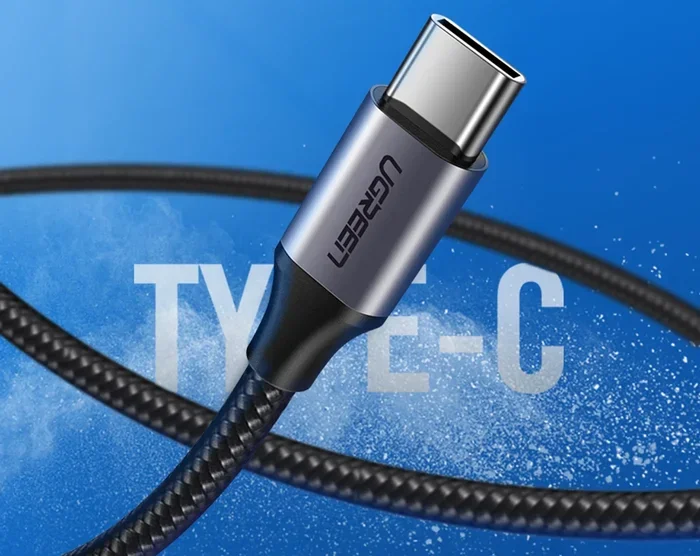
Can I Use A Usb C To Usb C Charge Faster With These Tips
Yes, you can use a USB C to USB C connection to charge faster. The right cable, charger, and settings make a big difference in your charging speed. In this guide, you will learn exactly how USB C to USB C charge faster works and what you need to do to get the best results.
Have you ever plugged in your phone or laptop and waited forever for it to charge? You are not alone. Many people wonder if switching to a USB C to USB C cable can speed things up. The short answer is yes. But the full answer is a bit more interesting.
Using a USB C to USB C cable can absolutely help you charge faster. But it is not just about the cable. Your charger wattage, the power delivery standard, and even the port on your device all play a role. In this article, we will break down everything you need to know about USB-C charging speed. You will learn what makes fast charging work, what mistakes to avoid, and how to get the most out of your USB-C setup.
Whether you are charging a smartphone, a laptop, or a tablet, this guide has you covered. Let us dive in and explore how you can make your devices power up in record time.
Key Takeaways
- USB-C to USB-C cables can charge faster: The cable and charger you choose directly impact your charging speed.
- Power Delivery matters: USB Power Delivery (USB PD) is the key technology behind fast USB-C charging.
- Wattage is everything: Higher charger wattage means faster battery charging for phones and laptops.
- Cable quality counts: Not all USB-C cables are created equal. Cheap cables slow you down.
- Avoid common mistakes: Using the wrong cable or port can cut your charging speed in half.
- GaN chargers are a game changer: These compact chargers deliver more power without overheating.
📑 Table of Contents
- Understanding USB-C Charging Basics
- Can You Actually Charge Faster With USB-C to USB-C?
- What Determines USB-C Charging Speed
- Quick Tips to Charge Faster With USB-C to USB-C
- Common Mistakes That Slow Down USB-C Charging
- Expert Insights on USB-C Fast Charging
- How to Choose the Best USB-C Setup for Faster Charging
- Key Takeaways
- Conclusion
Understanding USB-C Charging Basics
What Is USB-C?
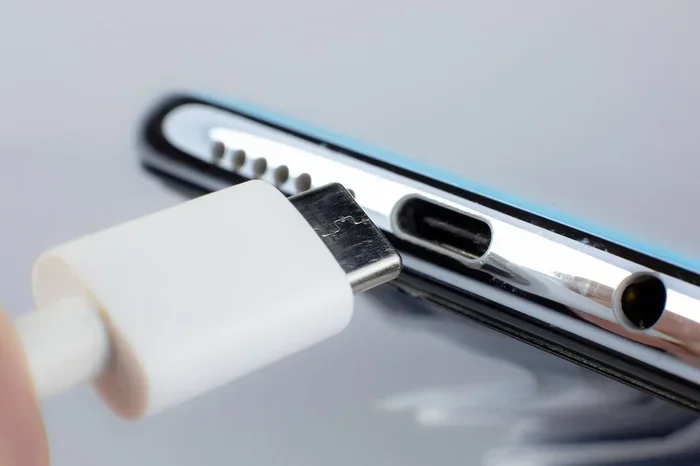
USB-C is a type of connector used in modern devices. It is small, reversible, and works with many gadgets. Unlike older USB ports, the USB-C port can handle data, video, and power all at once. This makes it incredibly versatile.
Most new phones, laptops, and tablets now use USB-C. Apple switched to it for MacBooks in 2015. Many Android phones adopted it years before that. Today, it is the standard connector for most portable electronics.
How Does USB-C Charging Work?
When you plug a USB-C cable into a charger and your device, power flows from the charger to the battery. The speed of this flow depends on several factors:
- Charger output measured in watts
- Cable quality and thickness
- Device compatibility with fast charging standards
- USB Power Delivery protocol support
The USB Power Delivery standard, also called USB PD, is the most common fast charging protocol for USB-C devices. It allows devices to negotiate the right amount of power automatically. This means your phone or laptop gets exactly the power it needs without damage.
USB-C vs Older USB Types
Older USB types like USB-A and USB-Micro cannot deliver the same power as USB-C. USB-A ports typically max out at 7.5 watts. USB-C ports can handle up to 240 watts with the latest USB PD standard. This is a huge difference and explains why USB-C to USB C charge faster setups feel so much quicker.
| Feature | USB-A | USB-C |
|---|---|---|
| Max Power | 7.5W (standard) | 240W (USB PD 3.1) |
| Reversible | No | Yes |
| Data Speed | Up to 5Gbps (USB 3.0) | Up to 40Gbps (USB4) |
| Fast Charging | Limited | Full support |
| Common Devices | Older peripherals | Modern phones, laptops |
Can You Actually Charge Faster With USB-C to USB-C?
The Short Answer: Yes
Using a USB C to USB C cable with a compatible USB-C charger will charge your device faster than older cable types. But speed depends on more than just the cable. Both ends of the connection matter.
For example, if you use a USB-C to USB-C cable with a GaN charger rated at 65 watts, you will see much faster charging speed than with a basic 5-watt adapter. The cable and charger must both support fast charging protocols for the best results.
When Does USB-C to USB-C Charge Faster?
Here are the situations where switching to USB-C to USB C makes a noticeable difference:
- Your old charger uses a USB-A to USB-C cable, limiting power output.
- Your USB-C charger supports USB Power Delivery but your cable does not.
- You are charging a laptop that requires higher wattage to charge while in use.
- Your device supports fast charging standards like PD 3.0 or PPS.
Does the Cable Length Matter?
Surprisingly, yes. Longer USB-C cables can lose some power during transmission. A shorter cable, like 1 to 3 feet, will generally deliver power more efficiently. If charging speed is your goal, keep your USB-C cable as short as practical.
What Determines USB-C Charging Speed
Charger Wattage
Charger wattage is the biggest factor in how fast your device charges. A higher wattage charger pushes more power into your battery. A 10-watt charger will charge slowly. A 65-watt or 100-watt charger will charge much faster.
But here is the catch. Your device will only draw as much power as it can handle. A phone that supports 18 watts will not suddenly charge faster on a 100-watt charger. It will simply take the 18 watts it needs.
USB Power Delivery Protocol
USB Power Delivery is a smart protocol built into USB-C devices. It allows the charger and device to communicate and agree on the best power level. This negotiation happens in milliseconds. It is why USB PD charging is so safe and efficient.
USB PD has evolved over the years:
- USB PD 2.0: Up to 100 watts
- USB PD 3.0: Up to 100 watts with smarter power management
- USB PD 3.1: Up to 240 watts (Extended Power Range)
Each new version improves charging speed and efficiency. If you want USB C to USB C charge faster, make sure your charger and device both support the latest USB PD version.
Cable Quality and E-Marker Chips
Not all USB-C cables are the same. Quality cables contain an E-Marker chip that tells the charger what the cable can handle. Cheap cables without this chip may limit power to 60 watts or less, even if your charger can deliver more.
When shopping for a USB-C cable, look for these features:
- E-Marker chip support
- Rated for 60W or 100W
- Braided outer jacket for durability
- Proper gauge wire (thicker is better)
Device Battery and Charging Circuit
Your device’s internal battery and charging circuit also affect speed. Some smartphones and laptops have better charging circuits than others. A device with a high-quality battery charging circuit will accept power faster and more safely.
Temperature plays a role too. If your device is too hot or too cold, it will slow down charging speed to protect the battery. This is normal behavior and not a sign of a problem.
Quick Tips to Charge Faster With USB-C to USB-C
Tip 1: Use a High-Wattage Charger
The easiest way to charge faster is to use a USB-C charger with higher wattage. Look for chargers rated at 65W, 100W, or higher if your device supports it.
Tip 2: Choose the Right Cable
Invest in a quality USB-C to USB-C cable rated for at least 60 watts. Avoid the flimsy, ultra-thin cables that come free with some devices. They often limit power delivery.
Tip 3: Remove the Case While Charging
Thick phone cases trap heat. Heat slows down charging speed. Take off the case while charging to keep your device cool and charging at full speed.
Tip 4: Enable Airplane Mode
Turning on Airplane Mode while charging reduces power draw. Your battery can focus on receiving power instead of running background processes. This simple trick can shave minutes off your charging time.
Tip 5: Charge from a Wall Outlet, Not a Computer
USB ports on computers typically deliver only 5 to 15 watts. A wall charging adapter can deliver 60 watts or more. Always plug into a wall outlet for the fastest battery charging.
Tip 6: Use a GaN Charger
GaN chargers use gallium nitride technology to deliver more power in a smaller package. They run cooler and charge faster than traditional silicon chargers. A GaN charger is one of the best upgrades you can make for USB-C fast charging.
Quick Tips Summary
- Use a 65W+ USB-C charger for best results
- Choose a USB-C cable rated for high wattage
- Remove your device case while charging
- Turn on Airplane Mode to reduce power draw
- Always plug into a wall outlet
- Consider a GaN charger for compact, powerful charging
Common Mistakes That Slow Down USB-C Charging
Using a Damaged or Low-Quality Cable
This is the most common mistake. Frayed, bent, or cheap USB-C cables can significantly reduce charging speed. A damaged cable may also pose a safety risk. Replace any cable that shows signs of wear immediately.
Using the Wrong Charger
Not all chargers support USB Power Delivery. If you use an old USB-A charger with a USB-C to USB-C adapter, you will not get fast charging. Always use a USB-C charger that explicitly supports PD fast charging.
Charging While Using Heavy Apps
If you are gaming or streaming while charging, your device uses power faster than the charger can deliver it. This creates a bottleneck. Battery charging slows down or may even drain while you use the device.
Ignoring Software Updates
Device manufacturers often release software updates that improve charging speed and battery health. Keeping your device updated ensures you get the best USB-C charging performance.
Plugging Into the Wrong Port
Some devices have multiple USB-C ports with different capabilities. A port designed for data transfer may not support high-power charging. Check your device manual to confirm which port delivers the most power.
Watch Out For These Mistakes
- Using a cheap USB-C cable without E-Marker support
- Charging through a computer USB port instead of a wall outlet
- Using non-certified charging adapters
- Charging in extreme hot or cold temperatures
- Using a USB-C hub or USB-C charger that does not support full power pass-through
Expert Insights on USB-C Fast Charging
What Do Charging Experts Say?
According to charging technology experts, the USB-C to USB C charge faster advantage is real but depends on the full chain of equipment. The charger, cable, and device must all work together. A bottleneck at any point will limit your charging speed.
Experts recommend looking for USB-IF certified products. This certification ensures the equipment meets strict standards for safety and performance. It is the best way to guarantee you are getting genuine fast charging.
The Rise of GaN Technology
GaN chargers have revolutionized the USB-C charging landscape. These compact chargers deliver more power per square inch than traditional chargers. They also run cooler, which extends the lifespan of both the charger and your device.
Many top brands now offer GaN-based USB-C chargers in portable sizes. You can get a 65-watt GaN charger that is smaller than a credit card. This makes it perfect for travel and daily use.
Future of USB-C Charging
The future looks bright for USB-C fast charging. The upcoming USB4 standard will bring even faster data and power delivery. USB PD 3.1 already supports up to 240 watts, which can charge most laptops in under two hours.
As more devices adopt USB-C as the universal connector, we can expect charging speed to keep improving. The era of carrying multiple cables and chargers is slowly coming to an end.
How to Choose the Best USB-C Setup for Faster Charging
What to Look For in a USB-C Charger
When shopping for a USB-C charger, keep these factors in mind:
- Wattage rating: Match it to your device’s needs
- USB PD support: Essential for fast charging
- Number of ports: Multi-port chargers offer flexibility
- Size and portability: GaN chargers are compact and travel-friendly
- Certification: Look for USB-IF certification
What to Look For in a USB-C Cable
A good USB-C cable is just as important as a good charger. Here is what to prioritize:
- Rated for 60W or 100W power delivery
- Contains an E-Marker chip
- Braided or reinforced outer jacket
- Proper wire gauge (20AWG or thicker)
- Certified by USB-IF or similar standards body
Remember, a cheap cable can hold back even the best USB-C charger. Always invest in quality cables for the best charging speed.
Matching Charger to Device
Different devices need different levels of power. Here is a simple guide:
- Smartphones: 18W to 45W USB-C charger
- Tablets: 20W to 65W USB-C charger
- Ultrabooks: 65W to 100W USB-C charger
- Gaming laptops: 100W to 140W USB-C charger
Matching your charger wattage to your device ensures optimal charging speed without wasting energy or risking damage.
Key Takeaways
- USB C to USB C charge faster: A quality USB-C to USB-C cable with a high-wattage USB-C charger delivers noticeably faster charging speed than older cable types.
- USB Power Delivery is the key: USB PD technology enables smart, safe, and fast power delivery to your devices.
- Wattage matters: Higher charger wattage means faster battery charging, but your device must support the power level.
- Cable quality is critical: Cheap or damaged USB-C cables can severely limit your charging speed. Always use certified, high-quality cables.
- Avoid common mistakes: Using the wrong charger, charging through a computer, or ignoring device heat all slow down USB-C charging.
- GaN chargers are worth it: These compact, efficient chargers offer superior fast charging in a portable design.
Conclusion
The answer to whether you can USB C to USB C charge faster is a clear yes. By choosing the right USB-C cable, USB-C charger, and following best practices, you can significantly improve your charging speed. The combination of USB Power Delivery, proper wattage, and quality equipment makes all the difference.
Do not let slow battery charging frustrate you anymore. Upgrade your USB-C setup today and enjoy the freedom of fast, reliable power. Whether you are at home, in the office, or on the go, the right USB-C charging equipment keeps your devices ready when you need them most.
Start with one simple change. Grab a quality USB-C to USB-C cable and a USB-C charger that supports fast charging. You will feel the difference immediately. Your devices will thank you, and you will never waste time waiting for a slow charge again.
Frequently Asked Questions
Can any USB-C to USB-C cable charge faster?
No, not all USB-C cables support fast charging. The cable must be rated for sufficient wattage and contain proper wiring and an E-Marker chip. Cheap or damaged cables will limit your charging speed regardless of the charger you use.
What wattage charger do I need for USB-C fast charging?
It depends on your device. Most smartphones charge fastest with 18W to 45W USB-C chargers. Laptops typically need 65W or higher. Check your device specifications to find the recommended charger wattage for optimal charging speed.
Is USB-C to USB-C the same as Thunderbolt charging?
Not exactly. Thunderbolt uses the USB-C port but offers faster data speeds and sometimes higher power delivery. All Thunderbolt cables can charge devices, but not all USB-C cables support Thunderbolt speeds. For pure charging speed, a standard USB-C cable with USB PD support works great.
Can I use a USB-C hub and still charge faster?
Yes, but it depends on the hub. Some USB-C hubs support power pass-through, which means they let you charge your device while connected to other peripherals. Make sure your USB-C hub is rated for the same wattage as your charger to maintain fast charging speed.
Does charging speed decrease over time with USB-C?
Your charging speed may slow down as your battery ages. This is normal battery degradation. Using a quality USB-C charger and cable will help maintain the best possible charging speed throughout your device’s lifespan. Avoid charging in extreme heat, as this accelerates battery wear.
Are expensive USB-C cables worth it for faster charging?
Yes, generally. Premium USB-C cables with proper certification, thicker wiring, and E-Marker chips deliver higher wattage reliably. While you do not need to spend a fortune, investing in a quality USB-C cable is one of the easiest ways to ensure you get the fastest possible charging speed from your setup.