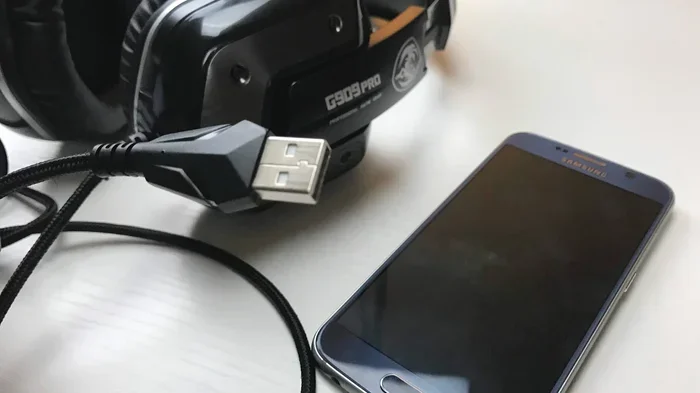
Can Headphones Be Plugged Into USB for Better Sound
Yes, you can plug headphones into USB, and it can significantly improve your audio experience. USB headphones use a built-in digital-to-analog converter to deliver cleaner sound than traditional 3.5mm connections. Whether you are a gamer, music lover, or remote worker, USB audio offers better quality, easier setup, and fewer audio problems.
Can headphones be plugged into USB? The short answer is yes. But the real question is whether doing so actually makes your listening experience better. The truth is, USB headphones have changed the way we think about audio. They offer cleaner sound, simpler setup, and fewer headaches compared to the old-school 3.5mm headphone jack. In this guide, we will break down everything you need to know about USB headphones, how they work, and whether they are worth your money.
If you have ever wondered why your laptop sounds tinny or why your phone headphone jack picks up buzzing noise, you are not alone. Many devices have weak audio hardware built in. USB headphones solve this problem by bringing their own audio processing power. They use a small chip called a digital-to-analog converter, or DAC, to turn digital signals into the sound you hear. This simple shift makes a huge difference in audio quality.
Key Takeaways
- USB headphones work directly with your device: They bypass your computer’s weak built-in audio chip and use their own digital-to-analog converter for cleaner sound.
- You can use adapters for regular headphones: A USB-to-3.5mm adapter or USB sound card lets you plug analog headphones into a USB port easily.
- USB audio reduces interference: Digital connections eliminate electromagnetic noise that often affects analog headphone jacks on laptops and phones.
- Gaming and professional audio benefit the most: USB headsets offer surround sound, low audio latency, and dedicated volume controls that enhance gameplay and content creation.
- Not all USB headphones are equal: Built-in DAC quality varies, so choosing the right one matters for the best listening experience.
- USB-C is the future of audio: Many new phones and laptops have dropped the 3.5mm jack, making USB headphones and USB-C adapters essential accessories.
📑 Table of Contents
- What Happens When You Plug Headphones Into USB
- Types of USB Headphones and Adapters
- Do USB Headphones Really Sound Better
- How to Set Up USB Headphones
- Common Problems and How to Fix Them
- Are USB Headphones Worth Buying
- Quick Tips for Getting the Best USB Audio
- Common Mistakes People Make With USB Headphones
- Expert Insight: The Future of USB Audio
- Final Thoughts
What Happens When You Plug Headphones Into USB
When you plug headphones into a USB port, something different happens compared to a regular 3.5mm jack. A standard headphone jack carries an analog audio signal. That means the sound is already converted by your device’s internal audio chip before it reaches your headphones. USB headphones, on the other hand, receive a digital signal and do the conversion themselves.
How USB Audio Works
USB audio works by sending digital data from your device to the headphones. Inside the USB headphone or adapter sits a small DAC chip. This chip converts the digital data into an analog signal that your headphone drivers can use to produce sound. Because the conversion happens inside the headphones, the quality depends on the DAC and amplifier built into the USB device, not on your laptop or phone.
This is a big deal. Many computers and phones have cheap audio hardware. Their built-in DACs often produce noise, distortion, or weak sound. USB headphones skip all of that. They use their own dedicated audio components, which usually results in cleaner, louder, and more detailed sound.
USB vs 3.5mm Headphone Jack
The traditional 3.5mm jack has been around for decades. It is simple and works with almost everything. But it has limitations. The audio signal travels through your device’s motherboard, which is full of electrical interference. This can cause a faint humming or buzzing sound, especially in laptops. USB headphones avoid this problem entirely because the digital signal stays isolated until it reaches the headphone’s own DAC.
Here is a quick comparison of the two connection types:
- 3.5mm analog jack: Relies on your device’s audio hardware. Prone to interference and noise. Simple plug-and-play with no extra software.
- USB digital connection: Uses a built-in DAC for cleaner conversion. Less susceptible to electrical noise. May require driver installation or software support.
Types of USB Headphones and Adapters
Not all USB audio setups are the same. There are several ways to connect headphones through USB, and each has its own benefits. Understanding your options helps you choose the right setup for your needs.
USB Headphones With Built-In DAC
These are headphones that come with a USB cable directly attached. They have a DAC and amplifier built right into the headset or a small box near the connection point. Popular examples include gaming headsets like the HyperX Cloud II USB and the Logitech G Pro X. These headsets are designed to work right out of the box with minimal setup.
Most USB gaming headsets use a USB sound card embedded in the cable or control box. This sound card handles all the audio processing. You get features like surround sound, adjustable EQ, and mute controls right on the cable. For gamers, this is a huge advantage because it improves spatial awareness and reduces audio latency during fast-paced gameplay.
USB Audio Adapters for Regular Headphones
What if you love your current headphones but want USB sound quality? You can buy a USB audio adapter, also called a USB DAC or USB headphone amplifier. These small devices plug into your USB port and provide a 3.5mm or 6.35mm headphone output. You simply connect your regular analog headphones to the adapter, and you get much better sound.
USB audio adapters come in many shapes and sizes. Some are tiny thumb-drive-sized dongles. Others are larger desktop units with premium DAC chips and powerful amplifiers. Brands like Fiio, AudioQuest, and Sabrent make popular options at various price points. A basic adapter might cost under twenty dollars, while high-end models can run several hundred dollars.
USB-C Headphones and Adapters
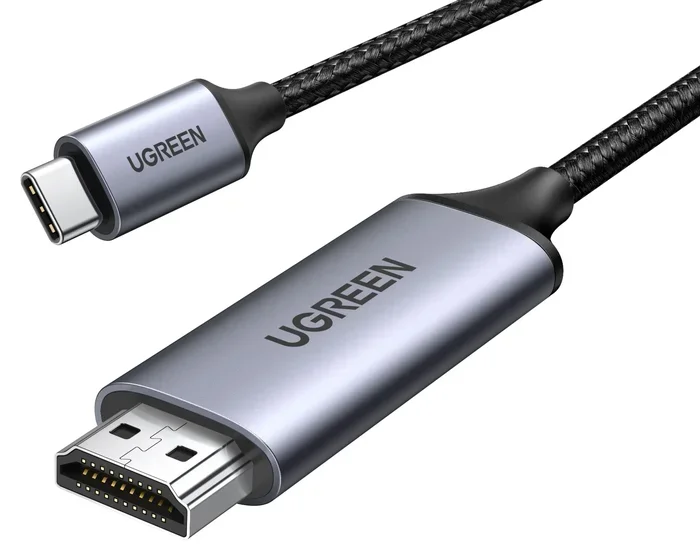
USB-C is now the standard charging and data port on most modern phones and laptops. Many new devices have completely removed the 3.5mm headphone jack. This makes USB-C headphones and USB-C adapters essential for anyone who still wants to use wired audio. USB-C headphones work the same way as standard USB headphones, but they connect through the USB-C port instead of the older USB-A port.
Some USB-C adapters also support digital-to-analog conversion, so you can plug your old 3.5mm headphones into a USB-C dongle and get improved sound. This is a great budget-friendly option if you do not want to buy a whole new headset.
Do USB Headphones Really Sound Better
This is the question most people want answered. The honest answer is it depends. USB headphones can sound better, but not always. The quality of the built-in DAC and amplifier matters a lot. A cheap USB headset with a basic DAC may not sound much different from a good pair of headphones plugged into a decent 3.5mm jack.
What Makes USB Audio Sound Better
Several factors contribute to the potential sound quality improvement when using USB headphones:
- Better DAC chip: A dedicated digital-to-analog converter in the headphones produces a cleaner and more accurate audio signal than most built-in device audio chips.
- Stronger amplifier: USB headphones often include a small amplifier that drives your headphone drivers more effectively, resulting in louder and more dynamic sound.
- Less electrical interference: Because the digital signal stays isolated from your device’s motherboard, you hear less background noise and hum.
- Custom audio software: Many USB headsets come with software that lets you adjust equalizer settings, surround sound, and microphone monitoring.
When USB Headphones Might Not Help
USB headphones are not magic. If your headphone drivers are low quality or the headphone design is poor, no amount of USB connection will fix that. Also, if you already own a high-quality external DAC or audio interface, plugging regular headphones into that device might give you even better results than USB headphones alone.
Another thing to consider is audio latency. Latency is the tiny delay between when audio is produced and when you hear it. USB audio generally has very low latency, which is great for gaming and video editing. However, some cheap USB headphones or adapters may have higher latency due to poor driver support or slow processing chips.
How to Set Up USB Headphones
Setting up USB headphones is usually simple. Most modern operating systems recognize USB audio devices automatically. Here is a quick guide to getting your USB headphones working properly.
Setting Up on Windows
On Windows, plug your USB headphones into any available USB port. Windows should detect the device and install the necessary audio driver automatically. You may see a notification saying a new device has been recognized. Once the drivers are installed, go to your sound settings and select the USB headphones as your default playback device.
Some USB headsets come with a software disc or a downloadable app. This software lets you customize the audio profile, adjust the microphone settings, and update firmware. Installing this software is recommended for the best experience, especially with gaming headsets.
Setting Up on Mac
Mac computers also support USB headphones out of the box. Plug them in, and macOS should recognize the device immediately. You can check your audio output settings in System Preferences under Sound. Select the USB headphones from the output list. Macs tend to have fewer driver issues, so the setup process is usually smoother on Apple devices.
Setting Up on Mobile Devices
For Android phones and tablets, USB-C headphones work directly without any extra steps. Simply plug them in and start listening. On iPhones, the situation is a bit different. Apple Lightning port devices require Lightning-to-USB-C or Lightning-to-3.5mm adapters for wired audio. However, USB audio support on iOS is limited compared to Android, so always check compatibility before buying.
Common Problems and How to Fix Them
USB headphones are generally reliable, but you may run into occasional issues. Here are some common problems and quick fixes.
No Sound After Plugging In
If you plug in your USB headphones and hear nothing, the first thing to check is your sound settings. Make sure the USB headphones are set as the default playback device. On Windows, right-click the speaker icon in your taskbar and select your USB headphones from the output menu. If that does not work, try unplugging and replugging the USB cable into a different port.
Distorted or Crackling Sound
Distorted audio can happen for several reasons. A damaged USB cable is one common cause. Try a different cable to rule this out. Another possibility is a driver conflict. Updating your audio drivers through Device Manager on Windows often fixes this issue. If the distortion only happens at high volumes, your headphones may be clipping, which means the amplifier is being pushed beyond its limits.
USB Headphones Not Recognized
Sometimes your device simply does not recognize the USB headphones. This can happen if the USB port is not providing enough power or if there is a driver issue. Try a powered USB hub if you are using a laptop with limited USB power. You can also check Device Manager for any devices with a yellow warning triangle, which indicates a driver problem that needs attention.
Microphone Not Working
Many USB headphones have a built-in microphone. If the mic is not working, check your privacy settings on Windows or Mac to make sure the microphone has permission to access apps. You should also verify that the correct input device is selected in your sound settings. Some USB headsets require their specific software to enable the microphone properly.
Are USB Headphones Worth Buying
The decision to buy USB headphones depends on your use case and what you value most in audio. For many people, USB headphones are a great investment. They offer better sound quality, less noise, and more features than standard 3.5mm headphones in many cases.
Here are some situations where USB headphones make the most sense:
- Gaming: USB headsets provide low-latency audio, surround sound, and clear microphone communication. These features give gamers a competitive edge.
- Remote work and video calls: USB headphones with built-in microphones offer clear voice pickup and noise cancellation, making online meetings smoother.
- Music production: Some USB audio interfaces double as headphone amplifiers with high-quality DACs. These are essential tools for producers and audio engineers.
- Devices without a headphone jack: If you use a modern laptop or phone without a 3.5mm jack, USB headphones or a USB-C adapter are your best wired audio option.
On the other hand, if you are an audiophile with a high-end audio setup, you might prefer a dedicated external DAC and amplifier paired with premium analog headphones. This setup offers the highest possible audio quality but comes at a higher cost. For casual listeners and everyday users, USB headphones are an excellent and convenient choice.
Quick Tips for Getting the Best USB Audio
Want to squeeze every bit of quality out of your USB headphones? Follow these simple tips:
- Use a USB 2.0 or higher port: USB 3.0 and USB-C ports provide better power and more stable data transfer, which can improve audio consistency.
- Avoid cheap USB hubs: A low-quality USB hub can introduce noise and reduce audio quality. Plug directly into your computer whenever possible.
- Keep your drivers updated: Outdated audio drivers can cause glitches, distortion, and compatibility issues. Check the manufacturer’s website for the latest updates.
- Try different USB ports: Some USB ports on your computer may share bandwidth with other devices. Plugging into a separate controller can reduce audio dropouts.
- Clean your USB connections: Dust and debris in USB ports can cause intermittent connection problems. A quick wipe with a dry cloth can help maintain a solid connection.
Common Mistakes People Make With USB Headphones
Even though USB headphones are easy to use, some common mistakes can hurt your experience. Avoid these pitfalls to get the best results.
- Skipping driver installation: Many people plug in USB headphones and expect everything to work perfectly. But skipping the manufacturer’s software means you miss out on EQ settings, surround sound, and firmware updates that can significantly improve performance.
- Using the wrong port: Some USB ports on laptops share bandwidth with other internal components. Plugging into the correct port can reduce audio stuttering and interference.
- Ignoring impedance matching: Not all headphones are easy to drive. If your USB headphones are high-impedance and your built-in amplifier is weak, the sound will be quiet and lack bass. Check the impedance rating and make sure your setup can handle it.
- Assuming all USB audio is the same: The quality of the DAC chip inside a USB headphone or adapter varies wildly between products. A twenty-dollar USB adapter and a two-hundred-dollar one will sound very different. Do your research before buying.
Expert Insight: The Future of USB Audio
The audio industry is moving toward USB and digital connections. More smartphones, tablets, and laptops are dropping the 3.5mm jack entirely. USB-C is becoming the universal standard for wired audio. This shift means that USB headphones and adapters will only become more important in the coming years.
Audio technology is also improving rapidly. New DAC chips offer higher resolution and lower noise floors than ever before. Some premium USB headphones now support high-resolution audio formats that rival dedicated home audio equipment. As digital audio standards continue to evolve, USB headphones will only get better at delivering studio-quality sound in a portable format.
For consumers, this is good news. You no longer need to spend thousands on a home audio system to enjoy great sound. A quality pair of USB headphones or a small USB-C DAC can transform your listening experience on any device. The convenience and audio quality of USB audio make it one of the best upgrades you can make to your daily tech setup.
Final Thoughts
So, can headphones be plugged into USB? Absolutely, and the benefits are clear. Whether you use a pair of USB headphones with a built-in digital-to-analog converter or a simple USB audio adapter for your existing headphones, the result is cleaner, more reliable audio. USB connections bypass weak device audio hardware, reduce interference, and offer features that analog jacks simply cannot match.
If you are tired of muffled sound, background buzzing, or weak audio from your laptop or phone, switching to USB audio is a smart move. The setup is easy, the options are plentiful, and the sound quality improvement is noticeable. Whether you are gaming, working from home, or just enjoying your favorite music, USB headphones deliver a better experience that is hard to ignore.
Take some time to explore your options. Consider what you need most, whether it is gaming surround sound, a clear microphone for calls, or simply better music quality on your commute. With the right USB headphones or adapter, you can turn any device into a high-quality audio source. The days of settling for mediocre sound are over.
Frequently Asked Questions
Can any headphones be plugged into USB with an adapter?
Yes, most analog headphones can be used with a USB audio adapter. The adapter converts the digital USB signal to an analog output that your regular headphones can use. Just make sure the adapter supports the impedance of your headphones for the best results.
Do USB headphones need drivers to work?
Many USB headphones work without drivers thanks to plug-and-play support. However, installing the manufacturer’s software gives you access to equalizer settings, surround sound, and microphone controls. Gaming headsets especially benefit from dedicated software.
Is USB audio better than Bluetooth for headphones?
USB audio generally offers lower latency and better sound quality than Bluetooth because it uses a direct digital connection without compression. Bluetooth audio compresses the signal, which can reduce quality. However, Bluetooth offers wireless freedom, which USB cannot provide.
Can I use USB headphones with a smartphone?
Yes, if your phone has a USB-C port, USB-C headphones work directly. Some Android phones also support USB audio through OTG adapters. iPhones use Lightning or USB-C with specific adapters, so compatibility varies by model.
Why does my USB headphone sound quiet even at full volume?
This is often caused by impedance mismatch or a weak amplifier in the USB headphone. High-impedance headphones need more power to drive properly. Check the headphone specifications and consider using a USB headphone amplifier for louder and more dynamic sound.
Are USB headphones good for music production?
Yes, USB headphones with a quality built-in DAC are excellent for music production and mixing. They provide accurate sound reproduction and low audio latency. Many producers use USB audio interfaces with professional headphones for studio-quality monitoring.
=== CONCLUSION ===
Can headphones be plugged into USB for better sound? The answer is a clear yes. USB headphones and USB audio adapters offer a simple and effective way to upgrade your audio experience. They bypass weak device audio hardware, reduce interference, and deliver cleaner, more detailed sound. Whether you are a gamer, a remote worker, or just someone who loves great music, making the switch to USB audio is one of the easiest upgrades you can make. Try it today and hear the difference for yourself.