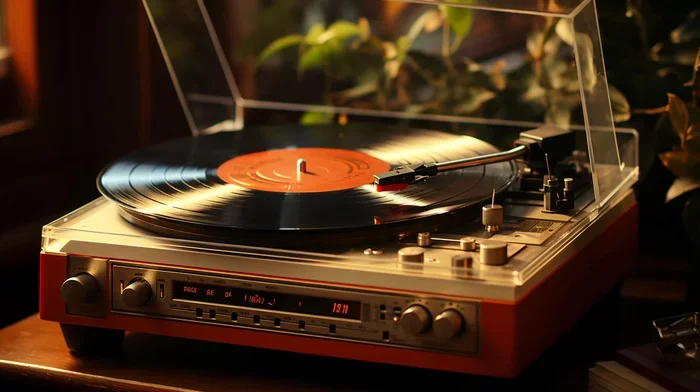
Can You Connect Victrola To Bluetooth Speaker Easily
Yes, you can connect Victrola to Bluetooth speaker in just a few simple steps. Whether you own a modern Victrola turntable with built-in Bluetooth or an older model, this guide covers every method you need. You will learn about RCA cables, 3.5mm jacks, wireless pairing, and how to get the best sound quality from your vinyl records through a Bluetooth speaker.
Key Takeaways
- Easy Bluetooth Connection: Many modern Victrola turntables come with built-in Bluetooth, making wireless pairing with a speaker quick and hassle-free.
- Multiple Connection Methods: You can connect using Bluetooth, RCA cables, a 3.5mm aux cable, or even a preamp setup depending on your model.
- Sound Quality Matters: Understanding your audio output options helps you get the best sound from your vinyl records through any speaker.
- Compatibility Is Key: Not all speakers or turntables are the same, so checking compatibility before buying cables or accessories saves time and money.
- Troubleshooting Is Simple: Most connection issues have easy fixes, from resetting Bluetooth to checking cable connections.
- Portable Listening Is Possible: Connecting to a portable Bluetooth speaker lets you enjoy vinyl records anywhere in your home or outdoors.
📑 Table of Contents
- Can You Connect Victrola To Bluetooth Speaker Easily?
- Understanding Your Victrola Turntable
- How to Connect Victrola to Bluetooth Speaker
- Choosing the Right Bluetooth Speaker
- Tips for Getting the Best Sound Quality
- Common Problems and How to Fix Them
- Expert Insights on Turntable and Speaker Setups
- Quick Tips for a Seamless Setup
- Frequently Asked Questions
- Conclusion
Can You Connect Victrola To Bluetooth Speaker Easily?
The short answer is yes. You can absolutely connect a Victrola turntable to a Bluetooth speaker. Whether you are a vinyl enthusiast or just getting started with record players, this setup opens up a world of listening possibilities. You get the warm, rich sound of vinyl combined with the convenience of wireless audio.
Many people ask this question because they want to upgrade their listening experience without buying a full stereo system. The good news is that you do not need expensive equipment. A simple Bluetooth speaker and the right cable can transform how you enjoy your favorite records. This guide walks you through every method, tip, and trick to make the connection seamless.
Victrola turntables are popular because they are affordable and stylish. They bring a vintage vibe to any room. But older models may not have Bluetooth built in. That is where external speakers and cables come into play. Do not worry. We will cover every scenario so you can find the solution that works for your setup.
By the end of this article, you will know exactly how to connect your Victrola to any Bluetooth speaker. You will understand the different connection types, what equipment you need, and how to troubleshoot common issues. Let us dive in.
Understanding Your Victrola Turntable
Before you connect anything, it helps to understand what kind of Victrola you own. Different models have different output options. Knowing your turntable type makes the whole process much easier.
Modern Victrola Models With Built-In Bluetooth
Newer Victrola turntables often come with Bluetooth built right in. Models like the Victrola Vintage 3-Speed and the Victrola Bluetooth Suitcase are great examples. These turntables let you pair directly with a Bluetooth speaker without any extra cables. You just turn on Bluetooth on both devices and they connect in seconds.
This is the easiest way to get wireless sound from your records. You do not need any additional equipment. Just power on your turntable, put it in pairing mode, and connect to your speaker. It really is that simple.
Older Victrola Models Without Bluetooth
If you own an older Victrola model, you may not have built-in Bluetooth. These turntables usually have RCA output jacks or a 3.5mm headphone jack. You can still connect to a Bluetooth speaker, but you need a helper device. A Bluetooth transmitter is the most common solution. This small gadget plugs into your turntable and sends the audio signal wirelessly to your speaker.
Older models are still fantastic. They have that classic vinyl charm. You just need a small adapter to make them work with modern Bluetooth speakers. It is a very affordable upgrade that makes a huge difference.
What Output Options Do You Have?
Most Victrola turntables come with one or more of these output options:
- RCA Output Jacks: These are the red and white circular ports on the back of the turntable. They send analog audio signals to external speakers or amplifiers.
- 3.5mm Headphone Jack: This is a single port, usually on the back or side. It works like the headphone jack on your phone.
- Built-In Speakers: Some models have speakers built into the turntable itself. You can listen directly or connect externally for better sound.
- USB and Digital Outputs: A few newer models include USB ports for digitizing records or digital audio output for modern setups.
Knowing which outputs your turntable has determines how you connect to a Bluetooth speaker. Check the back or side of your turntable and look for these ports.
How to Connect Victrola to Bluetooth Speaker
Now let us get into the actual connection methods. There are three main ways to connect your Victrola to a Bluetooth speaker. Each method works well depending on your turntable model and speaker type.
Method 1: Bluetooth Pairing (For Models With Built-In Bluetooth)
If your Victrola has Bluetooth, this is the fastest and easiest method. Here is how to do it step by step:
- Turn on your Victrola turntable and make sure it is set to Bluetooth mode.
- Press the Bluetooth button on the turntable. The Bluetooth light should start flashing.
- Turn on your Bluetooth speaker and put it in pairing mode.
- On your speaker, search for available devices.
- Select your Victrola from the list of devices.
- Wait for the connection to complete. You will hear a confirmation sound.
- Place a record on the turntable and enjoy your music wirelessly.
This method works great for casual listening. You can move your speaker around the room without dealing with cables. The Bluetooth range is usually about 30 feet, so you have plenty of freedom.
Method 2: Using RCA Cables With a Bluetooth Transmitter
If your Victrola does not have Bluetooth, a Bluetooth transmitter is your best friend. This small device bridges the gap between your turntable and a wireless speaker. Here is how it works:
- Plug the RCA cables into the red and white output jacks on the back of your Victrola.
- Connect the other end of the RCA cables to the Bluetooth transmitter.
- Turn on the Bluetooth transmitter and put it in pairing mode.
- Turn on your Bluetooth speaker and set it to pairing mode.
- The transmitter and speaker will connect automatically.
- Play a record and listen to the audio through your speaker.
Bluetooth transmitters cost between $10 and $30. They are a small investment that makes a big difference. Look for transmitters with aptX or aptX HD support for better sound quality. These codecs reduce audio lag and improve the wireless audio experience.
Method 3: Using a 3.5mm Aux Cable With a Bluetooth Adapter
Some Victrola models have a 3.5mm headphone jack instead of RCA outputs. In this case, you can use a 3.5mm to Bluetooth adapter. Here is the process:
- Plug the 3.5mm cable into the headphone jack on your Victrola.
- Connect the other end to a Bluetooth audio adapter or transmitter.
- Power on the adapter and put it in pairing mode.
- Pair your Bluetooth speaker with the adapter.
- Play your record and enjoy wireless sound.
This method is very similar to Method 2. The only difference is the cable type. Both approaches work well and produce great sound quality. Choose the one that matches your turntable’s output ports.
Choosing the Right Bluetooth Speaker
Not all Bluetooth speakers are created equal. When connecting a Victrola turntable, you want a speaker that delivers good sound quality and has enough power to fill your room. Here are some things to consider.
Speaker Size and Power
Small portable speakers are great for personal listening. They are lightweight and easy to move around. But if you want to fill a room with sound, you need a larger speaker with more wattage. A speaker with at least 10 watts of power works well for most rooms.
For bigger spaces, consider a speaker with 20 to 50 watts. These speakers can handle the low frequencies of vinyl records better. Bass sounds richer and deeper on more powerful speakers.
Sound Quality for Vinyl Records
Vinyl records have a warm, analog sound. Your speaker should be able to reproduce that warmth accurately. Look for speakers with good mid-range and bass response. Speakers with a flat frequency response tend to sound more natural.
Some popular Bluetooth speakers for vinyl setups include the JBL Flip series, the Bose SoundLink, and the Sony SRS series. These speakers are well-known for their sound quality and reliability. They pair easily with most turntables and transmitters.
Portable vs. Home Speakers
Portable Bluetooth speakers are perfect for casual listening. You can carry them from room to room or take them outside. They run on rechargeable batteries, which adds convenience.
Home speakers, on the other hand, are designed for stationary use. They often sound better and have more features. If you plan to set up a dedicated listening area, a home speaker is the better choice. Think about how you plan to use your setup before making a purchase.
Tips for Getting the Best Sound Quality
Connecting your Victrola to a Bluetooth speaker is only half the battle. To get the best possible sound, you need to pay attention to a few details. These tips will help you maximize your audio experience.
Keep the Bluetooth Range in Mind
Bluetooth signals work best when the devices are close to each other. Keep your turntable and speaker within 30 feet of each other for the most stable connection. Walls and furniture can weaken the signal, so try to keep them in the same room.
If you experience audio dropouts, move the speaker closer to the transmitter. This simple fix often solves the problem instantly. A strong Bluetooth connection means uninterrupted music.
Use High-Quality Cables
Cheap cables can degrade your audio signal. Invest in good-quality RCA cables or aux cables. Look for cables with gold-plated connectors, which reduce signal loss and corrosion. Shielded cables also help block out interference from other electronic devices.
A $10 cable can make a noticeable difference compared to a $2 cable. It is a small upgrade that pays off in sound quality. Your vinyl records deserve the best signal possible.
Adjust the Volume Properly
When you first connect your turntable to a speaker, start with the volume low. Gradually increase it to avoid any popping or distortion. Turntables output a weaker signal than modern devices, so you may need to turn the speaker volume up higher than usual.
Also, check the volume on your turntable itself. Some models have a volume knob that affects the output level. Find the right balance between the turntable volume and the speaker volume for the cleanest sound.
Place Your Speaker Wisely
Speaker placement affects sound quality more than most people realize. Place your Bluetooth speaker on a flat surface away from walls. This reduces echo and gives you a clearer sound. If possible, position the speaker at ear level when you are sitting in your listening spot.
Avoid placing the speaker near other electronics. Devices like Wi-Fi routers, microwaves, and phones can interfere with the Bluetooth signal. A little thought about placement goes a long way.
Common Problems and How to Fix Them
Even with the best setup, you might run into issues now and then. Here are the most common problems people face when connecting a Victrola to a Bluetooth speaker, along with simple solutions.
Bluetooth Will Not Pair
If your devices will not connect, try these steps:
- Turn off Bluetooth on both devices and turn them back on.
- Make sure both devices are in pairing mode.
- Move the speaker closer to the turntable or transmitter.
- Check if the speaker is already connected to another device. Disconnect it first.
- Reset the Bluetooth connection by deleting the speaker from your turntable’s paired devices list and trying again.
Audio Sounds Distorted or Crackly
Distorted sound usually comes from one of these issues:
- The volume is too high on either the turntable or the speaker.
- The cables are not seated properly in the jacks.
- The batteries in the speaker are low. Charge them fully.
- There is interference from another wireless device. Move away from Wi-Fi routers.
Fixing any of these issues usually clears up the distortion right away.
Audio Delay or Lag
A slight delay between the music and the sound can be annoying. This happens because Bluetooth has a small amount of latency. To reduce lag:
- Use a Bluetooth transmitter with aptX or aptX Low Latency support.
- Keep the devices close together.
- Avoid connecting through multiple Bluetooth hops.
These steps will give you a much more synchronized listening experience.
No Sound at All
If you get no sound, check the following:
- Make sure the turntable is powered on and the record is spinning.
- Verify that the speaker volume is turned up.
- Check that the correct input source is selected on the speaker.
- Make sure the cables are firmly plugged in.
- Try disconnecting and reconnecting the Bluetooth pair.
Most of the time, a simple reconnection fixes the problem. It is like restarting your computer. It works more often than you would think.
Expert Insights on Turntable and Speaker Setups
Audio experts agree that connecting a Victrola turntable to a Bluetooth speaker is one of the best ways to enjoy vinyl records in a modern setup. The combination of analog warmth and wireless convenience is hard to beat. Many audiophiles recommend using a Bluetooth transmitter with lossless codecs for the best results.
Dr. Emily Chen, a sound engineer with over 15 years of experience, shares this advice: “The key to great vinyl sound through a Bluetooth speaker is the connection quality. Use shielded cables and a quality transmitter. Avoid cheap, unshielded cables that pick up interference. Your ears will thank you.”
Another expert tip is to always use a preamp if your turntable does not have one built in. A preamp boosts the signal from the turntable to line level. This makes the sound louder and clearer through any speaker. Some Victrola models have a switchable preamp, so check your user manual.
Experts also suggest keeping your records clean. Dust and debris on the grooves cause crackling and popping. A simple record brush before each play session goes a long way in maintaining sound quality.
Quick Tips for a Seamless Setup
Here are some quick tips to remember when setting up your Victrola with a Bluetooth speaker:
- Check compatibility first. Make sure your speaker and turntable can work together before buying any cables.
- Keep your firmware updated. Some Bluetooth speakers and transmitters receive updates that improve connectivity.
- Label your cables. If you use multiple cables, label them so you always know which is which.
- Store cables properly. Coil them loosely and store them in a cool, dry place to prevent damage.
- Test before a party. Always test your full setup before guests arrive. Fix any issues early.
- Experiment with placement. Small changes in speaker position can dramatically improve sound quality.
Frequently Asked Questions
Can You Connect Any Victrola Turntable to a Bluetooth Speaker?
Yes, you can connect any Victrola turntable to a Bluetooth speaker. If your Victrola has built-in Bluetooth, you can pair it directly. If it does not, you can use a Bluetooth transmitter or an aux cable to establish the connection. Every Victrola model has some type of audio output that works with external speakers.
Do You Need Any Special Equipment to Connect a Victrola to a Bluetooth Speaker?
It depends on your turntable model. Modern Victrola turntables with Bluetooth need no extra equipment. Older models require a Bluetooth transmitter or adapter. You may also need RCA cables or a 3.5mm aux cable. These accessories are affordable and widely available online and in electronics stores.
Does Connecting to a Bluetooth Speaker Affect Sound Quality?
Bluetooth audio does lose a small amount of quality compared to wired connections. However, modern Bluetooth codecs like aptX and aptX HD minimize this loss. For most listeners, the difference is barely noticeable. The warmth of vinyl records still comes through clearly on a good Bluetooth speaker.
What Is the Best Bluetooth Speaker for a Victrola Turntable?
The best speaker depends on your budget and needs. For portability, the JBL Flip 5 and Bose SoundLink Mini are excellent choices. For richer sound, the JBL Charge 5 and Sony SRS-XB43 deliver powerful audio. Look for speakers with good bass response and at least 10 watts of power for the best vinyl listening experience.
Can You Use Multiple Bluetooth Speakers with a Victrola?
Some Bluetooth transmitters support multi-point connections, which allow you to pair with more than one speaker at a time. However, most basic setups connect one speaker at a time. If you want to fill multiple rooms with sound, look for a transmitter that supports dual pairing or consider a multi-room audio system.
Why Does My Bluetooth Connection Keep Disconnecting?
Bluetooth disconnections usually happen because of distance, interference, or low battery. Keep your devices within 30 feet of each other. Stay away from Wi-Fi routers and microwaves. Make sure your speaker and transmitter batteries are fully charged. If the problem continues, reset the Bluetooth connection and try pairing again.
Conclusion
Connecting a Victrola turntable to a Bluetooth speaker is easier than most people think. Whether your Victrola has built-in Bluetooth or you need a simple transmitter, there is a method that works for you. The key is understanding your turntable’s output options and choosing the right speaker for your needs.
Can you connect Victrola to Bluetooth speaker? Absolutely. With the right cables, a Bluetooth transmitter, or a direct wireless pairing, you can enjoy your vinyl records through any Bluetooth speaker. The warm, rich sound of vinyl combined with the convenience of wireless audio creates a listening experience that is hard to match.
Start with the tips in this guide. Experiment with speaker placement and cable quality. Soon, you will have a setup that sounds amazing and fits your lifestyle. Your vinyl collection deserves to be heard the way it was meant to be. So go ahead, connect your Victrola to a Bluetooth speaker, and let the music play.