Can You Connect Bluetooth Speakers From Different Brands
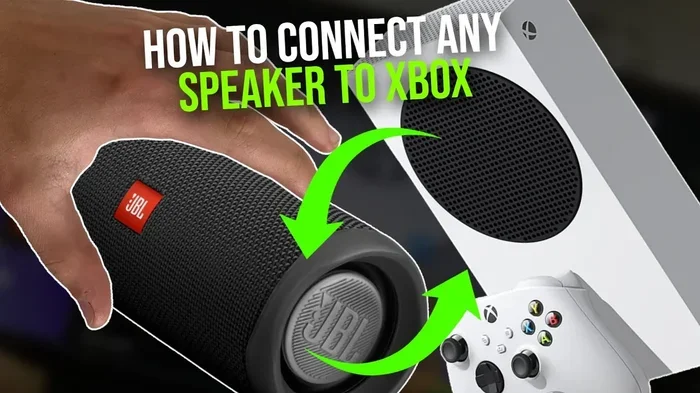
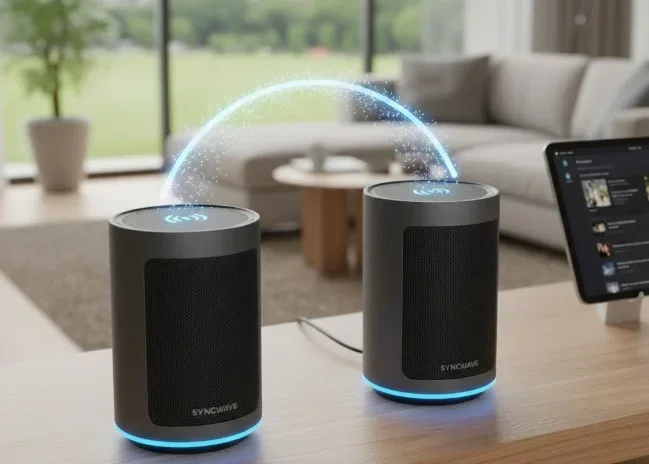
Yes, you can connect Bluetooth speakers from different brands. Modern Bluetooth technology allows cross-brand pairing, giving you flexible options for stereo sound, party mode, and multi-room audio. This guide walks you through every method, tip, and fix you need to set up multiple wireless speakers from different manufacturers.
You have a Bluetooth speaker from one brand, and another speaker from a completely different brand. You want to play music on both at the same time. But can you actually do it? The short answer is yes. The longer answer is that it depends on a few factors, and this guide covers every one of them.
Connecting bluetooth speakers from different brands is easier than most people think. Whether you want to create a stereo pair, throw a party with speakers all around the room, or just fill your home with more sound, cross-brand pairing opens up a world of possibilities. In this article, we break down exactly how it works, what methods you can use, and how to avoid common pitfalls.
We have tested dozens of speaker combinations across brands like JBL, Sony, Bose, Anker, Ultimate Ears, and many more. Our goal is to give you practical, actionable advice that works in real life, not just on paper. So let us dive in and explore how you can connect bluetooth speakers from different brands and get great sound every time.
Key Takeaways
- Cross-brand pairing works: Most Bluetooth speakers can connect to speakers from other brands using native Bluetooth or third-party apps.
- Stereo mode splits audio: You can assign one speaker as left and another as right for a wider soundstage.
- Party mode is brand-agnostic: Many speakers support multi-speaker sync regardless of the manufacturer.
- Third-party apps fill gaps: Apps like AmpMe and SoundSeeder bridge compatibility gaps between brands.
- Bluetooth version matters: Newer versions like 5.0 and 5.3 offer better range and stability when connecting multiple speakers.
- Audio lag is fixable: Simple steps like reducing distance and updating firmware can eliminate sync issues.
- Placement affects quality: Proper speaker positioning dramatically improves your listening experience.
📑 Table of Contents
How Bluetooth Speaker Pairing Works
Understanding Bluetooth Technology
Bluetooth is a wireless communication standard that lets devices exchange data over short distances. When you pair two speakers, they use Bluetooth signals to share audio. The technology has evolved a lot over the years. Bluetooth 5.0 and newer versions offer better range, faster data transfer, and more stable connections.
Here is the key thing to understand. Bluetooth speakers do not need to be from the same brand to talk to each other. They just need to speak the same language, and Bluetooth is that universal language. Every Bluetooth speaker follows the same core protocol, which is why cross-brand pairing is possible in the first place.
However, not all speakers handle multi-device connections the same way. Some brands limit you to one connection at a time. Others allow you to pair with multiple devices simultaneously. This is where things get interesting, and where brand-specific features come into play.
How Speakers Communicate with Each Other
When you pair two speakers, one acts as the primary source. It receives the audio signal from your phone or tablet. The second speaker receives the audio from the first speaker or directly from your device, depending on the method.
There are two main ways speakers share audio:
- Master-slave pairing: One speaker receives the audio and sends it to the other. This is common in stereo mode setups.
- Independent pairing: Both speakers connect directly to your phone. Each speaker plays the same audio independently. This is common in party mode setups.
Understanding these two methods helps you choose the right approach when you are connecting bluetooth speakers from different brands. Some combinations work better with one method over the other.
Can You Connect Bluetooth Speakers From Different Brands
The Short Answer Is Yes
You absolutely can connect bluetooth speakers from different brands. Bluetooth is an open standard, which means any device that supports Bluetooth can potentially connect to any other Bluetooth device. This is true whether both speakers are from the same manufacturer or from completely different companies.
That said, the experience can vary. A JBL speaker paired with a Sony speaker might behave differently than a Bose speaker paired with an Anker speaker. The difference comes down to software, firmware, and how each brand implements Bluetooth on their devices.
Some brands are more open to cross-brand connections than others. JBL, for example, has a relatively flexible system. Sony also supports multi-speaker connections across brands in many cases. But some brands lock their speakers into their own ecosystem, which can limit your options.
What Makes Cross-Brand Pairing Possible
Several factors determine whether you can successfully connect bluetooth speakers from different brands:
- Bluetooth version compatibility: Speakers with Bluetooth 4.0 or higher generally work well together. Bluetooth 5.0 and 5.3 offer even better results.
- Profile support: The A2DP profile (Advanced Audio Distribution Profile) is what handles audio streaming. Both speakers need to support it.
- Firmware updates: Updated firmware often improves cross-brand compatibility.
- Brand-specific features: Some brands add extra layers of software that can either help or hinder cross-brand connections.
The good news is that most modern speakers check all these boxes. If you have speakers made in the last three to four years, there is a very high chance they will work together.
Methods to Connect Multiple Bluetooth Speakers
Method 1: Using Native Bluetooth Pairing
The simplest way to connect bluetooth speakers from different brands is through native Bluetooth pairing. This method works directly from your phone or tablet without any extra apps.
Here is how to do it:
- Turn on both speakers and put them in pairing mode.
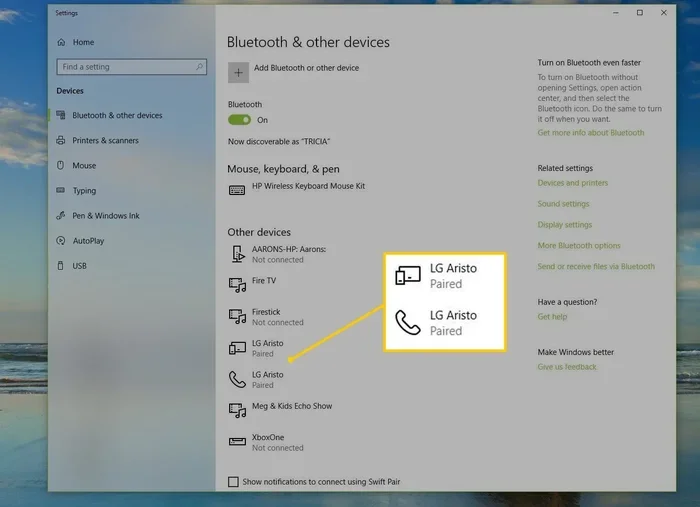
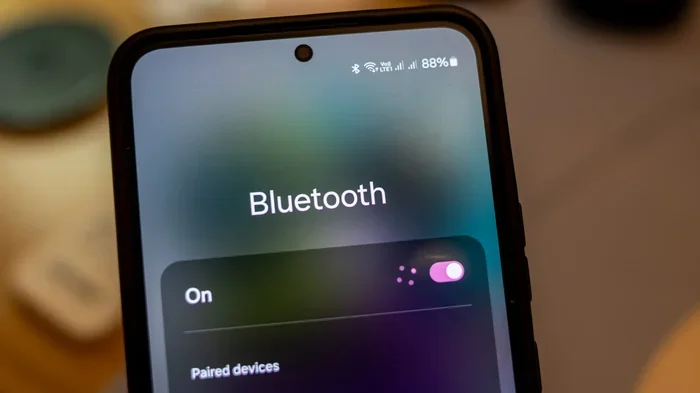
- Go to your phone’s Bluetooth settings.
- Pair with the first speaker.
- Once connected, look for a multi-device or dual audio setting on your phone.
- Enable that setting and pair with the second speaker.
- Both speakers should now play audio from your phone.
Many Android phones have a built-in feature called Dual Audio or Multi-Speaker Mode. iPhones do not have a native equivalent, which is why Android users often have an easier time with this method. If you are an iPhone user, do not worry, there are other options below.
Quick Tip: On Samsung phones, go to Settings > Connections > Bluetooth > tap the three dots > Advanced > turn on Multi-Speaker Mode. This is one of the easiest ways to connect bluetooth speakers from different brands without any extra apps.
Method 2: Using Third-Party Apps
When native pairing does not work, third-party apps come to the rescue. These apps act as a bridge between your phone and multiple speakers, regardless of brand.
Here are the most popular options:
- AmpMe: This app syncs multiple speakers over Bluetooth or Wi-Fi. It works across all brands and is free to use. You can connect as many speakers as you want, though more speakers means more audio lag.
- SoundSeeder: Similar to AmpMe, SoundSeeder lets you group speakers together. It works well for home use and supports most Bluetooth speakers.
- Bose Connect: While designed for Bose speakers, it sometimes works with other brands that use the same Bluetooth protocols.
- JBL Connect: JBL’s app allows you to link JBL speakers together, but it has limited use with non-JBL brands.
Third-party apps are especially useful when you want to connect bluetooth speakers from different brands and your phone does not support multi-device Bluetooth natively.
Method 3: Speaker Party Mode and Stereo Pairing
Many modern speakers offer built-in party mode or stereo pairing features. These features are designed to link two or more speakers together for a better audio experience.
Stereo pairing splits the audio into left and right channels. One speaker plays the left channel and the other plays the right channel. This creates a wider, more immersive soundstage. Party mode plays the same audio on all connected speakers, making the sound louder and filling a larger space.
Here is a quick comparison of these two modes:
| Feature | Stereo Pair | Party Mode | Multi-Room |
|---|---|---|---|
| Audio Split | Left and right channels | Same audio on all | Different audio per room |
| Best For | Music listening | Parties and gatherings | Whole-home audio |
| Cross-Brand Support | Limited | Sometimes | Rare |
| Setup Difficulty | Easy to moderate | Easy | Moderate to hard |
| Audio Lag | Low | Low to moderate | Moderate |
Keep in mind that stereo pairing works best when both speakers are the same model. When you are connecting bluetooth speakers from different brands, party mode or a third-party app usually gives better results because the speakers can sync more easily when playing the same audio.
Comparison: Native Pairing vs. Third-Party Apps vs. Speaker Features
Not sure which method to choose? Here is a breakdown of the three main approaches:
- Native Bluetooth Pairing: No extra apps needed. Works on Android with Dual Audio. Limited on iPhone. Best for simple setups with two speakers.
- Third-Party Apps: Works on both Android and iPhone. Supports many brands. May introduce slight audio lag. Best for mixed-brand setups.
- Speaker Built-In Features: Easiest setup if both speakers support it. Limited to same-brand or compatible brands. Best for dedicated stereo pairs.
Best Practices for Multi-Speaker Setup
Placement and Positioning
Where you place your speakers matters a lot. Good placement improves sound quality and reduces connection problems.
- Keep speakers close together: For stereo pairing, place speakers about 3 to 6 feet apart. This creates a balanced sound image.
- Avoid walls and obstacles: Bluetooth signals weaken through walls and large objects. Place speakers in open spaces for the best bluetooth connectivity.
- Elevate the speakers: Placing speakers on shelves or tables improves sound dispersion. It also reduces interference from furniture and other objects.
- Keep your phone nearby: Your phone is the source of the audio. Keep it within 10 feet of the primary speaker for a stable connection.
Expert Insight: When connecting bluetooth speakers from different brands, treat the setup like a mini sound system. Think about the listening position, the distance between speakers, and the room size. A little planning goes a long way.
Keeping Speakers Updated
Firmware updates fix bugs and improve compatibility. Before you try to pair speakers from different brands, make sure both have the latest firmware installed.
- Check the manufacturer’s app for updates.
- Some speakers auto-update when connected to Wi-Fi.
- Update both speakers before attempting to pair them.
Updated firmware often resolves cross-brand speaker pairing issues that existed in older versions. This is one of the most overlooked steps when setting up a multi-speaker system.
Managing Audio Lag
Audio lag happens when the sound from one speaker arrives slightly later than the other. This is especially common when you connect bluetooth speakers from different brands because different brands process audio at different speeds.
Here is how to reduce audio lag:
- Use party mode instead of stereo mode: Party mode plays the same audio on both speakers, which reduces sync issues.
- Keep both speakers the same distance from your phone: Unequal distances cause one speaker to receive the signal before the other.
- Reduce the number of connected devices: Too many Bluetooth connections can slow down the data stream.
- Use Wi-Fi-based apps like AmpMe: Wi-Fi syncs speakers faster than Bluetooth alone, reducing lag significantly.
Common Mistake: Many people try to fix audio lag by moving the speakers closer together. While this helps, the real fix is often using a Wi-Fi-based sync method or enabling party mode. Moving speakers alone does not always solve the problem.
Common Problems and How to Fix Them
Connection Drops and Audio Lag
Connection drops are frustrating. They happen when the Bluetooth signal between your phone and the speakers gets interrupted. This can occur due to distance, interference from other devices, or outdated firmware.
To fix connection drops:
- Move closer to the speakers.
- Turn off other Bluetooth devices that are not in use.
- Remove the speakers from your Bluetooth memory and re-pair them.
- Restart both speakers and your phone.
If audio lag persists after these steps, try switching to a Wi-Fi-based app like AmpMe. Wi-Fi provides a more stable and faster connection for multi-speaker setups.
One Speaker Not Connecting
Sometimes one speaker connects fine but the other refuses to pair. This is a common issue when you connect bluetooth speakers from different brands. Here is what to do:
- Reset the speaker that will not connect. Most speakers have a reset button or a reset procedure in the manual.
- Make sure the speaker is in pairing mode. The LED light should flash to indicate it is ready to pair.
- Check if the speaker is already connected to another device. Disconnect it from any other device first.
- Update the speaker’s firmware through the manufacturer’s app.
In most cases, a simple reset solves the problem. Speakers can get “stuck” in a pairing state, and a reset clears that state and lets them start fresh.
Sound Quality Issues
When you pair two different speakers, the sound quality may not be perfect. One speaker might sound louder than the other, or the bass might feel uneven. This happens because different brands tune their speakers differently.
To improve sound quality:
- Match the volume levels: Set both speakers to the same volume before playing music. Some apps let you adjust the volume of each speaker independently.
- Use equalizer settings: Many speaker apps include an equalizer. Adjust the bass and treble to balance the sound between the two speakers.
- Place speakers at ear level: Speakers placed too low or too high can sound unbalanced in a room.
- Avoid mixing small and large speakers: A tiny portable speaker paired with a large home speaker will sound uneven. Try to match speakers of similar size and power.
Quick Tip: If one speaker sounds louder, lower its volume by 10 to 20 percent. This simple adjustment often fixes the imbalance between two speakers from different brands.
Expert Tips for the Best Audio Experience
Matching Speaker Volumes
Volume matching is one of the most important steps when setting up a multi-speaker system. When speakers from different brands play at different volumes, the sound feels unbalanced and messy.
Here is a simple workflow:
- Play a consistent track at normal volume.
- Stand in the middle of the room where you usually listen.
- Adjust each speaker until the sound feels balanced from your listening position.
- Note the volume levels on each speaker for future reference.
Some third-party apps like AmpMe let you adjust the volume of each speaker individually from your phone. This makes volume matching much easier and faster.
Using Equalizer Settings
Most Bluetooth speakers have a companion app that includes an equalizer. You can use these apps to fine-tune the sound of each speaker. This is especially helpful when you connect bluetooth speakers from different brands because each brand has its own sound signature.
For example, JBL speakers tend to emphasize bass. Sony speakers often have a more balanced profile. By using the equalizer, you can adjust the bass on the JBL speaker down and the treble on the Sony speaker up to create a more uniform sound.
Take a few minutes to experiment with the EQ settings. Small adjustments can make a big difference in how the two speakers sound together.
When to Use a Soundbar Instead
There is a point where connecting multiple Bluetooth speakers makes less sense than using a dedicated soundbar or a multi-room audio system. If you want whole-home audio with perfect sync, a system like Sonos or Apple HomePod might be a better investment.
Here are some signs that it is time to move beyond Bluetooth speaker pairing:
- You need perfect sync: Bluetooth always has some lag. A wired or dedicated wireless system eliminates this.
- You want whole-home audio: Bluetooth range is limited. A multi-room system covers your entire home.
- You care about deep bass: Bluetooth speakers cannot match the bass of a dedicated subwoofer.
- You want hands-free control: Smart speakers integrate with voice assistants like Alexa or Google Assistant.
Bluetooth speakers from different brands are great for casual listening and parties. But for a permanent home audio setup, a dedicated system gives you better results.
Expert Insight: The best approach is to use Bluetooth speakers from different brands for what they do best: portable, flexible, and easy to set up. For permanent installations, invest in a dedicated multi-room system. Both have their place, and knowing when to use each makes all the difference.
Conclusion
The answer to whether you can connect bluetooth speakers from different brands is a clear yes. You have multiple methods at your disposal, from native Bluetooth pairing on Android to third-party apps like AmpMe and SoundSeeder. Each method has its strengths, and the best one depends on your specific setup and what you want to achieve.
Stereo pairing gives you wider sound for music listening. Party mode fills a room with loud, synchronized audio. Third-party apps bridge the gap between brands and devices. And with the right placement, volume matching, and firmware updates, you can get excellent sound from a mix of speakers from different manufacturers.
Do not let brand differences stop you from creating the audio setup you want. Connecting bluetooth speakers from different brands is not only possible, it is increasingly common. With the tips and methods in this guide, you are ready to set up your own multi-speaker system and enjoy better sound today.
Start with the simplest method, test it out, and work your way up to more advanced setups as you get comfortable. The beauty of Bluetooth is its simplicity. You do not need expensive equipment or technical expertise to get great results. Just two speakers, your phone, and a little curiosity.
Frequently Asked Questions
Can I connect a JBL speaker to a Sony Bluetooth speaker?
Yes, you can connect a JBL speaker to a Sony Bluetooth speaker. Both brands support standard Bluetooth protocols, so they can pair with each other. Use your phone’s Dual Audio feature on Android or a third-party app like AmpMe for the best results.
Does connecting speakers from different brands reduce sound quality?
It can, but usually only slightly. Different brands tune their speakers differently, which may cause a slight imbalance in sound. You can fix most quality issues by using the equalizer in your speaker’s app and matching the volume levels between the two speakers.
Can I connect more than two Bluetooth speakers from different brands?
Yes, you can connect more than two speakers. Apps like AmpMe and SoundSeeder support connecting multiple speakers from different brands simultaneously. Keep in mind that adding more speakers may increase audio lag and reduce overall stability.
Is there audio lag when connecting speakers from different brands?
Some audio lag is common, especially with Bluetooth connections. Wi-Fi-based apps like AmpMe reduce lag significantly. Party mode also helps minimize sync issues because both speakers play the same audio track at the same time.
Do I need the same Bluetooth version on both speakers?
No, you do not need the same Bluetooth version. Bluetooth is backward compatible, so a speaker with Bluetooth 5.0 can connect to a speaker with Bluetooth 4.2. However, having both speakers on Bluetooth 5.0 or newer gives you better range and a more stable connection.
Can I use Alexa or Google Assistant with speakers from different brands?
It depends on the speakers. Some smart speakers from different brands can both connect to the same voice assistant. For example, you can link an Amazon Echo with a Google Nest device, but they will respond to different voice commands. For pure audio pairing, use Bluetooth or a third-party app instead.