Can Neighbors Spy On Your Wifi Without You Even Knowing
Can neighbors spy on your WiFi? The short answer is yes, and it happens more often than you might think. Your wireless network can be vulnerable to unauthorized access if you don’t take the right steps to secure it. In this guide, we will show you exactly how someone nearby can gain access to your wireless network, what signs to watch for, and how to protect your WiFi security starting today.
Have you ever wondered if your neighbor can see what you are doing online? It might sound like something from a movie, but the truth is that neighbors spying on WiFi is a real and growing concern. Many people set up their wireless router, type in a simple password, and never think twice about it. But that casual approach can leave your network wide open.
The good news is that you can take steps to protect yourself. Understanding how WiFi network security works is the first step toward keeping your data safe. In this article, we will break down exactly how someone nearby might try to access your connection, what clues to look for, and the best ways to lock things down. By the end, you will feel confident that your home network is secure.
Key Takeaways
- Unsecured WiFi networks are easy targets: Neighbors can exploit weak passwords and outdated encryption to access your network.
- Watch for warning signs: Slow internet speeds and unknown devices on your network are red flags that someone may be spying on your WiFi.
- Strong encryption is your first line of defense: Using WPA3 or WPA2 with a complex password makes it very hard for others to gain unauthorized access.
- Regular router maintenance matters: Updating firmware and changing default settings close common security gaps.
- You have options if you catch a neighbor snooping: From changing passwords to contacting authorities, you can take action to protect your network.
- Guest networks add an extra layer of protection: They keep your main network isolated from visitors and potential intruders.
- Professional help is available: If DIY steps don’t work, a network security expert can audit your setup and fix vulnerabilities.
📑 Table of Contents
- How Neighbors Can Actually Spy On Your WiFi
- Signs That Someone Is Using Your WiFi Without Permission
- How To Protect Your WiFi From Snooping Neighbors
- Common Mistakes That Leave Your WiFi Vulnerable
- What To Do If You Catch a Neighbor Spying On Your WiFi
- When To Call a Professional for WiFi Security Help
- Final Thoughts on Keeping Your WiFi Safe
How Neighbors Can Actually Spy On Your WiFi
It helps to understand the methods people use before you can defend against them. Many homeowners have no idea that their wireless network is exposed. Let us walk through the most common ways a neighbor might try to gain access.
Password Guessing and Brute Force Attacks
If your WiFi password is something simple like “password123” or your street address, it is very easy to crack. Hackers use software that can try thousands of combinations in minutes. This is called a brute force attack. If your password is weak, your neighbor or anyone nearby could stumble into your network without much effort.
Here are some common mistakes people make with their passwords:
- Using their name or birthday
- Setting the default password that came with the router
- Using short passwords with only letters
- Reusing a password from another account
Each of these makes your network vulnerability much worse. A strong password should be at least 12 characters long and include a mix of letters, numbers, and symbols.
Exploiting Weak Encryption Protocols
Your router uses an encryption protocol to scramble the data that travels through the air. Older protocols like WEP and WPA are no longer safe. They have known flaws that anyone with basic technical knowledge can exploit.
Here is a quick look at the different encryption types:
- WEP: Very outdated and easy to crack. Avoid it at all costs.
- WPA: Slightly better but still has weaknesses.
- WPA2: Much more secure and widely used today.
- WPA3: The latest and most secure option available now.
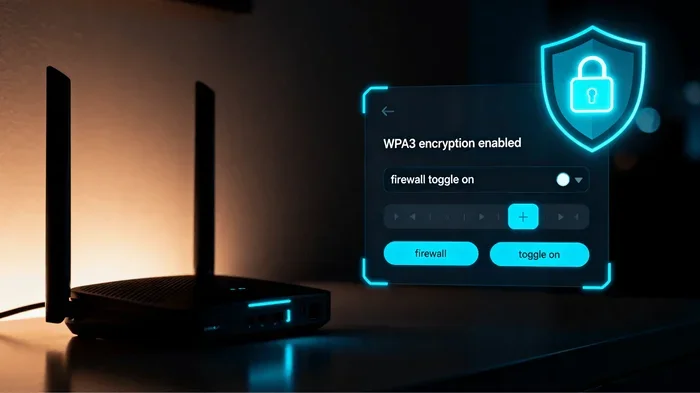
If your router is still using WEP or WPA, upgrading to WPA3 encryption or at least WPA2 is one of the best things you can do. It makes it extremely difficult for anyone to intercept your data or join your network without permission.
War Driving and Signal Sniffing
War driving is when someone drives around with a laptop or device looking for open WiFi signals. They might park outside your house and use software to detect your wireless network. If your network is not encrypted, they can connect in seconds.
Even if your network is encrypted, skilled individuals can use signal sniffing tools to capture data packets flying through the air. They then try to decode that data offline. This is why strong encryption and complex passwords are so important. They make the captured data nearly impossible to decode.
Exploiting Router Admin Settings
Most routers come with a default admin username and password like “admin” and “admin.” If you never changed these, anyone on the same network could access your router settings. From there, they can see connected devices, change settings, or even redirect your traffic.
This is a huge network security risk. Changing the default admin credentials is one of the simplest and most effective steps you can take.
Signs That Someone Is Using Your WiFi Without Permission
So how do you know if someone is accessing your network? There are several clues that can point to unauthorized access. Catching these early can save you a lot of trouble.
Sudden Drop in Internet Speed
If your internet suddenly feels slow and you have not changed anything, that is a red flag. When someone else is using your wireless network, they are sharing your bandwidth. This can cause buffering, slow downloads, and lag during video calls.
Keep in mind that slow speeds can also come from your internet service provider. But if the slowness happens mostly at night when you are not using much data, it could mean someone else is on your network.
Unknown Devices on Your Network
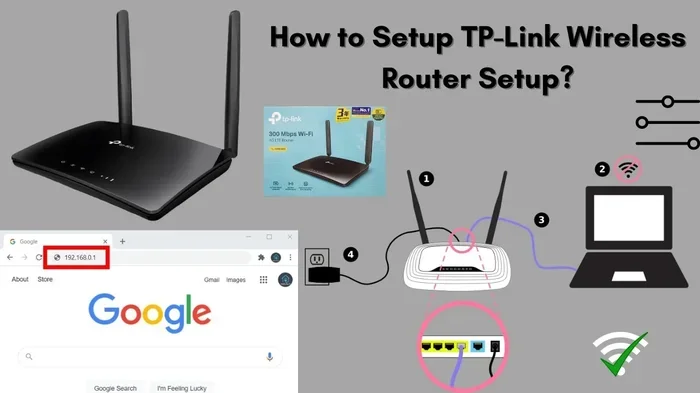
Most modern routers let you see a list of connected devices. You can usually access this by typing your router’s IP address into a web browser. Look for devices you do not recognize.
Here is what to do:
- Log into your router admin panel.
- Find the section that lists connected devices.
- Check each device name and IP address.
- Disconnect anything you do not recognize.
If you see a device you cannot identify, change your WiFi password immediately. This will kick off anyone who should not be there.
Router Lights Blinking When You Are Not Using the Internet
Your router has lights that show activity. If you notice the lights blinking when you are not actively using the internet, someone else might be online through your connection. This is a simple but effective clue that your network intrusion might be happening.
Your WiFi Extends Further Than Expected
If your neighbor mentions that they can see your WiFi network from their house, your signal might be reaching too far. While a strong signal is usually good, it also means more people can detect your network. This increases the chance of someone attempting to connect without your permission.
How To Protect Your WiFi From Snooping Neighbors
The best defense is a strong offense. Taking proactive steps to secure your wireless network can prevent most spying attempts. Here is a practical guide you can follow right now.
Use a Strong, Unique Password
This might sound obvious, but it is worth repeating. Your WiFi password should be long, complex, and unique. Avoid using personal information or common words. A passphrase like “BlueDog$RunsFast2024!” is much harder to crack than “Fluffy123.”
Change your password every few months. This limits the window of opportunity if someone ever manages to get hold of it.
Enable the Strongest Encryption Available
Go into your router settings and make sure your encryption is set to WPA3 or WPA2. If your router does not support WPA3, consider upgrading to a newer model. The cost of a new router is small compared to the risk of a compromised network.
Turn Off WPS (WiFi Protected Setup)
WPS was designed to make connecting devices easier, but it has serious security flaws. Hackers can exploit WPS to bypass your password entirely. Turning it off in your router settings removes this vulnerability from your network security setup.
Hide Your SSID
Your SSID is the name of your wireless network. By default, it broadcasts publicly so anyone can see it. You can hide your SSID so that your network does not show up in the list of available networks. This does not make your network invisible, but it does make it a less attractive target.
Keep in mind that hiding your SSID is not a foolproof solution. Determined individuals can still find hidden networks. But it adds another layer of wireless security that is worth the small effort.
Enable MAC Address Filtering
Every device has a unique MAC address. You can tell your router to only allow specific devices to connect based on their MAC addresses. This means even if someone knows your password, they cannot connect unless their device is on the approved list.
Setting this up takes a little more time, but it is a powerful way to control who accesses your home network.
Keep Your Router Firmware Updated
Router manufacturers release firmware updates to fix security flaws. If you never update your router, it stays vulnerable to known exploits. Check for updates regularly or enable automatic updates if your router supports it.
Set Up a Guest Network
A guest network is a separate WiFi network that visitors can use without accessing your main network. This is great for friends, family, and even smart home devices. If a guest network is compromised, your main network encryption and devices stay protected.
Most modern routers make it easy to set up a guest network. Just give it a different password and name, and you are good to go.
Use a VPN for Extra Privacy
A virtual private network encrypts all the data that leaves your device. Even if someone manages to intercept your traffic, they will not be able to read it. Using a VPN adds a strong layer of privacy on top of your regular WiFi security measures.
Common Mistakes That Leave Your WiFi Vulnerable
Many homeowners make simple mistakes that put their entire network at risk. Being aware of these pitfalls can help you avoid them.
Never Changing Default Settings
When you first set up your router, it comes with default settings that are well known. Hackers and even curious neighbors can look up these defaults online. Changing the admin password, SSID name, and encryption settings is essential.
Placing Your Router Near Windows
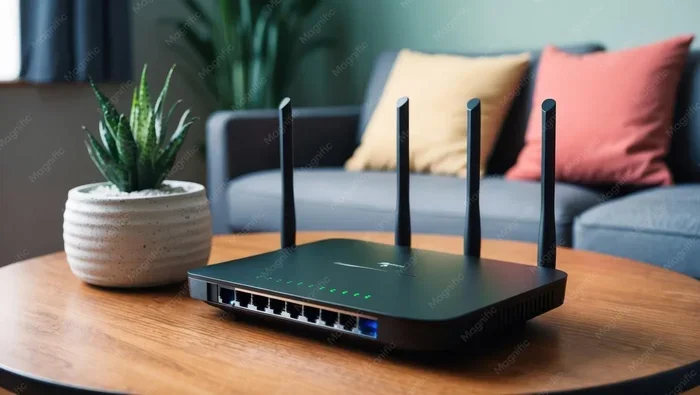
If your router sits right next to a window, your signal leaks outside. This makes it easier for someone nearby to detect and attempt to access your network. Placing your router in the center of your home reduces signal leakage and improves coverage inside.
Using the Same Password for Years
Passwords that never get changed are a ticking time bomb. If someone ever learns your password, they can access your network indefinitely until you change it. Make it a habit to update your WiFi password at least twice a year.
Ignoring Unknown Devices
If you notice a device on your network that you do not recognize, do not ignore it. Many people assume it is just a smart device or a phone they forgot about. But it could be a sign of network intrusion. Always investigate and disconnect unknown devices right away.
What To Do If You Catch a Neighbor Spying On Your WiFi
Finding out that someone has been using your network without permission can be frustrating and even scary. Here is what you should do step by step.
Change Your WiFi Password Immediately
This is the first and most important step. A new password will kick off anyone who should not be on your network. Make sure the new password is strong and different from the old one.
Check Your Router Logs
Most routers keep logs of connected devices and activity. Check these logs to see what devices were connected and when. This can help you understand the scope of the problem.
Talk to Your Neighbor First
If you have a good relationship with your neighbor, a friendly conversation might solve the problem. They may not even realize they are using your network. Sometimes a simple reminder is all it takes.
Contact Your Internet Service Provider
Your ISP can help you secure your connection and may offer additional security tools. They can also check if someone is piggybacking on your signal from outside your home.
Call the Authorities if Necessary
If the situation escalates or you suspect malicious intent, contact your local police or cybercrime unit. Unauthorized access to a computer network is illegal in most places, and you have every right to report it.
When To Call a Professional for WiFi Security Help
Not everyone feels comfortable diving into router settings and network configurations. That is perfectly fine. If you have tried the steps above and still feel unsure, a professional can help.
A network security expert can perform a full network security audit. They will check every aspect of your setup and identify any weaknesses. This is especially helpful if you live in a densely populated area where the risk of neighbors spying on WiFi is higher.
Professionals can also set up advanced security measures like firewalls, intrusion detection systems, and enterprise-grade encryption. While these steps might seem extreme for a home network, they give you complete peace of mind.
Final Thoughts on Keeping Your WiFi Safe
The question “can neighbors spy on your WiFi” does not have a comforting answer. The truth is that any wireless network can be targeted if it is not properly secured. But the good news is that taking action is straightforward and does not require advanced technical skills.
Start with the basics: a strong password, modern encryption, and regular updates. Add extra layers like a guest network, MAC filtering, and a VPN. Stay alert to the warning signs of unauthorized access. And if you ever suspect someone is snooping, act quickly to protect your data and your privacy.
Your wireless network is the gateway to your personal information. Treating it with the care it deserves is one of the smartest things you can do for your digital life. Take a few minutes today to review your settings and make the changes outlined in this guide. Your future self will thank you.
Frequently Asked Questions
Can my neighbor really see what I am doing on WiFi?
If your network is unsecured or uses weak encryption, yes, a tech-savvy neighbor could potentially monitor your online activity using signal sniffing tools. This is why using strong WPA3 encryption and a complex password is so important.
How do I know if someone is using my WiFi without permission?
Look for signs like slow internet speeds, unknown devices in your router’s connected device list, and blinking router lights when you are not online. Checking your router’s admin panel regularly helps you spot unauthorized access early.
Is hiding my WiFi network name enough to keep neighbors out?
Hiding your SSID adds a layer of protection, but it is not enough on its own. Combine it with strong encryption, a complex password, and other security measures for the best WiFi security results.
What is the best WiFi password for preventing neighbors from accessing my network?
The best password is at least 12 characters long and includes a mix of uppercase letters, lowercase letters, numbers, and symbols. Avoid using personal information or common words. A unique network password that you change regularly is your strongest defense.
Can someone hack my WiFi from far away?
Yes, it is possible for someone to attempt a WiFi hacking from a distance if your signal reaches their location. This is why strong encryption and secure router settings matter regardless of how far your signal extends.
Should I contact the police if my neighbor is spying on my WiFi?
Yes, if you suspect intentional and unauthorized access to your network, you should report it. Network intrusion is illegal, and law enforcement can help you take appropriate action to protect your digital privacy.
=== CONCLUSION ===
Protecting your WiFi network from prying neighbors is not just a tech issue, it is a personal privacy issue. The steps outlined in this guide give you a clear path to securing your connection and keeping your data safe. From setting up strong encryption to watching for warning signs of network intrusion, every action you take makes your digital life more secure. Start today, stay vigilant, and enjoy the peace of mind that comes with a properly protected home network.