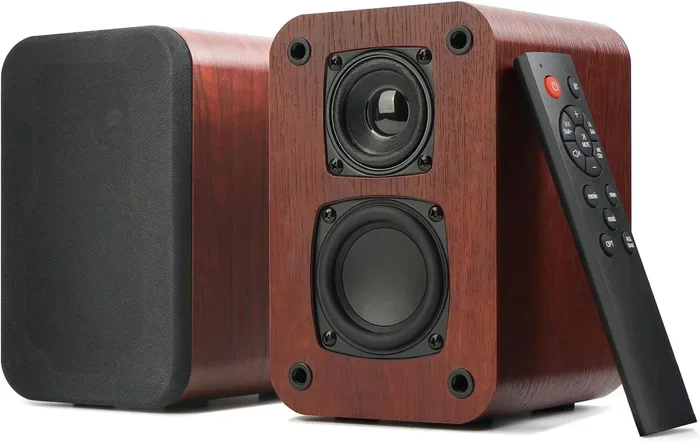
Can I Make My Bookshelf Speakers Wireless Right Now
Yes, you can make your bookshelf speakers wireless right now with Bluetooth adapters, wireless transmitter kits, or Wi-Fi streaming modules. This guide walks you through every method so you can ditch the cables and enjoy wireless music streaming from any room. We also cover setup tips, common mistakes, and the best products to get the job done quickly.
You love your bookshelf speakers. They sound great. They fit perfectly on your stand or shelf. But there is one thing that drives you crazy — the cables. You are tangled in wires every time you want to move them. You cannot place them where you really want them. And forget about streaming music from your phone without a long aux cord.
So you keep asking yourself, can I make my bookshelf speakers wireless? The short answer is yes. The longer answer is even better. You have several real options right now that work with almost any bookshelf speaker setup. You do not need to buy a whole new system. You do not need to be an electronics expert either. In this guide, we will walk you through every method. We will cover Bluetooth adapters, wireless transmitter kits, Wi-Fi streaming modules, and even DIY approaches. By the end, you will know exactly which path to take. Let us get into it.
Key Takeaways
- Bluetooth adapters are the easiest and cheapest way to add wireless capability to existing bookshelf speakers.
- Wireless audio transmitter kits offer better range and sound quality for larger rooms.
- Wi-Fi streaming modules give you access to multi-room audio and smart home integration.
- Impedance matching matters when adding wireless hardware to avoid damaging your speakers.
- Low-latency Bluetooth 5.0+ solves the lip-sync problem for movies and videos.
- DIY wireless bookshelf speaker mods save money compared to buying brand-new wireless speakers.
- Testing your setup before permanent installation ensures the best wireless audio experience.
📑 Table of Contents
- Why Go Wireless with Bookshelf Speakers?
- Method 1: Bluetooth Adapter for Bookshelf Speakers
- Method 2: Wireless Audio Transmitter and Receiver Kits
- Method 3: Wi-Fi Streaming Modules and Smart Speakers
- DIY Wireless Bookshelf Speaker Mod
- Comparing Wireless Options for Bookshelf Speakers
- Common Mistakes When Making Bookshelf Speakers Wireless
- Expert Insights on Wireless Bookshelf Speaker Upgrades
- Conclusion
Why Go Wireless with Bookshelf Speakers?
Before we dive into the how, let us talk about the why. There are real, practical reasons to make your bookshelf speakers wireless. And most of them have nothing to do with just looking cool.
First, wireless bookshelf speakers give you freedom of placement. You can move your speakers around the room without tripping over cords. You can place them on different shelves. You can even take them outside for a backyard gathering. Second, wireless setups reduce cable clutter. Your living space looks cleaner and feels more organized. Third, modern wireless audio streaming technology delivers sound quality that rivals wired connections. We are not talking about cheap, compressed audio anymore. Bluetooth 5.0 and newer codecs support high-resolution audio. You get rich, detailed sound without any wires.
Fourth, going wireless often costs less than buying a whole new home audio wireless system. Your existing bookshelf speakers probably sound fantastic already. A small adapter or transmitter kit unlocks their wireless potential for a fraction of the price. Finally, wireless setups are easier to expand. You can add more speakers to different rooms and build a whole wireless surround sound system over time.
Who Should Make This Switch?
Anyone with bookshelf speakers and a phone, tablet, or laptop can benefit. Maybe you have a stereo pair on your entertainment center. Maybe you use bookshelf speakers as your main home audio setup. Or maybe you just want to stream music in the kitchen without dragging wires across the floor. Whatever your situation, the bookshelf speaker upgrade to wireless makes sense.
Method 1: Bluetooth Adapter for Bookshelf Speakers
This is the most popular way to answer the question, can I make my bookshelf speakers wireless. A Bluetooth adapter plugs directly into your speaker. It receives audio signals from your phone, tablet, or laptop over Bluetooth. No cables needed between your source device and the speaker.
How Bluetooth Adapters Work
A Bluetooth adapter acts as a wireless audio receiver. It connects to your speaker through a 3.5mm aux input, RCA jacks, or even a USB connection. Once paired with your phone or tablet, it receives the audio signal wirelessly. The adapter then sends that signal to your speaker through the existing cable connection. The speaker itself does not change at all. It still works exactly the same way. But now it receives audio without a physical connection to your source device.
Best Bluetooth Adapters for Bookshelf Speakers
Not all Bluetooth adapters are created equal. Here are some top options to consider:
- 1Mii B06 Bluetooth 5.0 Adapter — Great range of up to 164 feet. Supports aptX and aptX HD codecs for high-quality audio. Works with both 3.5mm and RCA inputs.
- Avantree Audikast Plus — Designed specifically for bookshelf and powered speakers. Features aptX Low Latency to reduce audio delay. Easy plug-and-play setup.
- TaoTronics TT-BA07 — Budget-friendly option with Bluetooth 5.0. Good sound quality and compact design. Perfect for first-time wireless conversions.
- Creative BT-W4 — Supports multiple codecs including aptX Adaptive. Excellent for users who want the latest Bluetooth technology. Works with both 3.5mm and RCA connections.
Step-by-Step Setup
Setting up a Bluetooth adapter is straightforward. Follow these steps:
- Check your speaker inputs. Look for a 3.5mm aux port or RCA inputs on the back of your speaker. This is where the adapter will connect.
- Plug in the adapter. Connect the Bluetooth adapter to the appropriate input on your speaker. Some adapters come with multiple cable options.
- Power on the adapter. Most adapters draw power from the speaker itself through the same cable connection. Some may need a separate power source.
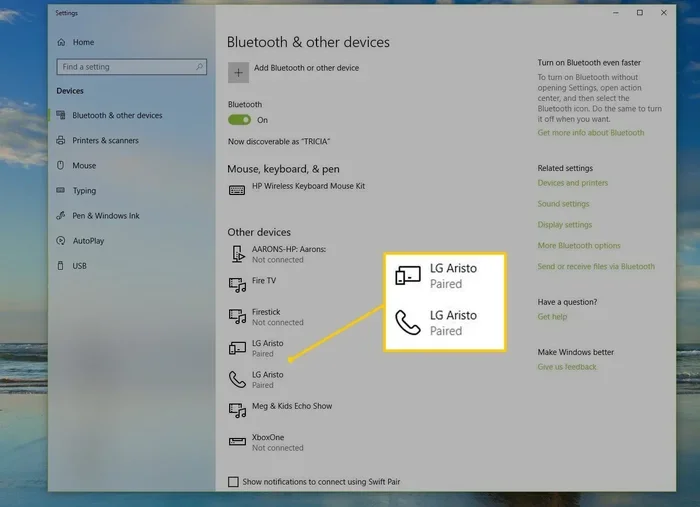
- Put the adapter in pairing mode. Usually, you hold down a button on the adapter until a light flashes. Check the manual for specific instructions.
- Pair your device. Go to Bluetooth settings on your phone or tablet. Find the adapter name and tap to connect.
- Test the connection. Play some music and check the sound quality. Adjust the volume from either your device or the speaker.
Quick Tips for Bluetooth Adapters
- Keep your adapter firmware updated. Manufacturers release updates that improve range and sound quality.
- Stay within range. Bluetooth works best within 30 feet. Walls and obstacles reduce the range.
- Use aptX codecs when possible. They deliver better audio quality than standard Bluetooth SBC.
- Charge or power the adapter regularly. If it runs on batteries, keep them charged for uninterrupted use.
Method 2: Wireless Audio Transmitter and Receiver Kits
If you want better range and more flexibility than Bluetooth offers, a wireless speaker kit is a great option. These kits include a transmitter and a receiver. The transmitter plugs into your audio source. The receiver plugs into your bookshelf speaker. They communicate wirelessly using radio frequency or proprietary signals.
How Transmitter and Receiver Kits Differ from Bluetooth
Bluetooth has a limited range of about 30 feet. Wireless transmitter kits can reach 150 feet or more. They also tend to have lower latency. That means less delay between the video and audio when you are watching movies. Some kits use the 5.8 GHz band, which avoids interference from Wi-Fi routers and other devices. This leads to a cleaner, more stable wireless audio signal.
Top Wireless Transmitter and Receiver Kits
- Avantree Oasis Plus — A premium option with aptX Low Latency and a range of up to 150 feet. Supports multiple audio codecs. Great for both music and movies.
- TaoTronics TT-DA17 — Budget-friendly kit with solid range and easy setup. Works well for basic wireless bookshelf speaker conversions.
- Sennheiser RX 100 — Known for excellent sound quality and reliability. A favorite among home audio enthusiasts.
Setting Up a Transmitter and Receiver Kit
The setup process is similar to Bluetooth adapters but with a few extra steps:
- Connect the transmitter to your audio source. Plug it into your TV, phone, or computer using the appropriate cable. Some transmitters support multiple input types.
- Connect the receiver to your bookshelf speaker. Use a 3.5mm cable, RCA cable, or whatever input your speaker supports.
- Power on both units. The transmitter and receiver need power to function. Some come with USB cables for powering from a wall adapter.
- Pair the transmitter and receiver. Most kits auto-pair out of the box. If not, follow the pairing instructions in the manual.
- Test the connection. Play audio from your source and listen for any delay or interference. Adjust the channel or position if needed.
When to Choose a Transmitter Kit Over Bluetooth
Choose a transmitter kit if you need a longer range. Choose it if you are watching movies and need low latency. Choose it if you have multiple audio sources you want to switch between. Bluetooth adapters work great for casual music listening. But for a more serious home audio wireless setup, transmitter kits give you more control and better performance.
Method 3: Wi-Fi Streaming Modules and Smart Speakers
For the most advanced wireless setup, consider a Wi-Fi streaming module. These devices connect to your home Wi-Fi network and stream music from services like Spotify, Apple Music, and Tidal. They offer the longest range of any wireless option. You can place your speakers anywhere in your home as long as the Wi-Fi signal reaches there.
Why Wi-Fi Beats Bluetooth for Streaming
Wi-Fi streaming modules do not rely on a direct line of sight like Bluetooth. They connect to your home network, which means you can stream music to speakers in different rooms. You can also use your phone as a remote control from anywhere in the house. The audio quality is often better because Wi-Fi supports higher bandwidth. This means less compression and more detail in your music. And with multi-room audio support, you can sync speakers throughout your home for a whole-house music system.
Popular Wi-Fi Streaming Modules
- Sonos Port — A premium module that works with the Sonos ecosystem. Supports AirPlay 2, Spotify Connect, and multi-room grouping. Excellent sound quality and easy app control.
- WiiM Mini — An affordable Wi-Fi streaming option with great app support. Works with most streaming services and supports multi-room audio.
- Bluesound Node — High-resolution audio support with MQA and FLAC playback. Built for audiophiles who want the best wireless sound quality.
Setting Up a Wi-Fi Streaming Module
Wi-Fi modules are slightly more complex to set up than Bluetooth adapters. But the process is still manageable for most users:
- Download the companion app. Each module has its own app for setup and control. Download it on your phone before you begin.
- Connect the module to your speaker. Use a 3.5mm or RCA cable to connect the module output to your bookshelf speaker input.
- Power on the module. Connect it to a power source using the included power adapter.
- Follow the app setup wizard. The app will guide you through connecting to your Wi-Fi network and configuring the module.
- Link your streaming accounts. Connect Spotify, Apple Music, Amazon Music, or any other services you use.
- Test the stream. Play music from your app and enjoy wireless audio through your bookshelf speakers.
Common Mistakes to Avoid with Wi-Fi Modules
- Placing the module too far from the router. A weak Wi-Fi signal leads to buffering and audio dropouts. Keep the module within a good range of your router.
- Ignoring network congestion. If your Wi-Fi network is crowded, streaming quality drops. Consider a dedicated 5 GHz band or a wireless range extender.
- Skipping firmware updates. Module manufacturers release updates that fix bugs and improve performance. Keep your device updated.
DIY Wireless Bookshelf Speaker Mod
For the tinkerers out there, you can do a full DIY bookshelf speaker mod to make them truly wireless. This involves opening up the speaker and adding internal wireless components. It is a more advanced approach but gives you the cleanest look because there are no external adapters or cables at all.
What You Need for a DIY Mod
- A Bluetooth receiver board — Small boards like the CSR8645 or TPA3116 with Bluetooth support fit inside most bookshelf speakers.
- A rechargeable battery — If you want true portability, a small lithium battery powers the Bluetooth module without needing a wall outlet.
- Basic soldering tools — You will need a soldering iron, solder, and wire strippers to connect the components.
- A small enclosure — You need a way to fit the battery and Bluetooth board inside the speaker cabinet without interfering with the drivers.
Steps for a DIY Wireless Mod
- Disassemble the speaker carefully. Remove the outer casing and identify the internal components. Take photos as you go so you can reassemble it correctly.
- Solder the Bluetooth receiver to the amplifier input. This replaces the need for an external cable from your source device. The Bluetooth board receives the audio signal wirelessly and passes it to the amplifier.
- Connect the battery to the Bluetooth board. Wire the battery to the power input of the Bluetooth module. Use a switch so you can turn the wireless function on and off.
- Mount the components securely. Use double-sided tape or small brackets to hold the Bluetooth board and battery in place. Make sure nothing rattles or vibrates during playback.
- Reassemble the speaker. Put the casing back on and test the wireless connection. Pair your phone and play music to verify everything works.
Is a DIY Mod Worth It?
A DIY mod is worth it if you enjoy working with electronics and want a completely clean, internal wireless setup. It saves you from buying an external adapter. But it does require some technical skill. If you are not comfortable with soldering or opening up your speakers, stick with an external Bluetooth adapter or transmitter kit. There is no shame in that approach. It works just as well and is much easier.
Comparing Wireless Options for Bookshelf Speakers
Choosing the right method depends on your needs, budget, and technical comfort level. Here is a quick comparison to help you decide.
| Method | Cost Range | Range | Sound Quality | Ease of Setup | Best For |
|---|---|---|---|---|---|
| Bluetooth Adapter | $15 – $80 | 30 ft | Good to Great | Very Easy | Casual music listening, quick upgrade |
| Transmitter/Receiver Kit | $40 – $200 | 150 ft | Great | Easy | Movies, longer range, multiple sources |
| Wi-Fi Streaming Module | $50 – $500 | Whole home | Excellent | Moderate | Multi-room audio, streaming services |
| DIY Mod | $20 – $60 | 30 ft (Bluetooth) | Good to Great | Advanced | Clean internal setup, tinkerers |
As you can see, each method has its strengths. If you want the simplest solution, go with a Bluetooth adapter. If you need more range and better performance, choose a transmitter kit. For the most advanced setup with multi-room capabilities, a Wi-Fi streaming module is the way to go. And if you love DIY projects, a custom mod gives you the cleanest result.
Common Mistakes When Making Bookshelf Speakers Wireless
Even with the best equipment, mistakes can happen. Here are the most common errors people make when converting their bookshelf speakers to wireless and how to avoid them.
Ignoring Impedance Matching
When you add wireless hardware, you are adding it to the existing signal chain. If the wireless adapter or module has an output impedance that does not match your speaker’s input impedance, you can get poor sound quality or even damage your speakers. Always check the specifications of your wireless adapter and make sure it is compatible with your speaker’s input requirements.
Using Low-Quality Cables
Even with a wireless setup, you still need cables between the adapter and the speaker. Cheap cables with poor shielding can introduce interference and noise. Use quality cables with good shielding to keep your wireless audio signal clean.
Placing the Adapter in a Confined Space
Bluetooth adapters and wireless modules need some ventilation. If you stuff them into a tight, enclosed space, they can overheat. Overheating causes connection drops and reduces the lifespan of the hardware. Give your adapter room to breathe.
Forgetting About Audio Latency
Audio latency is the delay between the audio signal and what you hear. It is most noticeable when watching videos. If you notice lip-sync issues, your Bluetooth connection may be using a standard codec with higher latency. Switch to aptX Low Latency or use a wired connection for video watching. This is one of the most common complaints about wireless bookshelf speakers and it has a simple fix.
Not Updating Firmware
Wireless adapters and streaming modules receive firmware updates that fix bugs and improve performance. If you skip updates, you may miss out on better range, improved codecs, and bug fixes. Check for updates regularly through the manufacturer’s app or website.
Expert Insights on Wireless Bookshelf Speaker Upgrades
Audio engineers and home audio enthusiasts agree that converting existing bookshelf speakers to wireless is one of the best value upgrades you can make. Instead of spending hundreds or thousands of dollars on a brand-new wireless speaker system, you can breathe new life into speakers you already own.
The key is choosing the right wireless method for your specific needs. Casual listeners will be perfectly happy with a simple Bluetooth adapter. Audiophiles will appreciate the quality of a Wi-Fi streaming module or a high-end transmitter kit. And DIY enthusiasts will enjoy the satisfaction of building their own wireless solution from the inside out.
One expert tip from audio professionals: always test your wireless setup in the actual room where you will use it. Wi-Fi signals, Bluetooth range, and interference from other devices vary by location. What works perfectly in one room may struggle in another. Testing before permanent installation saves time and frustration.
Another tip: consider your future needs. If you plan to expand to multiple rooms, invest in a Wi-Fi streaming system from the start. It is easier to build a multi-room wireless audio system around a single platform than to add wireless capabilities to speakers one at a time.
Conclusion
So, can I make my bookshelf speakers wireless right now? Absolutely. You have more options than ever before. A Bluetooth adapter gives you a quick and affordable upgrade. A wireless transmitter kit offers better range and lower latency. A Wi-Fi streaming module unlocks multi-room audio and smart home integration. And a DIY mod gives you a completely clean, internal wireless setup.
No matter which method you choose, the result is the same. You get to enjoy your favorite music without cables holding you back. Your bookshelf speakers become more flexible, more versatile, and more fun to use. The upgrade takes less than an hour in most cases and costs a fraction of what a new wireless speaker system would.
Pick the method that fits your needs and budget. Follow the setup steps carefully. Avoid the common mistakes we covered. And most importantly, enjoy your music the way it was meant to be heard — freely, wirelessly, and without limits.
Your bookshelf speakers have been waiting for this upgrade. Now is the perfect time to make it happen.
Frequently Asked Questions
Can I make any bookshelf speakers wireless?
Yes, most bookshelf speakers can be made wireless regardless of brand or age. You just need the right adapter, transmitter, or streaming module that matches your speaker’s input type. Check your speaker’s connections and choose a wireless solution that fits.
Does going wireless reduce sound quality?
Not necessarily. Modern Bluetooth 5.0 and Wi-Fi streaming support high-resolution audio codecs that deliver excellent sound quality. The difference between wired and wireless is minimal with quality hardware. Cheap adapters may compress audio more, but premium options sound nearly identical to wired connections.
How far can I place my speakers from my phone or source device?
It depends on the method. Bluetooth adapters work up to about 30 feet. Wireless transmitter kits reach 100 to 150 feet. Wi-Fi streaming modules work throughout your home as long as the Wi-Fi signal reaches the speaker location.
Is it hard to make bookshelf speakers wireless?
It is not hard at all. Most wireless adapters and kits are plug-and-play. You connect the adapter to your speaker, pair it with your device, and you are done. Wi-Fi modules take a few extra minutes to set up but still require no technical expertise. DIY mods are the most advanced option but come with clear instructions.
Can I use wireless adapters with passive bookshelf speakers?
Yes, you can. Passive speakers need an external amplifier, and the wireless adapter connects between your source device and the amplifier. Just make sure the adapter output matches the amplifier input. Some Bluetooth adapters have built-in amplifiers that can power passive speakers directly.
Will a wireless setup work for watching movies and TV shows?
Yes, but you need to choose the right hardware for low latency. Standard Bluetooth has noticeable delay that causes lip-sync issues. Look for adapters and kits that support aptX Low Latency or use a transmitter kit with a dedicated low-latency mode. Wi-Fi streaming modules also handle video well with minimal delay.