Can A 3080 Run 4k 144hz And Actually Deliver Smooth Gaming
The short answer is yes, but with some important caveats. The NVIDIA RTX 3080 is a powerful graphics card that can deliver 4K 144Hz gaming, but you will need to use smart settings and tools like DLSS to hit those high frame rates consistently. This guide breaks down everything you need to know about pushing your RTX 3080 to its limits at 4K resolution and 144Hz refresh rate.
Let us cut straight to the chase. You want to know if your RTX 3080 can push 4K at 144Hz and actually give you buttery smooth gameplay. The answer is not a simple yes or no. It depends on the game you play, the settings you use, and the tools you have at your disposal.
The NVIDIA GeForce RTX 3080 is one of the most popular graphics cards ever made. It came out in September 2020 and still holds its own in 2024 and beyond. With 10GB of VRAM and 8704 CUDA cores, this GPU is a beast. But can it truly deliver 4K 144Hz gaming? Let us find out together.
In this guide, we will walk through real benchmarks, practical settings advice, and tips that actually work. Whether you are a competitive gamer chasing high frame rates or a single-player enthusiast wanting the best visuals, this article has you covered.
Key Takeaways
- The RTX 3080 can run 4K 144Hz: but mostly in esports titles and with DLSS enabled for AAA games.
- DLSS is essential: using Deep Learning Super Sampling helps the GPU render at lower resolutions and upscale to 4K.
- Not all games are equal: esports titles like Valorant and CS2 run much easier at 4K 144Hz than heavy AAA titles.
- Your monitor matters: you need an HDMI 2.1 or DisplayPort 1.4a display to actually get 4K 144Hz output.
- Ray tracing hits performance hard: turning on RT at 4K 144Hz will significantly reduce your frame rates.
- Overclocking helps: a modest GPU overclock can squeeze extra frames out of the 3080.
📑 Table of Contents
Understanding 4K 144Hz Gaming
Before we dive into the RTX 3080 specifics, let us talk about what 4K 144Hz actually means and why it matters for your gaming setup.
What Is 4K Resolution?
4K resolution means 3840 by 2160 pixels. That is four times the pixel count of a standard 1080p display. More pixels means more detail, sharper images, and a much more immersive visual experience. But here is the catch. Rendering all those pixels takes serious GPU power.
At 1080p, your graphics card only has to push about 2 million pixels. At 4K, that number jumps to over 8 million pixels. That is a massive jump in workload. Your GPU has to calculate lighting, shadows, textures, and geometry for every single one of those pixels, 60 to 144 times per second.
What Does 144Hz Mean?
Refresh rate refers to how many times your monitor updates the image per second. A 60Hz monitor refreshes 60 times per second. A 144Hz monitor refreshes 144 times per second. More refreshes mean smoother motion, less screen tearing, and a more responsive feel when you are gaming.
To actually see 144 frames per second at 4K, your GPU needs to sustain that frame rate consistently. This is where the RTX 3080 faces a real challenge. Let us look at how it performs.
Why 4K 144Hz Is the Holy Grail
4K 144Hz is the dream combination for many PC gamers. It gives you stunning visual clarity and buttery smooth motion at the same time. But achieving this combo requires a powerful GPU, a compatible monitor, and the right game settings. The RTX 3080 can get you close, but it is not a magic bullet.
Can The RTX 3080 Actually Run 4K 144Hz?
This is the million-dollar question. The short answer is yes, the RTX 3080 can run 4K 144Hz in certain scenarios. But the full answer is more nuanced, and that is what we are here to explore.
Esports Titles: Where the 3080 Shines
In competitive esports games like Valorant, CS2, Fortnite, and Rocket League, the RTX 3080 absolutely dominates at 4K 144Hz. These games are less demanding on the GPU because they use simpler graphics and lower texture quality. With settings dialed in correctly, you can easily hit 144 frames per second or more at 4K in these titles.
For example, in CS2 at 4K with medium settings and no heavy post-processing effects, the RTX 3080 routinely delivers well above 144 FPS. The same goes for Valorant and Rocket League. These are the games where the 3080 truly flexes its muscles at 4K 144Hz.
AAA Games: The Real Challenge
Now let us talk about AAA titles like Cyberpunk 2077, Alan Wake 2, and Starfield. These games are visually stunning but incredibly demanding. At 4K with max settings, the RTX 3080 struggles to maintain a steady 60 FPS, let alone 144 FPS.
In Cyberpunk 2077 at 4K with ultra settings and ray tracing turned on, the 3080 averages around 40 to 55 FPS. That is playable, but nowhere near 144Hz. However, with DLSS enabled and some settings adjusted, you can push closer to the 80 to 100 FPS range. That is much better, but still not 144.
The Role of DLSS in Hitting 144Hz
DLSS, or Deep Learning Super Sampling, is NVIDIA’s AI-powered upscaling technology. It renders the game at a lower resolution and then uses machine learning to upscale the image to 4K. The result is a massive performance boost with minimal visual loss.
With DLSS set to quality or balanced mode, the RTX 3080 gains a huge performance uplift. In many games, DLSS can double or even triple your frame rate. This is the key technology that makes 4K 144Hz more achievable on the 3080. Without DLSS, hitting 144 FPS at 4K in most modern games is simply not realistic.
Real-World Benchmark Data
Let us look at some real numbers. Benchmarks give us a clear picture of what the RTX 3080 can do at 4K. Here are some average frame rates from popular games.
Benchmark Results at 4K Ultra Settings
These numbers represent average FPS with DLSS turned off at 4K ultra settings. They give you a baseline for what to expect.
- Cyberpunk 2077: 45-55 FPS (with RT off), 30-40 FPS (with RT on)
- Red Dead Redemption 2: 50-60 FPS
- Elden Ring: 55-65 FPS
- Hogwarts Legacy: 45-55 FPS
- Fortnite: 90-110 FPS
- CS2: 130-180 FPS
- Valorant: 150+ FPS
Benchmark Results at 4K with DLSS Enabled
Now let us see what DLSS does for these same titles. The performance gains are significant.
- Cyberpunk 2077: 75-95 FPS (DLSS quality), 100-120 FPS (DLSS balanced)
- Red Dead Redemption 2: 80-100 FPS (DLSS quality)
- Fortnite: 140+ FPS (DLSS quality)
- CS2: 180+ FPS (DLSS quality)
As you can see, DLSS makes a world of difference. In many titles, enabling DLSS brings you much closer to that 144 FPS target. For esports games, it often gets you there. For demanding AAA titles, it gets you into the 80 to 120 FPS range, which is still a very smooth experience.
Comparison Table: RTX 3080 vs. Other GPUs at 4K 144Hz
How does the RTX 3080 stack up against other GPUs for 4K 144Hz gaming? Here is a quick comparison.
| GPU | 4K 144Hz (Esports) | 4K 144Hz (AAA w/ DLSS) | 4K 144Hz (AAA Max) |
|---|---|---|---|
| RTX 3080 | Yes, easily | Mostly yes (80-120 FPS) | No (40-60 FPS) |
| RTX 4070 Ti | Yes, easily | Yes (90-130 FPS) | Close (55-70 FPS) |
| RTX 4080 | Yes, easily | Yes (100-140 FPS) | Yes (70-90 FPS) |
| RTX 4090 | Yes, easily | Yes (120-160 FPS) | Yes (85-110 FPS) |
The table shows that the RTX 3080 is competitive for esports and good with DLSS in AAA titles. But for native 4K 144Hz in the most demanding games, you need something like the RTX 4080 or 4090.
How to Get the Most Out of Your RTX 3080 at 4K 144Hz
Want to push your RTX 3080 as hard as possible for 4K 144Hz gaming? Here are practical tips that make a real difference.
Enable DLSS and Use the Right Quality Mode
DLSS is your best friend when chasing high frame rates at 4K. Always enable it in supported games. The quality and balanced modes offer the best visual-to-performance ratio. Avoid the ultra performance mode unless you really need the extra FPS, as it can introduce visible blurriness.
Pro tip: Some games let you choose between DLSS quality, balanced, performance, and ultra performance. Start with quality mode. If the frame rate is still too low, drop down to balanced. Only use ultra performance if you are desperate for frames.
Adjust In-Game Settings Strategically
Not all settings affect performance equally. Here are the settings that matter most at 4K:
- Shadow Quality: Lowering shadows gives a big FPS boost with minimal visual impact.
- Volumetric Fog: This is very GPU-intensive. Turn it down or off.
- Anti-Aliasing: DLSS handles anti-aliasing well, so you can turn off in-game AA.
- Texture Quality: Keep this high since it does not impact FPS much at 4K.
- Ray Tracing: Turn it off or set it to low. RT is a massive performance killer at 4K.
Overclock Your RTX 3080
A modest overclock can squeeze extra frames out of your 3080. Using tools like MSI Afterburner, you can increase the GPU clock speed by 100 to 200 MHz. This is safe for most cards and can give you a 5 to 10 percent performance boost.
Start small and test for stability. Run a benchmark like Time Spy or Fire Strike to make sure your overclock is solid. If you get artifacts or crashes, dial it back. Overclocking is not for everyone, but it is a free performance boost if you are comfortable with it.
Make Sure Your Monitor and Cables Support 4K 144Hz
This is a detail that many people overlook. Your GPU might be powerful enough, but if your monitor or cable cannot handle 4K 144Hz, you will not see the results. You need a monitor that explicitly supports 4K at 144Hz.
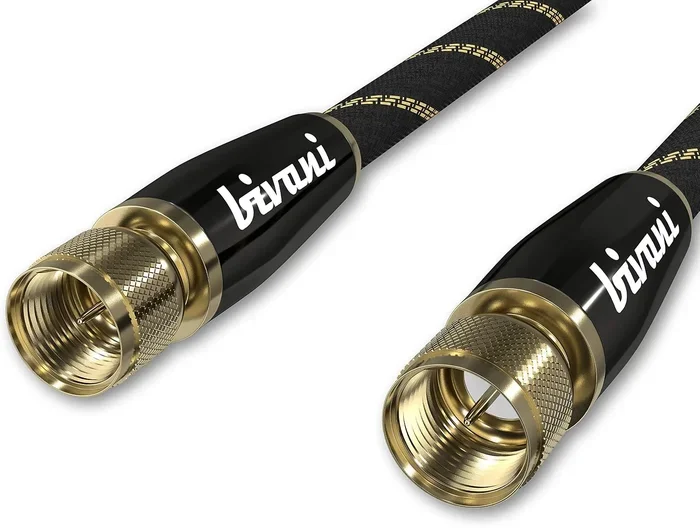
You also need the right cable. HDMI 2.1 is the gold standard for 4K 144Hz. DisplayPort 1.4a can also handle it with DSC (Display Stream Compression). Older HDMI 2.0 cables will cap you at 4K 60Hz. Make sure you check your setup before blaming the GPU.
Keep Your GPU Drivers Updated
NVIDIA regularly releases game-ready drivers that optimize performance for new titles. Always keep your drivers up to date. The GeForce Experience app makes this easy with automatic updates. Sometimes a driver update alone can boost your FPS by 10 to 15 percent in a newly released game.
Common Mistakes That Hurt Your 4K 144Hz Performance
Avoiding these mistakes can save you a lot of frustration and help you get the most out of your RTX 3080.
Running Everything at Max Settings
The biggest mistake gamers make is turning every setting to ultra and expecting 144 FPS at 4K. The RTX 3080 is a great card, but it is not an RTX 4090. Running max settings at 4K in demanding AAA games will give you 40 to 60 FPS, which is far from 144Hz.
The smart approach is to find the sweet spot. Use high or ultra settings for most options, but turn down the ones that hurt performance the most. Shadow quality, volumetric effects, and ray tracing are the main culprits.
Ignoring DLSS and Frame Generation
Some purists refuse to use DLSS because they want native 4K rendering. While that is understandable, it means leaving a lot of performance on the table. DLSS quality mode looks nearly identical to native 4K but runs much faster.
Also, if you have an RTX 40-series card, Frame Generation can help. But the RTX 3080 does not support Frame Generation. Stick with DLSS upscaling for the best results on this GPU.
Using the Wrong Cable or Port
We mentioned this above, but it deserves repeating. Using an HDMI 2.0 cable or an older DisplayPort cable will limit you to 4K 60Hz. Always use HDMI 2.1 or DisplayPort 1.4a with DSC support. Check your monitor’s specs to confirm what it supports.
Not Giving the GPU Enough Power or Cooling
The RTX 3080 draws a lot of power, around 320 watts. Make sure your power supply is adequate, at least 750 watts from a reputable brand. Also, ensure your case has good airflow. Thermal throttling can significantly reduce performance if your GPU gets too hot.
Is the RTX 3080 Still Worth It for 4K Gaming in 2024?
The RTX 3080 is no longer a new card, but it is still a solid choice for 4K gaming. If you can find one at a good price, it delivers excellent value. For 4K 60Hz gaming with high settings, it is more than capable. For 4K 144Hz, it works best in esports titles and with DLSS in AAA games.
If your main goal is native 4K 144Hz in every game at max settings, you will want to look at the RTX 4080 or 4090. But if you are willing to use smart settings and DLSS, the RTX 3080 can still provide a fantastic 4K gaming experience.
The bottom line is this. The RTX 3080 is a versatile card that can handle a wide range of 4K gaming scenarios. It is not the fastest card on the market, but it is far from weak. With the right approach, you can enjoy smooth, beautiful 4K gaming on this GPU.
Final Verdict
So, can a 3080 run 4K 144Hz? The answer is a qualified yes. It can deliver 4K 144Hz in esports titles with ease. In AAA games, it can get close with DLSS and optimized settings. For native 4K 144Hz in every game at max settings, you need a more powerful GPU.
The RTX 3080 remains a strong and capable graphics card. It offers excellent value and can handle most gaming scenarios at 4K. Just remember to use DLSS, adjust your settings wisely, and make sure your monitor and cables support 4K 144Hz. With the right setup and expectations, the RTX 3080 can deliver a smooth and enjoyable 4K gaming experience.
Do not let the 144Hz target discourage you. Even hitting 100 to 120 FPS at 4K in demanding games is a fantastic experience. Smooth gameplay matters more than hitting a specific number. Focus on finding the right balance between visual quality and frame rate, and you will have a great time gaming at 4K with your RTX 3080.
Frequently Asked Questions
Can the RTX 3080 run 4K 144Hz in competitive games?
Yes, absolutely. In esports titles like CS2, Valorant, and Rocket League, the RTX 3080 can easily push 144 FPS or more at 4K resolution. These games are much less demanding than AAA titles, making them the perfect showcase for the 3080 at 4K 144Hz.
Does the RTX 3080 support DLSS for better 4K performance?
Yes, the RTX 3080 fully supports DLSS. This AI upscaling technology renders games at a lower resolution and scales them up to 4K, giving you a significant performance boost. Using DLSS quality or balanced mode can double your frame rates in many games.
What cable do I need for 4K 144Hz with the RTX 3080?
You need an HDMI 2.1 cable or a DisplayPort 1.4a cable that supports DSC (Display Stream Compression). Older HDMI 2.0 cables will limit you to 4K 60Hz. Always check your monitor and cable specifications to ensure they can handle 4K 144Hz output.
Can the RTX 3080 run 4K 144Hz with ray tracing enabled?
Not at max settings. Ray tracing is extremely demanding at 4K, and the RTX 3080 will struggle to maintain high frame rates with RT enabled. For the best results, either turn ray tracing off or set it to a low or medium level when targeting 4K 144Hz.
Is the RTX 3080 good enough for 4K gaming in 2024?
Yes, the RTX 3080 is still a very capable 4K gaming GPU in 2024. It handles 4K 60Hz gaming excellently and can reach high frame rates in esports titles. For demanding AAA games at 4K, using DLSS and optimized settings will give you a smooth and enjoyable experience.
How much VRAM does the RTX 3080 have for 4K gaming?
The RTX 3080 comes with 10GB of GDDR6X VRAM. This is sufficient for most 4K gaming scenarios in 2024. However, some of the newest ultra-demanding titles may push past 10GB at 4K, which could cause texture streaming issues or stuttering in those specific games.
=== CONCLUSION ===
The RTX 3080 can run 4K 144Hz gaming, and it does so impressively in many scenarios. Whether you are playing competitive esports titles or enjoying the latest AAA releases, this GPU delivers a strong 4K experience. The key is to use DLSS, optimize your settings, and have the right monitor and cables in place.
While the 3080 may not hit 144 FPS in every single game at max settings, it comes closer than most people expect. With smart adjustments and a willingness to use upscaling technology, you can enjoy smooth, beautiful 4K gaming on this card. Do not let anyone tell you the RTX 3080 is outdated. It is still a force to be reckoned with in the world of 4K gaming.
Now that you know what the RTX 3080 can do at 4K 144Hz, go ahead and set up your rig. Tweak your settings, enable DLSS, and enjoy the ride. Happy gaming!