Do I Need Cable If I Have A Smart Tv
You do not need cable to enjoy television with a smart TV. A smart TV connects to the internet and gives you access to hundreds of channels through apps and streaming services. Cutting the cord saves money and offers more flexibility than a traditional cable subscription ever did.
Do I need cable if I have a smart TV? This question keeps popping up in living rooms across the country. The short answer is no. You do not need cable to watch great television anymore. A smart TV opens up a whole world of entertainment that goes way beyond what traditional cable offers.
More and more people are asking this question every day. Cable bills keep rising, and streaming services keep improving. The shift away from cable is real, and it is changing how we watch our favorite shows. Let us break down everything you need to know about ditching cable and thriving with a smart TV.
Key Takeaways
- Smart TVs replace cable: Built-in apps and streaming services deliver all the content you need without a cable box.
- Streaming costs less: Most streaming subscriptions cost far less than a cable package each month.
- Live TV is still available: You can get live sports and news through streaming apps and over-the-air antennas.
- A good internet connection matters: Your streaming experience depends heavily on your Wi-Fi speed and data plan.
- Cable offers some unique perks: Bundled packages and guaranteed channel lineups still appeal to some households.
- Cutting the cord is simple: The switch from cable to streaming is easier than most people think.
📑 Table of Contents
What a Smart TV Can Do Without Cable
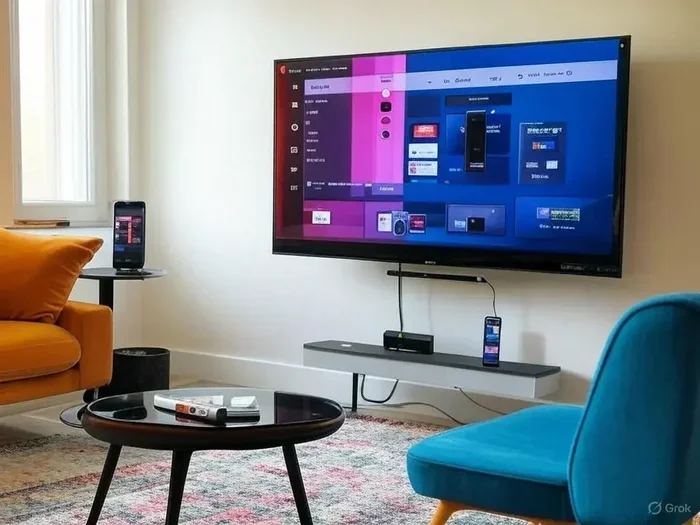
A smart TV is basically a computer built into your television. It connects to your home Wi-Fi network and gives you direct access to a huge library of content. You do not need any extra boxes or cables to get started. Just plug in your TV, connect to the internet, and you are ready to go.
Here is what a smart TV can do on its own without cable:
- Stream movies and shows: Apps like Netflix, Hulu, and Amazon Prime Video are built right in.
- Watch live sports: Many sports leagues have their own apps or partner with streaming platforms.
- Access free content: Tubi, Pluto TV, and Crackle offer thousands of hours of free programming.
- Browse the internet: Most smart TVs have a built-in web browser for surfing the web.
- Cast content from your phone: You can mirror your phone screen or cast videos directly to your TV.
- Play games: Some smart TVs support gaming apps and even connect to controllers.
The entertainment options are staggering. You can watch anything from cooking shows to documentaries to kids cartoons without paying a single cable fee. The question really is not whether you can watch without cable. It is whether you want to.
Built-In Apps vs. Streaming Devices
Most modern smart TVs come with popular apps already installed. You just need to download them from the TV app store and sign in. However, not every smart TV has every app available. Some models might lack certain niche streaming services.
This is where streaming devices come in handy. Devices like Roku, Amazon Fire Stick, Apple TV, and Google Chromecast plug into your TV and expand your options. They are affordable and easy to set up. If your smart TV does not have a specific app you want, a streaming device can fill that gap quickly.
Here is a quick comparison of popular streaming devices:
| Device | Price Range | Best For |
|---|---|---|
| Roku Ultra | $50 – $100 | Wide app selection and easy setup |
| Amazon Fire Stick 4K | $30 – $50 | Budget-friendly streaming |
| Apple TV 4K | $130 – $180 | Apple ecosystem users |
| Google Chromecast | $30 – $50 | Simple casting from phones |
These devices are small but mighty. They give your smart TV even more power and flexibility. You can access apps that might not be available natively on your TV. The setup usually takes less than five minutes, and most people find them very intuitive to use.
The Real Cost: Cable vs. Streaming
Money matters when you are deciding whether to keep cable or switch to streaming. Let us talk numbers. The average cable bill in the United States runs around $100 to $150 per month. That adds up fast. Over a year, you could be paying $1,200 to $1,800 just for television.
Now let us look at streaming. A basic streaming setup might include Netflix at around $7, Hulu at around $7, and Disney+ at around $8. That totals about $22 per month. Even if you add a few more services, you are still spending a fraction of what cable costs. Most people save hundreds of dollars every year by cutting the cord.
But there is more to consider than just the monthly fee. Cable companies often charge hidden fees. There are equipment rental charges, broadcast fees, and regional sports fees. These extras can add $20 to $30 to your bill each month. Streaming services are much more transparent about their pricing. You see what you pay, and that is it.
Hidden Costs of Cable Subscriptions
Cable companies are notorious for their hidden fees. Many customers sign up for a promotional rate and then see their bill jump dramatically after the first year. Here are some common hidden costs you might encounter with cable:
- Equipment rental fees: Cable boxes can cost $10 to $15 per month each.
- Broadcast fees: These fees are passed on to customers and can add up quickly.
- Early termination fees: If you cancel before your contract ends, you might pay a penalty.
- Installation charges: Professional installation can cost $50 to $100 or more.
- Regional sports fees: These can add $5 to $10 per month for sports channels you might not even watch.
When you add all these up, the real cost of cable is much higher than the advertised price. Streaming services do not have these extra charges. This is one of the biggest reasons people are making the switch to cord cutting.
Can You Get Live TV Without Cable?
One of the biggest concerns people have about ditching cable is missing live television. Live sports, breaking news, and award shows are important to many viewers. The good news is that you can absolutely get live TV without cable.
Several streaming services now offer live TV packages. Services like YouTube TV, Hulu + Live TV, Sling TV, and fuboTV provide access to dozens or even hundreds of live channels. These include major networks like ABC, NBC, CBS, and Fox. You can watch the news, football games, and award shows just like you would with cable.
The prices for live TV streaming services range from about $35 to $75 per month. While this is more than on-demand streaming alone, it is still typically cheaper than cable. Plus, you get the benefit of cloud DVR storage, so you can record shows and watch them later.
Over-the-Air Antennas: A Free Alternative
If you want live TV for free, an over-the-air antenna is the way to go. These antennas pick up broadcast signals from local TV stations. You can get all the major networks without paying a single monthly fee. The picture quality is often better than cable or satellite because it is a direct digital signal.
A decent antenna costs between $20 and $50. You plug it into your smart TV or into a streaming device, and you are done. Most antennas can pick up channels from stations within 30 to 60 miles of your home. If you live in a rural area, you might need a stronger antenna, but for most people, a basic model works great.
Some people combine an antenna with a streaming service. They watch free local channels through the antenna and subscribe to Netflix or Hulu for everything else. This hybrid approach gives them the best of both worlds. They get live local TV for free and on-demand content for a low monthly cost.
What About Internet Speed and Connectivity?
Your streaming experience depends heavily on your internet connection. A smart TV needs a stable and fast Wi-Fi connection to stream content smoothly. If your internet is slow or unreliable, you will run into buffering and poor video quality.
Here are the recommended internet speeds for different streaming qualities:
- Standard Definition (SD): At least 3 Mbps
- High Definition (HD): At least 5 to 8 Mbps
- 4K Ultra HD: At least 25 Mbps
Most modern internet plans easily meet these requirements. If you have a family that streams on multiple devices at once, you will want a faster plan. A 100 Mbps connection is usually more than enough for most households.
If your Wi-Fi signal is weak in certain parts of your home, consider using a Wi-Fi extender or a mesh network system. These devices boost your signal and ensure smooth streaming in every room. A strong connection makes all the difference when you are watching your favorite shows.
Ethernet vs. Wi-Fi for Streaming
While Wi-Fi is convenient, a wired Ethernet connection provides a more stable streaming experience. If your smart TV has an Ethernet port, connecting it directly to your router can reduce buffering and improve video quality. This is especially helpful for 4K streaming, which requires a consistent and fast data stream.
Not everyone wants to run cables across their living room, though. Modern Wi-Fi standards like Wi-Fi 6 offer excellent speeds and reliability. For most people, a good Wi-Fi connection is more than enough. If you notice streaming issues, try moving your router closer to the TV or restarting your router.
Do You Lose Anything by Cutting Cable?
Let us be honest. There are some things you might lose when you switch from cable to streaming. Cable offers a few advantages that are worth considering before you make the switch.
First, cable gives you access to a full channel lineup. You can flip through channels and see what is on. Streaming services organize content differently. You search for specific shows or browse curated collections. Some people enjoy the channel surfing experience and find it harder to replicate with streaming.
Second, cable often includes bundled services. Many cable providers offer internet, phone, and TV packages at a discount. If you already have a cable bundle, cutting cable might mean you need to find a separate internet provider or accept a higher standalone internet price.
Third, some channels or events are exclusive to cable or satellite providers. Certain regional sports networks or premium channels might not be available through streaming services. However, this is becoming less common as more content moves to streaming platforms.
Despite these minor drawbacks, the vast majority of cable-cutters report being happy with their decision. The savings, flexibility, and convenience of streaming far outweigh what you lose.
How to Make the Switch from Cable to Streaming
Ready to cut the cord? Here is a simple step-by-step guide to make the transition smooth and stress-free.
Step 1: Audit your current cable usage. Look at your cable bill and identify which channels you actually watch. Make a list of your top 10 to 15 channels. This will help you choose the right streaming services.
Step 2: Choose your streaming services. Based on your viewing habits, pick 2 to 4 streaming services that cover your favorite content. Mix and match to get the best coverage at the lowest cost.
Step 3: Get the right equipment. If your smart TV does not have all the apps you need, grab a streaming device. A Roku or Fire Stick is an affordable and easy solution.
Step 4: Check your internet speed. Run a speed test to make sure your connection can handle streaming. Upgrade your plan if needed.
Step 5: Set up your accounts and apps. Download your chosen apps on your smart TV or streaming device. Sign in and start exploring your content.
Step 6: Cancel your cable subscription. Once everything is working, call your cable provider or log in to your account to cancel. Be sure to confirm the cancellation date and check for any early termination fees.
Step 7: Enjoy your savings. Watch your monthly bills drop and enjoy the freedom of streaming on your own terms.
Common Mistakes to Avoid When Cutting the Cord
Many people make a few common mistakes when they first switch from cable to streaming. Avoiding these pitfalls can save you time and frustration:
- Subscribing to too many services: It is easy to sign up for five or six streaming platforms and end up spending almost as much as cable. Stick to 2 or 3 that match your habits.
- Ignoring internet requirements: Slow internet ruins the streaming experience. Make sure your connection is fast enough before you cancel cable.
- Forgetting about local channels: Without an antenna or a live TV streaming service, you might lose access to local news and sports.
- Not using free trials: Most streaming services offer free trials. Use them to test each service before committing to a monthly subscription.
- Skipping the DVR option: If you like recording shows, choose a streaming service that includes cloud DVR storage so you do not miss your favorites.
The Future of Television Is Streaming
The television landscape is changing fast. More content is moving to streaming platforms every year. Major networks, studios, and sports leagues are all investing heavily in their own streaming services. Cable is becoming less relevant with each passing year.
Smart TVs are now the standard in most households. New TV models almost always come with built-in streaming apps and Wi-Fi connectivity. The days of needing a bulky cable box are fading fast. The industry is clearly moving toward internet-based entertainment.
Even cable companies are adapting. Many now offer their own streaming apps and skinny bundles. They know the market is shifting and they want to stay relevant. But for most consumers, streaming is the better choice. It is cheaper, more flexible, and more convenient than traditional cable.
If you are still paying for cable and wondering if it is worth it, the answer is probably no. A smart TV gives you everything you need to enjoy great entertainment without the high costs and rigid contracts of cable. The future of TV is in your hands, and it is connected to the internet.
Final Thoughts
So do you need cable if you have a smart TV? The answer is a clear no. A smart TV gives you access to a vast world of entertainment through streaming apps, free platforms, and live TV services. You can watch almost anything you want without a cable subscription.
Switching from cable to streaming saves you money, gives you more control, and offers better flexibility. The setup is simple, the content is abundant, and the experience is excellent. Whether you are a casual viewer or a dedicated binge-watcher, streaming has something for everyone.
Take the leap and explore what your smart TV can do. You might be surprised at how much you have been missing by sticking with cable. The cord-cutting revolution is here, and it is easier than ever to join.
Frequently Asked Questions
Can I watch local channels on a smart TV without cable?
Yes, you can watch local channels without cable. Many smart TVs have apps for local network affiliates. You can also use a free over-the-air antenna to pick up local broadcast signals. This gives you access to ABC, NBC, CBS, Fox, and PBS without paying a monthly fee.
Is streaming better than cable for sports fans?
It depends on your sports habits. Streaming services like YouTube TV, Hulu + Live TV, and fuboTV offer extensive sports channel lineups. You can watch live games, sports highlights, and exclusive coverage. However, some niche sports or regional games might still require a cable subscription. Check your favorite teams’ broadcast details before making the switch.
Do I need a smart TV to cut the cord?
No, you do not need a smart TV to cut the cord. You can use a streaming device like Roku, Amazon Fire Stick, or Apple TV with any television that has an HDMI port. These devices turn any TV into a smart TV and give you access to all the same streaming apps.
How much can I save by cutting cable?
Most households save between $50 and $100 per month by cutting cable and switching to streaming. The average cable bill is over $100 per month, while a full streaming setup typically costs $20 to $50 per month. Over a year, that adds up to savings of $600 to $1,200 or more.
Will my internet bill go up if I cut cable?
Your internet bill might increase slightly if you upgrade your plan to handle streaming. However, the increase is usually much smaller than what you save from canceling cable. Most streaming requires 25 to 50 Mbps, which is included in many standard internet plans. Check your current plan before assuming you need an upgrade.
Can I record shows without cable?
Yes, you can record shows without cable. Many live TV streaming services include cloud DVR storage at no extra cost. Services like YouTube TV and Hulu + Live TV let you record shows and watch them later. You can also use a streaming device with a built-in DVR feature or connect an external recording device to your TV.