Can You Pair Two Sony Speakers Together for Better Sound
Yes, you can pair two Sony speakers together to double your sound and create an immersive listening experience. Whether you own portable Bluetooth speakers or home audio systems, Sony offers multiple ways to connect two units wirelessly. This guide covers stereo pairing, party chain mode, compatible models, and step-by-step setup instructions so you can enjoy better audio quality at home or outdoors.
Have you ever wished your music could fill an entire room with rich, room-filling sound? Maybe you have two Sony speakers sitting around, and you wonder if you can use them together. The good news is that you can pair two Sony speakers together in most cases, and the results can be seriously impressive.
Pairing speakers opens up a whole new world of audio. You get deeper bass, wider stereo separation, and volume that actually reaches every corner of your space. Whether you are hosting a backyard barbecue or setting up a home listening station, knowing how to connect two speakers makes a huge difference.
In this article, we will walk you through everything you need to know. We will cover which Sony models support pairing, how stereo mode works, what party chain means, and step-by-step instructions for getting both speakers connected. By the end, you will feel confident setting up your own dual-speaker system.
Key Takeaways
- Stereo Pairing: Connect two Sony speakers in left/right mode for a wider soundstage and improved audio depth.
- Party Chain: Link multiple Sony speakers together for synchronized playback across large spaces or outdoor gatherings.
- Compatibility Matters: Not all Sony speakers support pairing. Check your model for S-Force Pro Front Surround or Wireless Party Chain features.
- Simple Setup: Most pairing processes take under two minutes using the Sony Music Center app or built-in Bluetooth controls.
- Limitations Exist: Distance, interference, and model differences can affect pairing stability and sound quality.
- Alternative Options: If your speakers don’t support native pairing, use a Bluetooth splitter or audio mixer as a workaround.
📑 Table of Contents
- Can You Pair Two Sony Speakers Together?
- Stereo Pair Mode: Left and Right Sound
- Party Chain: Connecting More Than Two Speakers
- Step-by-Step Guide to Pairing Two Sony Speakers
- Tips for the Best Sound When Pairing Speakers
- Common Mistakes When Pairing Sony Speakers
- Alternative Ways to Connect Two Speakers
- Which Sony Speaker Models Are Best for Pairing?
- Expert Insights on Sony Speaker Pairing
- Key Takeaways
- Conclusion
Can You Pair Two Sony Speakers Together?
The short answer is yes. Most modern Sony wireless speakers support some form of pairing. However, the method and features depend on your specific model. Sony has built several wireless technologies into their speakers over the years, and each one works a little differently.
Some speakers use Bluetooth to connect directly to each other. Others rely on the Sony Music Center app to manage the connection. A few higher-end models even support advanced features like S-Force Pro Front Surround and Wireless Party Chain. Understanding what your speaker can do is the first step.
How Sony Wireless Speakers Connect
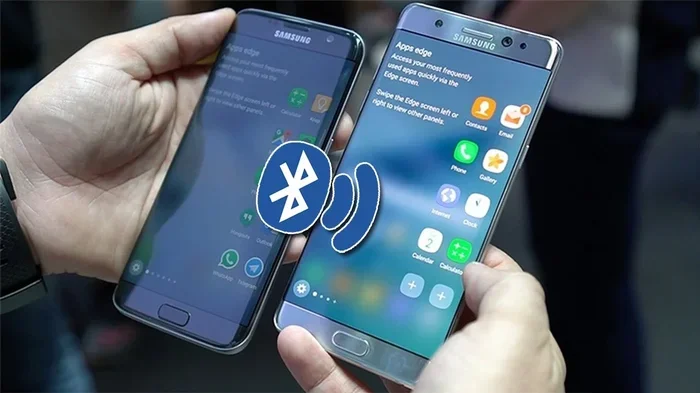
Sony wireless speakers use Bluetooth as the primary wireless connection method. Bluetooth lets two devices communicate without wires. When you pair two speakers, one acts as the primary unit and the other follows its lead. Both speakers then receive the same audio signal and play it in sync.
Newer Sony speakers also support Wi-Fi-based connections. Wi-Fi pairing offers a more stable link and lower latency than Bluetooth. This means the audio stays perfectly synchronized between both speakers. If you want the best experience, Wi-Fi pairing is the way to go.
Here are the main connection methods Sony uses:
- Bluetooth Pairing: Direct wireless connection between two speakers. Works within about 30 feet. Simple and fast.
- Wi-Fi Wireless Streaming: Uses your home network for a more stable and higher-quality connection.
- Sony Music Center App: Controls the pairing process and manages settings from your phone or tablet.
- NFC Tap: Some Sony speakers support NFC. You just tap your phone against the speaker to connect instantly.
Stereo Pair Mode: Left and Right Sound
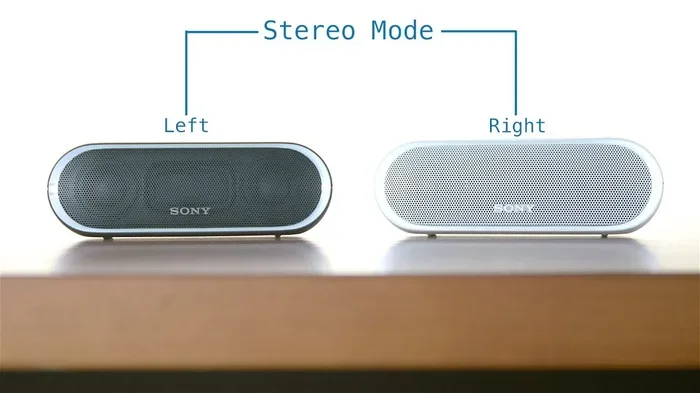
One of the best reasons to pair two Sony speakers is stereo mode. Stereo mode splits the audio signal into two channels. One speaker plays the left channel, and the other plays the right channel. This creates a much wider soundstage that feels like you are sitting in a real listening room.
When you listen to music in mono (single channel), both speakers play the same sound. It gets louder, but it does not sound any bigger. Stereo mode changes that completely. You will hear instruments panned left and right, vocals centered, and bass spread across both units.
Which Sony Speakers Support Stereo Pairing?
Not every Sony speaker can do stereo pairing. Here are some popular models that do support it:
- Sony SRS-XB43: This Extra Bass model supports stereo pairing and party chain. Great for outdoor use.
- Sony SRS-XG300: A portable powerhouse with stereo and party chain capabilities.
- Sony SRS-R10: A home theater speaker that pairs well with other Sony units.
- Sony SRS-RA5000: A premium wireless speaker with advanced spatial audio and stereo pairing.
- Sony SRS-XP700: A large portable speaker with powerful stereo mode for bigger gatherings.
How to Set Up Stereo Pair Mode
Setting up stereo pair mode is straightforward. Here is the general process for most Sony speakers:
- Turn on both speakers and make sure they are fully charged.
- Open the Sony Music Center app on your phone or tablet.
- Select the first speaker from the device list.
- Go to the settings menu and look for “Stereo Pair” or “Wireless Surround.”
- Choose the second speaker from the list of available devices.
- Assign one speaker as the left channel and the other as the right.
- Confirm the pairing and start playing music.
Once paired, both speakers work as a single stereo system. You can control the volume from either speaker or from your phone. The sound quality improves noticeably compared to using just one speaker alone.
Party Chain: Connecting More Than Two Speakers
Sony’s Wireless Party Chain feature takes speaker pairing to the next level. With party chain, you can connect up to 100 Sony compatible speakers together. All of them play the same audio in perfect sync. This is perfect for large outdoor events, pool parties, or backyard gatherings.
The party chain uses Bluetooth or Wi-Fi to link speakers together. Each speaker in the chain receives the same audio signal. The result is powerful, synchronized sound that fills a massive area. You can place speakers far apart and they will still stay in rhythm.
How Party Chain Differs from Stereo Pair
It helps to understand the difference between stereo pair and party chain. They serve different purposes:
- Stereo Pair: Two speakers play different channels (left and right). The goal is wider sound and better imaging. Best for smaller rooms or focused listening.
- Party Chain: Multiple speakers play the same audio. The goal is volume and coverage across a large area. Best for outdoor events and big gatherings.
Some Sony speakers support both stereo pair and party chain. You can switch between modes depending on your needs. For example, you might use stereo pair for a quiet evening at home and switch to party chain for a weekend get-together.
Setting Up Party Chain
To set up a party chain, follow these steps:
- Turn on all the speakers you want to connect.
- Open the Sony Music Center app.
- Select your primary speaker.
- Navigate to the party chain or wireless party chain setting.
- Add each additional speaker one by one.
- Once all speakers are connected, tap “Start Party Chain.”
The app makes the process easy. You can see which speakers are connected and adjust their positions in the chain. If one speaker runs low on battery, you can replace it without interrupting the music.
Step-by-Step Guide to Pairing Two Sony Speakers
Now let us walk through the actual pairing process. Even if you are not tech-savvy, you can do this in just a few minutes. The exact steps may vary slightly depending on your model, but the general process is the same.
Step 1: Check Compatibility
Before you start, make sure both speakers support pairing. Look at the product manual or check the Sony website. Search for your model number and look for terms like “stereo pair,” “party chain,” or “wireless speaker pairing.” If your speaker does not support these features, you may need a Bluetooth transmitter or audio mixer as an alternative.
Step 2: Charge Both Speakers
Make sure both speakers have enough battery. A low battery can cause connection drops or sync issues. Charge them fully before you begin the pairing process. This ensures a smooth and stable connection from start to finish.
Step 3: Turn on Bluetooth
On your phone or tablet, go to Settings and turn on Bluetooth. Make sure it is visible and ready to search for new devices. Some Sony speakers also have a dedicated Bluetooth button you can press to enter pairing mode.
Step 4: Open the Sony Music Center App
The Sony Music Center app is your main control hub. Download it from the App Store or Google Play Store if you have not already. Open the app and let it scan for nearby Sony speakers. You should see both of your speakers appear on the screen.
Step 5: Select and Pair
Tap on the first speaker to select it. Then look for the pairing or stereo mode option. The app will guide you to select the second speaker. Follow the on-screen prompts to complete the connection. Once paired, you will see a confirmation on both speakers.
Step 6: Test the Connection
Play some music and listen carefully. Both speakers should start playing at the same time. If one speaker is delayed, move it closer to the other. Reduce the distance between the speakers and your phone for the best results. Walk around the room to check the stereo effect from different angles.
Tips for the Best Sound When Pairing Speakers
Pairing two speakers is only half the battle. To get the best possible sound, you need to think about placement, environment, and settings. A few simple tips can make a big difference in your listening experience.
Placement Matters
Where you put your speakers affects the sound quality a lot. For stereo mode, place the two speakers about 6 to 10 feet apart. Angle them slightly toward your listening position. This creates a wide stereo image that sounds natural and balanced.
For party chain mode, spread the speakers evenly across the area you want to cover. Avoid placing speakers too close to walls or corners. This reduces bass buildup and keeps the sound clean. Elevate speakers on tables or shelves for better sound projection.
Keep Interference to a Minimum
Bluetooth signals can get disrupted by other wireless devices. Microwaves, baby monitors, and even Wi-Fi routers can cause interference. Keep your speakers away from these devices for a cleaner connection. If you experience dropouts, move closer to the speakers or switch to Wi-Fi mode if your model supports it.
Update Your Firmware
Sony regularly releases firmware updates for their speakers. These updates fix bugs, improve Bluetooth stability, and add new features. Check the Sony Music Center app for updates before you start pairing. Keeping your speakers up to date ensures the best performance.
Use the Right Audio Source
The quality of your audio source matters too. Streaming services like Spotify, Apple Music, and Tidal offer high-quality audio. If you are playing low-bitrate files or low-quality streams, even the best speakers will sound flat. Use high-quality audio files or lossless streaming for the best results.
Common Mistakes When Pairing Sony Speakers
Even with the best intentions, people make mistakes when setting up speaker pairs. Here are some common errors and how to avoid them.
Pairing Incompatible Models
Not all Sony speakers can pair with each other. Two speakers need to support the same wireless protocol. For example, a speaker that only supports basic Bluetooth cannot join a party chain. Always check compatibility before you try to pair different models together.
Ignoring Distance Limits
Bluetooth has a range limit of about 30 feet. If your speakers are too far apart, the connection weakens. Keep both speakers within range of each other and within range of your phone. For larger spaces, consider using Wi-Fi-based pairing or adding a Bluetooth range extender.
Skipping the App Setup
Some people try to pair speakers using only the Bluetooth menu on their phone. This often leads to problems. The Sony Music Center app gives you access to stereo mode, party chain, and other advanced features. Skipping the app means you miss out on the best experience.
Forgetting to Reset
If pairing fails, the speakers may still remember a previous connection. This causes conflicts. Reset both speakers to factory settings and try again. The reset process is different for each model, so check the manual or the Sony website for instructions.
Alternative Ways to Connect Two Speakers
What if your Sony speakers do not support wireless pairing? Do not worry. There are other ways to connect two speakers and get better sound.
Using a Bluetooth Transmitter
A Bluetooth transmitter sends audio to two speakers at once. You connect the transmitter to your audio source, and it broadcasts the signal to both speakers. Some transmitters support dual-link, which means they can connect to two Bluetooth speakers simultaneously.
This is a simple and affordable solution. You do not need any special Sony features. Just buy a quality Bluetooth transmitter, connect it to your phone or music player, and pair both speakers to it. The sound will not be perfectly synced like native pairing, but it works well for casual listening.
Using an Audio Mixer
An audio mixer gives you more control over your sound. You can connect two speakers to a mixer using cables. The mixer blends the audio signals and sends them to both speakers. This method works well for home setups where you want consistent, high-quality sound.
Mixers also let you adjust the volume and EQ for each speaker independently. This means you can fine-tune the sound to match your room and preferences. It is a great option for audiophiles who want full control over their audio setup.
Which Sony Speaker Models Are Best for Pairing?
Choosing the right Sony speakers for pairing makes a big difference. Here are some of the best options based on different needs and budgets.
| Model | Type | Stereo Pair | Party Chain | Best For |
|---|---|---|---|---|
| Sony SRS-XB43 | Portable Extra Bass | Yes | Yes | Outdoor parties and events |
| Sony SRS-XG300 | Portable | Yes | Yes | Travel and outdoor use |
| Sony SRS-RA5000 | Premium Home | Yes | No | Home listening and stereo |
| Sony SRS-XP700 | Large Portable | Yes | Yes | Big gatherings and bass lovers |
| Sony SRS-XB100 | Compact Portable | Yes | Yes | Budget-friendly stereo setup |
When choosing two speakers, try to pick the same model. Matching speakers ensure balanced sound and seamless pairing. If you mix different models, you may run into compatibility issues or uneven audio quality.
Expert Insights on Sony Speaker Pairing
Audio engineers at Sony have shared some tips for getting the best results when pairing speakers. The key is understanding how sound behaves in your space. Every room has unique acoustic properties that affect how music sounds.
One expert tip is to place speakers at ear level when you are sitting in your main listening position. This creates the most natural and immersive sound. Another tip is to keep speakers away from reflective surfaces like glass tables or bare walls. These surfaces can cause echoes and muddiness.
For outdoor setups, Sony recommends placing speakers at different heights. This helps distribute sound more evenly across the area. Elevating one speaker slightly above the other reduces blockage and improves coverage.
Many audio enthusiasts also suggest using high-resolution audio formats when pairing speakers. Since you are investing in two speakers, you want to feed them the best possible audio. Lossless formats like FLAC or ALAC bring out the full potential of your Sony speakers.
Key Takeaways
- Stereo Pairing: Connect two Sony speakers in left/right mode for a wider soundstage and improved audio depth.
- Party Chain: Link multiple Sony speakers together for synchronized playback across large spaces or outdoor gatherings.
- Compatibility Matters: Not all Sony speakers support pairing. Check your model for S-Force Pro Front Surround or Wireless Party Chain features.
- Simple Setup: Most pairing processes take under two minutes using the Sony Music Center app or built-in Bluetooth controls.
- Limitations Exist: Distance, interference, and model differences can affect pairing stability and sound quality.
- Alternative Options: If your speakers do not support native pairing, use a Bluetooth splitter or audio mixer as a workaround.
Conclusion
So, can you pair two Sony speakers together for better sound? Absolutely. Sony has made it easy to connect two or more speakers wirelessly. Whether you use stereo mode for a richer listening experience or party chain for big events, the results are always impressive.
The key is to know your speaker model and its capabilities. Check for stereo pair and party chain support before you buy. Once you have compatible speakers, the setup process is quick and simple. Use the Sony Music Center app to manage your connection and customize your settings.
Placement, interference, and audio source quality all play a role in your final sound. Follow the tips in this guide and you will get the most out of your Sony speakers. Pairing two speakers transforms your audio experience from good to great. You will hear details you never noticed before and feel the music in a whole new way.
Grab your Sony speakers, follow the steps above, and start enjoying better sound today. Once you experience wireless stereo pairing, you will never go back to using just one speaker again.
Frequently Asked Questions
Can I pair two different Sony speaker models together?
In most cases, yes. Sony allows pairing between compatible models that support the same wireless feature, such as stereo pair or party chain. However, for the best results, use two identical models. Matching speakers ensure balanced sound and seamless synchronization across both units.
How far apart can I place two paired Sony speakers?
For Bluetooth pairing, keep the speakers within about 30 feet of each other for a stable connection. Wi-Fi pairing allows for greater distance. In party chain mode, you can place speakers much farther apart, but keep them within range of the primary speaker for the best sync quality.
Can I pair more than two Sony speakers together?
Yes, if your speakers support Wireless Party Chain. You can connect up to 100 Sony compatible speakers in a party chain. This feature is perfect for large outdoor events or big gatherings where you need sound coverage across a wide area.
Do I need the Sony Music Center app to pair speakers?
The Sony Music Center app makes pairing easier and gives you access to advanced features like stereo mode and party chain settings. While some basic Bluetooth connections can be done without the app, using the app ensures the best experience and full functionality.
Why is one speaker louder than the other after pairing?
This can happen if the speakers are not evenly placed or if one speaker has a lower battery. Try resetting both speakers and pairing them again. Also, check that both speakers are the same model and firmware version for balanced output.
Can I pair a Sony wireless speaker with a Sony soundbar?
Some Sony soundbars and wireless speakers support wireless pairing through features like S-Force Pro Front Surround. Check your specific soundbar and speaker models for compatibility. The Sony Music Center app will show you available pairing options for your devices.