Does A Projector Need Internet Or Can It Work Offline
Does a projector need internet? The short answer is no — most projectors can work perfectly fine without an online connection. Whether you own a smart projector or a basic traditional projector, you can enjoy movies, games, and presentations offline. This guide covers everything you need to know about using a projector without WiFi and how to set it up for the best offline experience.
Have you ever wondered does a projector need internet to show your favorite movie or presentation? Maybe you are planning an outdoor movie night in the backyard. Or perhaps you are setting up a home theater in a room with poor WiFi coverage. Whatever the reason, the idea of using a projector offline can feel confusing.
The good news is that projectors do not need internet to work. In fact, most projectors can display content from many different sources without ever connecting to a network. Whether you use a smart projector or a basic model, offline viewing is absolutely possible and often quite simple. Let us dive into everything you need to know.
Key Takeaways
- Projectors do not need internet to function: Most projectors can display content from USB drives, HDMI sources, and built-in media players without any connection.
- Smart projectors offer more flexibility: They can work both online and offline, giving you the best of both worlds for streaming and local playback.
- You need the right equipment for offline setup: A USB drive, HDMI cable, or media player is all you need to enjoy content without WiFi.
- Offline viewing has some limitations: You cannot access live streaming services or update built-in apps without an internet connection.
- Portable projectors excel offline: Many portable models are designed for on-the-go use where internet access is limited or unavailable.
- Setup is simple: Connecting a laptop, USB stick, or gaming console takes only a few minutes and no internet required.
📑 Table of Contents
- How Does A Projector Work Without Internet?
- What Can You Do With A Projector Offline?
- How To Set Up A Projector Without Internet
- Smart Projectors vs Traditional Projectors: Internet Requirements
- Common Mistakes When Using A Projector Offline
- Expert Tips For The Best Offline Projector Experience
- Can You Use A Projector For Outdoor Events Without Internet?
- Do You Need WiFi For A Projector Remote Control?
- Conclusion
How Does A Projector Work Without Internet?
Many people assume that projectors need WiFi to display anything. That is not true at all. A projector is essentially a fancy screen that shines light through an image lens. It does not care where the content comes from. What matters is the source device or media you connect to it.
Think of a projector like a television. Your TV can play a DVD, show a Blu-ray, or display content from a cable box. None of those require the internet. A projector works the same way. You just need a way to send the content to it.
Understanding Projector Connectivity Options
Projectors come with several ways to receive content. These options do not depend on the internet at all. Here are the most common methods:
- HDMI cable: This is the most popular way to connect a laptop, gaming console, or Blu-ray player to a projector. It delivers high-quality video and audio through a single cable.
- USB drive: Many projectors have a USB port that can read media files directly. You can load movies, photos, or music onto a flash drive and plug it right in.
- VGA cable: An older but still useful option for connecting computers. It carries video signals without needing any internet.
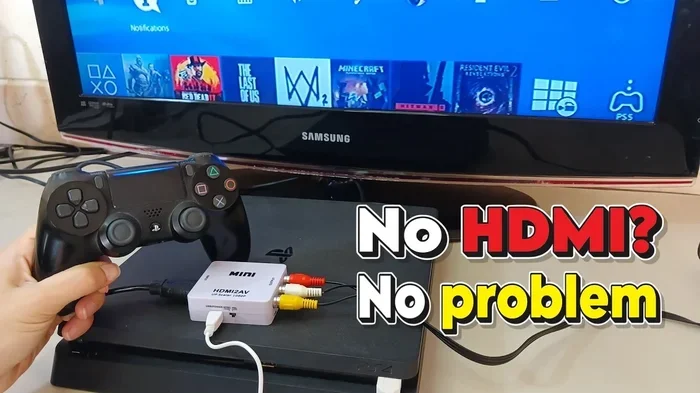
- AV cables: These red, white, and yellow cables work with older devices like DVD players or retro gaming consoles.
- Screen mirroring (offline): Some projectors support screen mirroring through a direct WiFi connection between your phone and the projector. This does not require an internet router.
Different Types Of Projectors And Their Internet Needs
Not all projectors are created equal. The type of projector you own affects how it handles offline use. Here is a quick breakdown:
- Basic projectors: These have no smart features at all. They rely entirely on external devices connected via HDMI or USB. They never need internet because they cannot access online content on their own.
- Smart projectors: These have built-in operating systems, just like a TV or tablet. They can access streaming apps, but they can also play offline content from USB drives or local files.
- Portable projectors: Designed for travel and outdoor use. Many portable models are optimized for offline playback since they are often used away from WiFi networks.
- Home theater projectors: These high-end models focus on picture quality. They work great with offline sources like Blu-ray players and media servers.
The bottom line is that every type of projector can work offline. The only difference is how you access content on each one.
What Can You Do With A Projector Offline?
So what can you actually watch or display when your projector has no internet? The answer might surprise you. There are plenty of options that do not require any online connection at all.
Offline Content Options
Here are the best ways to enjoy content on your projector without WiFi:
- Movies from a USB drive: Download movies to a flash drive and play them directly through your projector. Most modern projectors support common formats like MP4, AVI, and MKV.
- Blu-ray or DVD players: Connect a physical disc player via HDMI for high-quality movie nights. This is one of the best offline experiences you can have.
- Gaming consoles: Hook up an Xbox, PlayStation, or Nintendo Switch for a big-screen gaming experience. Games do not need the internet to play in single-player mode.
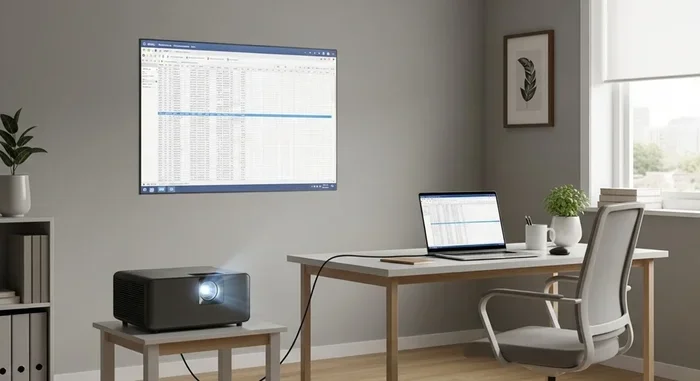
- Laptop or PC connection: Use an HDMI cable to mirror your computer screen. You can watch downloaded movies, view photos, or give presentations without going online.
- Media players: Devices like Roku, Fire Stick, or Apple TV can be loaded with offline content. Some even allow you to download movies ahead of time for offline viewing.
- Digital cameras and phones: Display photos and videos directly from a USB drive or through a wired connection.
Best Media Formats For Offline Playback
Not all file formats work equally well on every projector. Here are the formats that tend to have the best compatibility:
- MP4: The most widely supported format. Works on almost every projector and device.
- AVI: An older format but still widely supported and easy to play.
- MKV: Great for high-quality video with multiple audio tracks.
- JPEG and PNG: For displaying photos on your projector screen.
- MP3 and WAV: For playing music through your projector speakers or external speakers.
Before you load files onto a USB drive, check your projector manual for supported formats. This saves time and avoids frustration.
How To Set Up A Projector Without Internet
Setting up a projector for offline use is straightforward. You do not need any special skills or expensive equipment. Here is how to do it step by step.
Step-By-Step Offline Setup Guide
- Choose your content source: Decide whether you will use a USB drive, laptop, Blu-ray player, or gaming console.
- Gather your cables: Make sure you have the right cables on hand. HDMI is the best option for most setups. USB cables work well for flash drives.
- Position the projector: Set up your projector on a stable surface or mount. Make sure it is focused and angled correctly at the screen or wall.
- Connect your device: Plug in the HDMI cable from your source device to the projector. If using a USB drive, insert it directly into the projector port.
- Power on and select input: Turn on the projector and use the remote or buttons to select the correct input source. Look for labels like HDMI 1, USB, or VGA.
- Adjust settings: Fine-tune the brightness, contrast, and focus for the best picture quality in your room.
- Enjoy your content: Press play and relax. No internet required.
Equipment You Will Need
Here is a simple list of what you need for offline projector use:
- Your projector and power cable
- An HDMI cable (or USB cable for direct playback)
- A source device (laptop, USB drive, Blu-ray player, or gaming console)
- A projection surface (screen or blank wall)
- Optional: External speakers for better sound
That is it. You do not need a router, modem, or WiFi adapter. A basic projector setup like this works anywhere there is power.
Smart Projectors vs Traditional Projectors: Internet Requirements
Smart projectors and traditional projectors handle internet needs differently. Understanding the difference helps you choose the right one for your situation.
Smart Projectors: Online and Offline
Smart projectors are like mini computers built into a projector. They have their own operating system and can run apps. When connected to the internet, you can stream Netflix, YouTube, and other services directly from the projector.
But here is the key point: smart projectors can still work offline. You just cannot access the streaming apps without a connection. Instead, you use the USB port or HDMI input to play local content. Many smart projectors also support offline media players that read files from a connected drive.
Traditional Projectors: Pure Offline Devices
Traditional projectors have no built-in smart features. They do not have an operating system or app store. They simply take a signal from an external source and display it. This means they are 100% offline devices by design.
Traditional projectors are perfect for situations where internet access is limited. They are also often more affordable and reliable because there are fewer electronic components that can fail.
Comparison Table: Smart vs Traditional Projectors
| Feature | Smart Projector | Traditional Projector |
|---|---|---|
| Internet required? | No (optional) | No (never needed) |
| Built-in apps? | Yes | No |
| USB playback? | Yes | Yes (on most models) |
| HDMI input? | Yes | Yes |
| Offline content? | Yes | Yes |
| Streaming capability? | Yes (online only) | No |
| Price range | Mid to high | Low to mid |
As you can see, both types of projectors handle offline use very well. The choice depends on whether you want the convenience of built-in streaming apps when you do have internet access.
Common Mistakes When Using A Projector Offline
Even though offline projector use is simple, people still make mistakes that cause frustration. Here are the most common ones to avoid.
Not Checking File Compatibility
One of the biggest mistakes is assuming every file will play on your projector. Some projectors only support specific formats. If your movie file is in an unsupported format, it will not play. Always convert your files to MP4 before loading them onto a USB drive. This is the safest and most compatible format.
Forgetting to Download Content Ahead of Time
Smart projector users sometimes forget that they need to download content while they still have internet. Once you lose your connection, you cannot download anything new. Plan ahead and download your movies, shows, or presentations before going offline.
Using Low-Quality Cables
Cheap cables can cause poor picture quality, flickering, or no signal at all. Invest in a good quality HDMI cable. It makes a huge difference in your offline viewing experience, especially for high-definition content.
Ignoring Room Lighting
Projectors work best in dim or dark rooms. Using a projector in a bright room during the day can make the image hard to see. This is true whether you are online or offline. Set up your offline movie night in a room where you can control the lighting.
Overlooking Audio Options
Built-in projector speakers are often weak. If you are watching a movie offline, the sound quality matters just as much as the picture. Consider connecting external speakers through the projector audio output or through your source device. This small upgrade makes a big difference.
Expert Tips For The Best Offline Projector Experience
Want to get the most out of your projector without internet? Here are some expert-backed tips that make a real difference.
Use a Media Player Device
A dedicated media player like a Roku or Apple TV can store and play offline content. Some models let you download content directly to the device. Then you connect the media player to your projector via HDMI. This gives you access to a huge library of offline content without relying on WiFi.
Invest in a Portable Media Server
If you have a large collection of movies or files, consider a portable media server. These small devices connect to your projector and can store hundreds of gigabytes of content. They work entirely offline and are perfect for extended trips or outdoor events.
Keep Your Projector Clean
Dust and dirt can affect image quality over time. Clean your projector lens regularly with a soft cloth. A clean lens produces sharper images and better colors, which matters even more when you are not streaming at the highest quality.
Test Your Setup Before the Big Event
Always test your offline projector setup before an important event. Run through your content, check the audio, and make sure everything works smoothly. This prevents awkward surprises when your guests arrive.
Use a High-Resolution Source
Even without internet, you can enjoy high-quality content. Connect a Blu-ray player or use a high-resolution file from a USB drive. Your projector will display the image at its full capability. The result is a crisp, clear picture that rivals any streaming experience.
Can You Use A Projector For Outdoor Events Without Internet?
Absolutely. Outdoor projector setups are one of the most popular uses for offline viewing. Whether you are hosting a backyard movie night, a camping trip, or a neighborhood block party, a projector works great without internet.
All you need is a portable projector, a USB drive loaded with movies, and a portable speaker. Many people also use a laptop connected via HDMI to run the show. The beauty of offline outdoor setups is that there are no WiFi passwords to share and no buffering to deal with.
Just make sure your projector has enough brightness for outdoor use. Look for a projector with at least 2,000 lumens for daytime outdoor viewing. For evening events, even 1,500 lumens can work well in a dark setting.
Do You Need WiFi For A Projector Remote Control?
Some modern projectors come with smart remotes that connect through WiFi or Bluetooth. But this is different from needing internet for content playback. The remote control connection is local and does not require an internet router. Even if your projector remote uses Bluetooth, it works without any online connection.
If your remote does need WiFi for some reason, you can always use the physical buttons on the projector itself. Most projectors have basic controls built into the device for manual operation. So a remote is a convenience, not a requirement.
Conclusion
So, does a projector need internet? The answer is a clear no. Whether you have a smart projector or a basic model, you can enjoy movies, games, presentations, and photos without ever connecting to a network. The key is understanding your projector connectivity options and having the right equipment on hand.
Offline projector use is simple, reliable, and often the better choice for many situations. From backyard movie nights to business presentations in remote locations, a projector without internet works just fine. You just need a source device, the right cables, and content ready to go.
Next time someone asks you if a projector needs the internet, you will know the answer. Projectors are versatile devices that deliver great entertainment and presentations whether you are online or not. Embrace the offline capability and enjoy your projector in any setting, anywhere.
Does a projector need internet to work offline? Now you know it does not. Get out there and set up your next offline viewing session with confidence.
Frequently Asked Questions
Can I watch Netflix on a projector without internet?
No, you cannot stream Netflix without an internet connection. However, you can download Netflix content on a laptop or device while you have WiFi, then play it through your projector via HDMI. This lets you enjoy Netflix content offline on the big screen.
Do smart projectors work without WiFi?
Yes, smart projectors can work without WiFi. You just cannot access their built-in streaming apps. Instead, you use the USB port or HDMI input to play offline content from a flash drive or external device. The projector itself still functions normally for image display.
Can I connect my phone to a projector without internet?
Yes, you can connect your phone to a projector without internet using an HDMI adapter or a direct cable. Some projectors also support offline screen mirroring through a local WiFi connection that does not require a router or internet access. Both methods work perfectly for sharing photos, videos, and presentations.
What is the best way to play movies offline on a projector?
The best way is to download movies onto a USB drive and plug it directly into the projector. Alternatively, connect a laptop or media player via HDMI. Both methods provide high-quality offline playback without any internet connection needed.
Do portable projectors need internet to work?
No, portable projectors do not need internet. In fact, many portable models are designed specifically for offline use. They are perfect for travel, camping, and outdoor events where WiFi may not be available. Just bring your content on a USB drive or connect a laptop directly.
Can I use a projector for a PowerPoint presentation without internet?
Absolutely. PowerPoint presentations work great on projectors without internet. Simply save your presentation on a USB drive or connect your laptop directly via HDMI. The projector will display your slides exactly as they are, with no online connection required.
=== CONCLUSION ===
Does a projector need internet? The answer is no. Projectors are flexible devices that work beautifully offline. You can watch movies from a USB drive, connect a gaming console, or display a presentation without ever touching a WiFi network. The key is knowing your options and having the right setup in place.
Whether you own a smart projector or a basic model, offline viewing is always an option. Download your content ahead of time, use the right cables, and enjoy a seamless experience. The next time you plan an outdoor movie night or a presentation in a location with no WiFi, you will be fully prepared.
Take what you have learned from this guide and put it into practice. Set up your projector for offline use today and discover how simple and satisfying it can be. Your projector is ready to work — internet or not.