Can You Turn On Mobile Data In A Plane While Flying
Yes, you can turn on mobile data in a plane, but only under specific conditions. Most airlines now offer in-flight WiFi that lets you browse the web, check messages, and even stream content. However, using your phone’s cellular data directly relies on airplane mode and a special system called pico cells. The Federal Aviation Administration allows certain wireless functions, but full cellular data without WiFi is still restricted on most flights.
Can You Turn On Mobile Data In A Plane While Flying?
Have you ever been on a plane and wondered if you could just flip on your mobile data? Maybe you wanted to check a message, update your social media, or look up something online. The short answer is yes, you can turn on mobile data in a plane while flying, but it is not as simple as pressing a button. There are rules, technologies, and airline policies that determine what you can and cannot do.
Staying connected at 35,000 feet has come a long way over the past decade. What used to be a hard no is now something many airlines support. But the details matter a lot. In this guide, we break down everything you need to know about using cellular data on flights, how in-flight WiFi works, and what the rules really are.
Whether you are a frequent flyer or someone planning a vacation, understanding how mobile data works on airplanes will save you frustration. You will learn what is allowed, what is not, and how to make the most of your connection while you are up in the air.
Key Takeaways
- Airplane mode is required: You must enable flight mode before takeoff, but you can turn on WiFi and Bluetooth afterward.
- In-flight WiFi is the way to go: Most airlines now offer WiFi packages that let you use data while airborne.
- Cellular data without WiFi is restricted: Direct cellular connections can interfere with aircraft systems, which is why airlines limit this.
- Pico cell technology exists: Some airlines use pico cells to allow limited cellular use, but this is not widespread yet.
- Rules vary by country and airline: Always check your airline’s policy before flying.
- Bluetooth and WiFi are generally allowed: These short-range connections are safe and permitted during most flight phases.
- Data roaming charges still apply: Even with in-flight WiFi, some services may incur extra costs depending on your carrier.
📑 Table of Contents
- What Happens When You Try to Use Mobile Data on a Plane
- Why Airlines Restrict Mobile Data During Flights
- How In-Flight WiFi Works on Modern Aircraft
- Can You Use Bluetooth or WiFi on a Plane?
- Rules and Regulations About Mobile Data on Flights
- Tips for Staying Connected During Your Flight
- The Future of Mobile Data on Airplanes
- Key Takeaways
What Happens When You Try to Use Mobile Data on a Plane
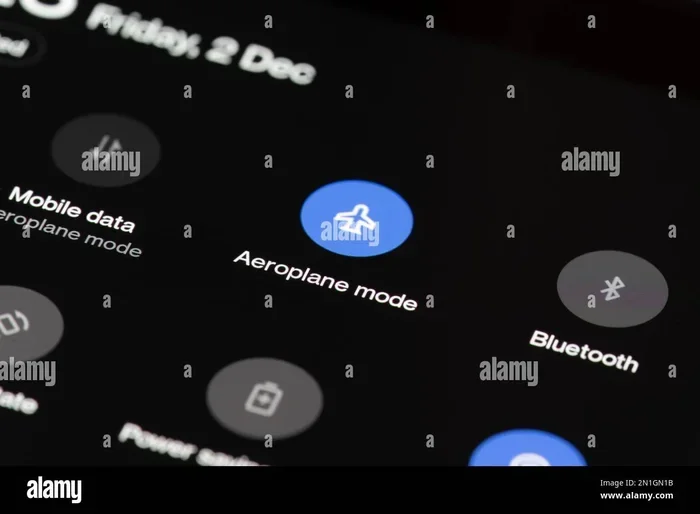
When you board a plane, the first thing you are told to do is switch your phone to airplane mode. This turns off all wireless transmissions, including your cellular connection. The reason is simple but important. Your phone constantly searches for cell towers on the ground, and at high altitudes, it could try to connect to dozens of towers at once.
This rapid switching can create network interference with the aircraft’s communication and navigation systems. Even though modern planes are well shielded, aviation authorities around the world have taken a cautious approach. That is why the rule exists.
The Role of Airplane Mode
Airplane mode disables your phone’s ability to send or receive cellular signals. It also turns off WiFi and Bluetooth by default. However, here is the good news. Most phones let you manually turn on WiFi and Bluetooth even while airplane mode is active. This is where your options open up.
So what does this mean for you? It means you cannot use your regular cellular data plan while in the air. Your phone simply does not have a signal from ground-based towers. But you can still connect to the internet if the airline offers in-flight WiFi.
Why Your Phone Shows No Signal
Even if you try to turn off airplane mode mid-flight, your phone will likely show no signal or “No Service.” This happens because cellular towers are designed to serve users on the ground. At cruising altitude, your phone is too far away and moving too fast for any single tower to maintain a connection.
Some people wonder if turning on mobile data roaming would help. It does not. Roaming connects you to foreign ground networks, but those networks do not exist at 35,000 feet. The only way to get data on a plane is through the aircraft’s own WiFi system.
Why Airlines Restrict Mobile Data During Flights
The restrictions on using cellular data on flights are not just about being difficult. They are rooted in safety concerns and technical realities. Let us look at why airlines and aviation authorities put these rules in place.
Safety Concerns and Signal Interference
Every electronic device that transmits radio frequency signals has the potential to interfere with aircraft systems. This is not just a theory. Studies have shown that signals from phones can cause audible noise in cockpit radio communications. While modern aircraft are built to handle more interference, the precautionary principle still guides policy.
Aviation authorities like the Federal Aviation Administration (FAA) in the United States and the European Union Aviation Safety Agency (EASA) have spent years studying this issue. Their conclusion is that while the risk is low, it is not zero. That is why they recommend keeping devices in flight mode during critical phases of flight like takeoff and landing.
The Evolution of In-Flight Connectivity Rules
Things have changed a lot over the years. In the early days of commercial aviation, all electronic devices were banned outright. Then, rules relaxed to allow devices in airplane mode during most of the flight. Today, many airlines allow full WiFi use and even Bluetooth headphones from gate to gate.
The FAA rules on electronics have evolved with technology. As planes became more resilient to interference and as devices became more controlled in their signal output, the restrictions loosened. But the core principle remains: direct cellular connections to ground networks are still discouraged during flight.
Airlines and Their Specific Policies
Every airline sets its own policy for electronic devices on planes. Some airlines are very strict, while others are more relaxed. For example:
- Delta Air Lines offers WiFi on most domestic flights and allows device use throughout.
- Southwest Airlines provides free WiFi on all flights and supports Bluetooth connections.
- British Airways offers paid WiFi and allows WiFi and Bluetooth use during the flight.
- Emirates provides complimentary WiFi on many routes with generous data allowances.
Always check your airline’s policy before your flight. Rules can vary widely, and knowing them ahead of time helps you plan better.
How In-Flight WiFi Works on Modern Aircraft
If you cannot use regular cellular data, how do you get online on a plane? The answer is in-flight WiFi. This technology has improved dramatically and now offers surprisingly fast connections at cruising altitude.
Satellite-Based WiFi Systems
Most airlines use satellite-based WiFi to connect passengers to the internet. Here is how it works. A dome-shaped antenna on the top of the plane connects to satellites orbiting Earth. These satellites relay the signal to ground stations, which then connect to the broader internet.
This system works anywhere in the world, even over oceans and remote areas. The downside is that satellite WiFi can be slower and more expensive than ground-based options. But for many travelers, having any connection at all is a game changer.
Air-to-Ground WiFi Systems
Some airlines use air-to-ground WiFi instead. This system works similarly to how your phone connects to cell towers on the ground. The plane has an antenna on its underside that connects to towers as it flies over land.
Air-to-ground systems tend to be faster and cheaper than satellite options. However, they only work over land. If your flight crosses an ocean or flies over remote areas with no towers, the connection drops. Airlines like Gogo have been pioneers in this space, and many U.S. carriers use their technology.
WiFi Speed and Performance at Altitude
You might wonder if in-flight WiFi is any good. The truth is, it has improved a lot. Modern satellite WiFi systems can deliver speeds of 50 Mbps or more, which is enough for browsing, streaming, and video calls. Air-to-ground systems can be even faster over land.
However, performance depends on several factors:
- The number of passengers using the WiFi at the same time.
- The type of WiFi system the airline uses.
- The altitude and location of the plane.
- Whether you are on a basic or premium WiFi plan.
During peak times on full flights, speeds can slow down. Think of it like home internet during a neighborhood event. The bandwidth is shared, and more users means less speed per person.
Free vs. Paid WiFi Options
Not all in-flight WiFi is paid. Some airlines offer free WiFi on select routes or for loyalty members. Others charge a flat fee or offer hourly and daily passes. Here is a quick look at how different airlines compare:
| Airline | WiFi Type | Cost | Speed |
|---|---|---|---|
| Delta Air Lines | Satellite | Free basic / Paid for faster | Moderate to Fast |
| Southwest Airlines | Air-to-Ground | Free | Moderate |
| British Airways | Satellite | Paid | Fast |
| Emirates | Satellite | Free on many routes | Fast |
| American Airlines | Satellite | Paid plans available | Fast |
As you can see, options vary a lot. Always check what your airline offers before you fly so you are not surprised.
Can You Use Bluetooth or WiFi on a Plane?
This is one of the most common questions travelers ask. The good news is that both Bluetooth and WiFi are generally allowed on planes, even during takeoff and landing on most airlines.
Bluetooth on Airplanes
Bluetooth uses very low power and operates on a short range, typically about 30 feet. Because of this low power and short range, aviation authorities consider Bluetooth devices safe to use during all phases of flight. You can connect your wireless headphones, keyboard, or mouse while in airplane mode.
The FCC and FAA both allow Bluetooth use on flights. This is why you can still enjoy your wireless earbuds even when your phone is in flight mode.
WiFi Calling and Messaging Apps
If you connect to in-flight WiFi, you can use apps like WhatsApp, iMessage, and Skype to send messages and make calls. Some airlines even support WiFi calling through their own systems. However, voice calls over WiFi are sometimes restricted by individual airlines, so check the policy.
Keep in mind that even with WiFi, your regular SMS text messages will not work unless you have an internet-based messaging app. Standard texts require a cellular network, which is not available in the air without special systems.
Devices That Work Best for In-Flight Connectivity
Some devices handle in-flight WiFi better than others. Here are a few tips:
- Smartphones and tablets work great with in-flight WiFi apps and browsers.
- Laptops can connect to WiFi networks just like they do on the ground.
- E-readers with WiFi can download new books mid-flight.
- Smartwatches with Bluetooth can stay connected to your phone for notifications.
The key is to make sure your device supports WiFi or Bluetooth connectivity, and that you know how to connect once the airline’s WiFi network becomes available.
Rules and Regulations About Mobile Data on Flights
The rules around using mobile data on flights come from several sources. Understanding these regulations helps you stay compliant and avoid any issues during your trip.
FAA Regulations on Electronic Devices
The Federal Aviation Administration governs the use of electronic devices on U.S. airlines. Their current rules state that devices must be in airplane mode or have cellular transmissions disabled during takeoff and landing. During cruise, passengers can use WiFi and Bluetooth freely.
The FAA has approved most modern devices for use throughout the flight. However, larger devices like laptops may need to be stowed during takeoff and landing for safety reasons.
FCC Rules on Cellular Connections
The Federal Communications Commission also plays a role. The FCC has long banned the use of cellular voice calls on commercial flights. This rule is about preventing disruption to ground cellular networks. When your phone connects to a tower at altitude, it can cause problems for the network below.
While the FCC ban is about voice calls, it also affects cellular data connections that try to reach ground towers. This is why your phone cannot use your regular data plan while in the air.
International Regulations and Differences
Rules vary from country to country. Some nations are more relaxed than others. For example:
- The European Union has allowed more flexible use of electronic devices and has been exploring in-flight cellular services.
- Australia follows similar rules to the U.S., requiring airplane mode but allowing WiFi and Bluetooth.
- Japan has strict rules about device use during takeoff and landing but allows WiFi during cruise.
If you are flying internationally, always check the regulations of both your departure and arrival countries. Rules can differ, and being informed helps you avoid any trouble.
Common Mistakes Passengers Make
Here are some mistakes that travelers often make when trying to use data on planes:
- Forgetting to turn on WiFi after enabling airplane mode. Airplane mode kills all connections, so you need to manually re-enable WiFi.
- Not purchasing a WiFi package in advance. Some airlines offer discounts if you buy WiFi before you board.
- Expecting full cellular data to work. Without special systems like pico cells, regular data will not function in the air.
- Ignoring airline crew instructions. If crew members ask you to turn off a device or disable a connection, follow their guidance.
- Assuming all flights have WiFi. Not every aircraft or route offers WiFi. Check with your airline beforehand.
Tips for Staying Connected During Your Flight
Now that you understand the rules and technology, here are some practical tips to help you stay connected while flying.
Download Content Before Your Flight
One of the best ways to stay entertained is to download content before you board. Download movies, podcasts, music, and ebooks while you are still on WiFi at home or the airport. This way, you do not need to rely on in-flight connectivity at all.
Purchase WiFi Before You Board
Many airlines let you buy WiFi passes in advance through their app or website. This saves time and sometimes money. You can connect the moment the WiFi becomes available, without waiting in a queue or dealing with payment issues mid-flight.
Use Offline Apps and Features
Many apps work offline or have offline modes. Google Docs, Spotify, and Netflix all allow you to download content for offline use. Messaging apps like WhatsApp let you queue messages that will send once you reconnect.
Charge Your Devices Before the Flight
Nothing is worse than a dead phone when you want to get online. Charge your devices fully before heading to the airport. Bring a portable charger if you are on a long flight. Some airlines now offer USB charging ports and even wireless charging on newer aircraft.
Quick Tips for Better In-Flight Connectivity
- Turn on airplane mode first, then enable WiFi manually.
- Connect to the airline’s WiFi network as soon as it becomes available.
- Close apps that use a lot of data if your WiFi plan has limits.
- Use offline maps for navigation instead of streaming map data.
- Set your email and messaging apps to sync manually to save data.
The Future of Mobile Data on Airplanes
Technology is always moving forward, and in-flight connectivity is no exception. Several exciting developments are on the horizon that could change how we use data on planes.
Pico cell technology is one of the most promising innovations. A pico cell is a small cellular base station installed on the aircraft. It creates a mini cell tower inside the plane, allowing phones to connect at very low power. The signal is then relayed to the ground via satellite or air-to-ground systems. This technology could allow full cellular data use on flights without interfering with ground networks.
Some airlines and technology companies are already testing pico cell systems. However, widespread adoption is still years away. Regulatory approval, cost, and technical challenges all need to be addressed before pico cells become standard on commercial flights.
Another trend is the expansion of low Earth orbit satellite networks like Starlink. These satellites promise faster speeds and lower latency than traditional geostationary satellites. Airlines like Hawaiian Airlines and others have already started testing Starlink WiFi, and the results have been impressive.
As these technologies mature, the dream of having seamless, high-speed mobile data on any flight is becoming more realistic. The day when you can use your regular data plan on a plane may not be far off.
Key Takeaways
Here is a quick recap of everything we covered:
- You cannot use regular cellular data on a plane without special systems like pico cells or in-flight WiFi.
- Airplane mode is required during takeoff and landing, but you can re-enable WiFi and Bluetooth afterward.
- In-flight WiFi is the primary way to get data on most airlines today.
- Satellite and air-to-ground WiFi systems power most in-flight connections, with speeds improving every year.
- Bluetooth is allowed on planes and works with airplane mode active.
- Rules vary by country and airline, so always check before you fly.
- The future looks bright with pico cells and LEO satellites promising even better connectivity soon.
The bottom line is that turning on mobile data in a plane while flying is possible, but it works differently than it does on the ground. You need to rely on the airline’s WiFi system rather than your cellular data plan. Understanding this difference helps you set the right expectations and make the most of your time in the air.
Next time you fly, take a few minutes to check your airline’s WiFi options. Purchase a pass if needed, download some offline content, and enjoy your flight with the confidence that you know exactly how connectivity works at 35,000 feet. Staying connected in the sky is easier than ever, and with technology advancing rapidly, it is only going to get better.
Frequently Asked Questions
Can I use mobile data on a plane without WiFi?
No, you cannot use regular mobile data on a plane without WiFi. Your phone’s cellular connection is disabled when you are in airplane mode, and ground-based cell towers are too far away to provide a signal at cruising altitude. The only way to access data on a plane is through the airline’s in-flight WiFi system.
Is it illegal to turn off airplane mode on a plane?
It is not exactly illegal, but it is against regulations set by the FAA and other aviation authorities. Airlines enforce these rules, and ignoring them can result in warnings or being asked to comply. Always follow crew instructions regarding electronic device use during flights.
Can I make phone calls on a plane using WiFi?
This depends on the airline. Some airlines allow WiFi calling through their systems, while others block voice calls to maintain a peaceful cabin environment. Check your airline’s policy on voice calls before your flight. Messaging apps like WhatsApp and iMessage generally work fine over in-flight WiFi.
How much does in-flight WiFi cost?
In-flight WiFi costs vary widely. Some airlines like Southwest offer free WiFi on all flights. Others charge between $5 and $20 for a single flight pass, with monthly or annual plans available for frequent travelers. Check your airline’s website for current pricing and packages.
Will my phone work on a plane if I don’t have WiFi?
Yes, your phone will still work for many things without WiFi. You can use offline apps, play downloaded games, read ebooks, listen to downloaded music, and use the camera. All you lose is internet access. Once you land and reconnect to a cellular network, everything works normally again.
Are there any airlines that allow full cellular data use during flights?
Currently, no major commercial airline allows full cellular data use through ground-based towers during flight. However, some airlines are testing pico cell technology that could enable this in the future. For now, in-flight WiFi remains the only practical way to use data while airborne.