Can You Have Wifi At Home Without Internet Connection
Yes, you can have wifi at home without internet. A local wireless network lets your devices talk to each other even when there is no active internet connection. You can share files, print, and stream media across your home using offline wifi setups. This guide explains how local area networks work, what gear you need, and practical ways to use them every day.
Have you ever wondered if you can set up a wireless network at home without paying for an internet plan? The short answer is yes. You can have a fully functioning wifi network inside your home even when there is no internet connection at all. This might sound surprising, but it is something many people do every day.
A local wifi network connects your devices wirelessly within your home. It lets phones, laptops, tablets, and smart TVs talk to each other. You can share files, print documents, and even stream movies from one device to another. All of this happens without a single packet of data leaving your house.
People set up offline wifi for many reasons. Some want to save money. Others care about privacy. Some just need a network for specific tasks like hosting a local server or setting up a home theater system. Whatever your reason, this guide will walk you through everything you need to know.
We will cover how offline wifi works, what equipment you need, and the best ways to use it. You will also learn about common mistakes to avoid and expert tips that make the process easier. By the end, you will have a clear picture of how to run a wireless network at home without internet.
Key Takeaways
- Wifi does not require internet: Your router can create a wireless network without an active ISP connection.
- Local networks enable file sharing: You can transfer files, print, and stream between devices at home.
- Basic equipment is simple: A wireless router or access point is all you need to start.
- Smart home devices can work offline: Many smart gadgets function on a local network without the cloud.
- Offline wifi has many uses: From gaming to privacy, there are plenty of reasons to go offline.
- Common mistakes exist: Avoid skipping firmware updates and misconfigured settings.
- Security still matters: Even without internet, protect your local network from unauthorized access.
📑 Table of Contents
- What Does It Mean to Have Wifi Without Internet
- How Offline Wifi Networks Work
- Why People Set Up Wifi Without Internet
- Equipment You Need for Offline Wifi
- Common Uses for Wifi Without Internet
- Can You Still Use Smart Home Devices Offline
- Common Mistakes to Avoid With Offline Wifi
- Expert Tips for Running Offline Wifi
- Final Thoughts on Having Wifi Without Internet
What Does It Mean to Have Wifi Without Internet
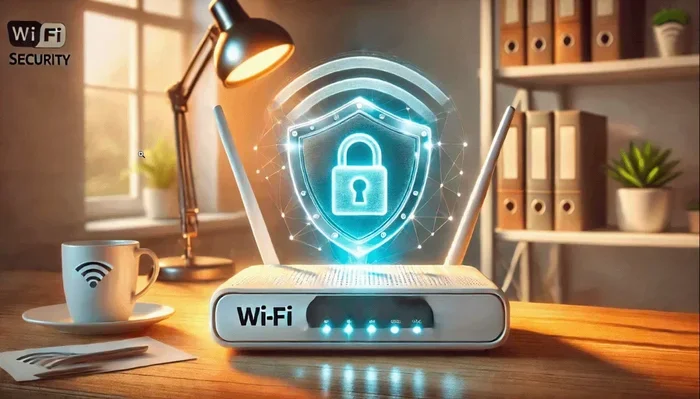
To understand offline wifi, it helps to know how wireless networks work. A wifi router broadcasts a signal. Your devices connect to that signal. They can then communicate with each other. This is called a local area network or LAN. The router does not need to send data to the outside world for this to work.
Think of it like a room full of people talking to each other. Nobody needs to leave the room. Everyone inside can share information freely. That is exactly what happens on a local wifi network. Your devices are the people. The router is the room.
When you have internet, your router connects your local network to the wider world. Without that connection, your network stays inside your home. Devices can still see each other. They can still share resources. They just cannot reach websites, apps, or online services that require a data connection.
How Is Offline Wifi Different From Normal Wifi
The hardware is the same. You use the same wireless router. The same devices connect the same way. The big difference is the internet service provider or ISP. Without an ISP, your router has no gateway to the outside world.
Here is a simple way to think about it:
- Normal wifi: Your devices connect to the internet. They can browse websites, use apps, and stream online content.
- Offline wifi: Your devices connect only to each other. They cannot reach the internet but can share files and resources locally.
Both setups use radio waves to send data. Both use the same wifi standards like 802.11ac or 802.11ax. The only missing piece is the modem or the connection to your ISP. Remove that piece, and you have offline wifi.
How Offline Wifi Networks Work
A wireless router creates a local network using radio frequencies. It assigns local IP addresses to each connected device. These addresses are private and only work within your home. They are not the same as public IP addresses used on the internet.
When you connect your phone to a router without internet, the phone still gets an IP address. It still gets a strong wifi signal. It still shows as connected. The only thing missing is the ability to reach anything outside your home network.
Devices on a local network use a protocol called DHCP. This is how the router hands out local addresses. Each device gets a unique number. This lets them find each other and exchange data. All of this happens automatically in the background.
What Happens When You Disconnect Your Internet
You might worry that disconnecting your internet will break your wifi. It will not. Your router keeps broadcasting its signal. Your devices stay connected. You just lose access to anything that requires online data.
Some devices might show a “no internet” warning. This is normal. The warning means the device cannot reach the outside world. It does not mean your local network is broken. You can still ignore this warning and use your network as usual.
Here are some things that still work without internet:
- Sharing files between computers
- Printing to a local printer
- Streaming media from one device to another
- Playing local multiplayer games
- Using a home media server
- Controlling smart home devices on a local network
Why People Set Up Wifi Without Internet
There are many good reasons to run a wireless network without an active internet connection. Let us explore the most common ones.
Saving Money on Internet Bills
Internet plans can cost anywhere from $30 to $100 or more every month. Some people simply do not need that connection. If you only use your devices at home for local tasks, you can skip the monthly bill entirely. You still get the convenience of wireless connectivity without the ongoing cost.
Privacy and Security
When you have no internet connection, your data never leaves your home. There is no risk of online tracking. There is no chance of data leaks through your network. For people who value privacy, offline wifi is a powerful tool.
Your files stay on your local devices. Your streaming stays local. Nobody can monitor your traffic because there is no outside traffic to monitor. This is one of the strongest privacy benefits of a local-only network.
Home Entertainment Systems
Many people build home theaters or media centers. They store movies, music, and photos on a local server. They stream this content to their TVs and speakers over the local network. None of this requires internet. A local wifi setup makes it all possible.
Gaming Without Lag
Local multiplayer games work great on offline wifi. You can play with friends in the same house without any lag from the internet. Console parties, PC gaming nights, and local tournaments all benefit from a dedicated local network.
Temporary Internet Outages
When your internet goes down, your wifi network still works for local tasks. You can still print, share files, and cast media between devices. Knowing how to use your network offline helps you stay productive even during outages.
Equipment You Need for Offline Wifi
Setting up a wireless network without internet is simple. You do not need fancy or expensive gear. Here is what you need to get started.
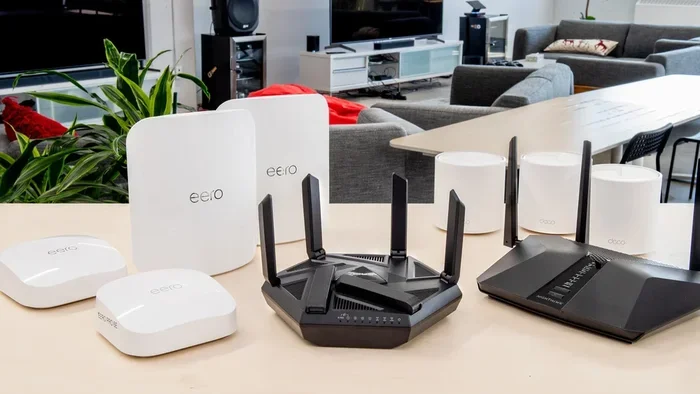
A Wireless Router
This is the most important piece of equipment. A wireless router broadcasts the wifi signal. It connects your devices to each other. You do not need a modem if you are not using internet. Just the router will do.
Most modern routers work great for offline setups. You do not need a special router. Any standard wireless router will create a local network. Look for one with good range and support for the latest wifi standards.
Devices That Can Connect
Almost any wifi-enabled device can join a local network. This includes:
- Laptops and desktop computers
- Smartphones and tablets
- Smart TVs and streaming boxes
- Printers with wifi capability
- Gaming consoles
- Network storage devices
As long as a device has a wifi antenna, it can connect to your offline network. The process is the same as connecting to any other wifi network. You find the network name, enter the password, and connect.
Optional but Helpful Gear
You can add a few extras to improve your offline network:
- Network switch: This gives you more wired connections if needed.
- Wireless access point: This extends your wifi signal to larger areas.
- Ethernet cables: These provide fast wired connections for key devices.
- Network-attached storage: This gives you a central place to store shared files.
None of these are required. But they can make your local network faster and more reliable. Start with just a router and add gear as you need it.
Common Uses for Wifi Without Internet
Once your offline wifi is running, you will find many practical uses for it. Here are some of the most popular ways people use local networks.
File Sharing Between Devices
You can share documents, photos, and videos between your devices without uploading anything to the cloud. This is fast and private. Your files stay on your local network. No internet needed. No third-party services involved.
On Windows, you can use the built-in file sharing feature. On Mac, AirDrop works great over a local network. You can also set up a shared folder on a network drive. Any device on your network can access it.
Local Media Streaming
Apps like Plex, Kodi, and VLC can stream media over a local network. You store your movie and music collection on one device. You stream it to another device in your home. The quality is excellent because you are not limited by internet speeds.
This is a huge benefit for offline wifi. You get the convenience of streaming without needing any internet connection at all.
Home Automation on a Local Network
Many smart home devices work on local networks. Smart bulbs, smart plugs, and local servers can all communicate without the cloud. This means your automation still works even if your internet goes down.
Some people set up dedicated home automation servers like Home Assistant. These systems run entirely on a local network. They give you full control over your smart home without relying on external servers.
Learning and Testing Networks
Students and IT professionals use offline wifi to practice networking skills. You can learn about IP addressing, subnetting, and network security without any internet connection. It is a safe environment to experiment and make mistakes.
Can You Still Use Smart Home Devices Offline
This is one of the most common questions people ask. The answer depends on the device and how it is set up.
Many smart home devices need the cloud to work. They send data to remote servers and get commands back. Without internet, these devices may not respond to voice commands or app controls.
However, some devices work great offline. Smart bulbs that support local control can still turn on and off. Smart plugs with local automation rules can still function. Devices that connect to a local hub or server often work without the cloud.
If offline smart home support is important to you, look for devices that offer local control. Check the product specifications before buying. Brands like Philips Hue, Ikea, and others now offer local control options.
Setting Up a Local Smart Home Hub
You can use a Raspberry Pi or a dedicated smart home hub to control devices locally. These hubs run software that communicates with your smart devices over the local network. No internet required.
Popular options include Home Assistant, OpenHAB, and Domoticz. These platforms give you full control over your smart home. They work entirely on your local wifi network.
Common Mistakes to Avoid With Offline Wifi
Setting up a local network is straightforward, but people do make mistakes. Here are some to watch out for.
Skipping Router Configuration
Even without internet, you should configure your router properly. Set a strong wifi password. Change the default admin username and password. Update the router firmware. These steps protect your local network from unauthorized access.
Forgetting to Assign Static IPs
If you plan to share files or use a local server, assign static IP addresses to key devices. This ensures they always have the same address on your network. Without static IPs, devices can change addresses and become hard to find.
Ignoring Security
Just because you have no internet does not mean your network is safe. Local networks can still be accessed by nearby devices. Use WPA3 encryption if your router supports it. Change default settings. Keep your network secure.
Assuming All Devices Work Offline
Not every device works well without internet. Some apps require an online connection to function. Some smart devices will not connect to a network without internet. Test your setup before you rely on it.
Overlooking Firmware Updates
If you plan to get internet later, update your router firmware now. Updates fix bugs and security issues. You can do this when you connect to the internet. But it is smart to stay current.
Expert Tips for Running Offline Wifi
Here are some insider tips that help people get the most from their local networks.
- Use the 5GHz band for speed: It is faster and less crowded than the 2.4GHz band. Great for streaming and file transfers.
- Place your router centrally: This gives the best coverage throughout your home.
- Label your network name: Use a clear name so everyone in your home knows which network to join.
- Set up a guest network: This keeps your main network private even when visitors connect.
- Back up your router settings: Save your configuration so you can restore it easily if needed.
- Use a network map tool: These tools show you what devices are connected and how they communicate.
These small steps make a big difference. They keep your offline network fast, secure, and easy to use.
Final Thoughts on Having Wifi Without Internet
Having wifi at home without internet is not only possible, it is practical and useful. A local wireless network gives you connectivity between your devices without the need for an ISP or a monthly internet bill. Whether you want to share files, stream local media, set up a smart home, or simply save money, offline wifi delivers.
The equipment is simple. The setup is easy. And the benefits are real. You get a private, secure network that keeps your data inside your home. You get the freedom to connect your devices without relying on an outside connection.
If you have been curious about setting up a local-only network, now is a great time to try it. Grab a wireless router, connect your devices, and explore what a local wifi network can do for you. You might be surprised at how much you can accomplish without ever touching the internet.
Remember, wifi and internet are not the same thing. Wifi is the wireless connection between your devices. Internet is the global network that connects your home to the world. You can have one without the other. And in many cases, you should.
Frequently Asked Questions
Can I still print documents if my wifi has no internet?
Yes, you can. As long as your printer is connected to the same local network, your devices can send print jobs directly to it. The printer does not need internet to receive and print documents from your computer or phone.
Will my phone show a “no internet” warning on offline wifi?
It might. Your phone checks for internet access when you connect. If there is none, it may display a warning. You can ignore this and still use the network normally for local tasks like file sharing and printing.
Can I stream Netflix or YouTube on offline wifi?
No, these services require an active internet connection to load content. However, you can stream locally stored movies and music using apps like Plex or VLC over your offline network. This is a great alternative for home entertainment.
Do I need a special router to set up offline wifi?
No. Any standard wireless router will work. You do not need a modem or an internet connection. Just power on the router, connect your devices, and your local network is ready to go.
Is offline wifi safe from hacking?
Offline wifi is safer because your data does not travel over the public internet. However, local networks can still be accessed by nearby devices. Use strong passwords and WPA3 encryption to keep your network secure.
Can smart home devices work without internet on offline wifi?
Some can and some cannot. Devices that support local control, like certain smart bulbs and hubs, work without internet. Devices that rely on cloud services will not function offline. Check device specifications before assuming offline support.
=== CONCLUSION ===
Can you have wifi at home without internet? Absolutely. A local wifi network gives you wireless connectivity between your devices without any internet connection. You can share files, print, stream local media, and even run smart home devices. All without paying for a monthly internet plan.
The setup is simple. The equipment is affordable. And the benefits are real. Whether you want to save money, boost privacy, or build a home entertainment system, offline wifi is a powerful solution. Start with a basic wireless router, connect your devices, and explore what your local network can do.
Remember that wifi and internet are two different things. You can have one without the other. So go ahead, set up your local network, and enjoy the freedom of wireless connectivity on your own terms.