Can You Have Too Many Mesh Access Points Is It Possible
Can you have too many mesh access points? The short answer is yes. Adding too many nodes to your mesh network can cause signal interference, reduce internet speed, and create connectivity issues. Understanding your home’s needs and the limits of your wireless access point setup is essential for optimal network performance.
Can you have too many mesh access points? It sounds like a strange question. After all, more coverage sounds better, right? Not always. When it comes to mesh networks, adding more nodes does not always mean better performance. In fact, it can sometimes make things worse. If you have been struggling with slow Wi-Fi speeds or dead zones despite having multiple access points, the problem might be too many devices fighting for the same airspace.
This guide breaks down everything you need to know about mesh access points. We will cover what happens when you overdo it, how to spot the warning signs, and what you can do to fix it. Whether you are setting up a new home network or tweaking an existing one, this article has practical advice you can use today.
Key Takeaways
- Over-provisioning is real: Too many mesh nodes can degrade your network instead of improving it.
- Signal interference matters: Excess access points on the same channel cause channel overlap and slow speeds.
- Your home size guides you: A 1,500 sq ft home rarely needs more than 2-3 mesh nodes for full coverage.
- Device count matters: Smart home devices and multiple users impact how many access points you actually need.
- Placement is key: Strategic positioning of your mesh nodes beats simply adding more of them.
- Watch for warning signs: Slow speeds, latency, and dropped connections signal you may have too many access points.
- Quality over quantity: A well-placed mesh system outperforms a cluttered one every time.
📑 Table of Contents
- What Is a Mesh Access Point and How Does It Work?
- Can You Have Too Many Mesh Access Points?
- Signs You Have Too Many Mesh Access Points
- How Many Mesh Access Points Do You Actually Need?
- Common Mistakes When Setting Up Mesh Access Points
- How to Optimize Your Mesh Network Setup
- Expert Insights on Mesh Network Scaling
- Key Takeaways
- Conclusion
What Is a Mesh Access Point and How Does It Work?
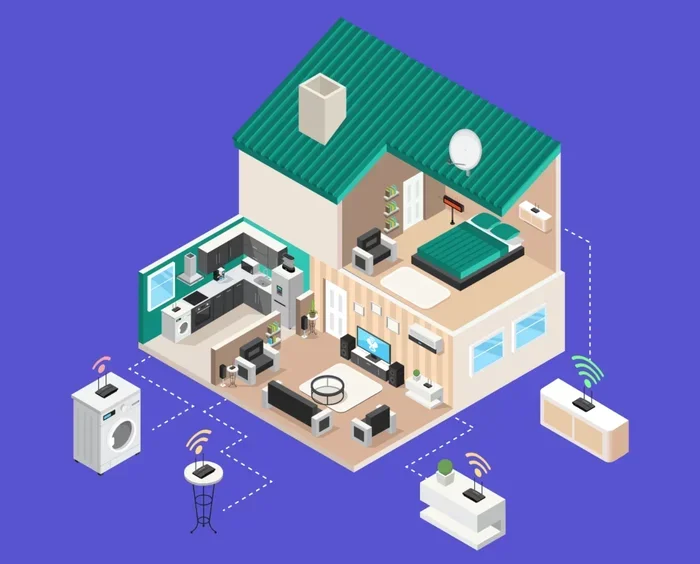
A mesh access point is a device that connects to your main wireless router and extends your Wi-Fi coverage throughout your home. Unlike traditional range extenders, mesh nodes talk to each other. They form a single, unified network. Your devices automatically connect to the strongest signal. This makes mesh systems popular for larger homes and smart homes with many connected devices.
Here is how a typical setup works. You place your main mesh node near your modem. Then you add satellite nodes in other rooms. Each node communicates with the others and with your devices. The result is seamless Wi-Fi coverage without switching between networks. Most modern mesh systems from brands like Eero, Google Nest, and TP-Link Deco make this process simple. You plug in a node, follow the app instructions, and you are done.
How Mesh Nodes Communicate
Mesh nodes use a dedicated wireless band to talk to each other. This is often called a backhaul channel. Some systems use a separate radio for backhaul, while others share bandwidth with your regular Wi-Fi traffic. When you add too many nodes, the backhaul can become congested. This leads to slower speeds and higher latency. Understanding this helps explain why more is not always better.
Can You Have Too Many Mesh Access Points?
The direct answer to “can you have too many mesh access points” is yes. There is a tipping point where adding another node does more harm than good. This happens because of several factors. Each mesh node takes up a share of your available bandwidth. More nodes mean more devices competing for the same resources. The wireless spectrum has limited capacity, and pushing too many devices into it causes congestion.
Think of it like a highway. A two-lane road handles traffic fine. Add more lanes, and traffic flows better. But what happens when you keep adding lanes without expanding the on-ramps? Traffic slows down. The same principle applies to wireless access points. After a certain point, each new node adds interference instead of solving coverage problems.
When More Nodes Help
There are times when adding a node makes perfect sense. Large homes with thick walls benefit from additional mesh nodes. A 2,500 square foot house with two stories might need three or four nodes for full coverage. Homes with many smart devices also need more access points. Each smart thermostat, security camera, and smart speaker uses bandwidth. If you have a house full of smart home gadgets, more nodes can help distribute the load.
When More Nodes Hurt
On the other hand, adding nodes in a small apartment is a recipe for trouble. A 600 square foot space does not need five mesh nodes. In small spaces, too many access points cause channel overlap. This means multiple nodes transmit on the same Wi-Fi channel at the same time. The result is signal interference. Your devices struggle to pick the right signal. Internet speeds drop. Connections drop out entirely.
Signs You Have Too Many Mesh Access Points
How do you know if you have crossed the line from optimal to excessive? There are clear warning signs. If you notice any of these issues, your mesh network might be over-provisioned.
1. Slow Internet Speeds
This is the most obvious sign. If your Wi-Fi speeds have dropped since you added more nodes, something is wrong. Each mesh access point adds overhead to your network. When the overhead outweighs the benefit, speeds fall. Run a speed test near each node. Compare the results. If speeds are lower near additional nodes, you may have too many.
2. Frequent Disconnections
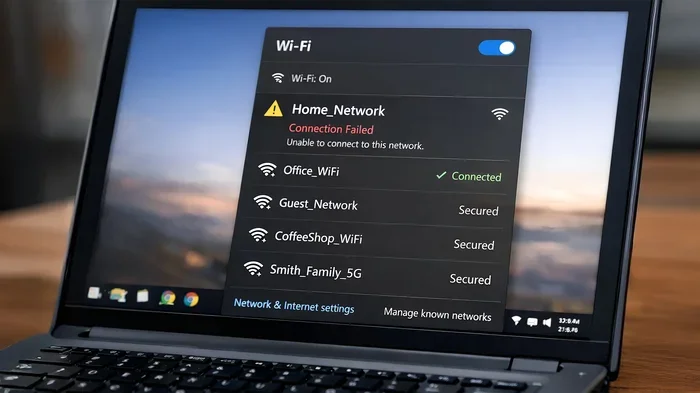
Do your devices keep dropping off the network? This is a classic sign of signal interference. Too many access points broadcasting on overlapping channels confuse your devices. They hop between nodes constantly. This creates a choppy, unstable connection. If you find yourself reconnecting throughout the day, your setup may be the problem.
3. High Latency and Lag
Gamers and video callers notice this first. High latency makes everything feel sluggish. Video calls freeze. Online games lag. This happens because data has to travel through too many nodes before reaching its destination. Each hop adds a small delay. Too many hops add up to noticeable lag. If your network latency has increased after adding nodes, consider removing some.
4. Device Confusion and Roaming Issues
Mesh systems rely on seamless roaming. Your phone should switch to the nearest node without you noticing. Too many nodes can break this process. Your device might stay connected to a weak node instead of switching to a stronger one. This is called “sticky client” behavior. It leads to poor performance even when a better signal is available.
How Many Mesh Access Points Do You Actually Need?
There is no one-size-fits-all answer. The right number depends on your home size, layout, and usage. Here are some general guidelines to help you find the sweet spot.
By Home Size
Home size is the biggest factor. Use these rough estimates as a starting point:
- Up to 1,000 sq ft: One or two nodes are usually enough.
- 1,000 to 2,000 sq ft: Two to three nodes provide solid coverage.
- 2,000 to 3,500 sq ft: Three to four nodes handle most homes well.
- 3,500 sq ft and above: Four to six nodes may be needed depending on the layout.
These numbers assume a standard single-story or two-story home with normal wall construction. Homes with thick brick walls, metal framing, or unusual layouts may need more nodes. But even then, adding too many creates the problems discussed earlier.
By Device Count
Modern homes are packed with connected devices. The average household has over 20 smart devices. Each one uses bandwidth. Here is how device count affects your needs:
- Under 10 devices: One or two nodes should suffice.
- 10 to 25 devices: Two to three nodes work well.
- 25 to 50 devices: Three to four nodes help distribute the load.
- Over 50 devices: Consider a mesh system with dedicated backhaul and additional access points.
Remember, more devices does not always mean more nodes. A good wireless router with strong signal can handle many devices on its own. The mesh nodes help spread the coverage, not necessarily the load.
Common Mistakes When Setting Up Mesh Access Points
Many people make avoidable mistakes when setting up their mesh network. These mistakes lead to poor performance and frustration. Here are the most common ones.
Placing Nodes Too Close Together
This is the number one mistake. People place mesh nodes just a few feet apart. The nodes overlap so much that they interfere with each other. Each node should be placed far enough apart to cover a different area. A good rule of thumb is to space nodes about 25 to 30 feet apart. Adjust based on your wall materials and signal strength.
Ignoring the Backhaul Band
Not all mesh systems are created equal. Some use a dedicated backhaul band for node-to-node communication. Others share the same radio as your regular Wi-Fi traffic. If your system shares the band, adding too many nodes directly reduces the bandwidth available to your devices. Check your system’s specifications. If it uses shared backhaul, be more conservative with the number of nodes you add.
Forgetting About Channel Overlap
Wireless networks use channels to transmit data. In the 2.4 GHz band, there are only three non-overlapping channels. If too many mesh nodes land on the same channel, they interfere with each other. This is called channel overlap. It causes network congestion and slows everything down. Most mesh systems handle channel selection automatically. But in dense setups, manual channel planning can help.
Adding Nodes Without a Clear Purpose
Every node in your mesh network should serve a purpose. Do not add a node just because you can. Ask yourself why you need it. Does a specific room have poor coverage? Is there a dead zone in the basement? If you cannot answer that question, you probably do not need another node.
How to Optimize Your Mesh Network Setup
If you suspect you have too many access points, do not panic. There are simple steps you can take to optimize your mesh network and restore performance.
Step 1: Audit Your Current Setup
Walk through your home with a Wi-Fi analyzer app. These apps show signal strength, channel usage, and interference levels. Identify which areas have strong signals and which do not. You might find that removing one or two nodes actually improves coverage in the areas that matter most.
Step 2: Remove Unnecessary Nodes
Once you identify redundant nodes, remove them. Keep the nodes that fill coverage gaps. Remove the ones that sit too close to other nodes. Fewer, well-placed nodes often outperform a crowded setup. After removing nodes, test your speeds again. You should see an improvement.
Step 3: Reposition Remaining Nodes
Placement matters more than most people realize. Here are some quick tips for optimal node positioning:
- Place nodes in open areas, not inside cabinets or behind furniture.
- Keep nodes at least one room apart.
- Elevate nodes off the floor. A shelf or table works well.
- Avoid placing nodes near microwaves, cordless phones, or Bluetooth devices.
- Keep the main node connected directly to your modem.
Step 4: Update Firmware and Settings
Keep your mesh system firmware up to date. Manufacturers regularly release updates that improve performance and fix bugs. Check your app for available updates. Also review your network settings. Make sure your SSID and password are set correctly. Enable any features like band steering or smart roaming if your system supports them.
Quick Tips for Better Mesh Performance
- Restart your mesh system once a month to clear temporary issues.
- Use the 5 GHz band for speed-sensitive tasks like streaming and gaming.
- Use the 2.4 GHz band for devices that need range, like smart home sensors.
- Limit the number of devices per node to about 20 to 25 for best results.
- Consider a mesh system with dedicated backhaul if you need many nodes.
Expert Insights on Mesh Network Scaling
We spoke with networking professionals about scaling mesh networks. Their advice aligns with what we have covered. “The biggest mistake we see is people treating mesh nodes like Lego bricks. They assume more is always better,” says one IT consultant. “In reality, each node adds complexity. The key is balance.”
Another expert emphasizes the role of network topology. “A well-designed mesh network considers the physical layout of the home. Walls, floors, and even large appliances affect signal propagation. The goal is to eliminate dead zones without creating interference. That requires thoughtful placement, not just more hardware.”
These insights reinforce an important point. A mesh network is not about maximum nodes. It is about maximum coverage with minimum interference. The best setups use just enough nodes placed strategically throughout the home.
Key Takeaways
- Over-provisioning is real: Too many mesh nodes can degrade your network instead of improving it.
- Signal interference matters: Excess access points on the same channel cause channel overlap and slow speeds.
- Your home size guides you: A 1,500 sq ft home rarely needs more than 2-3 mesh nodes for full coverage.
- Device count matters: Smart home devices and multiple users impact how many access points you actually need.
- Placement is key: Strategic positioning of your mesh nodes beats simply adding more of them.
- Watch for warning signs: Slow speeds, latency, and dropped connections signal you may have too many access points.
- Quality over quantity: A well-placed mesh system outperforms a cluttered one every time.
Conclusion
Can you have too many mesh access points? Yes, you absolutely can. Adding more nodes does not always mean better Wi-Fi coverage. In fact, over-provisioning your mesh network can lead to signal interference, slower speeds, and connectivity problems. The key is finding the right balance for your home. Consider your home size, device count, and layout before adding another node. Place each node strategically and remove any that do not serve a clear purpose. A well-planned mesh system with three or four well-positioned nodes will always outperform a cluttered setup with six or seven. Take the time to audit your network. Make adjustments. You will be surprised how much better your internet speed and connection stability can improve with fewer, better-placed access points.
Your home network should work for you, not against you. Keep it simple, keep it strategic, and enjoy seamless wireless connectivity throughout your home.
Frequently Asked Questions
Can having too many mesh access points slow down my internet?
Yes, it can. Each additional mesh node uses a portion of your available bandwidth. When you add too many nodes, they compete for the same wireless resources. This creates congestion and slows down your internet speeds for all connected devices.
How many mesh access points do I need for a 2000 square foot home?
For a 2,000 square foot home, two to three mesh nodes are typically sufficient. This assumes a standard layout with normal wall construction. If your home has thick walls or multiple floors, you may need a third or fourth node for complete coverage.
What happens if mesh nodes are placed too close together?
When mesh nodes are too close, they overlap on the same wireless channels. This causes signal interference and channel overlap. The result is reduced speeds, dropped connections, and poor overall network performance. Space nodes at least 25 to 30 feet apart for best results.
Do mesh access points reduce internet speed?
Mesh nodes can reduce speed slightly because data travels through multiple wireless hops. However, a well-designed mesh system minimizes this loss. Systems with dedicated backhaul bands handle this much better. The speed reduction is usually small and worth the improved coverage.
Is it better to use mesh access points or Wi-Fi extenders?
Mesh access points are generally better than traditional Wi-Fi extenders. Mesh nodes create a single unified network and handle roaming seamlessly. Extenders often create separate network names and reduce bandwidth by half. A quality mesh system provides a smoother and faster experience.
How do I know if I need to add or remove mesh access points?
Walk through your home with a Wi-Fi analyzer app. Check signal strength in each room. If you see strong coverage everywhere and still have extra nodes, remove them. If you find dead zones despite having multiple nodes, your placement may need adjustment before adding more.