Can You Facetime On A Plane Everything You Need To Know
Can you Facetime on a plane? The answer depends on your airline, your flight, and whether you have access to Wi-Fi. While traditional cellular connections do not work at cruising altitude, many modern airlines now offer in-flight Wi-Fi that allows FaceTime calls during your journey. This guide covers everything from airplane mode basics to practical tips for staying connected in the sky.
Have you ever been on a long flight and thought, “I really need to call someone”? Maybe you want to tell a loved one you have landed safely, or maybe you need to handle an urgent work matter while you are up in the air. The question can you Facetime on a plane comes up more often than you might think, especially as in-flight Wi-Fi becomes more common on airlines around the world.
The short answer is yes, you can Facetime on a plane under certain conditions. But the full answer is a bit more nuanced. Your ability to make a FaceTime call depends on your airline, the type of Wi-Fi they offer, and whether you follow the right steps to get connected. In this guide, we will walk you through everything you need to know about making FaceTime calls during a flight.
Whether you are a frequent flyer or planning a vacation, understanding how FaceTime on airplane mode works can save you a lot of frustration. Let us dive into the details so you are fully prepared for your next trip.
Key Takeaways
- FaceTime works on planes with Wi-Fi: Most airlines with in-flight internet let you make FaceTime calls, but cellular service alone will not work.
- Airplane mode is essential: You must enable airplane mode and then manually turn on Wi-Fi to use FaceTime during a flight.
- FaceTime Audio saves data: If Wi-Fi is limited, FaceTime Audio uses much less bandwidth than video calls.
- Not all airlines allow calls: Some carriers restrict voice calls even over Wi-Fi, so check your airline’s policy first.
- Connection quality varies: Satellite-based Wi-Fi can be slow or unstable, so manage your expectations for smooth video calls.
- Download content offline: If FaceTime does not work on your flight, download movies or shows beforehand to stay entertained.
- Battery drains faster: Video calls on a plane consume more power, so bring a portable charger.
📑 Table of Contents
- Can You Facetime On A Plane? The Short Answer
- How Airplane Mode Affects Your FaceTime Connection
- Using FaceTime With In-Flight Wi-Fi
- FaceTime Audio vs Video: What Actually Works on a Plane
- Tips for Making FaceTime Calls During Flights
- Common Problems When Facetiming On A Plane And How to Fix Them
- What Airlines Allow FaceTime Calls?
- FaceTime Alternatives for Air Travel
- The Future of Connectivity on Planes
- Conclusion
Can You Facetime On A Plane? The Short Answer
So, can you Facetime on a plane? Yes, but not the way you might expect. When you are in the air, your iPhone or iPad loses its cellular connection. That means the regular FaceTime experience that relies on mobile data simply does not work. However, if your airline offers in-flight Wi-Fi, you can connect to that network and use FaceTime just like you would at home or in a coffee shop.
Here is the key thing to understand. FaceTime over Wi-Fi works differently than FaceTime over cellular. The app does not care whether your internet comes from a home router or an airplane’s satellite connection. As long as you have a stable Wi-Fi signal, FaceTime should work. The challenge is that not every flight has Wi-Fi, and not every Wi-Fi connection is fast enough for smooth video calls.
Some airlines provide free Wi-Fi, while others charge a fee. A few airlines still do not offer any internet access at all. Before you board, check your airline’s website or app to see what connectivity options are available. This simple step can save you from disappointment at 30,000 feet.
Also, keep in mind that even if Wi-Fi is available, your airline might have rules about making voice or video calls. Some carriers restrict in-flight Wi-Fi calling to text and email only. We will cover this in more detail later in the article.
How Airplane Mode Affects Your FaceTime Connection
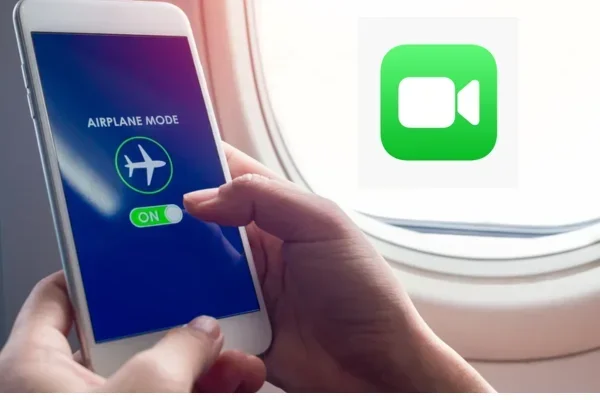
Understanding how airplane mode FaceTime works is essential for anyone who wants to stay connected during a flight. Airplane mode is a setting on your iPhone or iPad that disables all wireless connections. It turns off your cellular data, Wi-Fi, and Bluetooth all at once. This is a safety requirement on flights because electronic signals can potentially interfere with aircraft systems.
But here is the part most people do not realize. Airplane mode does not lock you out of Wi-Fi forever. You can manually turn Wi-Fi back on while airplane mode is still active. This is the trick that makes FaceTime on a plane possible.
Step-by-Step: How to Enable FaceTime With Airplane Mode
Follow these steps to get FaceTime working during your flight:
- Swipe down from the top right of your iPhone screen to open Control Center.
- Tap the airplane icon to turn on airplane mode. You will see the airplane symbol appear in your status bar.
- Wait about 10 seconds for your phone to disconnect from cellular networks.
- Tap the Wi-Fi icon in Control Center to turn Wi-Fi back on.
- Wait for your phone to scan for available networks. Once the airline’s Wi-Fi network appears, tap on it.
- Enter any login credentials if required. Some airlines redirect you to a welcome page where you can accept terms or purchase access.
- Open FaceTime and make your call as usual.
That is all there is to it. The process takes less than a minute once you have done it a few times. The important thing is that airplane mode stays on, which keeps your cellular radio off and keeps you in compliance with airline rules. Then you use Wi-Fi separately to get your internet connection.
Why You Must Use Airplane Mode First
You might wonder why you cannot just turn on Wi-Fi without enabling airplane mode. The reason is simple. Your phone will constantly try to connect to cellular towers even at cruising altitude. This drains your battery and can cause interference with aircraft navigation systems. By using airplane mode first, you ensure your phone is not searching for cell towers. Then turning Wi-Fi back on gives you a clean, safe connection for FaceTime while traveling.
Using FaceTime With In-Flight Wi-Fi
Not all in-flight Wi-Fi is created equal. The quality of your FaceTime over Wi-Fi experience depends heavily on the type of internet connection your airline provides. Let us break down the two main types of Wi-Fi you will encounter on flights.
Satellite-Based Wi-Fi
This is the most common type of in-flight Wi-Fi. Your plane connects to satellites orbiting the Earth, and those satellites relay your internet signal to a ground station. Satellite Wi-Fi is available on most major airlines, including Delta, American Airlines, and United.
The good news is that satellite Wi-Fi has improved a lot in recent years. Many airlines now offer speeds that are fast enough for video calls. The bad news is that satellite connections can be unstable. Turbulence, the plane’s position, and the number of passengers all affect signal strength. You might get a great FaceTime call for ten minutes and then experience lag or dropped calls for the next twenty.
Air-to-Ground Wi-Fi
Some airlines use air-to-ground technology, which connects to cell towers on the ground as the plane flies. This type of connection tends to be more stable than satellite Wi-Fi because it does not rely on bouncing signals off satellites. However, air-to-ground Wi-Fi only works over land. If you are flying over oceans or remote areas, you will lose your connection.
Free vs. Paid Wi-Fi
A few airlines offer free Wi-Fi to all passengers. JetBlue is one of the best-known examples, and they provide free basic Wi-Fi on most of their flights. Other airlines, like Delta and American, offer free Wi-Fi for basic messaging but charge for faster speeds needed for video calls.
If you need to make a FaceTime call, check whether your airline charges for high-speed Wi-Fi. The cost can range from around $7 to $30 depending on the flight length. Some airlines offer day passes, while others charge by the megabyte. Factor this cost into your travel budget if staying connected is important to you.
FaceTime Audio vs Video: What Actually Works on a Plane
When you are trying to make a FaceTime call on a plane, you have two options: video or audio. Both work, but they have different requirements and advantages.
FaceTime Video Calls
Video calls use more data and require a faster, more stable connection. If your in-flight Wi-Fi is slow or spotty, a video call will likely drop or freeze. Video calls also drain your battery much faster than audio calls. On a long flight, you might find that your phone is dead by the time you land if you have been on video calls the whole time.
If you do decide to make a FaceTime video call on a plane, here are some tips to improve your experience:
- Sit near the front of the plane where Wi-Fi signals tend to be stronger.
- Keep your screen brightness low to save battery.
- Close any other apps that might be using data in the background.
- Use a headphone with a microphone for better audio quality.
- Keep your phone plugged into a charger if possible.
FaceTime Audio Calls
FaceTime Audio is often the better choice for flights. It uses much less data than video, which means it works even on slower Wi-Fi connections. Audio calls are also less likely to drop when the signal fluctuates. If you just need to have a conversation and do not need the other person to see you, FaceTime Audio is the way to go.
One thing to keep in mind. Some airlines block voice calls even over Wi-Fi. This is rare, but it does happen. If you find that FaceTime Audio is not connecting, check with a flight attendant. They can tell you whether voice calls are allowed on your specific flight.
Quick Comparison: FaceTime Video vs Audio on a Plane
Here is a quick look at how the two options compare when you are trying to Facetime on a plane:
- FaceTime Video: Uses more data, requires faster Wi-Fi, drains battery quickly, but gives a visual connection.
- FaceTime Audio: Uses less data, works on slower connections, saves battery, and is generally more reliable in the air.
For most passengers, FaceTime Audio is the safer and more practical choice. Save the video calls for when you have a strong, stable connection on the ground.
Tips for Making FaceTime Calls During Flights
If you have an upcoming flight and you want to make sure you can Facetime on a plane, preparation is key. Here are some practical tips that will help you stay connected.
Check Your Airline’s Wi-Fi Policy Before You Fly
This is the single most important step. Visit your airline’s website or call their customer service line to ask about Wi-Fi availability. Find out if they support voice and video calls, and whether there is a fee. Some airlines list their Wi-Fi policies in their app, so downloading the app before your trip is a great idea.
Download Everything You Need Before Boarding
Do not count on in-flight Wi-Fi to download anything. Even if the connection is available, it is often too slow for large downloads. Before you board, make sure your FaceTime app is updated, your contacts are synced, and any important conversation threads are loaded. This way, when you do get connected, everything is ready to go.
Bring a Portable Charger
Making a FaceTime call on a plane drains your battery faster than almost anything else you can do on your phone. A portable charger or power bank is a lifesaver. Look for one that is at least 10,000 mAh, which should give you multiple full charges. Some airlines now offer USB charging ports at every seat, but not all do, so having your own backup is smart.
Use Headphones With a Built-In Microphone
Background noise on a plane can be loud. Engines hum, passengers talk, and announcements come over the speakers. A good pair of headphones with a built-in microphone will help your call companion hear you clearly. Noise-canceling headphones are ideal, but even basic earbuds with a mic will make a big difference.
Be Considerate of Other Passengers
Just because you can make a FaceTime call does not mean you should talk loudly for the entire flight. Keep your voice at a reasonable level, use headphones, and try to keep your calls short. Other passengers are trying to rest, work, or enjoy their flight. Being considerate goes a long way toward making the cabin a pleasant place for everyone.
Have a Backup Plan
In-flight Wi-Fi can be unpredictable. Your FaceTime call might drop, the connection might be too slow, or the airline might not offer Wi-Fi at all. Always have a backup plan. This could be an offline game, a downloaded movie, or simply using the time to read or rest. The more prepared you are, the less frustrating a connectivity issue will be.
Common Problems When Facetiming On A Plane And How to Fix Them
Even when you follow all the right steps, things can go wrong. Here are the most common problems people face when trying to make FaceTime calls on a plane, along with solutions for each.
Problem 1: Wi-Fi Does Not Connect
This is the most common issue. If the airline’s Wi-Fi network does not appear on your device, try turning Wi-Fi off and back on. If that does not work, restart your phone. Sometimes the network is simply not available yet because the plane has not reached the altitude where the Wi-Fi system activates. Wait a few minutes and try again.
Problem 2: FaceTime Keeps Dropping
Dropped calls are frustrating but common on planes. The signal strength changes as the plane moves, and satellite connections can be unreliable. If your FaceTime call keeps dropping, switch to FaceTime Audio. It is much more tolerant of weak or fluctuating connections. You can also try moving to a different seat, preferably near the front of the cabin.
Problem 3: Very Slow Connection Speed
Slow Wi-Fi makes video calls almost impossible. If your connection is crawling, close all other apps and browser tabs. Turn off automatic updates and background app refresh. If you are on a video call, turn off your camera and switch to audio-only mode. This will use much less bandwidth and keep your call connected.
Problem 4: Airline Blocks Voice Calls
Some airlines do not allow any voice calls over their Wi-Fi network. If you try to make a FaceTime call and it will not connect, check with a flight attendant. They can confirm whether voice calls are permitted. If they are not, your only option is to use the Wi-Fi for text-based communication like iMessage or email.
Problem 5: FaceTime Shows “No Wi-Fi Connection”
If FaceTime says you have no Wi-Fi connection even though you are connected to the airline’s network, try opening a web browser first. Many airlines require you to visit a specific page and accept their terms before full internet access is granted. Once you complete this step, FaceTime should work normally.
What Airlines Allow FaceTime Calls?
Not all airlines are the same when it comes to allowing voice and video calls on their Wi-Fi networks. Here is a quick overview of what some major airlines allow.
Delta Air Lines offers Wi-Fi on most of its domestic and international flights. They allow voice and video calls over Wi-Fi, though they ask passengers to be considerate. American Airlines also supports Wi-Fi calling and does not block FaceTime. United Airlines provides Wi-Fi on most flights and allows FaceTime calls as well.
JetBlue is known for its free Wi-Fi, and they allow FaceTime and other calling apps. Southwest Airlines offers Wi-Fi on most flights and supports voice and video calls. Alaska Airlines also provides Wi-Fi and allows in-flight calling.
International carriers vary widely. Some European airlines like Lufthansa and British Airways offer Wi-Fi that supports FaceTime, but the quality and availability can vary by route. Always check with your specific airline before assuming you will be able to make a FaceTime call.
FaceTime Alternatives for Air Travel
If FaceTime is not an option on your flight, there are several alternatives you can try. WhatsApp calls work over Wi-Fi just like FaceTime and are supported on both iPhone and Android. Zoom and Microsoft Teams also work on in-flight Wi-Fi and are great for work-related calls. Google Meet is another solid option that runs well even on slower connections.
If your airline does not support any voice or video calls, you can still use iMessage or WhatsApp for text-based communication. These apps use very little data and work well even on slow connections. Some airlines even offer free messaging Wi-Fi that supports iMessage and WhatsApp at no extra cost.
The Future of Connectivity on Planes
The technology behind in-flight Wi-Fi is improving rapidly. New satellite systems like Starlink are being tested by several airlines and promise much faster and more reliable connections. In the near future, making a FaceTime call on a plane could be as easy as making one at home. Airlines are also exploring ways to provide cellular service at cruising altitude, which would eliminate the need for Wi-Fi altogether.
Until then, the tips in this guide will help you make the most of the connectivity options available today. The ability to Facetime on a plane is no longer a fantasy for most travelers. With the right preparation and a little patience, you can stay connected even at 35,000 feet.
Conclusion
So, can you Facetime on a plane? The answer is a clear yes, as long as you have access to in-flight Wi-Fi and follow the right steps to get connected. FaceTime on airplane mode is not only possible but increasingly common as airlines expand their Wi-Fi offerings. Whether you choose FaceTime Video or FaceTime Audio depends on your connection quality and your personal preference.
Remember to check your airline’s Wi-Fi policy before you fly, bring a portable charger, use headphones, and always have a backup plan. The skies are becoming more connected every day, and staying in touch with the people who matter to you is easier than ever, even at cruising altitude.
Next time you are on a flight and you need to make a call, do not stress. Follow the steps in this guide, and you will be connected in no time. Safe travels and happy calling.
Frequently Asked Questions
Can you make FaceTime calls on all airlines?
No, not all airlines support FaceTime calls. Some airlines offer Wi-Fi that allows voice and video calls, while others restrict internet use to text and messaging only. Always check your airline’s Wi-Fi policy before your flight to confirm whether FaceTime is allowed.
Do you need Wi-Fi to Facetime on a plane?
Yes, you absolutely need Wi-Fi to use FaceTime on a plane. Cellular service does not work at cruising altitude, so FaceTime relies entirely on in-flight Wi-Fi. You will need to enable airplane mode and then manually turn on Wi-Fi to connect.
Is it free to make FaceTime calls on a plane?
It depends on the airline. Some carriers like JetBlue offer free Wi-Fi that supports FaceTime calls. Other airlines charge a fee for Wi-Fi access, which can range from $7 to $30 or more depending on the flight. Check your airline’s website for pricing details before you fly.
Why does my FaceTime keep dropping on a plane?
FaceTime calls drop on planes because in-flight Wi-Fi connections can be unstable. Satellite-based Wi-Fi is affected by the plane’s position, turbulence, and the number of users on the network. Switching to FaceTime Audio instead of video can help reduce drops.
Can you use FaceTime on international flights?
Yes, you can use FaceTime on international flights if the airline offers in-flight Wi-Fi. However, international flights may have different Wi-Fi providers and policies. Check with your airline before departure to confirm Wi-Fi availability and whether voice calls are supported.
Will making a FaceTime call drain my phone battery quickly?
Yes, video calls drain battery faster than almost any other activity on your phone. The screen, camera, microphone, and Wi-Fi radio all work hard during a FaceTime call. Bring a portable charger or power bank to keep your phone powered throughout the flight.