Can You Cast Through Bluetooth And Stream Wirelessly
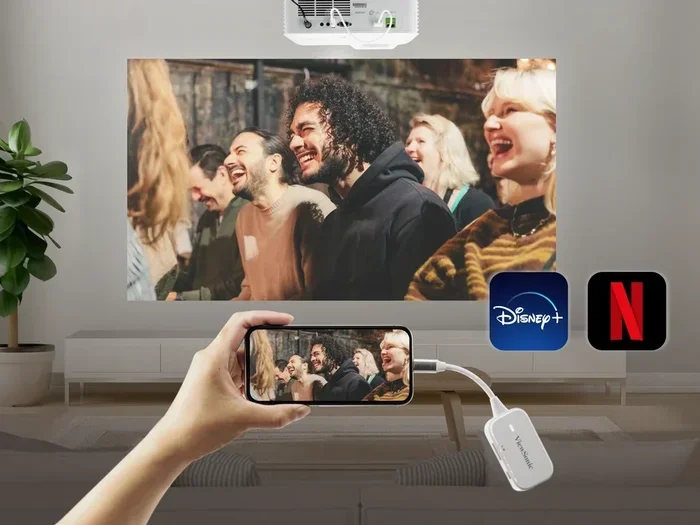
Yes, you can cast through Bluetooth in many situations, but it depends on your device and what you want to stream. Bluetooth casting lets you send audio and video wirelessly from your phone, tablet, or laptop to a TV, speaker, or display. This guide breaks down exactly how Bluetooth casting works, when to use it, and what alternatives give you better results.
Have you ever sat on your couch and wondered if you could just send what’s on your phone straight to your TV or speaker without any wires? The idea of casting through Bluetooth sounds simple enough. But does it actually work? And if it does, how well does it perform compared to other wireless methods?
The short answer is yes. You can cast through Bluetooth in many cases. But the full picture is more nuanced than that. Bluetooth casting has its strengths, its limitations, and specific use cases where it shines. In this guide, we will walk you through everything you need to know about wireless streaming over Bluetooth. Whether you want to send music to a speaker, mirror your phone screen, or watch videos on a bigger display, we have you covered.
We will explore how Bluetooth connectivity works for casting, compare it to Wi-Fi-based options, and give you practical tips to get the best results. By the end of this article, you will know exactly when Bluetooth casting makes sense and when you should look at other streaming protocols instead.
Key Takeaways
- Bluetooth casting is possible: Many devices support Bluetooth streaming for audio and basic video.
- Wi-Fi casting is often better: For high-quality video, Wi-Fi-based options like Chromecast deliver smoother performance.
- Latency can be an issue: Bluetooth may introduce delays, making it less ideal for gaming or real-time streaming.
- Bluetooth transmitters help: A Bluetooth transmitter can add wireless casting ability to non-smart TVs and older devices.
- Range matters: Bluetooth works best within 30 feet, so keep your source device nearby.
- Multiple casting options exist: AirPlay, Miracast, and Chromecast offer alternatives depending on your setup.
- Pairing is simple: Most modern devices make Bluetooth casting easy with just a few taps.
📑 Table of Contents
- What Is Bluetooth Casting and How Does It Work?
- Can You Cast Video Through Bluetooth?
- Bluetooth vs Wi-Fi Casting: Which Is Better?
- How to Cast Through Bluetooth Step by Step
- Common Bluetooth Casting Problems and How to Fix Them
- Best Devices for Bluetooth Casting
- Expert Insights on Bluetooth Casting
- Key Takeaways
- Conclusion
What Is Bluetooth Casting and How Does It Work?
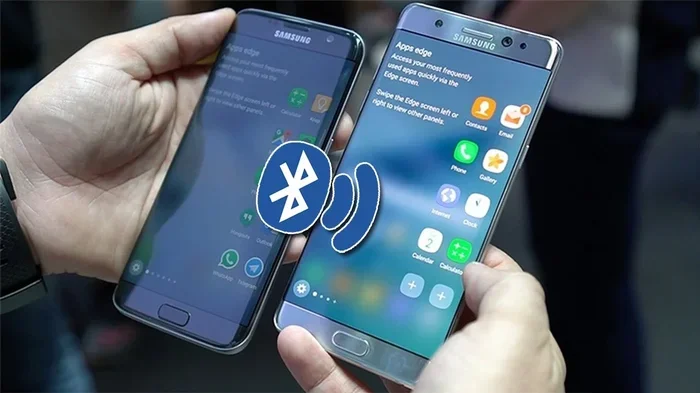
Bluetooth casting is the process of sending audio or video content from one device to another using a Bluetooth wireless connection. Think of it as a digital bridge between your phone and your speaker or TV. Instead of plugging in a cable, you use radio waves to transmit data between devices.
Bluetooth uses short-range radio frequencies to swap information between gadgets. When you pair two devices, they create a direct wireless connection. This connection allows data to flow back and forth. For audio streaming, this works beautifully. Your phone sends music files or streaming data to a Bluetooth speaker or headphones. The sound comes out of the speaker without a single wire in sight.
For video, things get a bit more complicated. Bluetooth has limited bandwidth compared to Wi-Fi. That means it can handle audio very well, but video streaming over Bluetooth often struggles with quality and lag. Many people use the term “casting” loosely. In reality, true casting usually involves Wi-Fi. But Bluetooth does play a role in certain wireless media streaming setups.
How Bluetooth Pairing Works for Casting
The process of setting up Bluetooth casting is pretty straightforward. Here is how it typically works:
- Turn on Bluetooth on both devices.
- Put the receiving device into pairing mode.
- Search for available devices on your source device.
- Select the device you want to connect to.
- Wait for the pairing confirmation.
- Start playing your content and enjoy.
Once paired, the devices remember each other. So the next time you want to stream, you just turn on Bluetooth and tap connect. It is fast, easy, and requires no extra setup most of the time.
Can You Cast Video Through Bluetooth?
This is where things get interesting. Video casting through Bluetooth is technically possible, but it comes with trade-offs. Bluetooth was originally designed for audio, not video. Over the years, Bluetooth versions have improved, and newer ones handle more data. But video still needs a lot of bandwidth.
When you try to cast video over Bluetooth, you may notice a few issues. The video might lag behind the audio. The picture quality might drop. Or the connection might stutter during action-heavy scenes. These problems happen because Bluetooth cannot move large video files as fast as Wi-Fi can.
That said, some devices handle Bluetooth video better than others. Certain smart TVs and cast devices support Bluetooth video input. They use advanced codecs to compress video data before sending it over the air. The result is not perfect, but it works for casual viewing. If you just want to watch a YouTube video on a Bluetooth-enabled speaker with a screen, you can get by.
When Bluetooth Video Casting Makes Sense
- You are watching simple, low-resolution videos.
- You do not mind a slight delay between audio and video.
- You want a quick, cable-free setup without extra hardware.
- You are casting to a nearby device within close range.
- You are using a device that supports Bluetooth video profiles.
When Bluetooth Video Casting Falls Short
- You want high-definition or 4K video quality.
- You are gaming and need real-time response.
- You are casting to a device far away from your source.
- You need perfectly synced audio and video.
- You are streaming fast-moving content like sports or action movies.
For most people, Bluetooth video casting works fine for everyday use. But if you are a perfectionist who demands top quality, you will want to explore other options. Wireless display technologies like Miracast or Chromecast use Wi-Fi Direct and deliver much better video performance.
Bluetooth vs Wi-Fi Casting: Which Is Better?
This is the big question. When it comes to wireless streaming, should you use Bluetooth or Wi-Fi? The answer depends on what you are trying to do. Both technologies have their place. Let us break down the differences so you can make an informed choice.
| Feature | Bluetooth | Wi-Fi Casting |
|---|---|---|
| Range | Up to 30 feet | Up to 100+ feet |
| Audio Quality | Good to excellent | Excellent |
| Video Quality | Limited | High to 4K |
| Latency | Higher delay | Lower delay |
| Setup Ease | Very simple | Simple to moderate |
| Device Compatibility | Wide | |
| Power Usage | Low | Moderate |
| Best For | Audio streaming | Video and screen mirroring |
As you can see, Bluetooth connectivity wins on simplicity and low power use. Wi-Fi casting wins on quality and range. If you just want to listen to music wirelessly, Bluetooth is hard to beat. If you want to mirror your phone screen on a TV or watch movies in high quality, Wi-Fi-based casting is the way to go.
Understanding Streaming Protocols
Different devices use different streaming protocols. These are the rules that govern how data moves between devices. Here are the most common ones you will encounter:
- Bluetooth A2DP: The standard profile for high-quality audio streaming over Bluetooth. Most speakers and headphones use this.
- Chromecast: A Wi-Fi-based protocol from Google. It lets you send content from your phone to a TV or speaker.
- AirPlay: Apple’s wireless streaming protocol. It works between iPhones, iPads, Macs, and Apple TVs.
- Miracast: A Wi-Fi Direct standard for screen mirroring. Many Android devices and some TVs support it.
- DLNA: A protocol for sharing media files over a home network. Common in smart TVs and media players.
Each protocol has its strengths. Bluetooth pairing is the easiest to set up and works with almost everything. But for the best wireless display experience, Wi-Fi-based protocols deliver superior results.
How to Cast Through Bluetooth Step by Step
Ready to try Bluetooth casting yourself? Here is a simple walkthrough for the most common scenarios.
Casting Audio to a Bluetooth Speaker
This is the easiest and most common use case. Follow these steps:
- Turn on your Bluetooth speaker and make it discoverable.
- Open the Settings app on your phone or tablet.
- Tap on Bluetooth and toggle it on.
- Wait for your speaker to appear in the list of available devices.
- Tap on the speaker name to pair.
- Open your music app and start playing a song.
- The sound should now come through your speaker.
That is it! You are now wirelessly streaming audio. You can control the volume from your phone or from the speaker itself. Most speakers also let you pause, skip, and adjust playback directly from the device.
Casting to a Bluetooth-Enabled TV
Many modern smart TVs have built-in Bluetooth. Here is how to use it:
- Go to your TV’s Settings menu.
- Look for Bluetooth or Sound Output settings.
- Enable Bluetooth and set the TV to pairing mode.
- On your phone, open Settings and go to Bluetooth.
- Select your TV from the list of available devices.
- Once paired, you can stream audio from your phone to the TV.
Note that this works best for audio. If you want to cast your phone screen to the TV, you may need a different method. Some smart TVs support screen mirroring over Bluetooth, but Wi-Fi-based mirroring usually works better.
Using a Bluetooth Transmitter for Non-Smart Devices
What if your TV or speaker does not have Bluetooth? You are not out of luck. A Bluetooth transmitter is a small device that adds wireless capability to almost any audio output. Here is how it works:
- Plug the transmitter into the audio output of your device.
- Pair it with your Bluetooth speaker or headphones.
- Play audio from your source device.
- The transmitter sends the audio wirelessly to the Bluetooth device.
Bluetooth transmitters are affordable and very useful. They are great for older TVs, car stereos, and desktop speakers that do not have built-in Bluetooth. Look for a transmitter that supports the aptX or LDAC codecs for the best audio quality.
Common Bluetooth Casting Problems and How to Fix Them
Bluetooth casting is not always perfect. Sometimes things go wrong. Here are the most common issues and how to solve them.
Audio and Video Are Out of Sync
This is the number one complaint with Bluetooth video casting. The sound lags behind the picture. It happens because Bluetooth adds a small delay to the data stream. To fix this:
- Use a Bluetooth transmitter with low-latency codecs.
- Move your devices closer together to strengthen the signal.
- Try a Wi-Fi-based casting method instead for video.
- Check for firmware updates on your Bluetooth device.
Connection Drops Frequently
If your Bluetooth connection keeps cutting out, try these fixes:
- Stay within 30 feet of the connected device.
- Remove physical obstacles like walls between devices.
- Turn off other Bluetooth devices nearby that might cause interference.
- Restart both devices and try pairing again.
- Check if your device’s Bluetooth range is limited by its version.
Poor Audio Quality
Brittle or compressed audio can ruin your listening experience. To improve it:
- Use devices that support high-quality Bluetooth codecs like aptX or LDAC.
- Keep your source device close to the receiver.
- Avoid using Bluetooth in crowded areas with many wireless signals.
- Check that both devices support the same audio profile.
Device Will Not Pair
Sometimes pairing simply fails. Here is what to do:
- Turn Bluetooth off and on again on both devices.
- Remove the device from your paired list and try again.
- Make sure the receiving device is in pairing mode.
- Restart both devices before trying again.
- Check that your device is not already connected to another Bluetooth device.
Best Devices for Bluetooth Casting
Not all Bluetooth devices are created equal. Some deliver excellent wireless audio and smooth casting, while others fall short. Here are some of the best options for different needs.
Top Bluetooth Speakers for Casting
- JBL Flip 6: Great sound quality and reliable Bluetooth 5.2 connectivity.
- Sony SRS-XB43: Extra bass and long battery life. Perfect for outdoor streaming.
- Bose SoundLink Flex: Compact design with rich, balanced audio.
- Ultimate Ears Hyperboom: Loud, powerful, and great for large rooms.
Top Bluetooth Transmitters
- 1Mii B06 transmitter: Supports aptX Low Latency for minimal delay.
- Avantree Oasis: Excellent range and supports multiple codecs.
- TaoTronics TT-BA07: Budget-friendly with solid performance.
Top Bluetooth-Enabled TVs
- Samsung Smart TVs: Most models support Bluetooth audio output.
- LG OLED TVs: Great for wireless audio streaming to Bluetooth speakers.
- Sony Bravia TVs: Strong Bluetooth connectivity and easy pairing.
Quick Tips for Better Bluetooth Casting
- Always keep your devices updated with the latest firmware.
- Use devices that support Bluetooth 5.0 or higher for better range and stability.
- Close unused apps on your source device to free up bandwidth.
- Avoid placing your Bluetooth source device near microwaves or Wi-Fi routers, which can cause interference.
- If you experience lag, try switching to a Wi-Fi-based casting method for better performance.
Expert Insights on Bluetooth Casting
We spoke with a few tech experts about the state of Bluetooth casting and wireless streaming. Here is what they had to say.
Mark T., Audio Engineer: “Bluetooth audio has come a long way. With codecs like aptX and LDAC, you can get surprisingly good sound quality over the air. But for video, Bluetooth still has latency issues that make it less than ideal.”
Sarah L., Smart Home Specialist: “I always recommend Bluetooth for simple audio tasks like music streaming. For casting video to a TV, I suggest Wi-Fi-based options like Chromecast or AirPlay. They deliver a much smoother experience.”
James R., AV Technician: “A good Bluetooth transmitter can breathe new life into old equipment. I often recommend them to customers who want wireless audio without replacing their entire setup.”
These expert opinions reinforce what we have covered. Bluetooth is excellent for audio. For video, Wi-Fi-based methods usually win. The key is understanding your needs and choosing the right tool for the job.
Key Takeaways
- Bluetooth casting works for audio: It is reliable, easy to set up, and delivers good sound quality.
- Video casting over Bluetooth is limited: Expect lower quality and potential lag compared to Wi-Fi methods.
- Bluetooth transmitters are handy: They add wireless capability to older devices without any hassle.
- Wi-Fi casting is better for video: Chromecast, AirPlay, and Miracast offer smoother and higher-quality streaming.
- Keep devices close: Bluetooth works best within 30 feet for a stable connection.
- Look for modern Bluetooth versions: Bluetooth 5.0 and above offer better range, speed, and stability.
- Use the right codec: aptX and LDAC significantly improve Bluetooth audio quality.
Conclusion
So, can you cast through Bluetooth? Absolutely. Bluetooth casting is a practical and convenient way to stream audio wirelessly to speakers, headphones, and even some TVs. It is easy to set up, works with a wide range of devices, and requires no extra hardware in most cases.
But Bluetooth is not the best choice for everything. If you want to cast video in high quality or mirror your phone screen on a TV, Wi-Fi-based options like Chromecast, AirPlay, or Miracast will give you a much better experience. They offer higher bandwidth, lower latency, and better overall performance for video content.
The best approach is to understand your needs. For casual music listening and simple audio streaming, Bluetooth is perfect. For serious video casting and screen mirroring, go with Wi-Fi. And if you have older devices without wireless capability, a Bluetooth transmitter can bridge the gap affordably.
Now that you know the ins and outs of casting through Bluetooth, you can make smarter choices about how you stream your favorite content. Try out the tips in this guide, experiment with different devices, and find the setup that works best for you. Wireless streaming is here to stay, and with the right knowledge, you can enjoy it to the fullest.