Can Unlimited Hotspot Replace Wi Fi and Save Money
Can unlimited hotspot replace Wi-Fi and save money? Many people are cutting the cord on traditional internet. Using a mobile hotspot as a home internet replacement offers flexibility and cuts out monthly bills. However, it depends on your data needs and coverage area. This guide breaks down the costs, speeds, and pros of switching to a portable hotspot or wireless internet plan.
Key Takeaways
- Cost Savings: Unlimited hotspot plans can cost less than traditional broadband from an internet service provider.
- Flexibility: A portable hotspot lets you take your wireless internet anywhere, unlike a fixed Wi-Fi router.
- Speed Limitations: Cellular data speeds can vary, and some plans slow down after a certain amount of data use.
- Coverage Matters: Your cellular network coverage determines if this setup works for your home.
- Tethering Options: You can use your phone or a dedicated mobile hotspot device to share your mobile data.
📑 Table of Contents
Why People Are Ditching Traditional Wi-Fi
Cutting the cord on your home internet is becoming a big trend across the country. Many folks are tired of paying high prices to their internet service provider every single month. Traditional broadband often comes with long contracts and sneaky hidden fees. On top of that, the monthly bill keeps going up year after year. So, people are looking for cheaper alternatives that still give them fast access to the web. One question comes up a lot in online forums: can unlimited hotspot replace Wi-Fi and save money? The short answer is yes, but there are important things you must know first before you make the switch.
Wireless internet gives you the freedom to connect without bulky cables running through your house. You just need a strong signal to get online. A mobile hotspot turns your cellular data into a Wi-Fi connection that your other devices can use. This means you can ditch the cable or fiber line from your local provider. Instead, you rely on the nationwide cellular network to get your work done. It sounds simple, right? But how does it actually work for everyday use? Let us break down the real costs, the speeds, and the pros of switching to a portable hotspot setup.
More than ever, people are cutting ties with the big internet service providers. They want more control over their wireless internet connection. They also want to avoid the annual price hikes that come with standard plans. When you use a hotspot, you are essentially renting a broadband connection through your cell phone plan. This changes the whole game. You no longer have to worry about technician visits or waiting for a technician to come to your home. You just plug in your device, and you are online. This convenience is why so many are asking if a hotspot can truly take the place of a home router.
The Rising Cost of Home Broadband
Paying for home internet is expensive. The average broadband plan costs over sixty dollars a month. Add taxes, equipment rental fees, and installation charges, and you are looking at over eighty dollars per month. Over a full year, that is almost a thousand dollars gone just to stay connected. Many families feel this financial pain deeply. They want a way to reduce their monthly bills without giving up their internet connection. A data plan for a hotspot might cost half that amount. This is exactly why many are switching to unlimited data options. They want to keep their hard-earned money in their own pockets instead of giving it to a giant corporation.
When you look at the average internet service provider, they offer bundles. You get TV, phone, and internet all in one bill. But do you really need all of that? Most people just want the internet. By choosing a standalone unlimited data plan, you skip the extras you do not use. This is a smart way to cut costs. You pay only for the cellular data you need. If you find a plan with a low monthly cost, you can save hundreds of dollars every year. Over five years, those savings really add up and make a big difference in your budget.
The Appeal of Wireless Internet
Flexibility is the main draw of wireless internet. With a traditional setup, you are stuck in one place. If you move to a new apartment, you have to set up the connection all over again. You might even have to pay an installation fee. A portable hotspot changes all of that. You can take it to a cabin in the woods. You can bring it on long road trips. It gives you broadband access wherever you go. This is huge for people who travel a lot for work or fun. It also helps renters who do not want to sign long-term contracts with a local provider.
Another big appeal is the lack of cables. You do not need a technician to drill holes in your walls. You do not need to route a big cable through your house. A small Wi-Fi router device broadcasts the signal everywhere. This means a cleaner home and less clutter. It also means you can set up your internet connection in minutes. Just power on the device, enter the password, and you are done. For busy families, this ease of use is a massive win. You get up and go without waiting for a technician or dealing with installation delays.
How Unlimited Hotspot Replace Wi-Fi Works
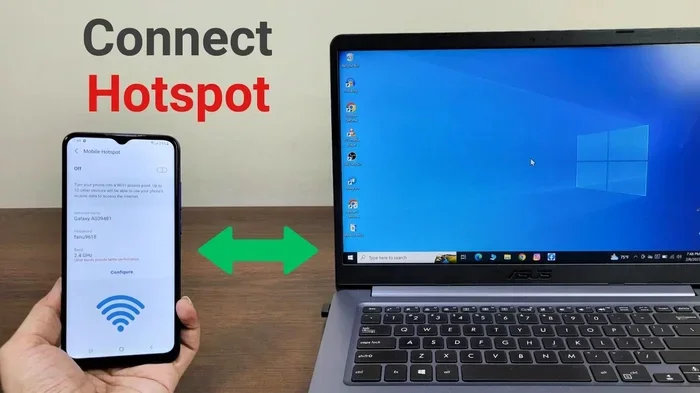
To understand if this switch makes sense, you need to know the basic mechanics. A hotspot shares your mobile data with other devices around you. Your phone or a dedicated device acts as a Wi-Fi router. It sends out a wireless signal. Your laptop, tablet, or smart TV connects to it just like it would connect to your regular home network. This process is called tethering. It turns your cellular data into a local network that all your gadgets can use.
When you ask yourself, can unlimited hotspot replace Wi-Fi, you are really asking how tethering works in practice. You turn on the hotspot feature. Your phone becomes a bridge. It takes the signal from the nearest cell tower and shares it with your devices. The internet speed you get depends on how strong the signal is. It also depends on how many people are using the tower at that moment. During peak hours, speeds might dip a little. But for most everyday tasks, the connection is more than fast enough to handle your daily routine.
Understanding Mobile Hotspot and Tethering
Tethering is the magic behind this setup. When you enable a hotspot on your phone, you share your internet connection with other devices. Your laptop can use the phone’s mobile data to get online. You can connect multiple gadgets at once. A typical phone can handle around five to ten connected devices. But be careful. Too many devices will slow down your download speed. If you have four people streaming movies at the same time, you will notice a drop in performance.
A dedicated mobile hotspot device is often better than using your phone. It has a bigger battery and better antennas. It can handle more connections without overheating. These devices are built specifically for this job. They are small and easy to carry in your bag. You just pop in a SIM card, turn it on, and you have a private wireless internet network. It keeps your phone free for calls and texts. This separation is a huge benefit for people who work from home and need their phone available for important calls all day long.
Portable Hotspot vs Phone Tethering
You have two main choices when setting up your home internet this way. You can tether your phone. Or you can buy a portable hotspot device. Phone tethering is easy. You just turn on a setting in your phone’s menu. It requires no extra equipment. But it drains your phone’s battery fast. It also uses your phone’s data, which can cause your phone to heat up. If you need your phone for work calls, using it as a hotspot all day is not ideal.
A portable hotspot is a separate device. It has its own SIM card and its own data plan. It keeps your phone free for calls and other tasks. It also lasts longer on a single charge because it has a bigger battery. The device is designed to stay on 24/7 if you want it to. For home use, a portable device is usually the better pick. It is more reliable and it does not interrupt your phone usage. Many people keep it plugged into a wall outlet near their regular Wi-Fi router location so it stays powered on constantly.
Speed and Performance: Is It Really Comparable?
Speed is the biggest concern when switching from a cable line to a cellular network. You want to know if a hotspot can handle your daily tasks. Can you stream movies in high definition? Can you hop on a video call without lag? The answer is usually yes. But there are limits you need to understand. Let us look at the actual numbers and what they mean for your daily life.
Download Speed and Upload Speed
Most modern cellular data plans offer fast download speed. You can easily get speeds over 100 Mbps on a good day. That is enough for 4K streaming on multiple TVs at once. Upload speed is often slower than download speed, but it still works well for video calls. A standard broadband connection might offer 200 Mbps down and 20 Mbps up. A good hotspot plan might offer 50 Mbps down and 10 Mbps up. For most families, this is plenty. You can browse the web, watch your favorite shows, and work from home without any issues at all.
However, your internet speed will vary based on your location. If you live close to a cell tower, you will get faster speeds. If you live far away, the signal has to travel further. This can reduce your download speed. Thick walls and bad weather can also affect the signal. It is important to test your speed before you fully commit. Use a free speed test app on your laptop. If the speed is good enough for your needs, you are golden and ready to cancel your old plan.
Latency and Gaming Concerns
Latency is the delay before data starts moving. It is also called ping. High latency can make online games lag. It can also make video calls feel delayed. A Wi-Fi router connected to a fiber line has very low latency. A cellular network might have slightly higher latency. This is because the signal travels further to reach a cell tower. If you are a hardcore competitive gamer, this might bother you. Casual gamers who play puzzle games or turn-based games will not notice a big difference at all. For Netflix, YouTube, or browsing, latency is not a problem whatsoever.
If you do care about low latency for gaming, you can take steps to improve it. Place your hotspot device near a window. This gives it the best view of the nearest tower. Avoid placing it near thick walls or metal appliances. Some dedicated hotspot devices let you prioritize gaming traffic. This feature helps reduce lag during important matches. Just remember that a hotspot is not always a perfect replacement for a hardwired fiber connection for serious esports. But for the average user, the latency is perfectly acceptable.
The Hidden Costs and Data Caps
Not all hotspot plans are created equal. Some look cheap at first, but they have traps hidden in the fine print. You need to read the details carefully. This is where people lose money and end up frustrated. Understanding the true cost is the key to making this switch work for you.
Unlimited Data Plan vs Throttled Speeds
Many providers sell an unlimited data plan. But they do not always tell you about the data caps on the back end. After you use a certain amount of high-speed data, they slow you down. This is called throttling. Your internet speed drops to almost nothing. You might not be able to load a webpage or stream a video. Always ask about the high-speed data limit before you sign up. If you hit the cap often, this plan is not for you.
To avoid this trap, look for plans that truly offer unlimited high-speed data. Some providers offer unlimited data with no throttling at all. They might slow you down only during times of network congestion. This is called a fair use policy. It is not as bad as hard throttling, but it is still something to watch out for. Read the terms carefully. You want a plan that lets you save money without ruining your internet connection in the middle of the night when you are trying to relax.
Coverage Area and Signal Strength
Your coverage area depends entirely on your cell provider. If you live in a big city, you will likely have a strong signal. If you live in a rural area, it might be weak or nonexistent. Thick walls can also block the cellular data signal inside your home. You might need a signal booster to improve the reception. This adds to the total cost of the setup. Before you switch, check the coverage map for your area. Go to the provider’s website and enter your address. This will tell you if the cellular network reaches your home with enough strength to support your daily usage.
Signal strength is measured in decibels. A stronger signal means a faster and more stable connection. If your signal is weak, your download speed will suffer. You might get dropped calls on your video chats. To fix this, you can buy an external antenna for your hotspot device. You can also move the device to a higher floor in your house. Sometimes, simply moving the device a few feet can make a huge difference. Always test the signal in the room where you plan to use the internet the most. A little planning goes a long way.
Pros and Cons of Using a Hotspot for Home Internet
Every choice has good and bad sides. Let us weigh them out so you can make the best decision for your household.
Quick Tips for Making Hotspot Work
Want to make this work for you? Follow these quick tips to get the best performance. First, place your hotspot near a window. This gives it the best view of the nearest cell tower and the strongest signal strength. Second, limit the number of connected devices. Too many devices will slow down your network for everyone. Third, turn off background apps on your laptop. They use data without you knowing. Fourth, set a data usage limit on your device. This helps you avoid surprise bills at the end of the month. Finally, restart your hotspot device once a week. This clears the cache and keeps the connection running smoothly.
Common Mistakes to Avoid
Many people make mistakes when switching to a mobile hotspot. One big mistake is ignoring the latency. Another is choosing a plan with a hidden data cap. Do not assume “unlimited” means unlimited high speed. Always read the details. Also, do not use your phone as a hotspot 24/7 without a cooling pad. Phones can overheat quickly when they work hard. Lastly, do not forget to check your upload speed. If you work from home and upload large files to the cloud, you need a strong upload speed. A weak upload speed will make your workday painfully slow and frustrating.
Comparing Hotspot vs Traditional Broadband
| Feature | Hotspot | Traditional Broadband |
|---|---|---|
| Monthly Cost | Usually lower | Usually higher |
| Installation | None needed | Often required |
| Contract | Usually none | Often 12-24 months |
| Speed Consistency | Varies by signal | Very consistent |
| Portability | Fully portable | Fixed location |
As you can see from the table above, a hotspot wins on cost and portability. A traditional broadband connection wins on speed consistency. Your choice depends on what matters most to you. If you want to save money and need flexibility, a hotspot is a great choice. If you need rock-solid speeds for heavy gaming, traditional broadband might be better.
Is Unlimited Hotspot Replace Wi-Fi Right for You?
Deciding to switch is a personal choice. You need to look at your own internet habits. Ask yourself a few questions. How much data do you use every month? Do you work from home? Do you have a strong cellular signal where you live? If you answer these honestly, you will find your answer.
For light users who just check email and browse the web, a hotspot is perfect. It is cheap, easy, and works great. For medium users who stream a lot of Netflix and do video calls, a good unlimited data plan will handle the load. For heavy users who game all day and download huge files, a hotspot might not be enough. In that case, you might want to stick with your traditional broadband or find a fiber option. The key is matching your needs to the right data plan. Take an honest look at your usage and choose accordingly.
Conclusion
So, can unlimited hotspot replace Wi-Fi and save money? Yes, it absolutely can. It offers great flexibility and lower monthly costs. You trade the cable line for the cellular network. You trade the bulky Wi-Fi router box for a portable device. As long as you have good coverage, it is a smart move. Just be honest about your data needs. Check the throttling policies. And always compare the total cost before you sign up. With the right unlimited data plan, you can ditch your expensive internet bill for good. Enjoy your new wireless freedom and the extra cash in your wallet.
Frequently Asked Questions
Is unlimited hotspot data really unlimited?
Most of the time, yes, but there is a catch. Many providers throttle your speeds after you use a certain amount of high-speed data. This means your internet speed drops significantly. Always check the fair use policy before you sign up.
Can I use my phone as a hotspot all the time?
You can, but it is not ideal. Using your phone as a mobile hotspot 24/7 will drain the battery and cause the phone to overheat. A dedicated portable hotspot device is much better for continuous home use.
How much money can I save by switching?
Savings vary, but many people save between 30 and 50 dollars per month. Over a year, that is several hundred dollars. Switching to a wireless internet plan instead of traditional broadband can really add up.
Does a hotspot work as well as Wi-Fi for streaming?
Yes, for the most part. If you have a strong cellular data signal, you can stream 4K videos easily. Just be mindful of your data usage, as streaming uses a lot of data quickly.
What happens if I run out of high-speed data?
If your plan has a high-speed cap, your download speed will drop to very low levels. You can still connect to the internet, but browsing will be slow. Look for plans with truly unlimited high-speed data to avoid this.
Is a hotspot good for working from home?
It can be, but it depends on your job. If you just send emails and attend video calls, a hotspot works great. If you need to upload large files constantly, check your upload speed first to make sure it meets your needs.