Can My Employer See Where My Laptop Is Located Right Now
Can My Employer See Where My Laptop Is Located Right Now? The short answer is yes, in many cases they can. Employers use laptop location software, GPS tracking, and IP address monitoring to keep tabs on company devices. This guide breaks down exactly how employer tracking works, what your employee privacy rights are, and simple steps you can take to protect your personal data on a work laptop.
Have you ever wondered, can my employer see where my laptop is located right now? It might sound like something out of a spy movie, but it is a real concern for millions of workers. Whether you work from home, a coffee shop, or the office, your company-issued laptop may be quietly sharing its location with your employer.
The truth is, employer laptop tracking has become incredibly common. With the rise of remote work, companies have invested heavily in tools to monitor company devices. These tools range from simple IP address tracking to full GPS location software that can pinpoint your exact whereabouts. Understanding how this works is the first step toward protecting your privacy.
In this article, we will explore every angle of employer monitoring on work laptops. We will look at the technology behind it, the legal landscape, and what you can do about it. By the end, you will have a clear picture of your rights and the steps you can take to stay informed and protected.
Key Takeaways
- Employers can track your laptop: Most company-issued laptops have built-in or installed tracking tools that log location data.
- Tracking methods vary: Employers use GPS, IP addresses, Wi-Fi triangulation, and specialized software to monitor device location.
- Your privacy depends on policy: Company device monitoring policies and local laws determine what is legal and what is not.
- Personal data is at risk: When employers can track your laptop, they may also access browsing history and installed apps.
- You can take protective steps: Using a VPN, separating personal accounts, and reviewing company policies help safeguard your privacy.
- Remote work changed the game: The rise of remote work has made employer laptop monitoring more common than ever before.
- Know your rights: Understanding local labor laws empowers you to have informed conversations with your employer.
📑 Table of Contents
- How Can My Employer See Where My Laptop Is Located?
- What Does Employer Laptop Tracking Involve?
- Can My Employer See Where My Laptop Is When It Is Off?
- Your Employee Privacy Rights
- How to Protect Your Privacy on a Work Laptop
- Common Mistakes People Make With Work Laptop Privacy
- Expert Insights on Employer Laptop Tracking
- Key Takeaways
- Conclusion
How Can My Employer See Where My Laptop Is Located?
Employers have several ways to track a work laptop. Some methods are obvious, while others run silently in the background. Let us break down the most common laptop tracking methods used by companies today.
GPS Tracking
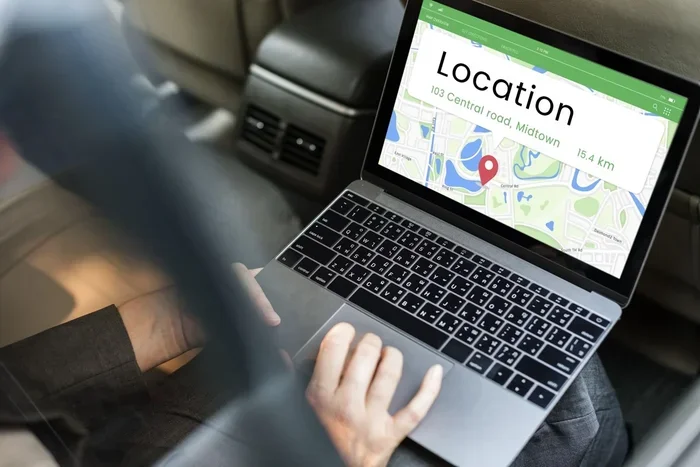
Many modern laptops come with built-in GPS capabilities, especially business models from manufacturers like Dell, HP, and Lenovo. When GPS tracking is enabled, the laptop can send its exact location to a central server. This is especially common for laptops used by field workers, sales teams, and delivery personnel.
Some companies install external GPS hardware or use laptop location software that leverages Wi-Fi signals and cell towers to estimate location even without a GPS chip. The result is a detailed log of everywhere your laptop has been.
IP Address Monitoring
Every device connected to the internet has an IP address. Your employer can use this IP address to determine your general location, often down to the city or neighborhood level. IP address tracking does not require any special software. It works simply because your laptop connects to the internet through a network that assigns you a location-based address.
This is one of the oldest and most widely used methods of company device monitoring. Even if you turn off location services, your IP address can still reveal where you are.
Wi-Fi Triangulation
When your laptop connects to Wi-Fi networks, it broadcasts information about nearby access points. Employers can use Wi-Fi triangulation to estimate your location based on the signals from nearby routers. This method works well indoors where GPS signals may be weak or unavailable.
Employee Monitoring Software
Many companies install dedicated employee monitoring software on work laptops. These programs can track location, browsing activity, keystrokes, and even screenshots. Popular tools include Teramind, ActivTrak, Hubstaff, and Time Doctor. These platforms often run hidden in the background and are difficult to detect without specialized knowledge.
Some remote laptop tracking tools also allow employers to lock or wipe a lost or stolen device. While this is useful for security, it also means your employer has deep access to your laptop at all times.
What Does Employer Laptop Tracking Involve?
When we talk about employer tracking laptop activity, it goes far beyond just knowing where the device is. Companies can monitor a wide range of data, and the scope often surprises people.
Location History Logs
Most tracking systems maintain a detailed location history log. This means your employer can see everywhere your laptop has been over days, weeks, or even months. They can view timestamps, duration of stays, and movement patterns. This data can reveal your home address, gym, places of worship, and more.
Browsing and Usage Data
Location is just the tip of the iceberg. Many company device monitoring tools also track which websites you visit, how long you spend on each site, and what applications you use. Some tools can even capture screenshots at regular intervals or record keystrokes.
Network Activity
Employers can monitor which networks your laptop connects to. This includes both Wi-Fi networks and VPN connections. If you connect to a public Wi-Fi network at a library or café, your employer may know about it. They can also see when you disconnect from their corporate network.
Can My Employer See Where My Laptop Is When It Is Off?
This is one of the most common questions people ask about employer surveillance. The answer depends on the type of tracking technology in use.
For laptops with built-in GPS and cellular connectivity, some tracking can continue even when the device is “off” in sleep mode. The laptop may still communicate with tracking servers periodically. True shutdown usually stops most tracking, but many modern laptops default to sleep mode rather than fully powering down.
IP address tracking only works when the laptop is connected to the internet. If the device is completely powered off and not connected to any network, IP-based monitoring stops. However, company device monitoring tools often store the last known location, so your employer may still have that data.
Your Employee Privacy Rights
Understanding your rights is essential when it comes to employer monitor location on work devices. The legal landscape varies significantly depending on where you live and the terms of your employment.
United States
In the US, there is no single federal law that explicitly addresses employer tracking of company laptops. However, several laws provide some protections. The Electronic Communications Privacy Act (ECPA) sets limits on electronic surveillance. The Stored Communications Act governs access to stored data. Many states have their own privacy laws that add additional layers of protection.
Your employment contract and company policy tracking documents often dictate what is allowed. If you signed an agreement acknowledging work laptop security monitoring, you may have limited grounds to challenge it.
European Union
The EU has much stricter privacy laws, especially the General Data Protection Regulation (GDPR). Under GDPR, employees are considered data subjects with strong rights. Employers must have a legitimate reason for tracking and must inform employees about what data is collected and how it is used. Consent is often required, and employees have the right to access their data.
Other Regions
Privacy laws differ greatly around the world. Countries like Canada, Australia, and the UK have their own frameworks for employee privacy rights. If you work remotely from a different country than your employer, the legal situation can become even more complex.
How to Protect Your Privacy on a Work Laptop
If you are concerned about employer tracking laptop activity, there are practical steps you can take. While you may not be able to stop all monitoring on a company device, you can significantly reduce your exposure.
Use a VPN
A Virtual Private Network encrypts your internet traffic and masks your IP address. This makes it much harder for your employer to track your actual location through IP monitoring. A VPN also prevents your employer from seeing which websites you visit on the network level.
However, keep in mind that some companies require you to use their VPN, which may have its own tracking capabilities. Always check your company’s company policy tracking rules before using a personal VPN.
Separate Personal and Work Accounts
Never log into personal accounts on your work laptop. This includes personal email, social media, and cloud storage. If your employer has access to your device, they may be able to see your personal account activity. Use your personal phone for private matters during work hours.
Review Your Company Policy
Most companies have an employee monitoring policy document. Take the time to read it carefully. Look for sections about location tracking, data collection, and what happens to your data. Understanding the policy helps you know your boundaries.
Disable Location Services
On Windows and macOS, you can disable location services in your system settings. This stops many apps from accessing your location data. However, remember that IP-based tracking may still work even with location services turned off.
Use a Personal Device When Possible
If your job allows it, use your personal device for tasks that involve sensitive personal information. Many remote workers maintain a clear separation between work and personal technology to protect their privacy.
Common Mistakes People Make With Work Laptop Privacy
There are several pitfalls that people fall into when it comes to work laptop security and privacy. Avoiding these mistakes can save you a lot of trouble.
- Assuming your laptop is private: Many people forget that a company-issued device belongs to the employer, not them.
- Ignoring the employee handbook: The handbook often contains detailed information about monitoring practices.
- Using personal email on work devices: This is one of the easiest ways to expose your personal data to employer review.
- Not using a VPN on public networks: Public Wi-Fi is risky, and without a VPN, your employer can easily see your connection points.
- Thinking deleted data is gone forever: Many monitoring tools store data on remote servers, so deletion from the local device does not erase the records.
- Not asking questions: Many employees never ask their IT department about monitoring practices. A simple conversation can clear up a lot of confusion.
Expert Insights on Employer Laptop Tracking
Cybersecurity experts generally agree that employer tracking of company devices is here to stay. As remote work continues to grow, companies are investing more in monitoring tools to protect their data and ensure productivity. The key is finding a balance between legitimate business needs and employee privacy.
“Employers have a legal and ethical obligation to be transparent about what they monitor,” says a leading cybersecurity consultant. “Employees should always read the fine print and ask questions before signing any agreement about device monitoring.”
IT professionals recommend that companies adopt clear, written policies about laptop tracking. These policies should specify what data is collected, how it is used, who has access, and how long it is stored. Transparency builds trust and helps both employers and employees understand the boundaries.
Key Takeaways
- Employers can track your laptop: Through GPS, IP addresses, Wi-Fi, and monitoring software, your employer can know where your work laptop is at all times.
- Multiple tracking methods exist: GPS tracking, IP address monitoring, Wi-Fi triangulation, and employee monitoring software all contribute to location tracking.
- Privacy laws vary by region: Your rights depend heavily on local laws, employment contracts, and company policies.
- You can take protective steps: Using a VPN, separating accounts, and reviewing company policies are practical ways to protect your privacy.
- Remote work increased tracking: The shift to remote work has made employer monitoring of work laptops more widespread than ever before.
- Company devices are not private: Always assume that activity on a work laptop can be seen by your employer.
Conclusion
So, can my employer see where my laptop is located right now? The answer is likely yes, especially if it is a company-issued device. From GPS tracking to IP address monitoring, employers have a wide range of tools at their disposal to track work laptop location and usage. The rise of remote work has only made these practices more common.
Understanding how employer tracking laptop systems work is the first step toward protecting your privacy. While you may not be able to completely stop monitoring on a company device, you can take meaningful steps to limit what your employer sees. Using a VPN, keeping personal accounts off your work laptop, and reading your company policies are all effective strategies.
Your employee privacy rights matter. Know them. Understand them. And do not be afraid to ask your employer or HR department about their monitoring practices. In a world where company device monitoring is increasingly sophisticated, staying informed is your best defense.
Take action today. Review your company’s device policy, set up a VPN, and keep your personal life separate from your work technology. A little awareness goes a long way in protecting your privacy in the digital workplace.
Frequently Asked Questions
Can my employer track my laptop when I am working from home?
Yes, in most cases your employer can track your work laptop even when you are at home. They can use IP address tracking, GPS, or installed monitoring software to determine your location. This is why it is important to review your company’s employee monitoring policy and understand what tracking is in place.
Is it legal for my employer to track my work laptop?
In many countries, it is legal for employers to track company-issued devices, as long as they inform employees and have a legitimate business reason. Laws vary by region, so it is wise to check your local labor regulations and your employment contract. Always read the company policy tracking documents you sign.
Can my employer see my personal browsing on a work laptop?
Yes, if your employer has installed monitoring software, they can potentially see your browsing history, even on personal accounts. The safest approach is to never use your work laptop for personal browsing. Use your own device for personal matters to maintain a clear boundary.
Does using a VPN stop my employer from tracking my laptop location?
A VPN hides your IP address and encrypts your traffic, making it harder for your employer to track your location through IP monitoring. However, it may not stop GPS tracking or other hardware-based monitoring tools. Some employers also require you to use their VPN, which may have its own tracking features.
What should I do if I feel my employer is tracking me too invasively?
Start by reviewing your company’s monitoring policy and employment agreement. If you believe the tracking violates local laws or your employee privacy rights, consider speaking with HR or consulting an employment lawyer. Document any concerns you have and keep records of conversations about monitoring.
Can I remove tracking software from my work laptop?
Removing tracking software from a company-issued laptop is generally not recommended. It may violate your employment agreement and could lead to disciplinary action. Instead, talk to your IT department or manager about your concerns. They may be able to explain what is being monitored and why.